This chapter outlines the CyberLink PowerDVD program workspace and its available features.
When you launch the program it displays as follows:
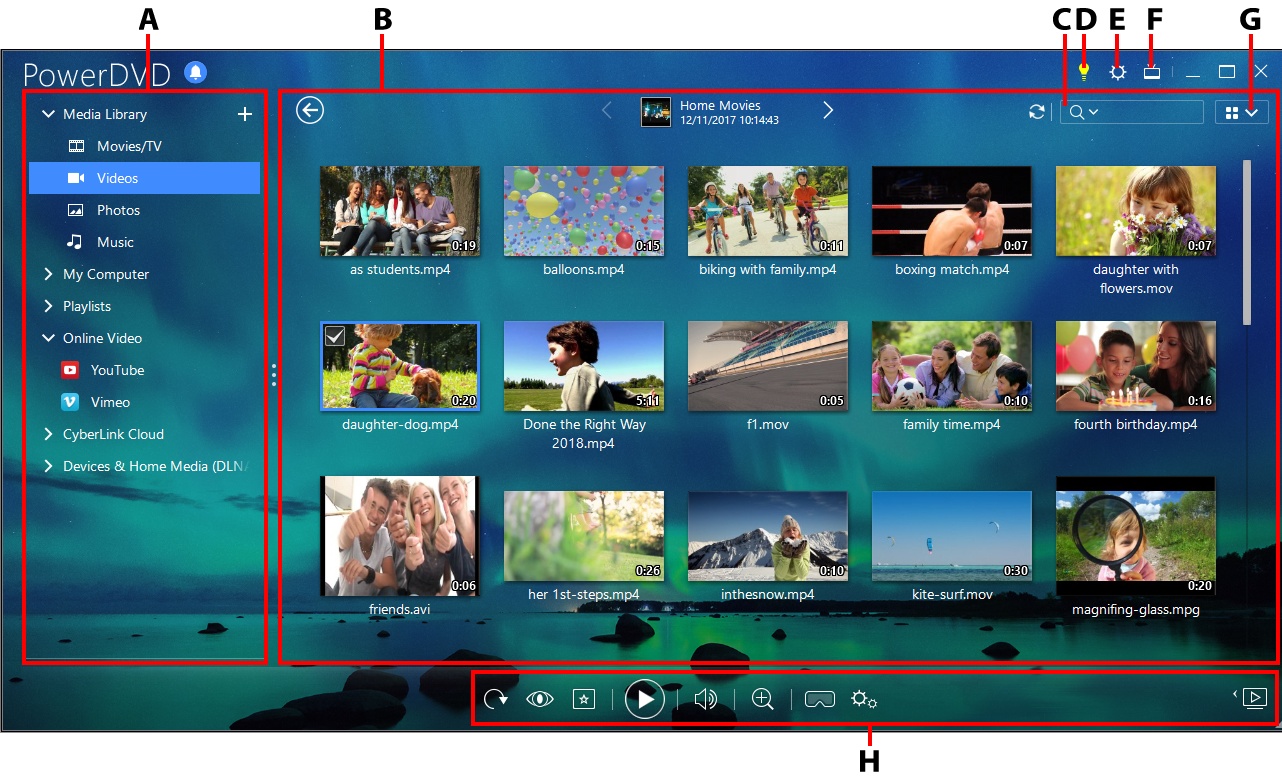
A - Media Panel, B - Media Window, C - Search for Media, D - Access PowerDVD Learning Center and Help, E - Configure PowerDVD Settings, F - Switch to TV Mode, G - Media Window View, H - Playback Controls