
Power2Go 13
Power2Go 13
Select a purchase option:



The Ultimate Disc Burning, Authoring & Backup Solution
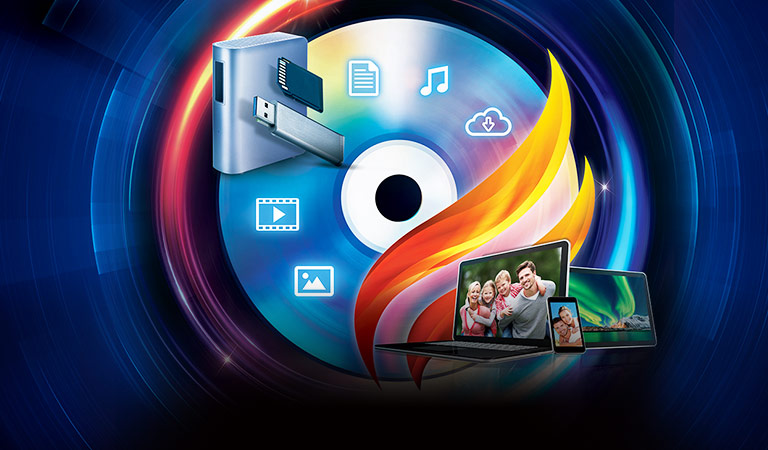
Power2Go is a simple all-in-one solution for all your disc burning, movie disc authoring, media conversion and backup needs. With unparalleled support for a wide-range of disc & mobile formats, you can drag-n-drop files to instantly burn data or movies. Creating impressive DVD and Blu-ray discs has also never been easier with state-of-the-art authoring features and comprehensive menu editing tools that come with free premium templates & background music. And Power2Go’s advanced military-grade 256-bit encryption lets you protect and backup data to a disc or USB drive for added security.
-

Disc Burning
Disc burning software with an easy-to-use drag ‘n’ drop Desktop Widget that allows you to burn data or movies to CDs, DVDs, and Blu-rays almost instantly.
-
Movie Disc Authoring
Quickly create impressive DVD and Blu-ray movie discs with new advanced authoring features, menu editing tools, and free premium menu templates & background music.
-
Convert & Transfer
All you need to take your videos and audio files on-the-go. Intelligent Smart Detect selects the optimal output settings for transferring media files to your mobile device.
-
Backup & Protect
Backup and protect your Windows system data to a disc or single USB drive. For added security burn with military-grade 256-bit one-click encryption.
Disc Burning
-
Burn to Any Disc
Burn CDs, DVDs, and Blu-rays and author Blu-ray or AVCHD movie discs. For even greater convenience, use the Desktop Burning Gadget to easily drag-n-drop your files into the disc of your choice.
-
Desktop Burning Gadget
Easily drag-n-drop files to instantly burn data or movies onto any disc in a wide-range of different formats and have your disc ready in no time.
-
-
Mount, View & Burn ISO Files
Mount a disc image as a virtual drive on your PC for access without an optical drive. Use the ISO Viewer to help organize and browse your ISO disc images.
Movie Disc Authoring
-
ENHANCED
Create Engaging DVD Menus
Author DVD & Blu-ray discs with engaging, tailor-made menus, complete with background audio, photo gallery, intuitive chapter titles and a host of customizable preferences for the perfect menu layout.
-
NEW
Premium Menu Pack
Access an assortment of premium menu templates that include different themes suitable for home videos, travel footage, festive celebrations, romantic montages and many more.
-
-
NEW
Free Background Music
Access an extensive collection of free background music tracks for a grand finishing touch to any disc. You can also choose to import music directly from your hard drive if you wish.
-
NEW
Background Music Adjustment
Customize the volume settings while authoring, ensuring the right background music volume for any disc you want to burn. Arrange for your background music to fade-in and fade-out or keep your music on auto-repeat to set the initial mood for any disc you burn.
-
-
NEW
Trim & Preview Video
Trim lengthy video clips before you burn to remove unwanted segments so that your videos are perfect from the get-go. You can also preview them in Full-HD quality before you start burning.
-
NEW
Fit More Onto Every Disc
Fit video content onto your DVD discs with Best Quality, Standard Quality and Long Play burning settings. To make things easier, the Smart Fit feature automatically resizes your video file to the highest quality supported by your disc, and even utilizes free disc space by increasing your bit rate.
Convert & Transfer
-
ENHANCED
Supports the Latest Video, Photo & Audio Formats
Save storage space with HEVC (H.265) video and HEIC/HEIFC image format support, in addition to popular audio formats MP3, WAV & OGG and lossless formats such as APE, FLAC.
-
H.265 Encoding & Decoding
Save storage space when transferring files, and even convert GoPro or iPhone video to watch on other devices with H.265 encoding and decoding.
-
After
-
UNIQUE
TrueTheater Enhancements
TrueTheater enhancements instantly apply better-than-original quality improvements to transferred videos, so you can have the convenience of your mobile without compromising quality.
-
Smart Detect for Converting to Mobile
Connect a mobile device to your PC and our video conversion software’s Smart Detect will automatically choose the best format and resolution for you, even 4K resolution output. Smart Detect also supports over 200 devices such as Apple, Samsung, HTC, LG, Sony and many more.
Backup & Protect
-
USB System Backup
Backup data files and protect your Windows system, quickly and easily with a bootable CD, DVD or Blu-ray recovery disc. Better yet, you can use removable USB flash drive for even greater convenience in recovering your system.
-
One-click Military Grade Encryption
Keep your data secure with 256 bit, military-grade encrypted CDs, DVDs, and Blu-ray Discs. You can even take an unencrypted disc and burn an encrypted copy with our disc burning software with just one click.
-
-
Backup YouTube 4K & HDR
Download & backup the best videos from YouTube, even in 4K and HDR. It's the easiest way to watch content offline, or even burn it to a disc with our disc burning software to enjoy on your Ultra HD 4K HDR TV.
