Generative AI: Create, Transform, and Animate
Create stunning, high-quality, and tailored content with generative AI. Craft unique images, animate stills, and fine-tune every detail to match your vision, with full control over the process.

All-in-One Photo Editor

 PhotoDirector 365



Create stunning, high-quality, and tailored content with generative AI. Craft unique images, animate stills, and fine-tune every detail to match your vision, with full control over the process.
Discover AI tools to enhance image quality, retouch faces and bodies, remove unwanted objects, and change backgrounds.
Quick Actions uses AI to analyze your photo and recommend personalized editing tools, enabling you to apply a variety of edits with one-click.
Generative AI is your photo editing superpower—effortlessly bring ideas to life with precision, speed, and complete creative control.
Instantly restore clarity to your photos with a single click. Suppress grainy noise, unblur, and upscale to reveal the finest details. Use the AI Image Enhancer for an all-in-one solution or apply each tool individually for precise control.
AI Object Remover intelligently detects and removes distractions with pinpoint accuracy.
Achieve flawless portraits with automatic and customizable enhancements. Smooth your complexion, remove wrinkles, and reshape body features with precision and flexibility for detailed retouching.
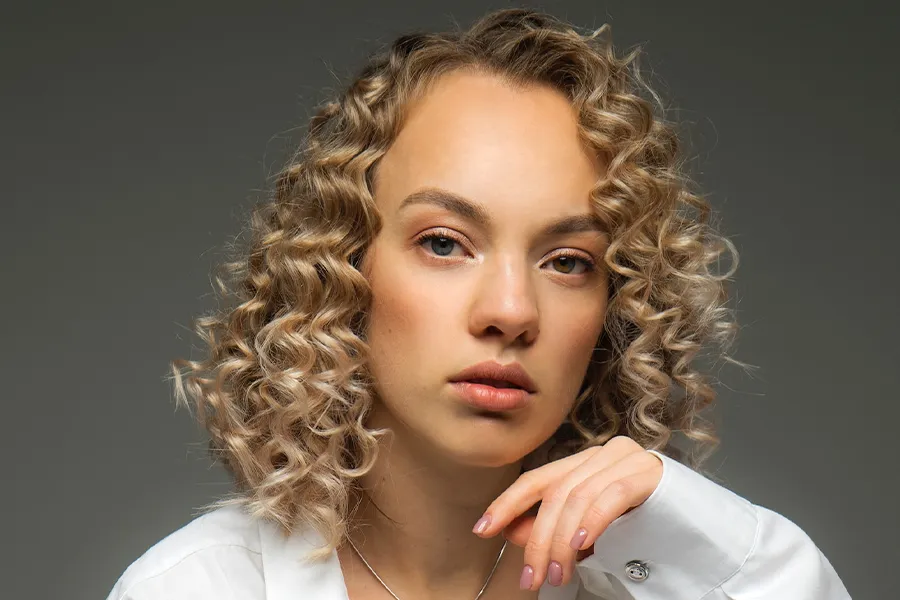
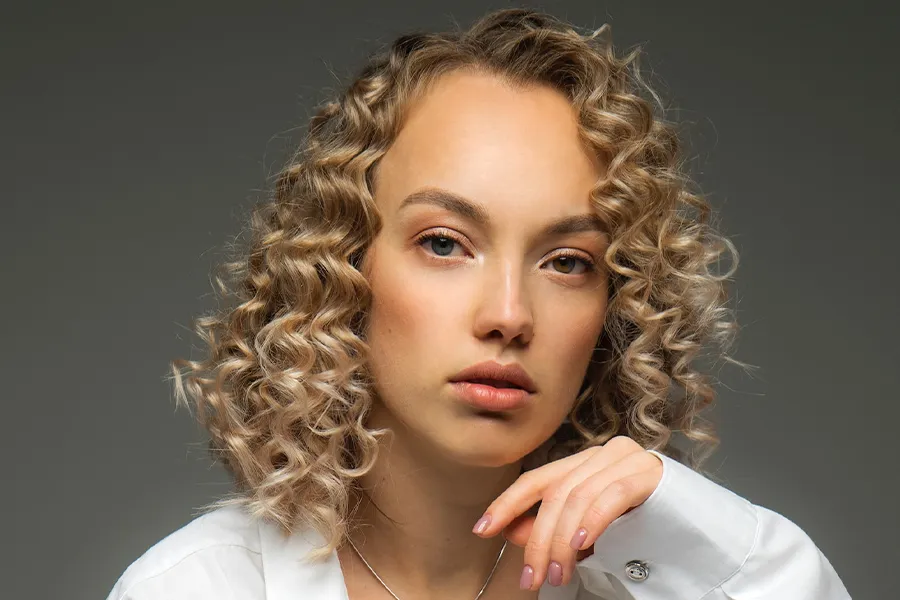


Apply powerful batch edits to entire photo sets with one click. Balance lighting and color, sharpen, stylize, and prepare product images effortlessly.
PhotoDirector V17 Special Edition is a major generational upgrade, introducing powerful Generative AI tools and performance enhancements that simply didn't exist in older versions. It is the definitive way to bring your creative workflow into the AI era.
Yes. We invite you to experience our next-generation AI firsthand. This upgrade is designed to streamline your creative process, allowing you to achieve professional results with effortless efficiency.
To enjoy our newly added AI features, your computer needs a processor that supports AVX2 technology. If you are updating from an older PhotoDirector version on an older PC, we highly recommend checking your system configuration through our Customer Support Page to ensure a smooth experience.
No. V17 will be installed alongside your current version, allowing you to use both simultaneously. You have the total freedom to explore new features at your own pace.
Online photo editors are fine for simple tweaks, but they cannot match the speed and power of a full editor like PhotoDirector. When you need truly professional results at the speed of an online tool, PhotoDirector’s advanced tools go far beyond what online editors offer.
With PhotoDirector, you get:
▶ Instant AI Object Removal and Background Removal that clean up your photos in seconds with no complicated steps or slow uploads.
▶ AI Image to Video conversion, letting you bring your images to life with seamless videos directly inside the app.
▶ Full RAW file support and multilayer editing for complete creative control and top-quality results.
▶ Quick Actions designed for efficiency, like batch editing and face retouching, so you can work fast without sacrificing quality.
▶ Offline editing with no internet dependency, meaning you are never slowed down by upload speeds or server issues.
PhotoDirector combines the speed of quick actions with the depth of a full editor making it the smarter choice over online editors every time.
PhotoDirector is a top choice for photographers who want powerful, easy-to-use editing software with advanced AI features like AI Hug, AI Kissing templates, AI Image to Video, and AI Face Swap. Its guided tools and intuitive interface make photo editing accessible for both beginners and professionals.
While many photographers use traditional software known for photo management and complex retouching, PhotoDirector stands out by offering a complete editing experience that combines automatic AI enhancements with manual controls without the high cost or steep learning curve.
PhotoDirector is an excellent choice for beginners and enthusiasts looking for powerful, easy-to-use photo editing software. It combines a sleek, intuitive interface with a wide array of guided tools and advanced AI-powered features like AI Image to Video and AI Face Swap. These AI tools simplify complex editing tasks, making it easy for anyone to enhance and retouch photos with professional-quality results.
Why PhotoDirector is great for beginners:
▶ Intuitive Interface: PhotoDirector's clean and modern design helps beginners navigate editing tools effortlessly without feeling overwhelmed.
▶ AI-Powered Tools: Automatic AI enhancements and creative features reduce the learning curve and speed up workflows.
▶ Non-Destructive Editing: You can experiment freely knowing your original photos remain untouched, which is perfect for learning and trying new styles.
▶ Affordable and Flexible: PhotoDirector offers competitive pricing with options for one-time purchases or subscription plans, making professional-grade photo editing accessible.
▶ All-in-One Solution: From photo enhancement and retouching to creative video generation from images, PhotoDirector provides everything you need in one place.
PhotoDirector is the perfect all-rounder for those starting their photo editing journey, yet powerful enough to grow with you as your skills improve.
Try PhotoDirector today and discover how easy and fun photo editing can be with AI-powered tools that do the heavy lifting for you.
PhotoDirector 365 