





The Ultimate Home Entertainment Solution
PowerDVD is the superior choice to entertain you and your friends and family.


A Premium Viewing Experience
Movie theater quality with stunning 4K Ultra HD and 8K video playback with the latest hardware support for Video Super Resolution.





Instant Karaoke
The only media player that removes vocals directly from songs in your media library or YouTube for a top-quality karaoke experience from the comfort of your own home. Packed with premium features for an outstanding experience you won’t find anywhere else.
Breathe New Life into Your Favorite Movies and Videos
Turn your living room into a home theater with our patented TrueTheater technology.


TrueTheater Color Lighting HDR Audio Color
Watch your movies like never before with deeper colors and enhanced video/audio playback.
Automatically improve dynamic range to enhance display quality with new monitor processing technology.
Try Now
Studio-Quality Audio
Get the most out of your home theater system with DTS-HD, Dolby Audio, and Hi-Res 7.1 surround sound.


The Most Comprehensive Media Playback Solution
Experience powerful AI tools from within the user-friendly media management hub.

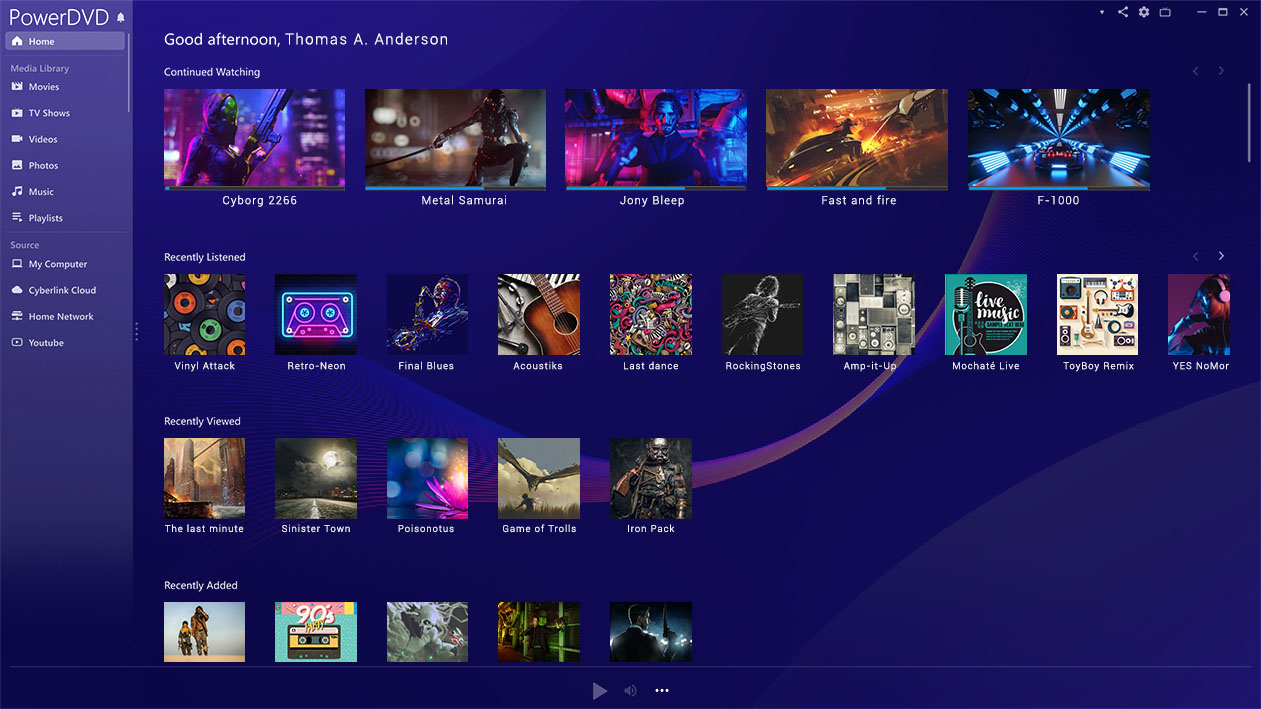
PowerDVD, Reimagined
Discover our completely redesigned user interface with a more user-friendly media management hub.
Try Now
Your Movies, Your Way
Organize your media with customizable thumbnails, poster walls, and AI-powered photo management.
Your Personal Digital Media Hub
PowerDVD is the most robust and versatile solution for all your entertainment needs.

Experience YouTube Without Interruptions
Watch your favorite YouTube videos offline and uninterrupted in up to 8K quality.


Cast to TV or Streaming Devices
Play your media on the big screen or your favorite devices in the best available quality.


Share & Access Your Media Anytime, Anywhere
Take your cinema experience on the go with PowerDVD.
Digitize Your Media Collection
Extract media from disks and convert any file to MP4 for maximum shareability across your devices.
Start Sharing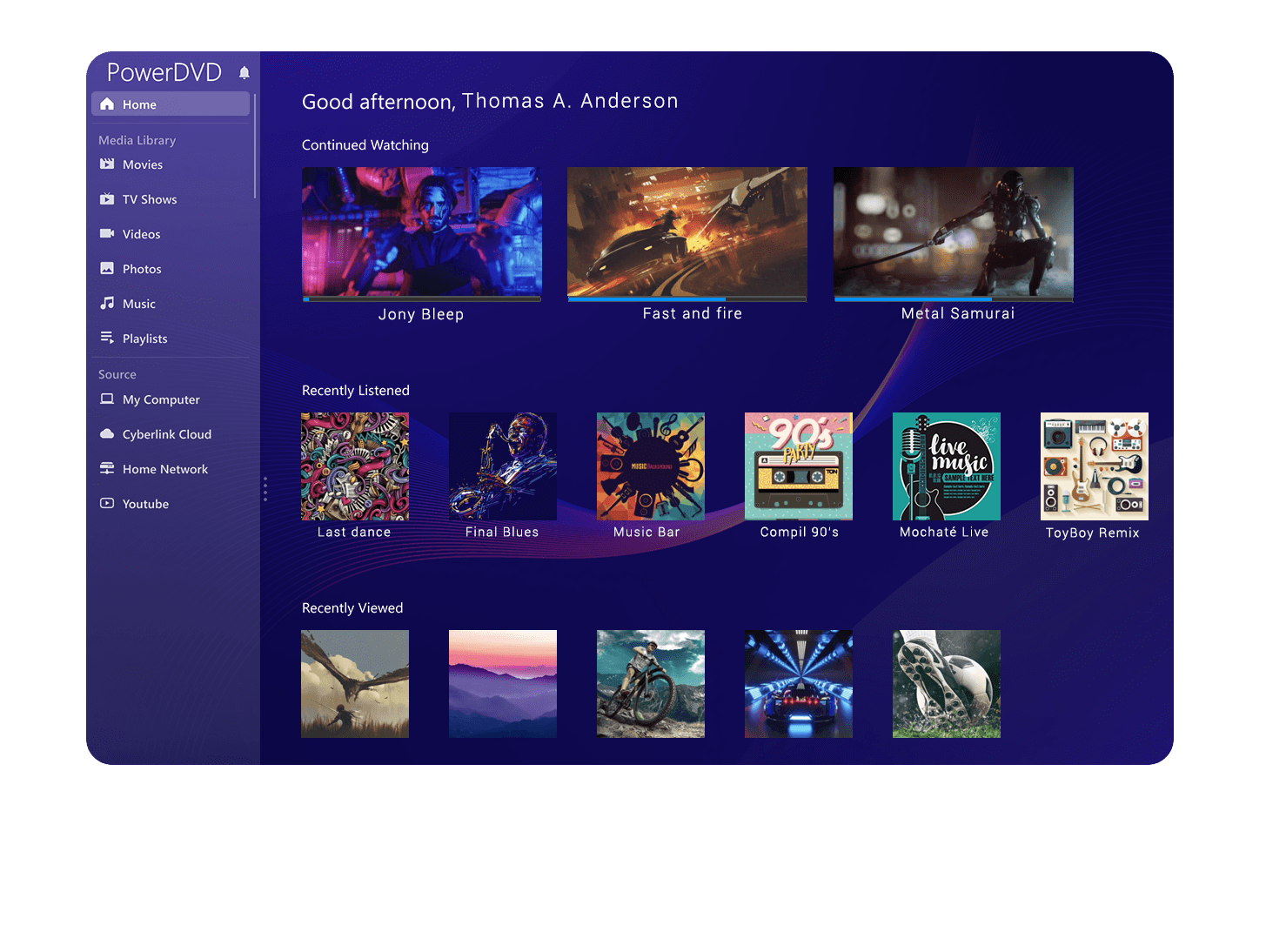


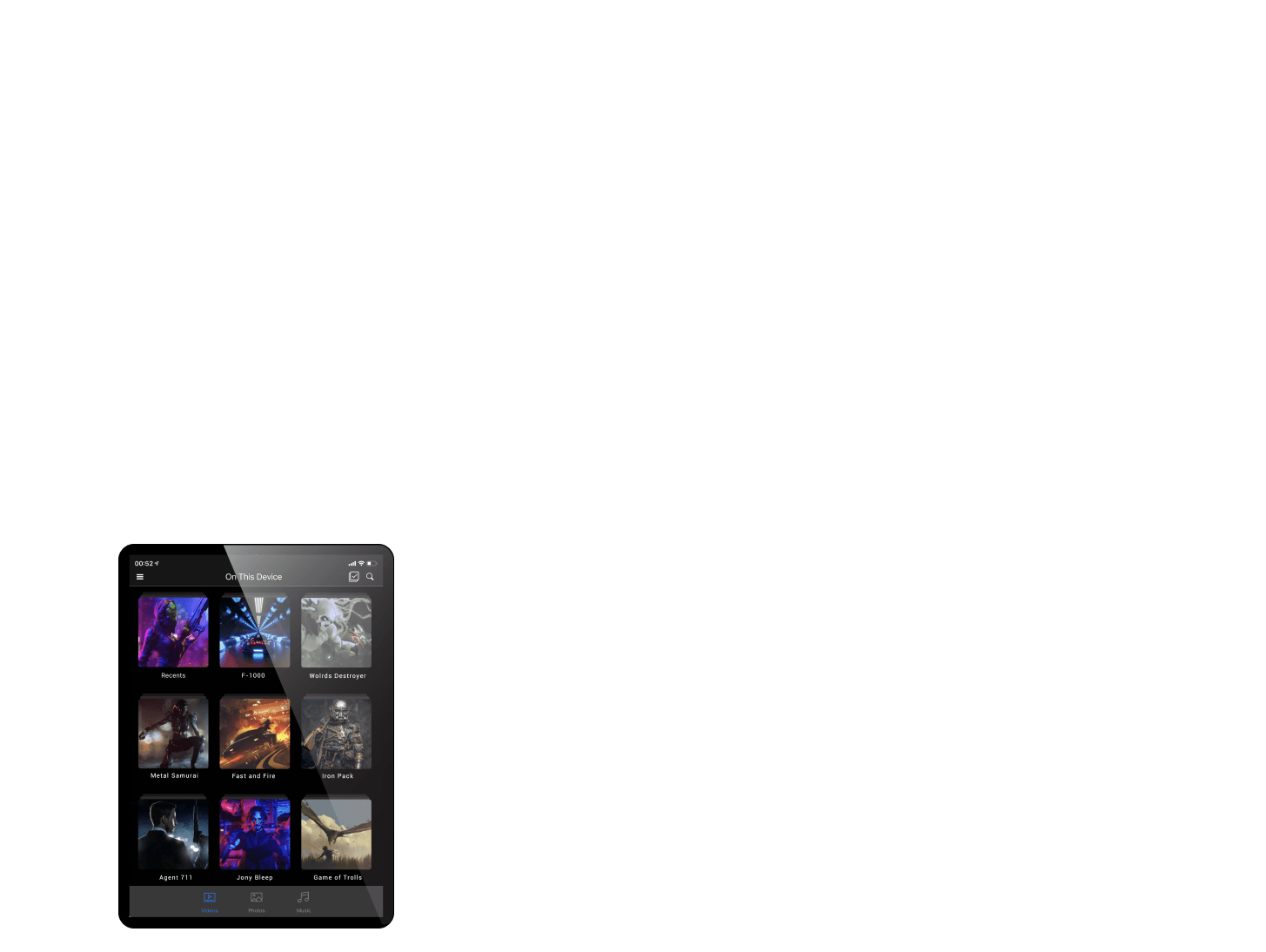


Seamless Playback and Sharing On PC, Mobile, Tablet, and TV
With 100GB of free cloud storage, share your entire media collection with friends and family using a simple link. No sign-up required!
Or use our free companion app to enjoy all your favorite media online or offline, anytime, anywhere.


 PowerDVD 23


