PowerDirector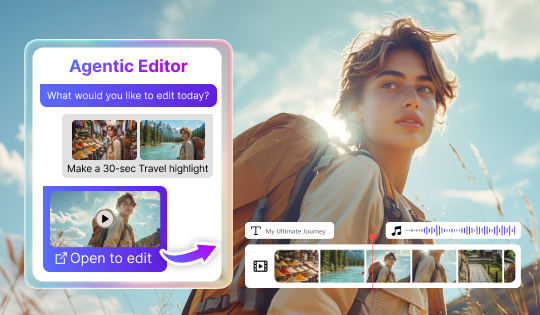
Agentic Editor
Work with multiple files at once and describe complex edits in plain language. Results go to the timeline so you can keep refining them.



Explore the latest Director Suite 365 updates, including new AI tools, creative features, effects, templates, and content packs for video, photo, audio, and marketing design.
Work with multiple files at once and describe complex edits in plain language. Results go to the timeline so you can keep refining them.
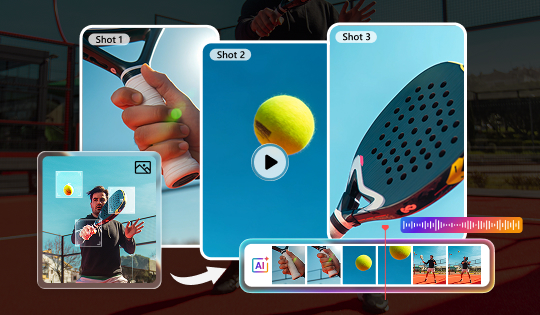
Turn a single photo into a short video. Pick a cinematic style and AI adds camera movement, natural sound, and matching background music.
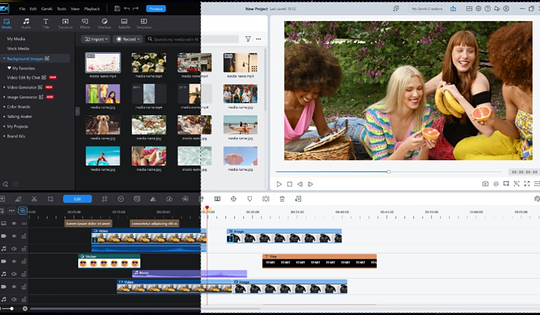
Choose the appearance that suits your workspace and editing environment.
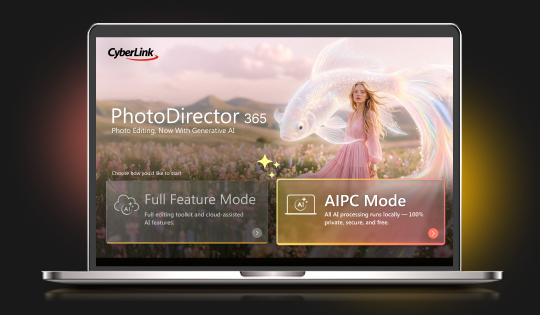
On Intel AI PCs, switch to AI PC Mode to run 22 AI features locally, including Edit by Chat and AI Image Generator. Your files stay on your device, and no credits are used.
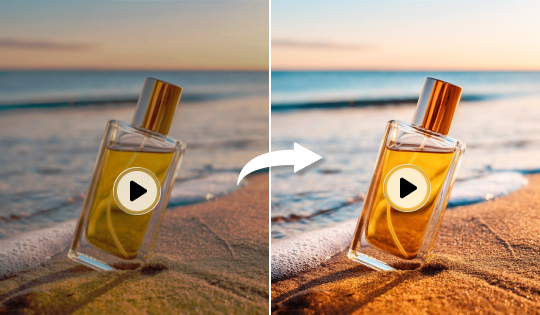
Upscale and clean up video quality with AI — sharper detail and less noise for studio-grade clips.
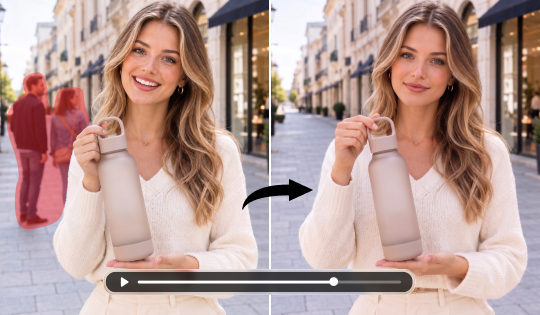
Remove unwanted objects or people from a video clip with AI, tracked cleanly across frames.
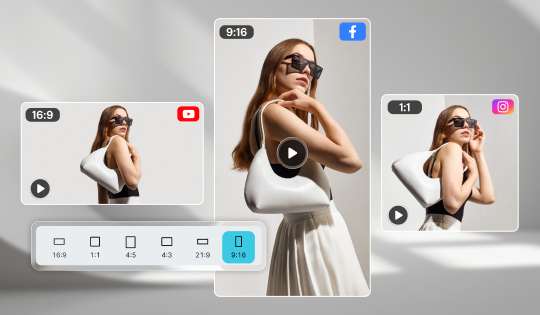
Automatically reframe and resize a video for every platform's aspect ratio, keeping the subject in shot.
Added Wan 3.0, Seedance 2.0, Seedance 2.0 Fast, Seedance 2.0 Mini, Seedance 2.5, Gemini Omni, and Gemini Omni 1.1. Generate realistic movement, with Seedance 2.5 supporting clips up to 30 seconds.
Added Wan 3.0, Seedance 2.0 Fast, Seedance 2.0 Mini, Seedance 2.5, Gemini Omni, and Gemini Omni 1.1. Create natural movement with stronger prompt understanding, with Seedance 2.5 supporting clips up to 30 seconds.
Added Wan 3.0, Seedance 2.0, Seedance 2.5, and Gemini 1.1 for more precise, prompt-based video edits.
Try SCAIL-2, which holds character details steady through complex motion and supports both photo and video backgrounds.
Added Kling Omni 3.0 and Seedream 5.0 Pro for richer details and more polished image generation.
Set your own clip length for AI Image-to-Video and Text-to-Video generation.
Now supports Swedish, Danish, Norwegian, and Finnish.
Refined narration speed for voice cloning.
Publish AI-generated work with the disclosure it needs. Every export carries machine-readable provenance, what was generated, by which tool, and when, plus a visible AI label you can switch on at export.
New Highlight and Light video effects, plus new title animations.
Improved reference-image understanding and delivering more accurate, visually consistent replacements.
Added Kling 3.0 and SCAIL-2. Kling 3.0 keeps character and clothing details consistent, while SCAIL-2 gives smoother, more stable motion.
Gemini Omni, Wan3.0, Seedance 2.5 and 2.0 – Generate realistic, expressive videos with natural motion, lighting, faces, and consistent characters. Create clips up 30 seconds with Wan3.0 and Seedance 2.5, the longest duration available.
You can now import and edit WebP images, the format you often get when saving images from the web.
Add clear AI labels to generated videos, images, and audio, with watermark controls in Preferences for transparent sharing.
Generate better-sounding songs with clearer vocals, powered by an upgraded AI engine.
Describe what you need in plain language and the Agent plans, designs, and delivers, routing to the right Promeo tools for you.
Script, animate, and score your product shots into an eye-catching promotional video ad that stops the scroll.
We've added a smarter AIGC watermark option. Promeo adds the watermark when your creation includes AI-generated content, making disclosure simpler and more seamless.
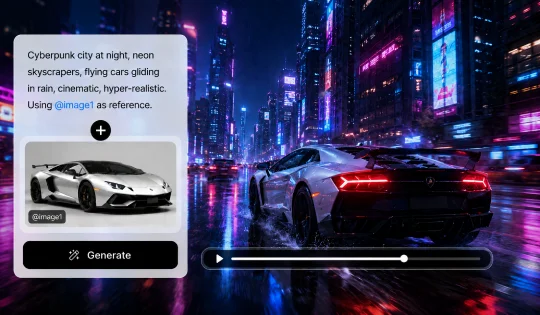
Get exactly the video you pictured. Drop in a reference image to guide the style.
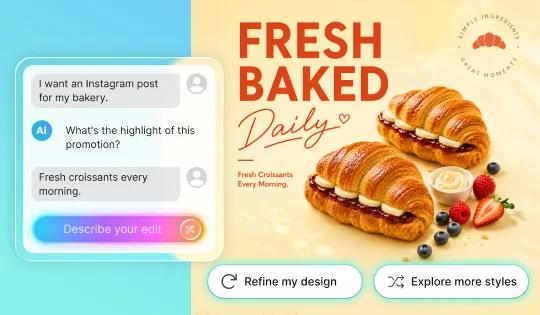
Create eye-catching social posts, banners, invitations, promotions, profile graphics, and more, all from one continuous conversation with your AI Design Agent.
More Themes: Now includes: Daily Life, Travel, Pets, Memories, Events and Product
New AI model support for Happy Horse 1.1, delivering smoother motion, stronger character consistency, and tighter audio sync.
Now supports Thai, Hindi, Vietnamese, and Russian.
Filipino creators, welcome!
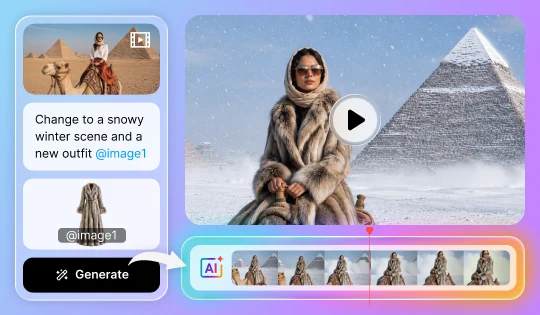
Now even more ways to direct your look. Drop in a reference photo and keep chatting until every detail is right.
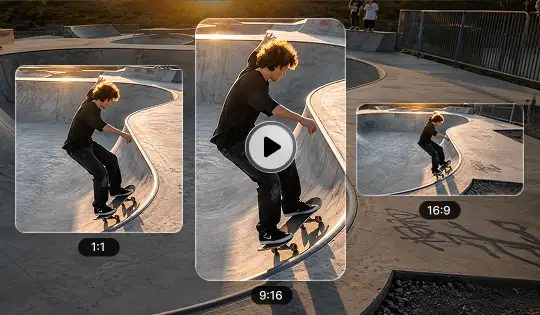
Your whole project, done at once. Apply it to all your clips in one step, spotlighting what matters most in your frame for every platform.
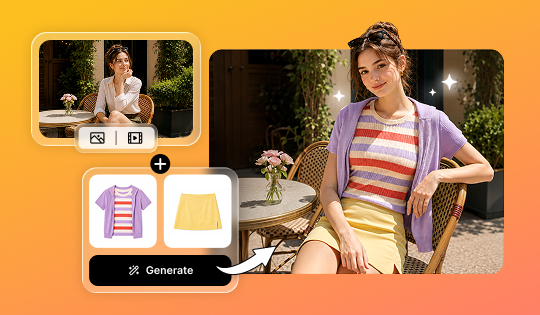
Change outfits in videos with AI Video Try-On. Replace a full outfit, swap individual clothing items, or describe a new look with text prompt
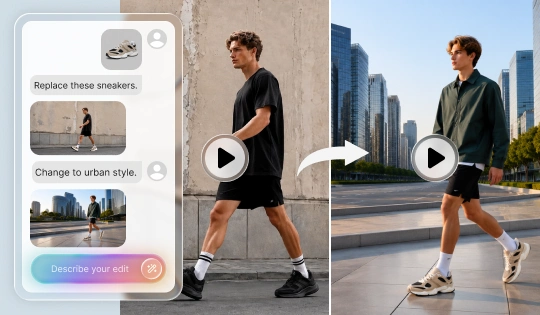
Describe the campaign style you need, like "turn this into a luxury product ad," and transform ordinary footage into a polished marketing video. No editing skills required.
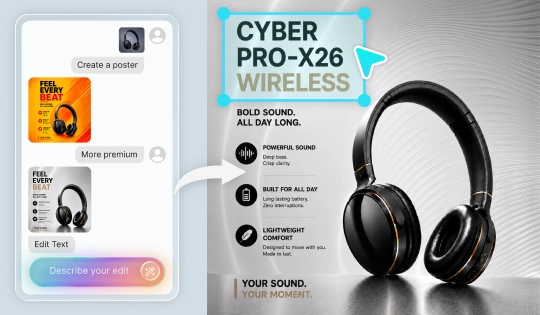
Generate campaign-ready ad visuals from a product photo or a simple description. Unlike typical generative image tools, text remains editable after generation so you can update copy and placement directly while preserving the original design.
Choose from multiple AI models in Edit by Chat for more flexible results. Select the model that best matches your creative style and editing needs.
Now with custom editing. Start with AI-generated layouts and make them completely your own.
Instantly elevate any photo with AI-powered clarity and detail in a single click.
PhotoDirector now supports Indonesian for a more localized editing experience.
Expand RAW compatibility with LibRaw integration, adding support for 280 additional camera models.
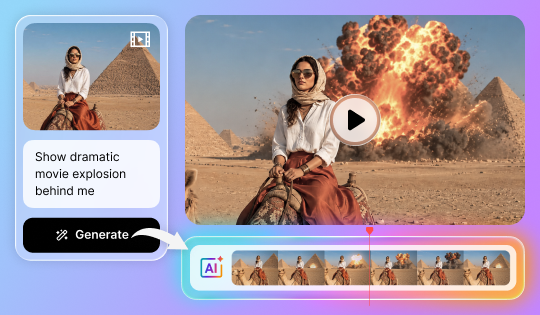
Turn simple prompts into powerful edits. Upload your video, describe the changes you want, and let AI instantly transform your footage into a whole new look or style.
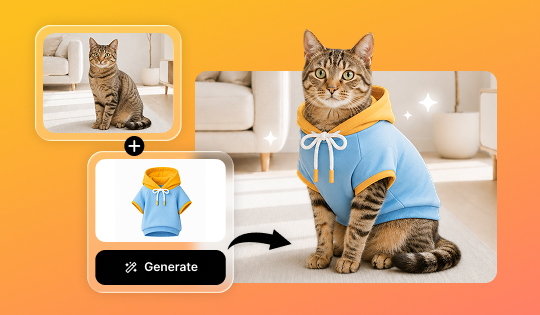
Now supporting pet photos! Upload an image of your dog or cat and instantly see them styled in a variety of fun outfits.
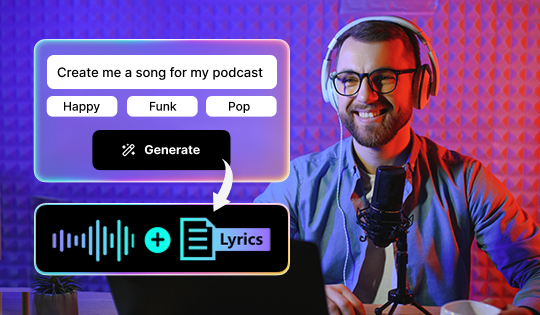
Describe a mood, theme, or story, or use your own lyrics, and AI creates original vocals and music in seconds for videos, podcasts, and more.
Transform images into high-motion videos with native audio sync using Happy Horse 1.0.
Generate high-quality videos from text prompts with superior motion quality and multilingual lip sync using Happy Horse 1.0.
Jump back into your workflow faster with the new Recent Tasks tab. Your latest projects and edits are just one click away.
Now supporting Panasonic LUMIX G9 Mark II (RW2) and Nikon Z6III (NEF) RAW formats, enabling smooth import, viewing, and editing of the latest high-quality camera files.
Make more precise edits using reference images. Select an area, add a reference, and let AI realistically replace and blend elements into your scene.
Transform images into videos with superior motion quality and native audio sync, now with expanded model support including Wan 2.7, PixVerse v6, and Happy Horse 1.0.
Transform ideas into high-detail visuals with precise prompt understanding, now powered by Seedream 5.0 Lite.
Now supports Polish for a more localized editing experience.
Choose from multiple AI models, including GPT Image-2, to generate higher-converting ad visuals with text that stays editable after generation.
Choose from multiple AI models, including GPT Image-2, Nano Banana 2, and Seedream 5.0, using a reference image to generate on-brand visuals that match your creative direction and campaign needs.
With Wan 2.7 support, generate smoother, more lifelike motion that helps your ads and social campaigns capture attention and drive engagement.
Move effortlessly between PC and mobile. Access and share your projects anytime, wherever you are.
Apply filters to video and image overlay elements for a unified visual style. Match color, tone, and mood across every layer to create polished, campaign-ready marketing visuals.
Updated to the Gemma 4 AI model for improved on-device AI creation on supported AI PCs.
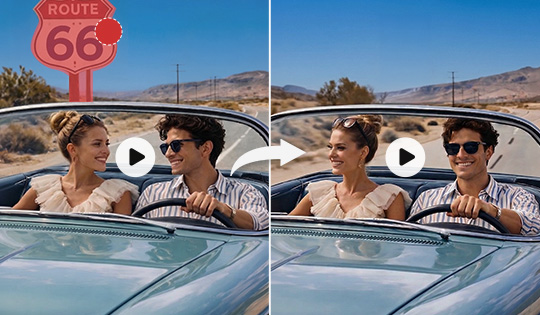
Remove unwanted people or objects from your footage instantly, even in complex scenes. Keep every moment clean, natural, and distraction-free without disrupting the flow of your video.
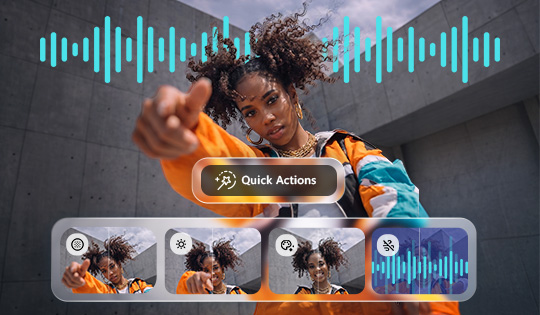
Enhance your video quality with AI that understands your footage and applies the right adjustments to improve lighting, color, audio, and more for clean, natural, and polished results.
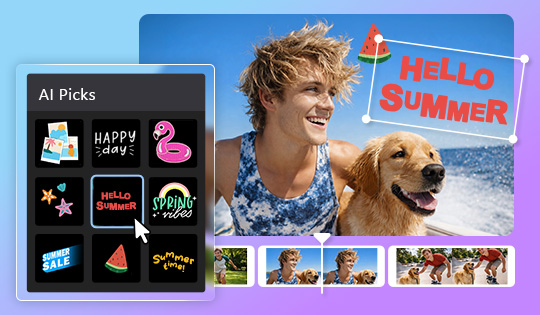
Get sticker suggestions instantly based on your scene, making it easy to find the perfect visual accents without manual searching.
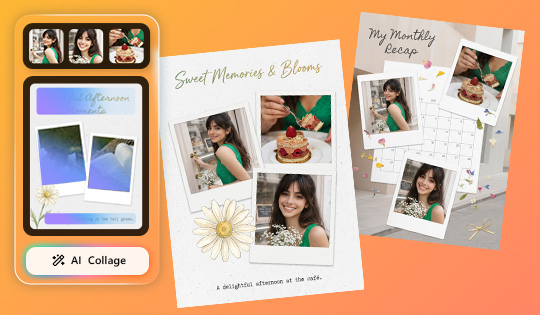
Turn everyday moments into fun, shareable collages in seconds. Start with templates and let the AI mix and match your photos into polished layouts.
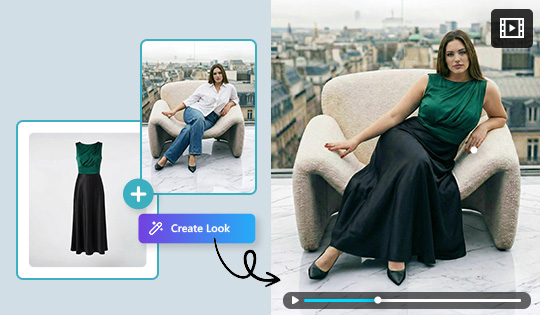
Create realistic try-on visuals and transform them into dynamic, fashion videos for richer content. Launch collections faster, without studio shoots, casting, or editing expertise.
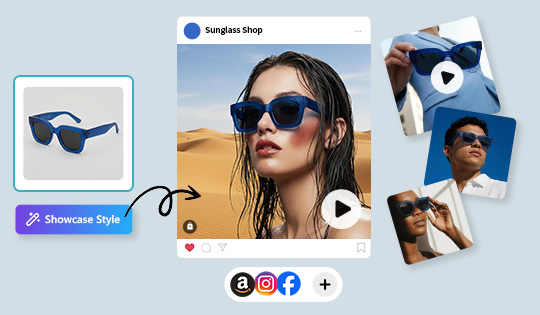
Bring styled product visuals to life with motion. Generate professional videos that highlight products on models in realistic, lifestyle-driven scenes.
Discover a soundtrack in seconds. Describe your idea, and AI instantly recommends music that matches your vision.
Transform concepts into visuals with the latest AI models: Nano Banana 2, Seedream 5.0, and GPT Image 2.
Transform images into cinematic clips with the latest AI models, including Wan 2.7 and Pixverse 6.0.
Transform concepts into animated visuals with the latest AI models, including Wan 2.7, Seedance 2.0, and Pixverse 6.0.
Imported clothing now appears more natural and detailed on your photo, with improved fit, fabric realism, and overall visual quality.
Now supports Kling O3 for smoother motion, richer detail, and more cinematic video generation.
Now supports Nano Banana 2, Kling O3, and GPT Image 2 for improved detail and smarter prompt-based image generation.
Define your preferred color scheme and product placement before generating, so every ad is on-brand and ready to publish without additional adjustments.
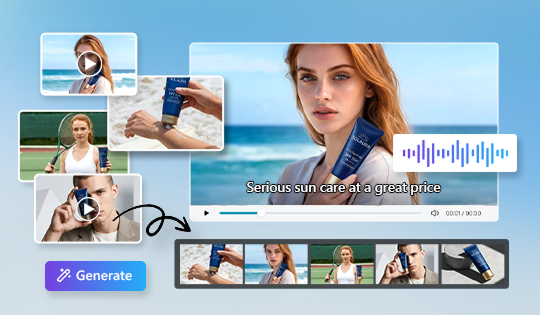
Turn your product assets into a ready-to-use marketing video in minutes. Simply define your audience and key message, and AI builds scenes, voiceover, subtitles, and effects to help accelerate your marketing output.
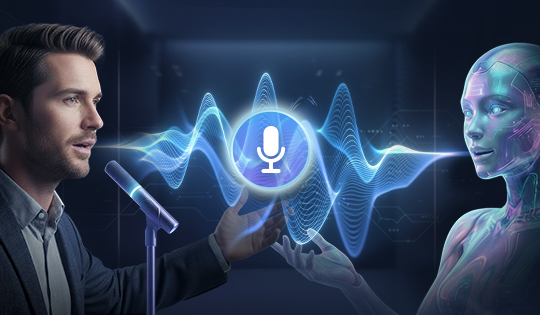
Bring your stories to life with voice cloning now available across AI Storytelling, Talking Avatar, and Text to Speech for truly personal, on-brand narration.
Bring your characters to life with natural, full-body movement and lifelike gestures synced seamlessly with speech. With voice cloning, your avatar can deliver your message in your voice across multiple languages for a more consistent and engaging global presence.
Find the perfect sticker instantly with natural language search. AI understands what you’re looking for and provides the most relevant stickers every time.
Preview transitions with your own footage in real time before applying them, making it easier to choose the effect that fits best.
Create images your way with new AI models: Flux.2 Pro, GPT Image1.5, and Z-Image. Each offers unique strengths in realism, style, and detail.
Generate compelling videos from text using expanded AI models, including Kling 3.
Image to Video now supports Kling 3.
Generate compelling videos from text or images with expanded AI models including Vidu Q3.
Text to Image now supports reference images with certain integrated AI models, giving you greater control over style, composition, and visual direction.
Run wire removal directly on your PC with Intel or AMD CPUs for faster performance and enhanced privacy.
Facial detection now identifies smaller faces more accurately, reducing misidentification and enabling more precise, reliable edits.
Edit faster and more intuitively by selecting objects directly, with no need to activate the Pick Tool first.
Image to Video now supports Kling 3 and Vidu Q3 for enhanced motion quality and creative options.
Access AI Agent from Guided or GenAI Studio for quicker guidance and smoother editing.
Edit HEVC 10-bit 4:2:2 footage with full hardware and software decode support for smoother playback, improved color accuracy, and a more stable editing workflow.
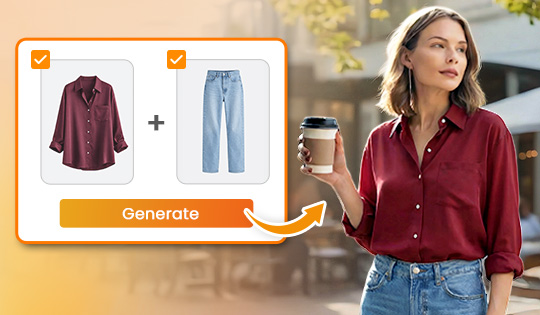
Virtually try on outfits using images or generated looks and instantly visualize styles. Explore aesthetics, refine your look, and turn fashion ideas into shareable, creative visuals.
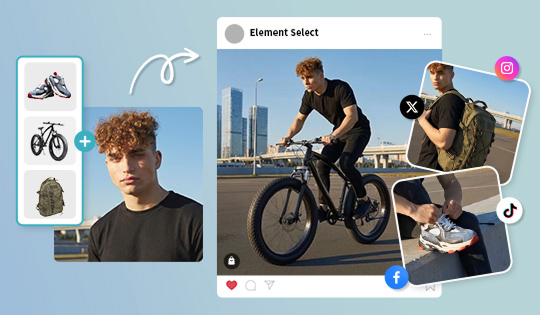
Show multiple products with a single virtual model in one workflow, creating immersive visuals that connect with buyers and highlight collections across markets. Experiment with styling and drive confident purchasing at scale.
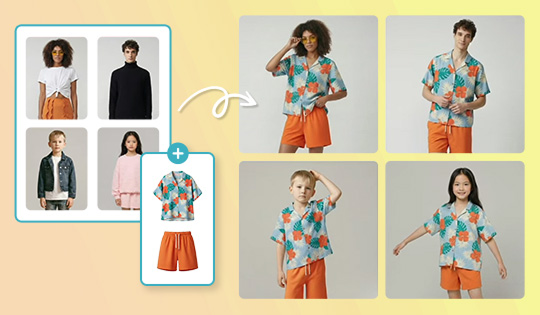
Apply multiple outfits to one model, or one look across multiple models, in a single workflow, helping shoppers envision every option. With ready-to-use model presets, fashion resellers can launch listings faster, cut costs, and boost conversions.
Transform text into story-driven videos with expanded AI model support, including Kling 2.6, Vidu Q2, and Sora-2, all from a single interface.
Image to Video now supports Kling 2.6 and Vidu Q2, enabling smoother motion, clearer subject movement, and more coherent video generation.
Boost video quality with enhanced frame interpolation and super-resolution upscaling for smoother, clearer results.
Now supports Kling 2.6 and Kling O1 models, delivering smoother motion and higher-quality results in Image to Video.
Text to Image now supports Flux.2 Pro, GPT-1.5, Kling O1, and Z-Image models, enabling more accurate, higher-quality images from text prompts.
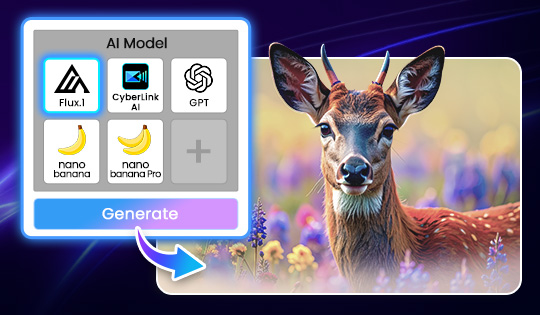
Generate images from text using leading AI models like Nano Banana, GPT Image, FLUX, and more. Choose the AI model that delivers the exact look, detail, or style you need without leaving your workflow.
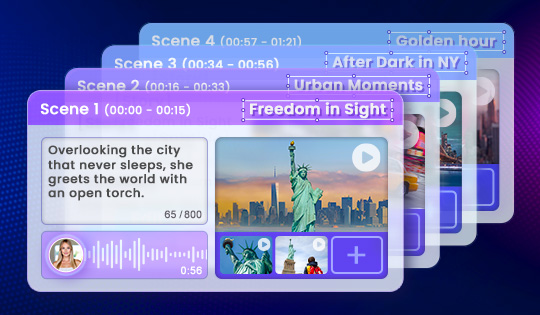
Create videos through text-driven storytelling. Define structure and pacing, while AI transforms your direction into an expressive video, complete with AI voiceover.
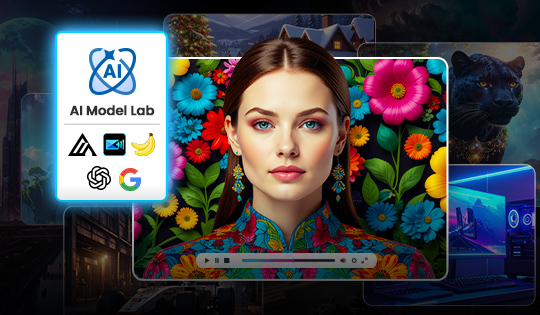
Access the latest third-party AI models in one centralized hub. Experiment with new AI-powered features as soon as they’re released and stay current as AI models continue to evolve.
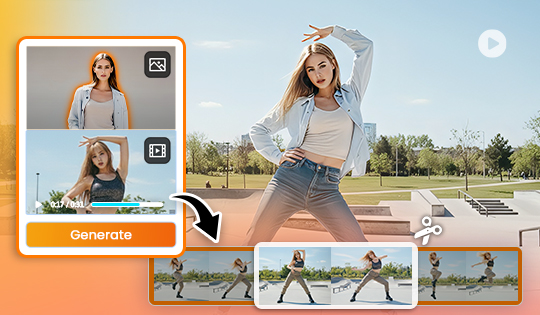
Trim long clips into shorter reference clips before generation to target precise gestures, improve accuracy, accelerate processing, and reduce unnecessary compute costs.
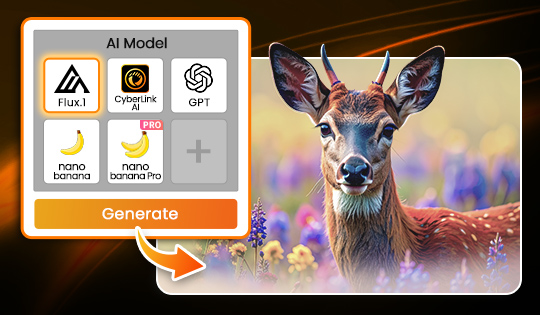
Generate images from text using leading AI models like Nano Banana, GPT Image, FLUX, and more. Choose the AI model that delivers the exact look, detail, or style you need without leaving your workflow.
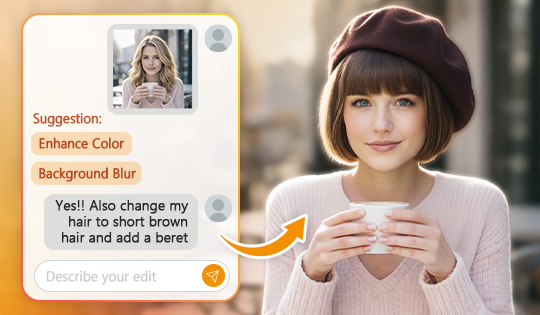
Editing just got more intuitive. Tell Edit by Chat what you want to change, or pick from smart suggestions, then keep refining your photo until it feels right, all in one continuous flow.
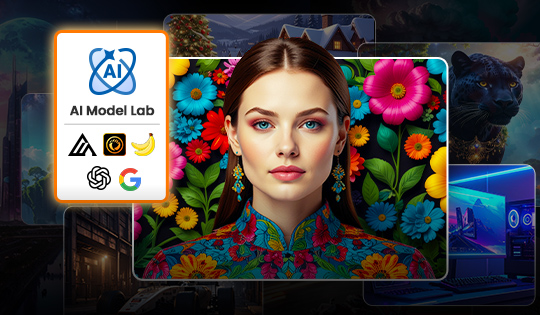
Access the latest third-party AI models in one centralized hub. Experiment with new AI-powered features as soon as they’re released and stay current as AI models continue to evolve.
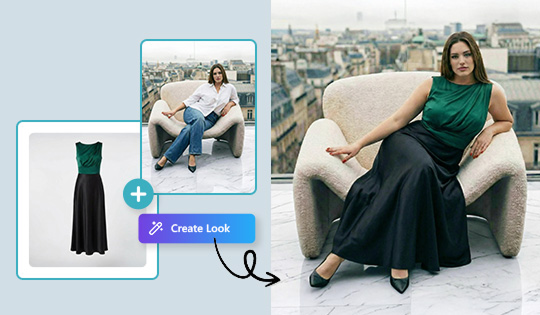
Create realistic try-on images with AI-generated virtual models from flat garment photos. Sellers can showcase consistent, catalog-ready visuals for fast fashion refreshes without coordinating studio shoots or hiring professional models.
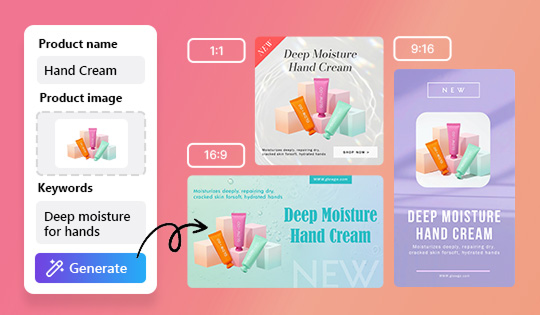
Enhanced prompt understanding and product awareness, delivers cleaner, product-forward layouts, on-brand backgrounds, and benefit-led copy.
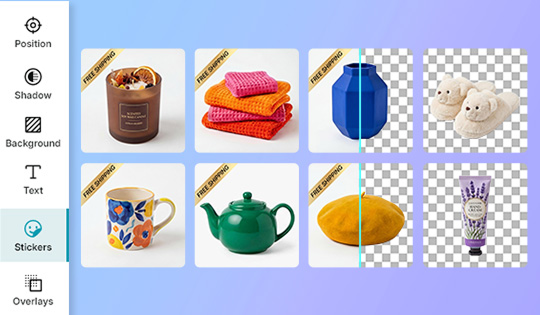
Integrate stickers, slogans, and callouts across entire image sets at once to maintain consistent branding and reduce editing time to minutes, resulting in unified, eCommerce-ready visuals.
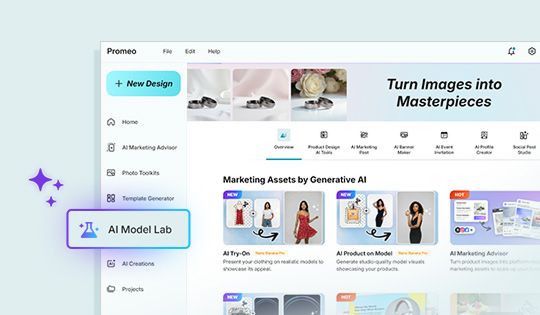
Access to the latest third-party AI partner tools in one centralized hub. Experiment with new AI-powered features as soon as they’re released and stay current as AI tools continue to evolve.
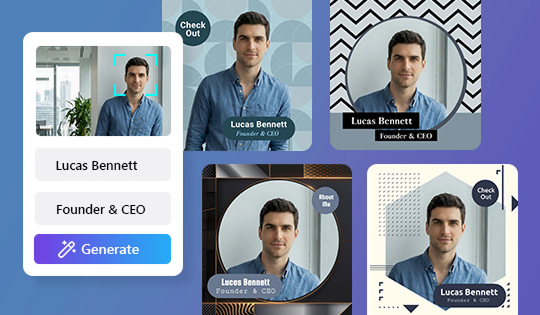
Now with upgraded face detection. Smarter AI analyzes your portrait, auto-centers the subject, and provides cleaner cutouts with balanced composition and smoother skin texture, producing polished, professional headshots with minimal editing.
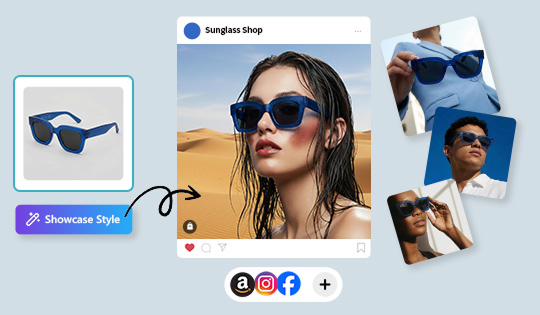
Showcase accessories and lifestyle products in realistic, on-model settings. Turn standalone items into styled visuals that highlight fit, function, and fashion appeal.
Turn still images into dynamic motion with advanced AI models such as Runway Gen-4 and Sora-2. Pick the model that matches your creative goal directly from a single control in your editing window, and watch your ideas move effortlessly.
Achieve cleaner edges and more precise details, especially around hair, contours, and detailed elements, for a more natural result.
Turn still images into dynamic motion. Pick the AI model that best matches your creative goal directly from a single control in your editing window, and watch your ideas move effortlessly.
Bring out richer colors and deeper contrast with HEVC (H.265) 10-bit 4:2:0 HDR editing. Supports Rec. 2100 HLG/PQ and iPhone HDR images for stunning lifelike results.
