AI PC Mode
Optimized for RTX SparkA dedicated on-device workspace. Supported AI tools run on your local GPU, so your photos never leave your PC.
- Unlimited local runs, no credits spent
- Private & secure: photos never leave your PC
- Works offline




All-in-One Photo Editor

 PhotoDirector 365
Generate, enhance, clean up, and retouch on your own PC, with no uploads, no credits, and no generation limits. Rolling out from October 2026 on RTX Spark Windows PCs.
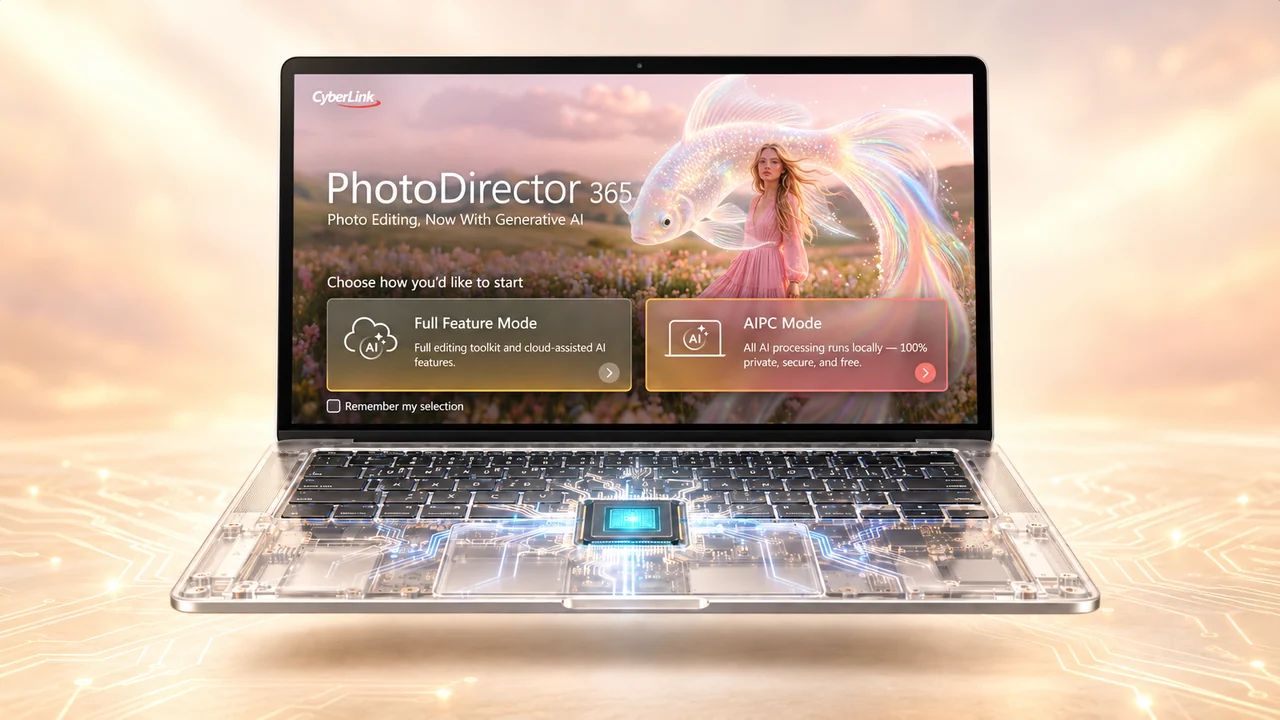
PhotoDirector opens with a choice. Keep high-volume work 100% on your RTX Spark PC, or switch to the cloud when a project needs the most demanding models. Switch anytime from the top bar.
A dedicated on-device workspace. Supported AI tools run on your local GPU, so your photos never leave your PC.
The complete PhotoDirector 365 toolkit, including cloud-assisted tools. Video and the most demanding image models run in the cloud at top quality.
AI PC Mode brings generation and editing together in one workspace, so you can take a photo from first draft to final retouch without leaving your PC.
Create a new image from a prompt, edit a photo by describing changes in plain language, or replace an object with a few words.
Clean up noise, sharpen blur, recover faces, and upscale small images, with color corrected in one click.
Cut out the subject and swap in a new background, all without uploading the shot.
AI detects people, objects, and power lines automatically, then removes them and fills in the background.
Try on outfits and hairstyles, retouch faces, and reshape bodies, all on your PC.
Switch to Full Feature Mode from the top bar for AI Image to Video, AI Model Lab, and the rest of PhotoDirector 365.
Explore all features →Run supported AI features right on your RTX Spark GPU, as much as you want, with no credits spent and no per-generation fees.
Work done locally stays on your device. Unreleased products, prices, and campaigns never leave your PC.
Skip the upload and the processing queue. Results come straight from your RTX GPU.
Work on a plane, on location, or anywhere the connection is unreliable.
NVIDIA RTX Spark is a new class of personal AI computing platform, in slim laptops and compact desktops. It combines NVIDIA AI and RTX graphics with up to 1 petaflop of AI performance and 128GB of unified memory. Creators can run demanding AI workloads locally, with more control over their data.
CyberLink built AI PC Mode on NVIDIA TensorRT for RTX with FP8 precision, so demanding edits like image generation and upscaling make full use of the local GPU.
Text-to-image generation at 1024×1024 on an NVIDIA RTX Spark (N1X) GPU.
| Backend | Init | Inference time | GPU committed |
|---|---|---|---|
| NVIDIA TensorRT for RTXFP8 / INT4 | 8.1s | 2.92s | 14.8GBincl. 7.3GB shared memory |
| ONNX Runtime + DirectMLFP16 | 21.2s | 20.34s | 19.0GBincl. 11.6GB shared memory |
Based on CyberLink internal testing of the AI PC Mode text-to-image model on an NVIDIA RTX Spark (N1X) GPU at 1024×1024. Init: model load and engine setup time. Inference: time to generate one image. Actual performance varies by PC configuration, drivers, and settings.
For creators, everyday photo editing stays under their control. For agencies, real estate teams, and e-commerce sellers, product shots and campaign assets can stay on the systems where they were made and edited.
“Creators are transforming their PC from a tool into a teammate. CyberLink is leading the way by using generative AI, powered by NVIDIA’s GPUs and software stack, to give its users the best performance possible.”
AI PC Mode for RTX Spark needs a Windows PC powered by NVIDIA RTX Spark and an active PhotoDirector 365 subscription.







Minimum requirements: Windows 11, version 26H1 or later · 64GB unified memory or more · NVIDIA Studio or Game Ready driver 616.00 or later · See full specs
AI PC Mode is a workspace in PhotoDirector 365 that groups the AI tools able to run directly on your PC, from image generation to retouching. You edit without uploading photos to the cloud, and local runs use no AI credits.
Generative editing: AI Image Generator, Edit by Chat, and AI Replace. Image enhancement: AI Denoise, AI Deblur, AI Face Deblur, AI Image Upscaler, and Auto Color Enhancement. Background removal and replacement, AI Object Removal, and AI Wire Removal. Portrait and style: AI Try-On, AI Hairstyle, Face Beautifier, and Body Reshaper.
AI PC Mode starts rolling out in October 2026 as part of PhotoDirector 365 subscriptions on Windows PCs with NVIDIA RTX Spark.
No. Tools in AI PC Mode run on your RTX Spark GPU with no credits spent and no per-generation fees. Cloud tools in Full Feature Mode still use credits.
Yes. Switch between AI PC Mode and Full Feature Mode anytime from the top bar, depending on what each project needs.
Yes. AI PC Mode processes on your device, so you can keep editing without an internet connection.
On NVIDIA hardware, yes. AI PC Mode runs on RTX Spark PCs with 64GB of unified memory or more; a standard RTX graphics card does not support it. AI PC Mode is also optimized for Intel AI PCs with 32GB of memory or more, with more platforms to come. See the PhotoDirector 365 specs for supported hardware.
NVIDIA RTX Spark platform figures from NVIDIA; specifications vary by PC configuration. Source: CyberLink press release, Sept. 4, 2026.
NVIDIA, the NVIDIA logo, RTX, RTX Spark, and TensorRT are trademarks and/or registered trademarks of NVIDIA Corporation in the U.S. and other countries. All other trademarks are the property of their respective owners.
