
search cyberlink website user log-in change language
PowerDirector 365 app icon

PowerDirector 365

Powerful Video Editing

Get it on Google Play
PowerDirector 365 PCMag Editors' Choice: PowerDirector, rated 5.0 out of 5, Exemplary
Best Overall, 2026

5.0 Exemplary, PCMag

Speed Up Video with a Free Speed Changer

Turn long commutes, workouts, and game footage into short, fast clips. Drag a slider or pick a speed preset.

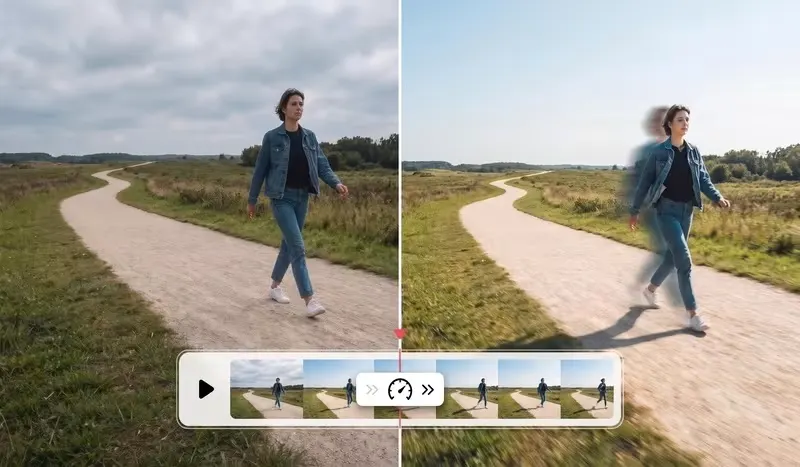
PowerDirector speeding up a video clip on the timeline

What You Can Do with the Video Speed Changer

A Speed Menu for Tailored Control

A Speed Menu for Tailored Control

From the speed menu, drag the slider by hand to increase playback speed, or start from a preset template with a non-linear curve that speeds up and slows down at precise moments. Every keyframe stays editable to suit your needs.

Free Download 
From Commutes to Timelapses, in One Move

Turn Long Clips into Fast Forward Video

A road trip, a long line, a full day of DIY, a workout: speed up the footage and hours turn into a few seconds of fast forward video. Pick a moderate speed for an easy-to-follow recap, or go much faster for a time-lapse look without a special camera.

Free Download 
A Gradual Speed Ramp, Without Jolts

Build Smooth Speed Ramps

Instead of jumping straight to a new speed, ramp the pace up gradually within one clip. Start at normal speed, build to fast forward through the slow stretch, then ease back down. The change looks smooth and natural from start to finish.

Free Download 

How to Speed Up a Video on PC

Speed menu in PowerDirector with the slider set to speed up a video clip

Step 1 - Import Your Video

Import your video into PowerDirector, drag it onto the timeline, and find the section you want to speed up.

Step 2 - Increase the Speed

In the speed menu, drag the slider to set the speed, like 2x, or choose a preset speed curve. You can edit the curve's keyframes to change where the video speeds up or slows down.

Step 3 - Export Your Sped-Up Video

Watch the result in the preview, fine-tune the speed factor if needed, then export your video in the format you want.

Speed Up a Video FAQ

Open your clip's speed menu and raise the slider to speed up playback. You can also pick a preset template with a non-linear speed curve, whose keyframes remain editable to fit your needs.

Commutes, queues, landscape or construction timelapses, sports recaps, overly long tutorials: whenever a sequence drags on, speeding up the video makes it more dynamic and more enjoyable to watch to the end.

No. The video keeps its original resolution and sharpness, and the audio speeds up with the picture so sound and video stay in sync.

Yes. Use the speed curve to pick the section you want to speed up and keep normal speed on the rest of the clip. Editable keyframes let you set exactly where the speed change starts and ends.

Yes. You can speed up video in the free version of PowerDirector, with no subscription or add-on required. Download PowerDirector for free, add a clip to the timeline, and open the speed menu to get started.