search cyberlink website user log-in change language

What’s New in AudioDirector 365

Our latest releases including brand new features, effects packs, templates & more!

New Features

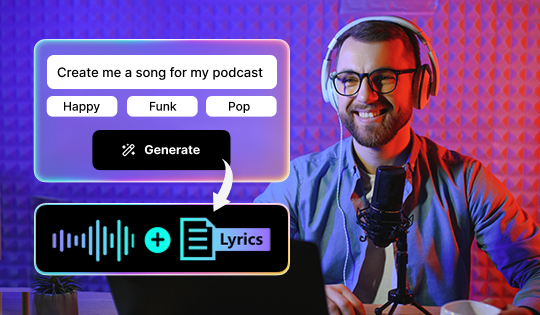
Lyrics to Song

Describe a mood, theme, or story, or use your own lyrics, and AI creates original vocals and music in seconds for videos, podcasts, and more.


New Features

Text-Based Editing

Effortlessly convert speech into editable transcripts for precise audio trimming. Advanced AI removes distractions like pauses. Once complete, export your polished transcript as a document with ease.

AI Speech Enhancement

Ensure every spoken word sounds professionally recorded, no matter when or where you record.

Podcast Studio

Record, enhance, and edit podcasts with ease. Edit complex audio as simply as a text document, ensuring smooth production and studio-quality sound, no matter where or how you record.


New Features

Qualcomm Snapdragon Platform Support

Experience better performance of hardware decoding and encoding with AVC and HEVC video formats.


New Features

New Express Mode

Speed up your workflow, simplify your UI, and hone in on the waveform you're editing in the new Express Mode. Express Mode hides multi-channel waveforms, view option controls, and keyframe panels for Volume and Effect, giving you more space and less clutter. Access the full editing experience in Advanced Mode.


New Features

New Record Room

Right from the launcher, immediately set up recording sessions in the Record Room, where you can set your input devices, volume, channels, sample rate, and bit depth to create tracks ready for simple recording or punch & roll and multi-channel device recording.


New Features

New Launcher

Kick-start your projects with new launcher shortcuts to directly access and try the latest AI tools and most used features.

Breath Control

Reduce and remove breath sounds in your audio tracks with gain and sensitivity adjustments.


New Features

New AI Noise Reduction

With a brand new AI engine, enjoy state-of-the-art noise reduction and an improved user experience with a simpler UI and workflow.

Restoration Assistant

Auto-detect unwanted noises instantly and restore your audio clips in a single click with recommended tools. Plus, choose to enable, disable, or adjust the tool’s intensity to achieve the pristine audio you’re looking for.

De-Essing

Eliminate the excessive prominence of “s” sounds in voice recordings to achieve professional vocal mixing.

Enhanced AI Vocal Removal

Using an updated AI model, flawlessly remove difficult background vocals and harmonies from music tracks for clean and unaffected instrumentals.


New Features

Auto-Level Single Clips

Assure your clip levels are consistent across your project.

EQ Match

Store your average frequencies as a template to be applied to another signal.

Spectral Recovery

Remove unwanted sounds from your files with natural-sounding results.