



search cyberlink website user log-in change language
PhotoDirector 365 app icon

PhotoDirector 365

All-in-One Photo Editor

Get it on Google Play
PhotoDirector 365

Unblur Image with AI in One Click

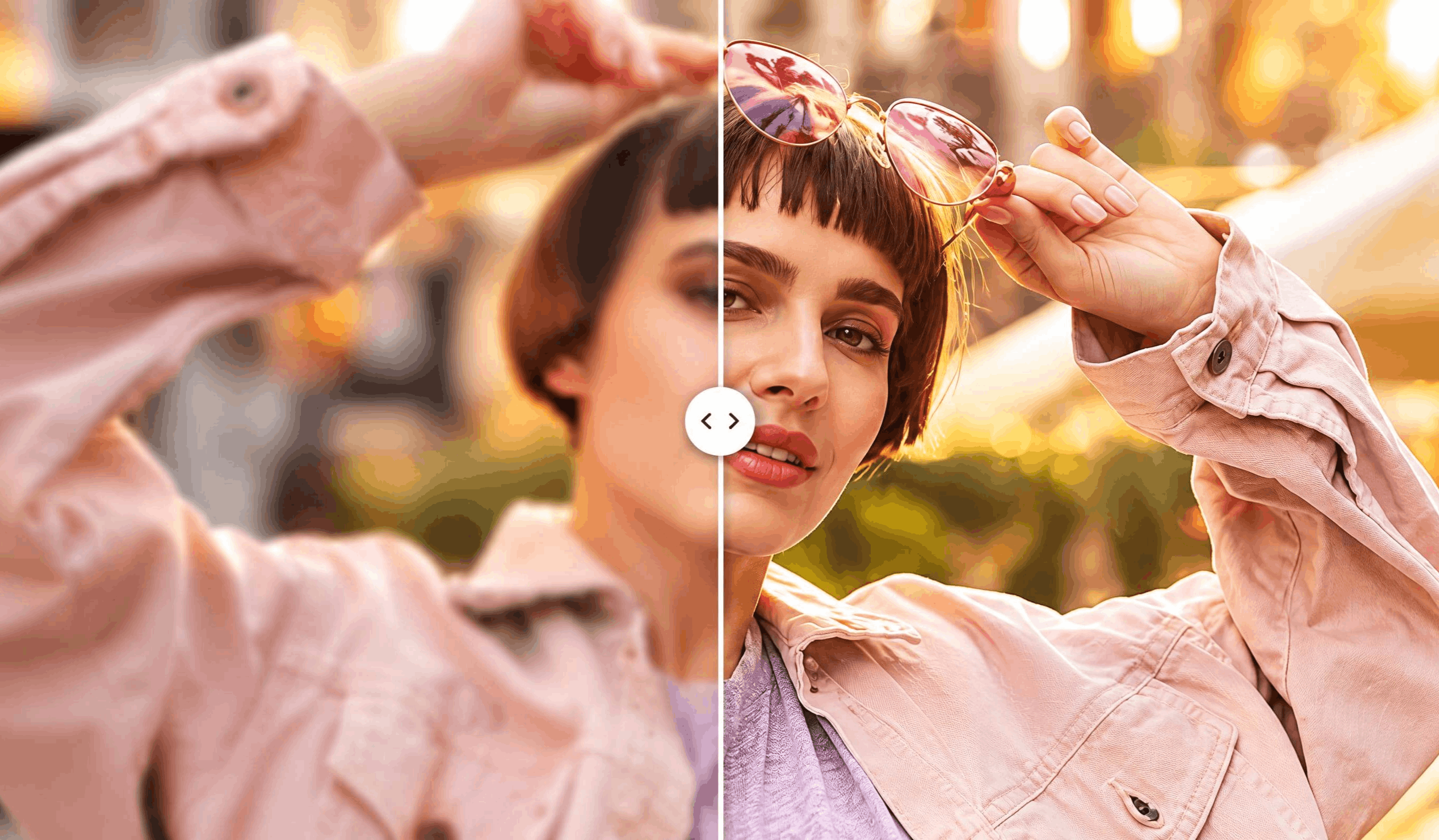
Blurry, shaky or low-res shot? Unblur picture details in one click and bring back the sharpness your photo was missing.

Unblur Image with AI in One Click

What You Can Do with PhotoDirector's Deblur Tool

Fix Blurry Pictures Without the Hassle

Fix Blurry Pictures Without the Hassle

A slightly soft portrait, a party photo snapped too fast, a shaky selfie: PhotoDirector analyzes the shot, corrects the blur and improves overall quality automatically. You can sharpen a blurry image without complicated settings or any editing experience.

Free Download 
Repair Blurry Photos and Old Pictures

Repair Blurry Photos and Old Pictures

A scanned family print, an old photo or a shot from an older smartphone often lacks sharpness. Repair blurry photo details in seconds: PhotoDirector strengthens edges, brings out fine details and restores clarity, so your picture is ready to print or share.

Free Download 
Polish Faces, Colors and Lighting

Polish Faces, Colors and Lighting

Once the AI image sharpener has done its work, turn on extra adjustments as needed: Face Enhancement for crisper features in portraits, Auto Tone to fix exposure and Auto Color Enhancement for more vivid colors. Compare before and after to check the result.

Free Download 

How to Unblur an Image with PhotoDirector

product feature

Step 1 - Import the Photo to Unblur

In PhotoDirector, open the Guided & GenAI tab, click Enhance, then Photo Enhancement. Next, import the photo you want to unblur.

Step 2 - Run the Deblur

Click Apply to unblur your photo. That's how to make a photo less blurry in one click. For even sharper results, check Use GenAI (uses credits) first.

Step 3 - Compare, Adjust and Export

Compare before and after side by side, turn on Face Enhancement or Auto Tone if needed, then click Export. Now you know how to fix blurry photos in seconds.

Frequently Asked Questions

With PhotoDirector, it only takes a few clicks. Open your photo in the Photo Enhancement tool and click Apply: the blur is corrected and details come through automatically. For an even sharper result on a very blurry photo, check the Use GenAI option (uses credits) first.

Yes, you can try it for free: Photo Enhancement is available in the free version of PhotoDirector, with a watermark added on export. To save your photos without a watermark, upgrade to PhotoDirector 365 (subscription) or Ultra (perpetual license). The Use GenAI option also uses credits.

Without the GenAI option, PhotoDirector already improves your photo's sharpness. With the option checked, generative AI takes over for higher-quality AI photo unblur results, ideal when a photo is very blurry. It does, however, use a few credits.

Blurry portraits and selfies, shaky photos taken while moving, low-light smartphone shots, compressed images saved from social media and old scanned photos. However, if the subject is completely unrecognizable, the photo will still improve, but not every original detail can always be recovered.