




5 Best Free Online AI Face Swap Tools in 2026 (Reviewed)

- MyEdit: Best for its intuitive interface and exceptional quality of realistic face swap results.
- Face Swapper - AI: Best for a quick, simple, and fun face-swapping experience for both photos and GIFs.
- Remaker AI: Best for comprehensive photo editing capabilities along with high-quality face-swapping and advanced filters.

- 5 Best AI Face Swap Online Tools
- How to Choose The Best AI Face Swap Website
- Comparison of The Best Face Swap AI
- What is The Best AI to Swap Face Online?
- FAQ on Online AI Face Swap
5 Best AI Face Swap Online Tools
1. MyEdit

Best For: Intuitive interface and exceptional quality of result
Key Features:
- Advanced AI face swap technology
- Wide range of file format support
- Additional editing tools for blemish removal and artistic effects
Pros
- User-friendly interface
- High-quality, realistic face swaps
- Versatile editing tools
Cons
- Limited free features
- Requires a stable internet connection
MyEdit is particularly suited for users looking to create entertaining and quality images effortlessly. Its drag-and-drop functionality, wide support for file formats (JPG, PNG, GIF, WebP, BMP), and large file size allowance (up to 50 MB) cater to various needs. The versatility of the tool extends beyond face swapping, offering functions to retouch blemishes and apply artistic effects, making it a comprehensive photo editing solution.
Once we tested the product, we observed that MyEdit effectively addresses the common pain point of producing unrealistic face swaps. The advanced AI algorithms ensure that the swapped faces blend naturally, preserving the image's integrity. Additionally, the tool offers various preset styles and customization options, enhancing its appeal to users who enjoy creative freedom in their edits.
We ranked MyEdit #1 due to its user-friendly design, exceptional quality, and comprehensive feature set that outperforms competitors.
Check out these related topics for AI:
- Best AI Image Generators
- Best AI Photo Editors
- Best AI Video Editor
2. Face Swapper - AI
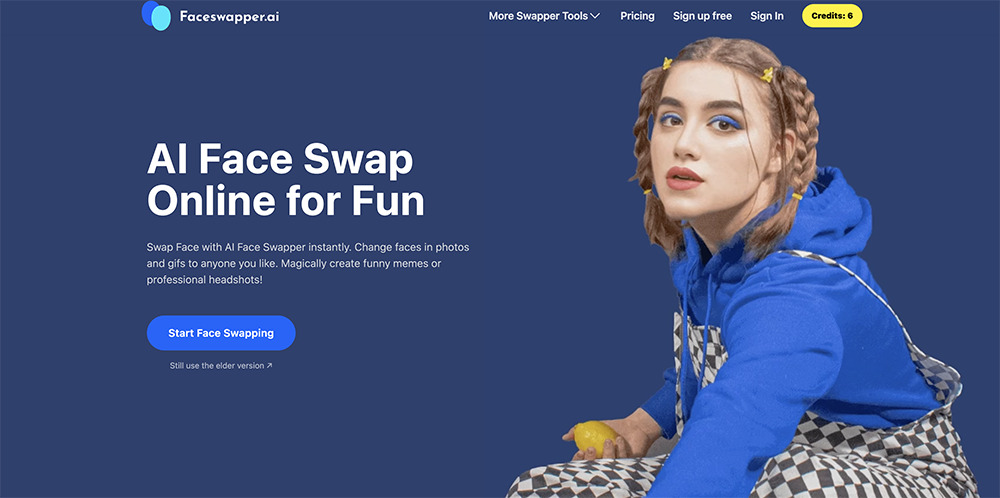
Best For: Quick and fun face-swapping experience
Key Features:
- Fast processing times
- Support for both photos and gifs
- Simple, user-friendly interface
Pros
- Quick and easy face swaps
- Supports photos and gifs
- Fun and entertaining features
Cons
- Limited advanced editing tools
- Free version includes watermarks
Face Swapper - AI offers a straightforward interface that allows users to upload images and swap faces within seconds. It’s perfect for users who want instant results without diving into complex editing processes.
Once we tested the product, we noted that Face Swapper - AI addresses the need for speed and simplicity in face swapping. The app’s AI algorithms are optimized for fast processing, making it ideal for creating quick, entertaining content. It also supports photos and gifs, adding versatility to its use.
Face Swapper - AI has made significant improvements in its latest version, particularly in terms of processing speed and the quality of face swaps. These enhancements and its user-friendly interface justify its ranking as the second-best face swap app. Its balance of speed, simplicity, and versatility makes it a strong contender in the AI face swap market.
3. Remaker AI
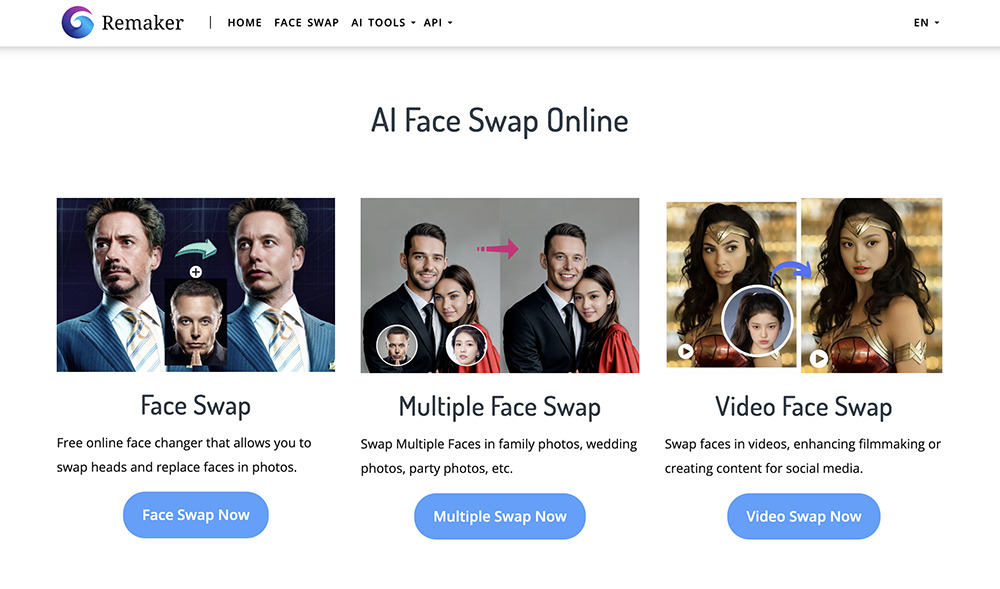
Best For: Comprehensive photo editing capabilities along with high-quality face-swapping
Key Features:
- Comprehensive photo editing tools
- Advanced AI face swap technology
- Artistic filters and effects
Pros
- Extensive range of editing tools
- High-quality, professional results
- User-friendly interface
Cons
- Steeper learning curve
- Premium features require a subscription
We found that Remaker AI excels in offering a wide range of editing tools, from basic adjustments to advanced effects. This makes it a perfect fit for users who want to create more polished, professional-looking face swaps.
Once we tested the product, we noticed that Remaker AI effectively tackles the challenge of achieving realistic face swaps with additional editing options. The app’s extensive toolset allows users to fine-tune their images, ensuring high-quality results. Including advanced features like lighting adjustments and artistic filters sets it apart from simpler face swap apps.
Remaker AI has continuously improved its functionality, adding new features and enhancing existing ones based on user feedback. Its commitment to providing a robust editing platform alongside face-swapping capabilities justifies its position as the third-best app. Remaker AI’s advanced tools and user-friendly interface make it versatile for detailed photo editing.
4. Pica AI
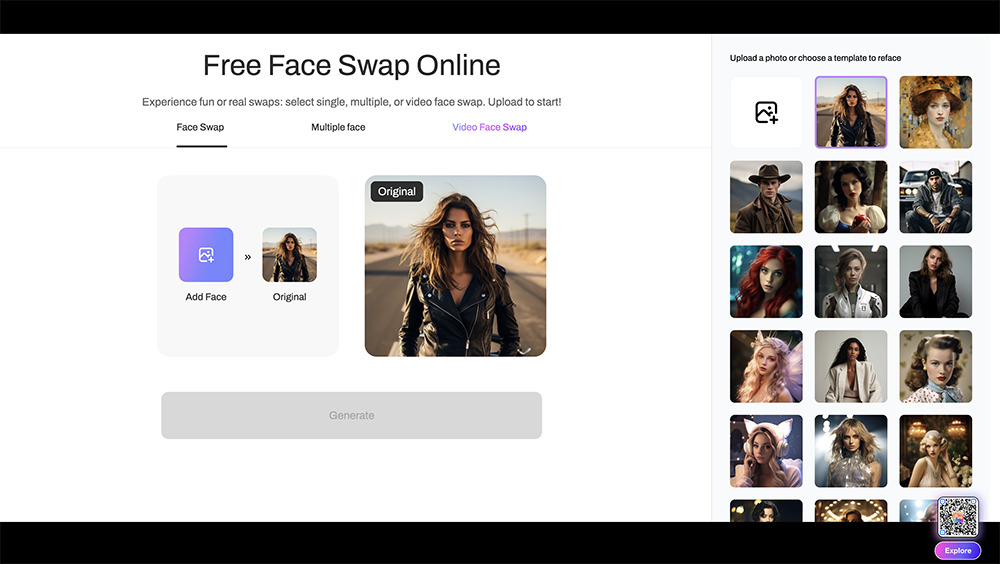
Best For: All-in-one face-swapping toolkit that covers every possible need
Key Features:
- Video face swap
- Multi-face swap
- Magic avatar creation
Pros
- Wide range of face swap tools
- Fast and high-quality results
- Secure and private data handling
Cons
- Some advanced features require a subscription
- Occasional processing delays with large files
We found that Pica AI is ideal for users who desire a comprehensive and user-friendly face-swapping experience. Its diverse tools cater to various creative needs, from fun social media posts to more sophisticated projects like video face swaps. Pica AI's multi-face swap and magic avatar features offer unique and engaging editing options.
Once we tested the product, we observed that Pica AI effectively addresses the need for speed and quality in face swaps. The app’s ultra-fast processing ensures that users can generate their desired edits quickly, while the advanced AI algorithms guarantee flawless results. Additionally, the secure and private handling of user data is a significant selling point, providing peace of mind for privacy-conscious users.
Pica AI has evolved considerably from earlier versions, introducing features like video face swaps and enhanced AI precision. These improvements have propelled it to #4 on our list, as it offers a robust balance of functionality and ease of use. Pica AI’s comprehensive toolkit and continuous innovation make it a standout choice for face-swapping enthusiasts.
5. Pixlr

Best For: Accessible and high-quality online face swap tool
Key Features:
- Online face swapping
- Extensive template library
- High-quality AI face swaps
Pros
- No software download required
- Wide range of face swap templates
- Easy to use for all skill levels
Cons
- Limited offline functionality
- Advanced features may require a subscription
We found that Pixlr excels in providing a seamless online face-swapping experience. It's particularly beneficial for users who prefer not to download software, as it directly offers robust browser capabilities. The platform's variety of face swap templates makes it easy to transform photos into entertaining, share-worthy images.
Once we tested the product, we noted that Pixlr addresses the common pain point of accessibility. The browser-based platform eliminates the need for software installations, allowing users to start editing immediately. Including a wide range of templates and effects further enhances its appeal, making it a versatile tool for various creative projects.
Pixlr has consistently improved its online tools, adding new templates and refining its AI algorithms to deliver better results. Pixlr’s blend of accessibility, quality, and variety ensures users enjoy a fun, straightforward face-swapping experience.
How to Choose The Best AI Face Swap Website
Choosing the best suiting AI to perform face swap can be a daunting task with so many options available. Here are some key factors to consider to ensure you pick the best tool that fulfills your needs:
1. User-Friendliness
Look for a tool with an intuitive interface that makes the face-swapping process simple. Apps with drag-and-drop functionality and easy-to-use tools can save you time and frustration.
2. Quality of Results
The best AI face swap apps should provide seamless and realistic results. Check for apps that use advanced AI algorithms to ensure the swapped faces blend naturally with the rest of the image.
3. Features and Flexibility
Consider what additional features the tool offers. Some apps provide extra editing tools like blemish removal, background replacement, and various preset styles. The more versatile the app, the more creative you can get with your edits.
4. File Format and Size Support
Ensure the website supports many file formats (JPG, PNG, GIF, WebP, BMP) and allows for large file sizes. This will give you more flexibility in the images you can work with.
5. Cost
Consider whether the tool is free to use or requires a subscription. Some websites offer free versions with basic features and premium versions with advanced functions. Choose one that fits your budget and needs.
How We Test the AI Face Swap Tools
To ensure we provide you with the most accurate and helpful recommendations, we rigorously test each AI face swap tool using the following criteria:
- Ease of Use
- Quality of Results
- Range of Features Available
- Performance and Speed
- User Feedback
By meticulously testing each website against these criteria, we ensure our recommendations help you find the best AI for face swap to meet your needs.
Comparison of The Best Face Swap AI
| Website | Best For | Notable Feature | Link |
|---|---|---|---|
| MyEdit | High-quality, realistic face swaps | Advanced AI algorithms and versatile editing tools |
Try for Free
|
| Face Swapper | Quick and fun face swaps | Supports photos and GIFs | Try |
| Remaker AI | Comprehensive photo editing | Extensive editing tools and artistic effects | Try |
| Pica AI | All-in-one face swap toolkit | All-in-one face swap toolkit, Video face swap and multi-face swap | Try |
| Pixlr | Browser-based face swaps | Wide range of face swap templates | Try |
What is The Best AI to Swap Face Online?
In the ever-evolving world of digital content creation, finding the perfect AI to perform face swap can be challenging. Users often face poor-quality swaps, complicated interfaces, and limited features. These problems can make creating seamless and engaging face swaps difficult without extensive editing skills or significant time investment.
MyEdit resolves these issues by offering an intuitive, user-friendly interface and advanced AI algorithms that produce high-quality, realistic face swaps. Whether you're a beginner or a seasoned editor, MyEdit provides the tools and capabilities to create impressive face swaps effortlessly. Its versatile features, such as blemish removal and preset styles, further enhance its usability, making it the top choice for anyone looking into face swapping.
Ready to experience the best in AI face swapping? Try MyEdit today and see the difference for yourself.
Legal Disclaimer:
Use AI tools responsibly. Do not edit, modify, or share images of others without their explicit consent. Unauthorized use may violate privacy, publicity, or other legal rights. Users are responsible for securing proper permissions.
FAQ on Online AI Face Swap
PhotoDirector is the best AI face swap app as it gives you the most realistic results and offers instuitive interface to simplify the process. It uses AI technology to instantly detect the faces and blend it seamlessly in the destination image, producing a natural look.
Performing AI face swap cannot be easier with MyEdit. Upload your source and target images, select the face swap tool, and let the AI do the rest. MyEdit's advanced algorithms ensure seamless and realistic results.
We recommend to use MyEdit for face swap. The tool provides a robust free version with essential tools and free daily credits for you to access AI powered features without charge.

The CyberLink Editorial Team is composed of product testing specialists and content creation experts with over 20 years of hands-on experience and rigorous research in the multimedia editing industry. As the official voice of CyberLink, the team consistently delivers practical, easy-to-follow tutorials across video, photo, and audio editing, while highlighting AI innovations, product insights, and emerging industry trends. Their work empowers millions of creators worldwide each year to elevate their content. Beyond the blog, the team actively shares editing tips and product updates across YouTube, Facebook, Linkedin and Pinterest.
😎 Outside of their work, they enjoy capturing travel moments and meticulously editing photos and videos for their social channels.


