


How to Photoshop Something into a Picture Free with AI

Many people search for how to photoshop something into a picture, but you don’t actually need Photoshop. With PhotoDirector’s free AI-powered tools, you can add or replace objects in seconds, directly from your phone.
In this article, we’ll show you how to add an object to a photo for free, in just a few simple steps, right from your mobile device.

- How to Add an Object to a Photo for Free (No Photoshop Needed)
- PhotoDirector - Best app to add objects to photos
- Useful cases for adding or replacing an object in a photo
- FAQ - Add objects to photos
How to Add an Object to a Photo for Free (No Photoshop Needed)
Adding an object to a photo has never been easier. Thanks to artificial intelligence, some apps allow you to insert or replace elements in just a few taps, directly from your phone.
Here’s how to do it with PhotoDirector:
- Download the PhotoDirector app for free on iOS or Android.
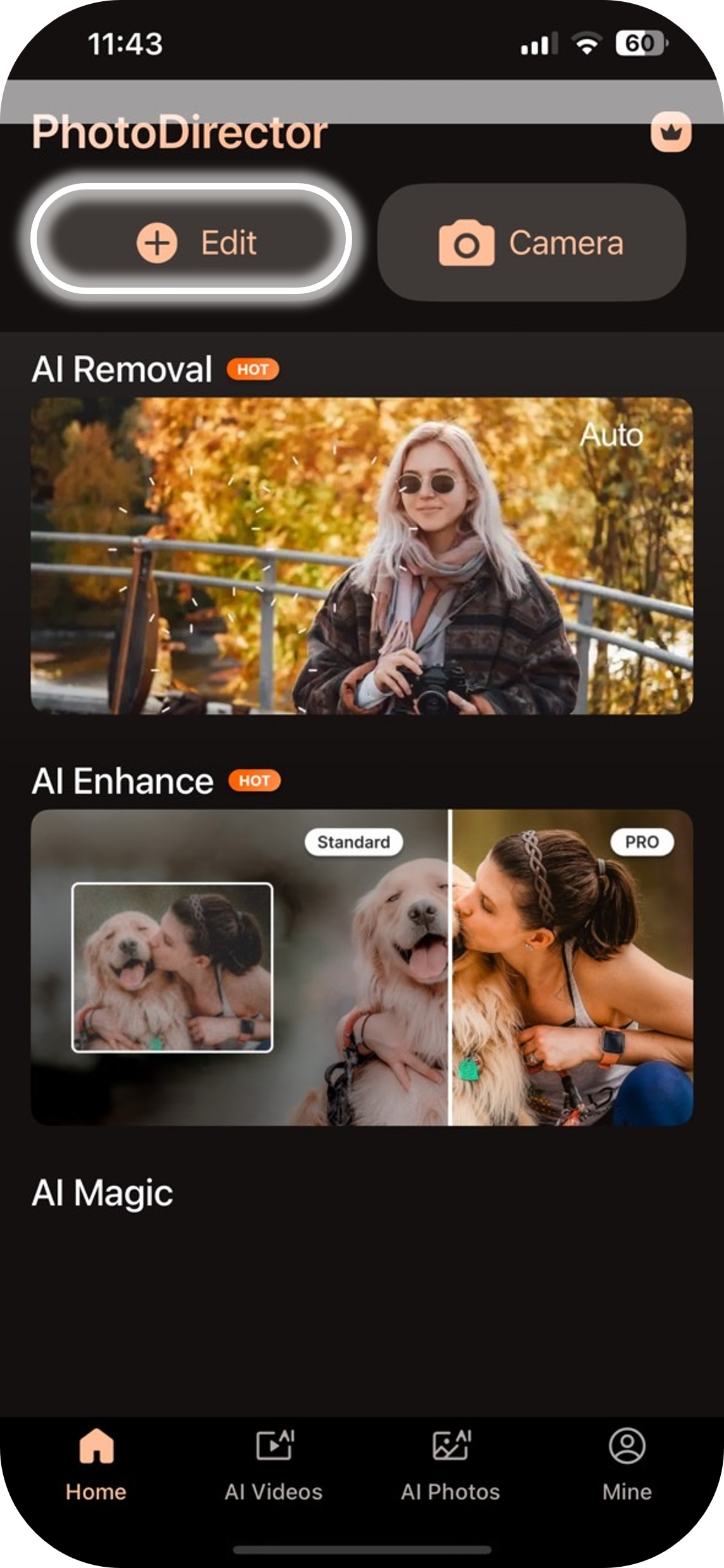
- Open the app and tap the "Edit" button.
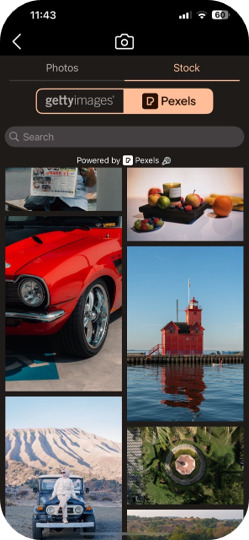
- Import your photo.
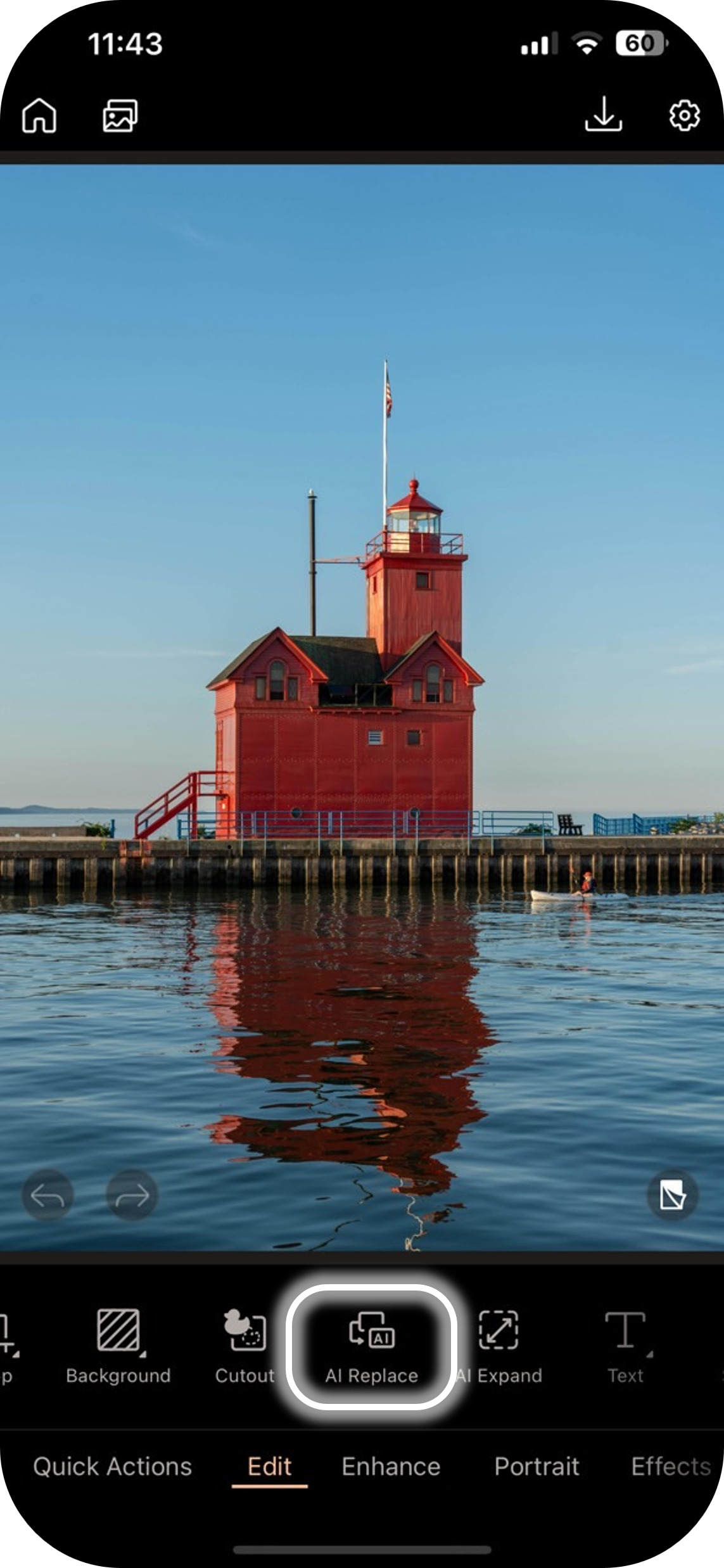
- Under the "Edit" menu, select the "AI Replace" feature.
- Draw the shape of the object you want to add.
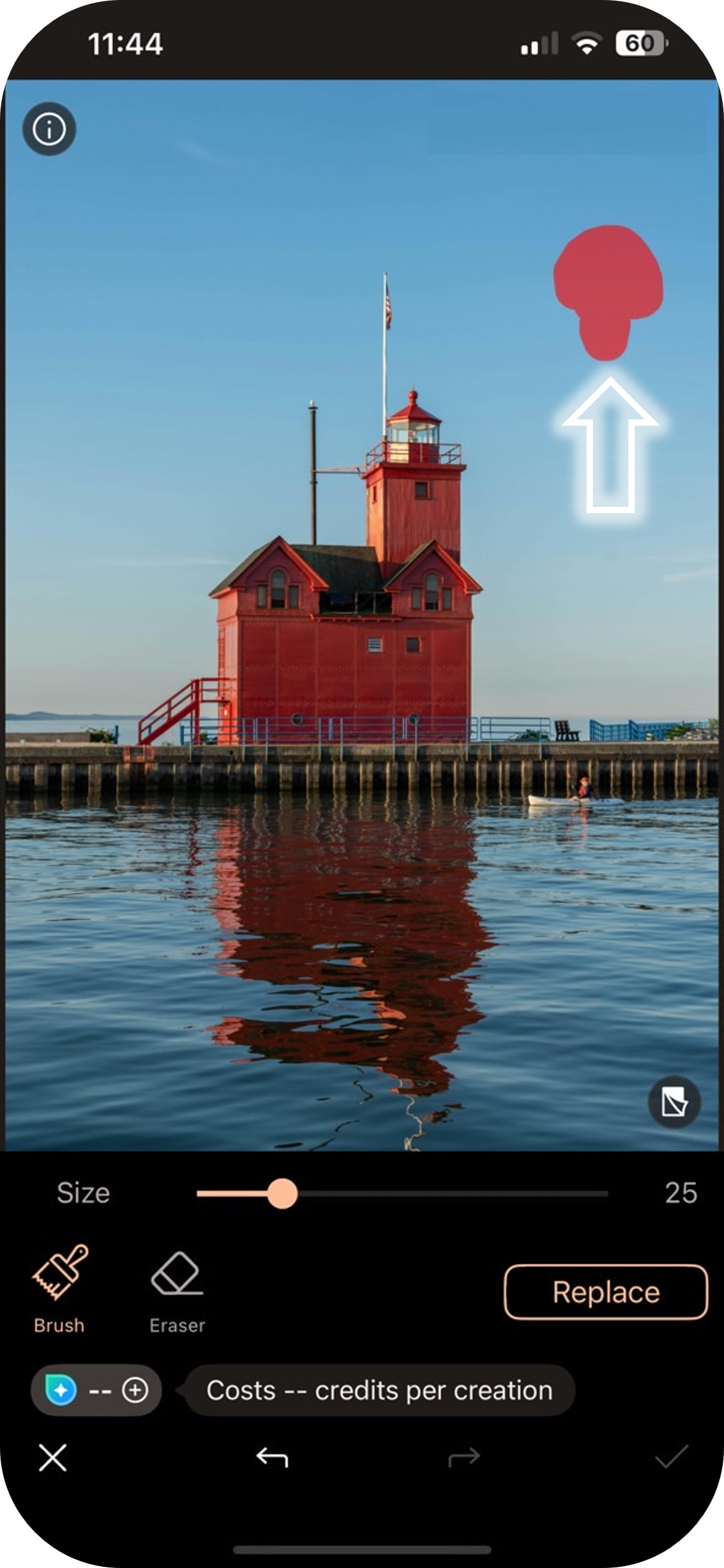
- Type a prompt to describe the object & wait while the AI generates your image.
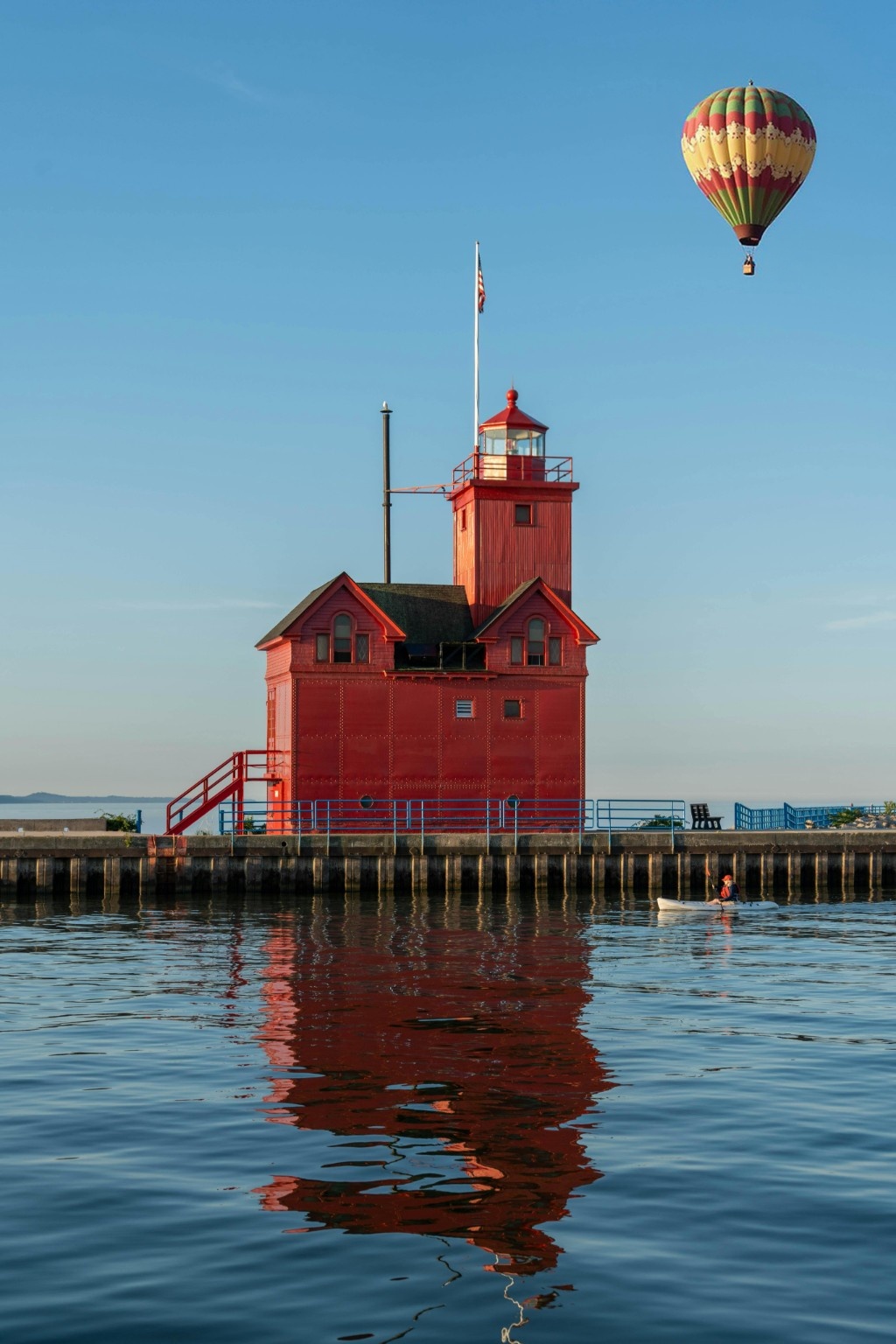


In just a few seconds, you’ll have added an object to your photo effortlessly, with a natural and professional result.
PhotoDirector - Best app to add objects to photos

Among all the apps available, PhotoDirector stands out for its simplicity, power, and the quality of the results. Here’s why it’s the best choice:
- AI-powered generative fill: realistic and precise.
- Intuitive interface, suitable for beginners and advanced creators alike.
- Available for free, with premium features if needed.
- Ability to edit existing objects or add new ones to your photos.
Whether you’re a casual photo editor or a social media influencer, PhotoDirector lets you transform your images in just a few taps.
Useful cases for adding or replacing an object in a photo
Adding objects to photos can be useful in many fun and practical situations:
- Enhance landscapes: add clouds, a sunset, or a bird for more dynamism.
- Personalize memories: insert balloons, a cake, or gifts into a birthday picture.
- Remove unwanted objects and replace them with something more aesthetic.
- Create imaginary travel shots: add a hot-air balloon, a landmark, or an exotic animal.
- Have fun with fantasy creations: dragons, creatures, magical effects, and more.


With a bit of creativity, the possibilities are endless.
FAQ - Add objects to photos
Yes, the app is available for free. Some advanced features may require a subscription, but adding objects with AI is accessible at no cost.
Absolutely. PhotoDirector is designed to be simple to use, even for beginners.
Thanks to AI, the generated objects blend naturally into the photo, with realistic shadows, perspective, and texture.
Yes, apps like PhotoDirector allow you to achieve the same effect quickly and for free.


