CyberLink Logo
MyEdit Icon
MyEdit Video
Try Online

Romantic AI Couple Video Generator with Photos and Prompts

Last Updated on Aug. 14, 2026 - by Cyberlink AI Research Team

Romantic AI couple videos make it easy to turn photos and text prompts into heartfelt love scenes. In this guide, you’ll discover popular AI couple templates, creative prompt ideas for different romantic moments, and how MyEdit helps you generate high-quality AI love videos with ease.

Popular AI Couple Video Templates: Hug, Kiss, and More

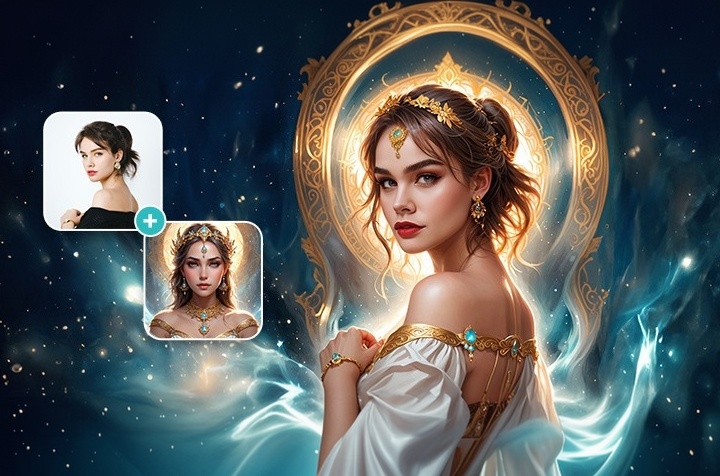
MyEdit's AI Image to Video feature offers pre-designed templates that are taking TikTok and Instagram by storm. Whether you want to create romantic couple moments, playful hugs, or trending kiss scenes, we have the perfect motion template for you.

▲ Dominant Kiss
▲ Slow Waltz
▲ Warm Hug
▲ Sweet Proposal

How to Animate Your Couple Photos

Ready to bring your photos to life? Follow these simple steps to create your video in seconds:

  1. Upload Your Photo: Go to MyEdit's Image to Video Template tool and upload a clear picture of you and your partner.
  2. Select a Template: Browse the "Love" category and choose a motion template (e.g., Hug, Kiss, or Dance).
  3. Generate & Preview: Simply hit "Generate" and see the result. The AI will instantly process your image and bring the moment to life for you to review.

How to Generate AI Love Video from Text Prompts

If templates aren't enough and you want to direct your own romantic scene, MyEdit's Image to Video generator gives you total creative control.

  1. Navigate to Image to Video: Open the MyEdit Image to Video tool in your browser.
  2. Input Image & Prompt: Upload a reference photo of the couple to maintain facial consistency, and describe what you want to happen in the text box.
  3. Select a Generator Model: Select from advanced models like Veo 3.1, Kling 3.0 and Gemini Omni Flash to create high-quality results.
  4. Generate: Hit the "Generate" button and watch the AI process your request into a realistic video clip in moments.

8 AI Couple Video Prompts for Every Romantic Scene

Cinematic & Movie-Inspired Scenes

1. Cyberpunk Rooftop Date

This prompt works because the strong color contrast between the neon lighting and the night sky gives the AI a clear, specific palette to follow. Swap the rooftop for a market street or subway platform for a different sci-fi backdrop, or shift the lighting to green and purple for a cooler neon tone.

Generated with Veo 3.1 on Aug. 13, 2026.

2. Cinematic Rainy Kiss

The close-up framing and specific lighting cues (blue and teal tones) keep the AI focused on the couple rather than the background. Try shifting the time of day to sunset for a warmer palette, or swap the rain for falling snow for a winter version.

Generated with Veo 3.1 on Aug. 13, 2026.

3. City of Stars

Naming a specific visual style gives the AI a clear reference point, while the wardrobe and lighting details anchor the mood. Swap the city skyline for a different landmark, or change the outfit colors to match your own date-night palette.

Generated with Veo 3.1 on Aug. 13, 2026.

4. In the Mood for Love

Calling out a specific film technique (step-printing, greenish tint) helps the AI replicate a distinct visual style instead of a generic scene. Try changing the setting to a train station or bookstore for a different retro mood.

Generated with Gemini Omni Flash on Aug. 13, 2026.

Milestone Moments

5. The Dream Wedding Dance

Describing the specific motion (a slow twirl) and environmental details (chandeliers, floating petals) gives the AI clear staging cues. Adjust the venue to an outdoor garden or beach setting, or change the dress color to match your own wedding.

Generated with Kling 3.0 on Aug. 13, 2026.

Everyday & Outdoor Romance

6. Golden Hour Beach Walk

The wide shot and specific lighting cue (golden hour) work well for showing full-body movement and scenery together. Swap the beach for a forest trail or vineyard for a different natural backdrop.

Generated with Gemini Omni Flash on Aug. 13, 2026.

7. Van Life Adventure

The cozy, intimate framing paired with a specific setting (camper van, mountain sunrise) creates a relatable, everyday-romance feel rather than a staged one. Try shifting the season to autumn for warm foliage, or swap the mountain view for a lakeside scene.

Generated with Kling 3.0 on Aug. 13, 2026.

8. Sunset Picnic in the Park

The mix of a grounded, everyday setting (a park blanket) with a few specific styling details (fairy lights, fruit spread) gives the AI enough texture to avoid a generic result without over-directing it. Swap the season to spring with cherry blossoms, or move the scene to a rooftop for a more urban feel.

Generated with Veo 3.1 on Aug. 13, 2026.


Why MyEdit is the Recommended AI Romantic Video Generator

MyEdit stands out as the ultimate browser-based solution for creating AI couple videos. By combining the ease of one-click templates with the limitless creativity of Generative AI, it offers the best of both worlds for beginners and pros alike.


Related Article:

  • 35 Gemini AI Romantic Prompts for Couples You Can Copy & Paste

Disclosure: MyEdit is CyberLink's own product.

FAQs About AI Intimate Video Generators

Yes! With MyEdit, you can upload a static photo of a couple. The AI analyzes the subjects and can apply motion templates like hugging, kissing, or dancing, effectively turning your still image into a video.

MyEdit offers a free version that provides daily credits. You can use these credits to generate AI couple videos, animate photos, or try out other AI tools.

It's easy with MyEdit. Simply go to the "Image to Video Template" tool, upload a photo of two people (or a composite photo), and select the "Warm Hug" template. The AI will generate the hugging motion automatically.

Absolutely. Using the "Text to Video" feature in MyEdit, you can simply type a text prompt and the AI will generate a completely new video from scratch based on your description.

Yes. MyEdit prioritizes user privacy. Your uploaded photos and generated videos are processed securely, and no one else can see your creations unless you share them.

Generate AI Couple Video
Author Avatar
AI Trends & Tool Review SpecialistsCyberlink AI Research Team

As industry experts in generative AI, the CyberLink AI Research Team has spent over 5 years benchmarking and analyzing the rapidly evolving landscape of creative technology. The team conducts rigorous testing of emerging AI tools for content creation, delivering weekly insights and practical workflows that help millions of creators worldwide each year identify the most suitable AI solutions to enhance their productivity.

😜 Outside of their research, the team actively experiments with AI-driven video creation, builds content across social platforms, and explores new side projects, all with the long-term goal of achieving greater creative and financial freedom.

Share this article via emailShare this article on FacebookShare this article on LinkedInShare this article on XShare this article on Pinterest