







Create Your Own Emoji Online with AI in Just a Few Clicks

Creating custom emojis is a fun and creative way to express your personality, brand, or emotions online. Whether you want a unique emoji for social media, messaging apps, or marketing visuals, you can now create your own emoji with AI tools. With MyEdit’s AI Image Generator and the Nano Banana Pro model, you can design a personalized emoji from a text description, with no illustration or design skills required.
Transparency note: MyEdit is a product of CyberLink, the company that runs and publishes this blog.
- 😄 Why Create Your Own Emoji?
- 🎨 How to Create Your Own Emoji with MyEdit
- ✨ Tips for Designing Better Emojis
- 🔥 Creative Ways to Use Custom Emojis
- ❓ Emoji Maker FAQ
😄 Why Create Your Own Emoji?

Emojis are a universal visual language, but standard emoji sets can feel limited. Using an emoji maker to design your own gives you full creative control and helps you stand out. Creating your own emoji allows you to:
- 😎 Express unique emotions and personality
- 📱 Stand out on social media and messaging apps
- 🎨 Match emojis to your personal or brand style
- 🚀 Create custom emojis for marketing or communities
- ✨ Turn ideas into visuals quickly with AI
If you’ve been looking for an easy way to create your own emoji without complex design software, an AI image generator is a quick option.
🎨 How to Create Your Own Emoji Using MyEdit AI Image Generator

MyEdit’s AI Image Generator lets you design a custom emoji using a simple text description. With the Nano Banana Pro model, it can generate expressive emoji-style images in seconds.
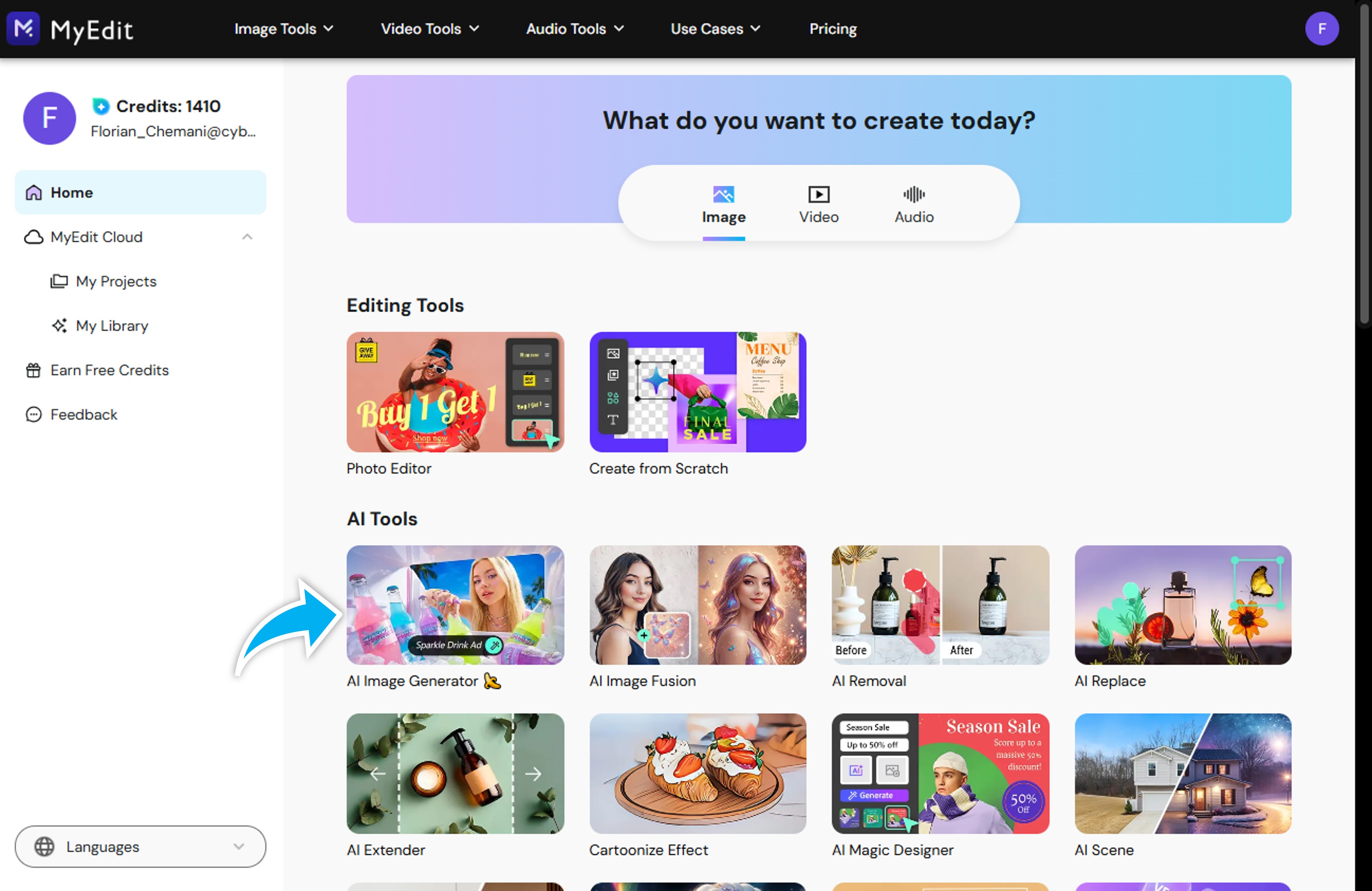
- Open MyEdit and select the AI Image Generator.
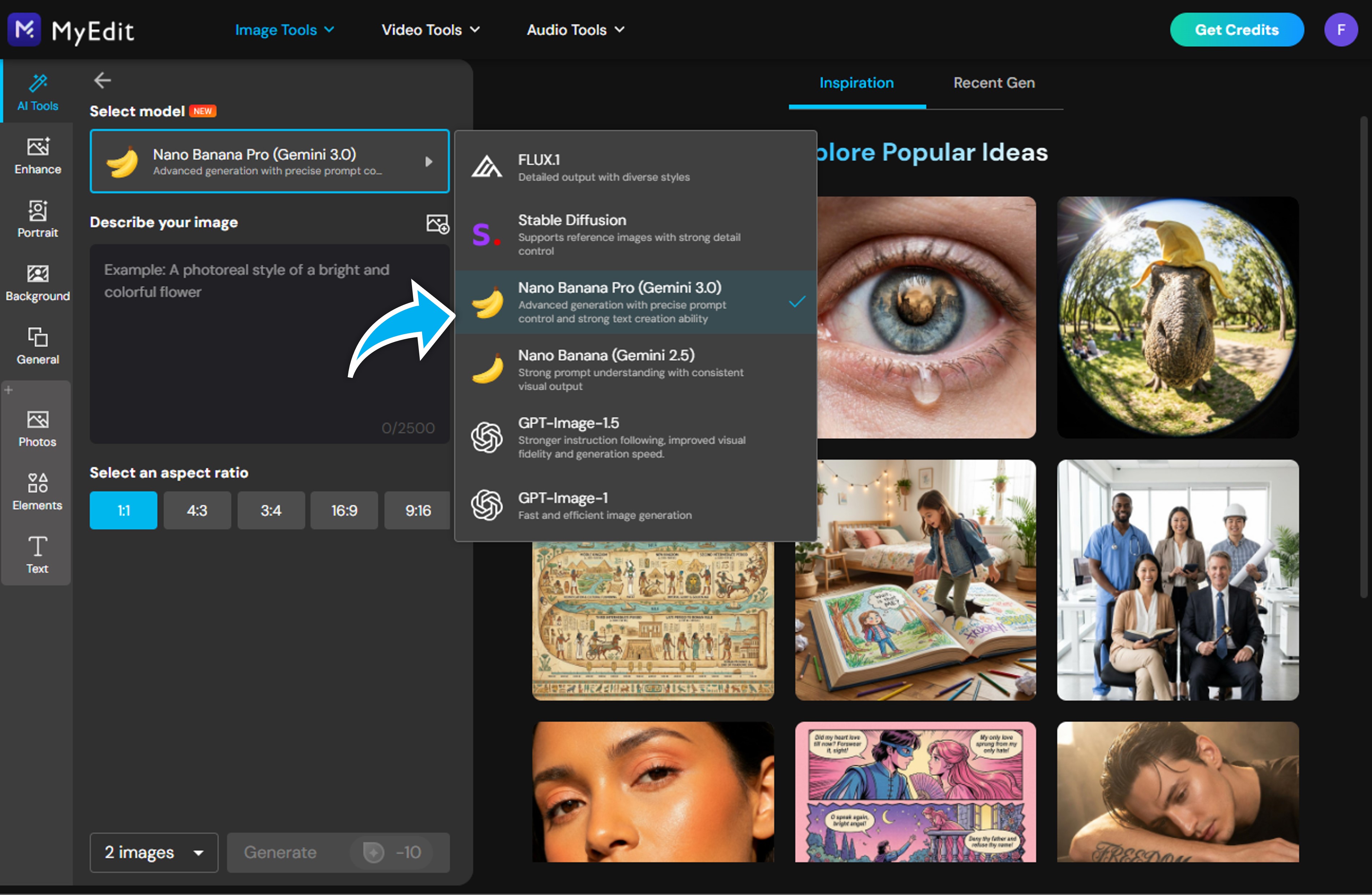
- Choose the Nano Banana Pro model for clean, emoji-style results.
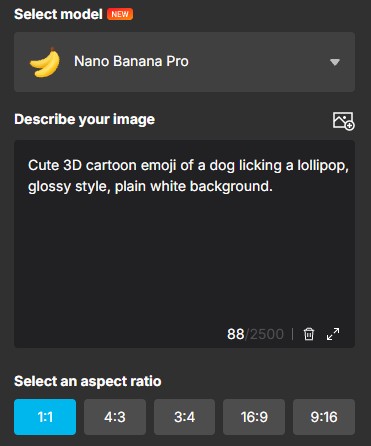
- Enter a prompt describing your emoji, such as: “Cute 3D cartoon emoji of a dog licking a lollipop, glossy style, plain white background.”
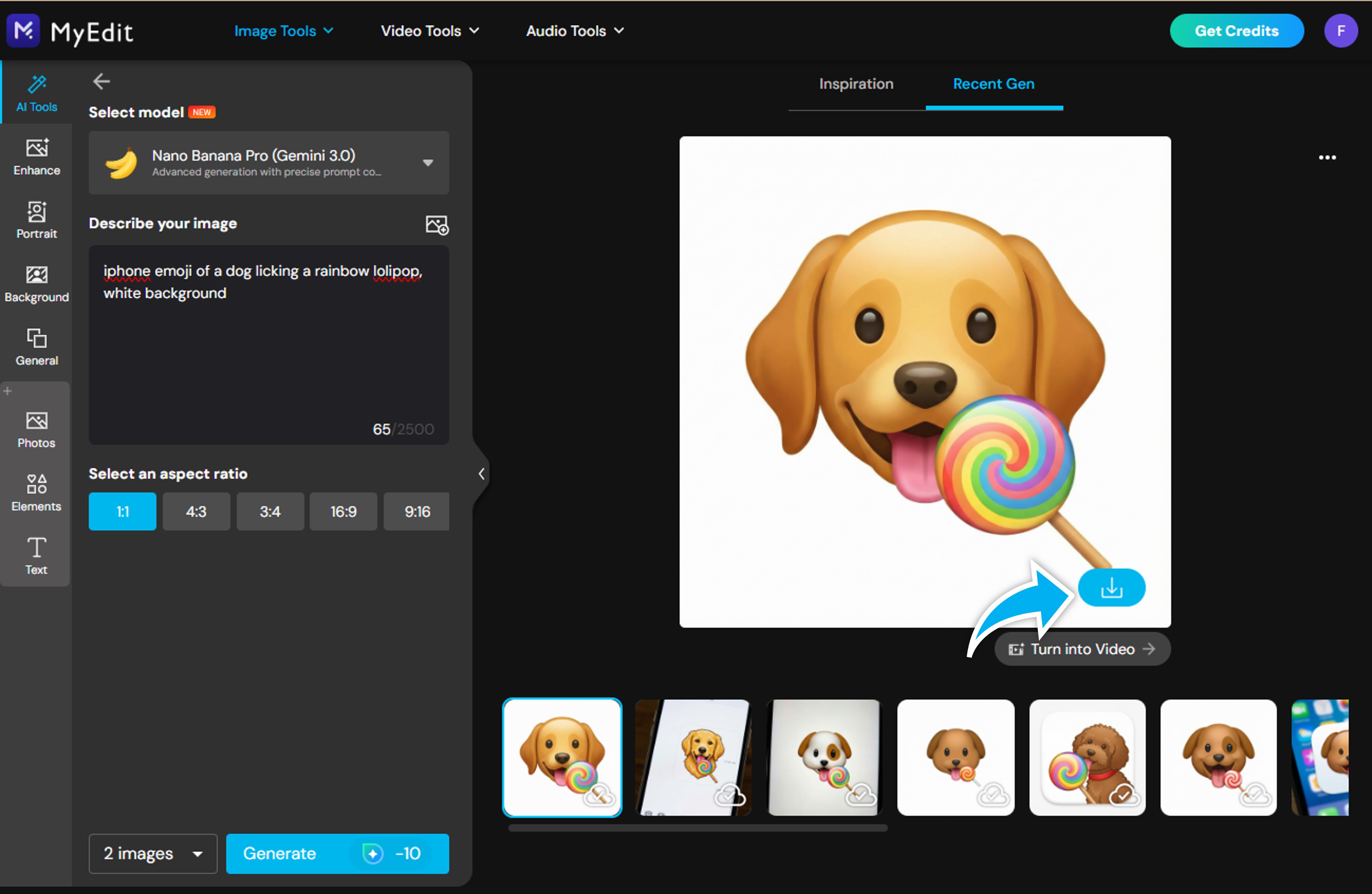
- Generate your emoji, review and download the results. Each generation uses credits, and the cost is shown on the Generate button before you confirm.
- (Optional) Use MyEdit’s Background Removal tool to remove the background and create a transparent PNG emoji, ready for stickers and overlays.
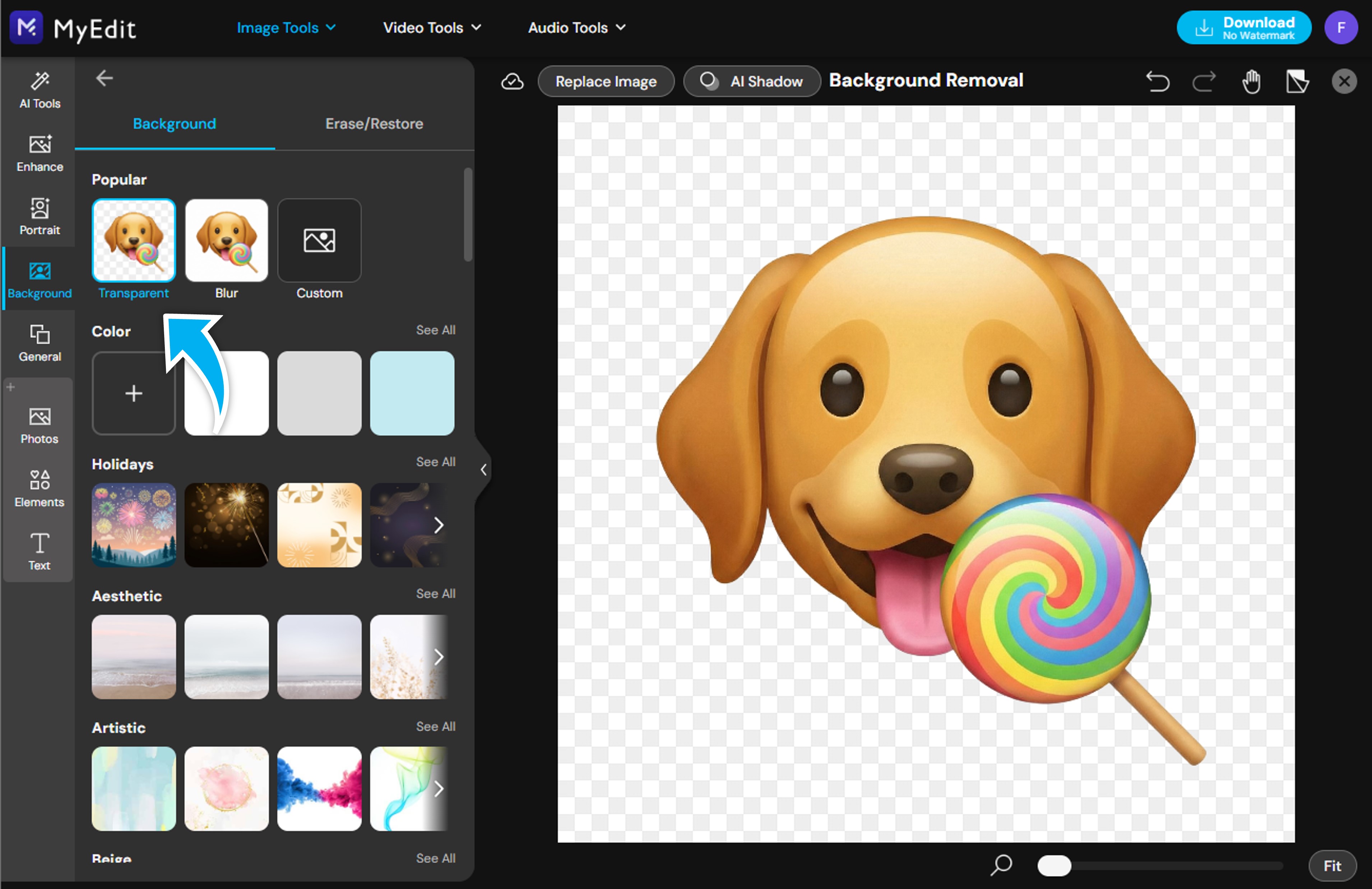


That’s it: you’ve used an emoji maker to create your own emoji with AI.
✨ Tips for Designing Better Emojis
To get better results when creating custom emojis, keep these tips in mind:
- 🎯 Keep the design simple and easy to recognize
- 😊 Focus on clear facial expressions
- 🎨 Use bold colors and flat styles
- 🔁 Try multiple prompts and regenerate variations (each generation uses credits)
Clear and descriptive prompts help the AI understand exactly how you want to create your own emoji.
🔥 Creative Ways to Use Custom Emojis
Custom emojis aren’t just for fun. They have many practical uses:
- 💬 Personal emojis for chats and messaging apps
- 📸 Social media reactions and comments
- 📢 Branding and marketing visuals
- 🎮 Community or Discord server emojis
- 🧩 Stickers for videos and photos
Once you know how to use an emoji maker, you can create emojis for any of these uses.
❓ FAQ: Create Your Own Emoji
An AI image generator like MyEdit’s AI Image Generator is a quick option. Describe the emoji you want in text, and the AI generates it for you in seconds.
No. With AI tools like MyEdit, you don’t need any drawing or design experience, just a clear prompt.
Yes. After generating your emoji, you can use MyEdit’s Background Removal tool to create a transparent PNG.
Yes. Custom emojis are great for social media, communities, and marketing visuals, depending on the platform’s usage rules.
You can start without paying. Registered users get 3 free credits per day, and generating an image uses credits: the exact cost depends on the model and resolution, and it’s shown on the Generate button before you confirm. Removing the background with MyEdit’s Background Removal tool has no download limit, but you need to sign in or create a free account.

The CyberLink Editorial Team is composed of product testing specialists and content creation experts with over 20 years of hands-on experience and rigorous research in the multimedia editing industry. As the official voice of CyberLink, the team consistently delivers practical, easy-to-follow tutorials across video, photo, and audio editing, while highlighting AI innovations, product insights, and emerging industry trends. Their work empowers millions of creators worldwide each year to elevate their content. Beyond the blog, the team actively shares editing tips and product updates across YouTube, Facebook, Linkedin and Pinterest.
😎 Outside of their work, they enjoy capturing travel moments and meticulously editing photos and videos for their social channels.


