







TikTok Video Size Guide: Dimensions and How to Resize on PC and Mobile

Wondering why some TikTok videos look sharp while others appear cropped or blurry? It's not just about creativity: video size, dimensions, and format affect how your video looks on screen.
TikTok is a vertical-first platform, and videos that don't match its specs can end up with black bars, poor resolution, or awkward cropping.
In this 2026 guide, you'll learn:
- The recommended TikTok video size
- Why video dimensions matter
- How to resize videos on both PC and mobile
- Which PowerDirector tools help you edit TikTok videos
Transparency note: PowerDirector is a product of CyberLink, the company that runs and publishes this blog.
- TikTok Video Size at a Glance (2026)
- How to Resize Videos for TikTok
- Editing and Resizing TikTok Videos with PowerDirector on PC and Mobile
- TikTok Video Tips to Boost Performance (2026)
- FAQs on TikTok Video Size
TikTok Video Size at a Glance (2026)
These are the commonly recommended settings for TikTok uploads:
| Setting | Recommended |
|---|---|
| Resolution | 1080 × 1920 pixels |
| Aspect Ratio | 9:16 (vertical) |
| File Format | MP4 or MOV |
| Max Length | Up to 10 minutes when recorded in the app; uploads of up to 60 minutes on some accounts |
| Frame Rate | 30 FPS or higher |
✅Pro Tips:
- Shoot vertical (9:16) so your video fills the screen
- Start with at least 1080 × 1920 to avoid pixelation
- Keep text within TikTok's safe zones to prevent UI overlap
- Preview your video before posting to avoid awkward crops
Why Video Size Matters
TikTok is designed for full-screen vertical viewing. Using the wrong size can result in:
- Black bars that leave part of the screen empty
- Text or subjects cut off by cropping or by TikTok's on-screen buttons
- A less polished look
Common Mistakes to Avoid:
- Uploading horizontal YouTube clips without resizing
- Using 720p videos, which look noticeably softer on most modern phones
- Uploading very large files from your phone: the TikTok app has lower file size limits than the web uploader, so export at 1080p or upload long videos from a computer
How to Resize Videos for TikTok
If your footage was shot in a different format, you can change it to 9:16 in PowerDirector, CyberLink's video editor for Windows, Mac, iOS, and Android. Here's how on each platform.
Resize Videos on PC (PowerDirector Desktop)
- Download
PowerDirector
PC (Windows/Mac).

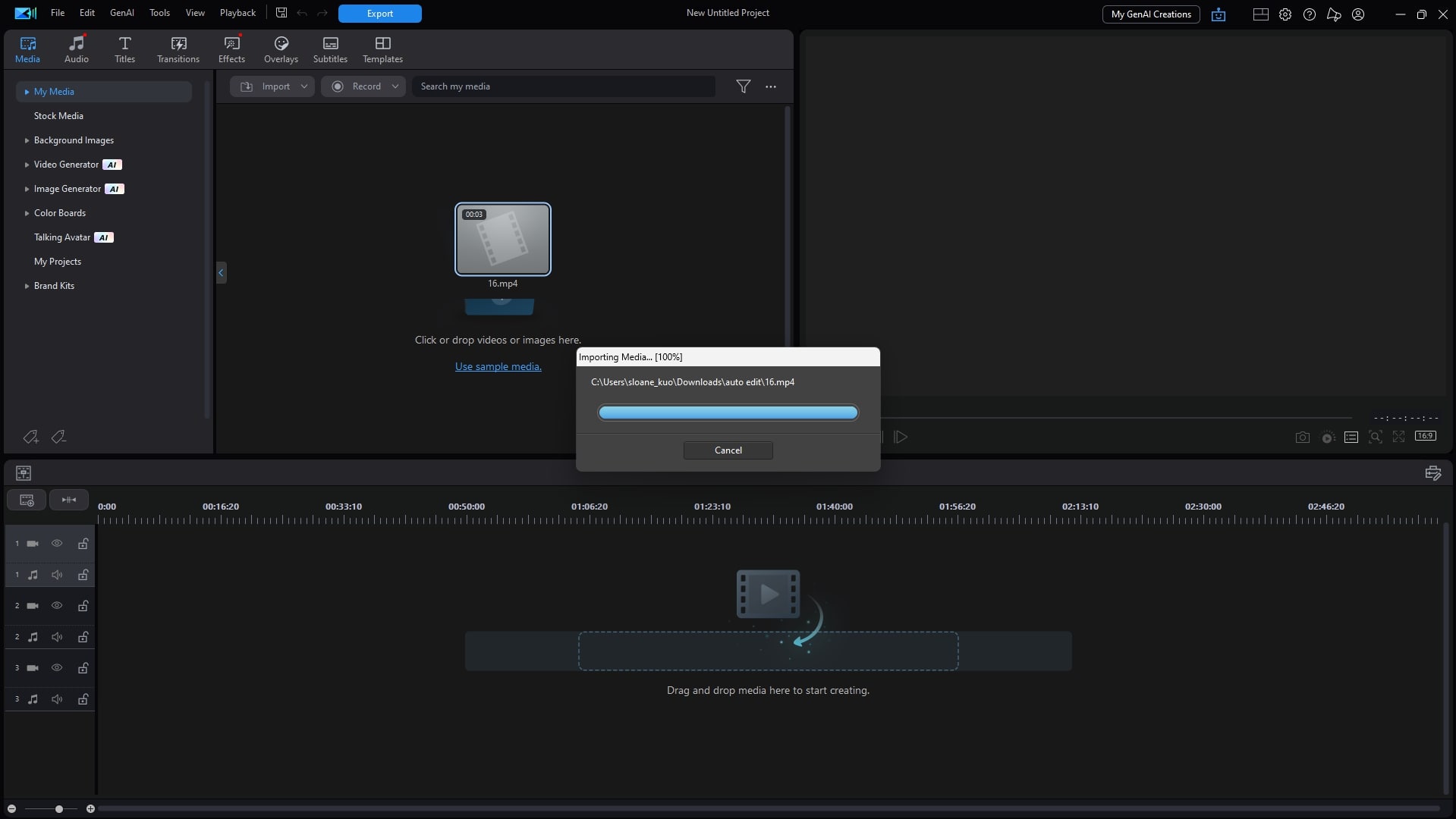
- Import your video into a new project.
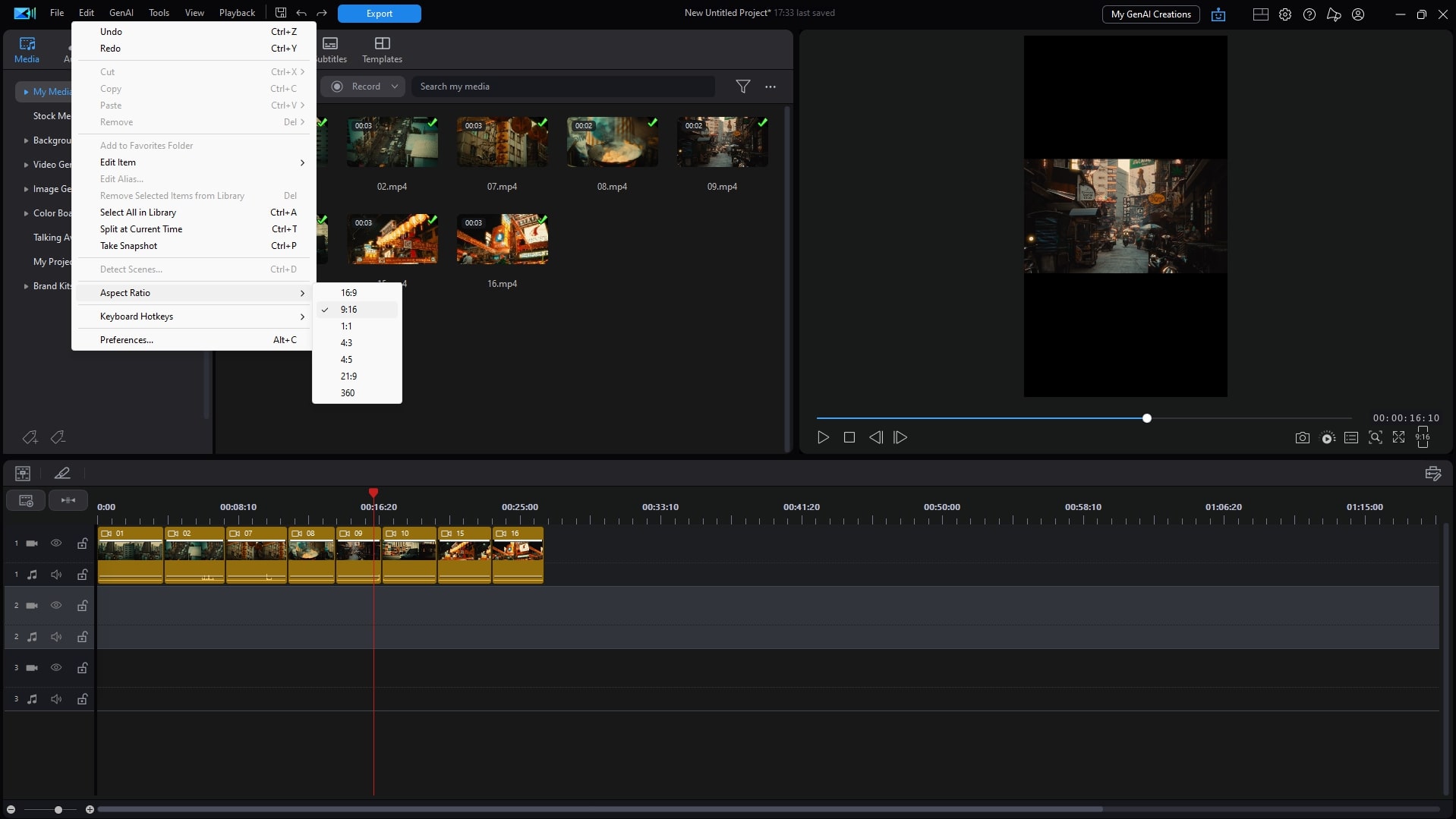
- Click Aspect Ratio → 9:16 (TikTok).
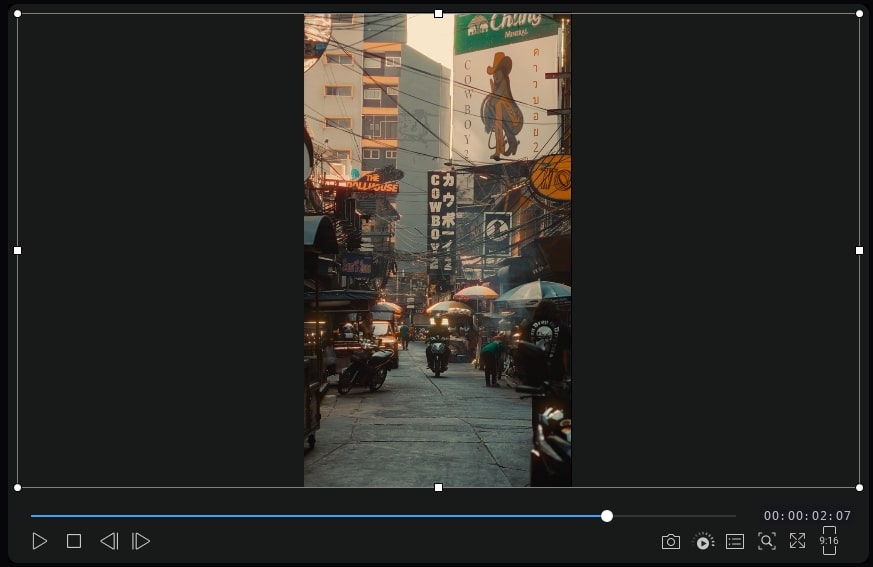
- Adjust framing or crop to center your subject. To keep the original aspect ratio instead, click Original before cropping the video manually.
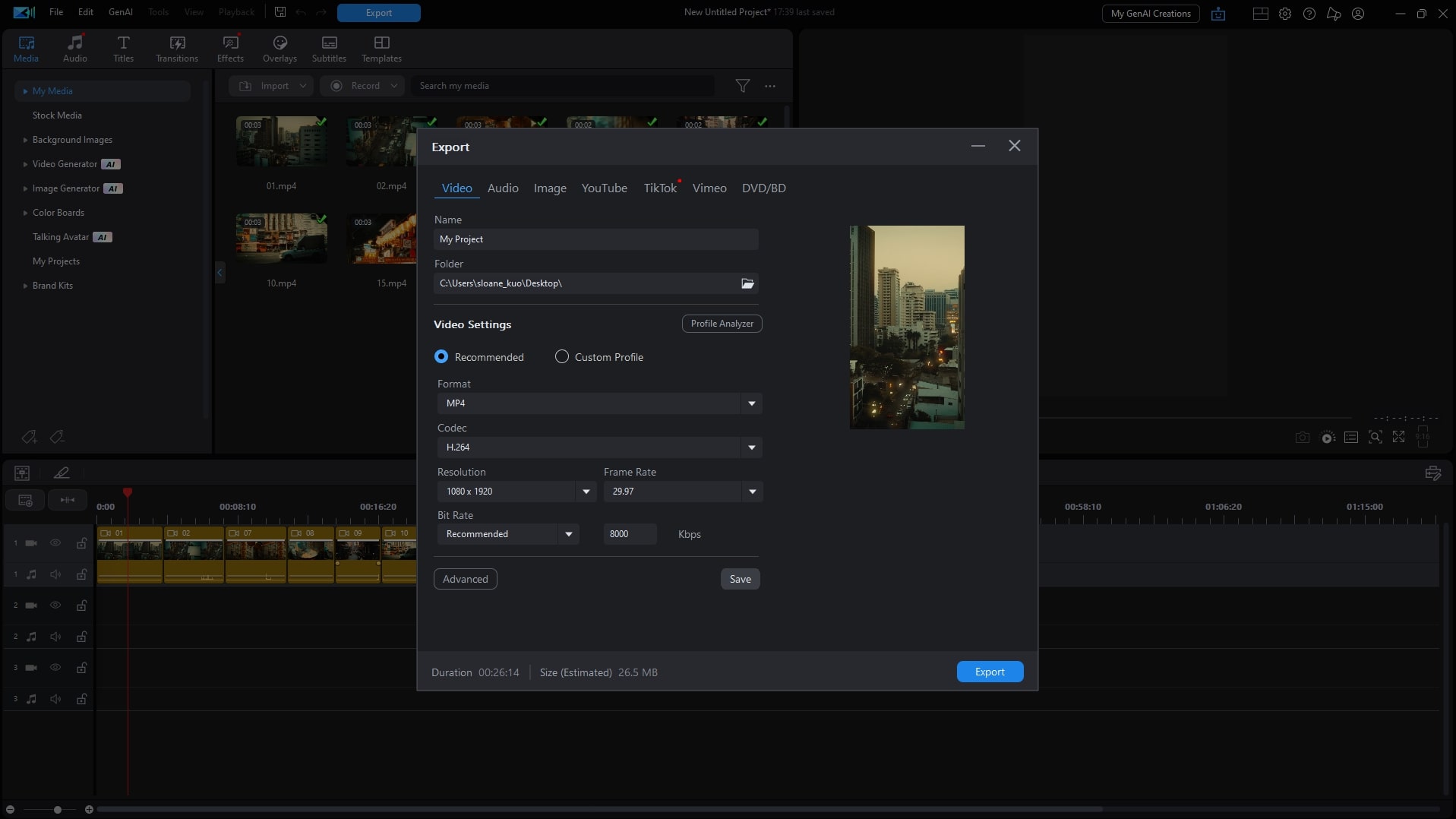
- Export as 1080 × 1920 MP4.


Resize Videos on Mobile (PowerDirector App)
- Open
PowerDirector (iOS/Android).
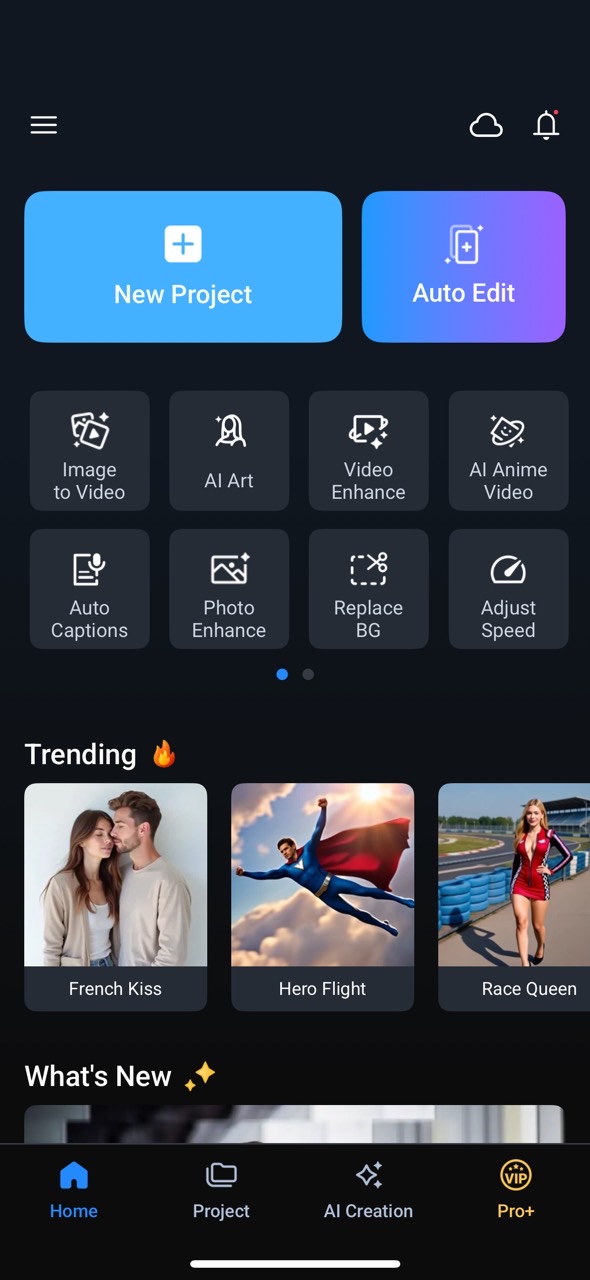
- Start a new project and import your video.
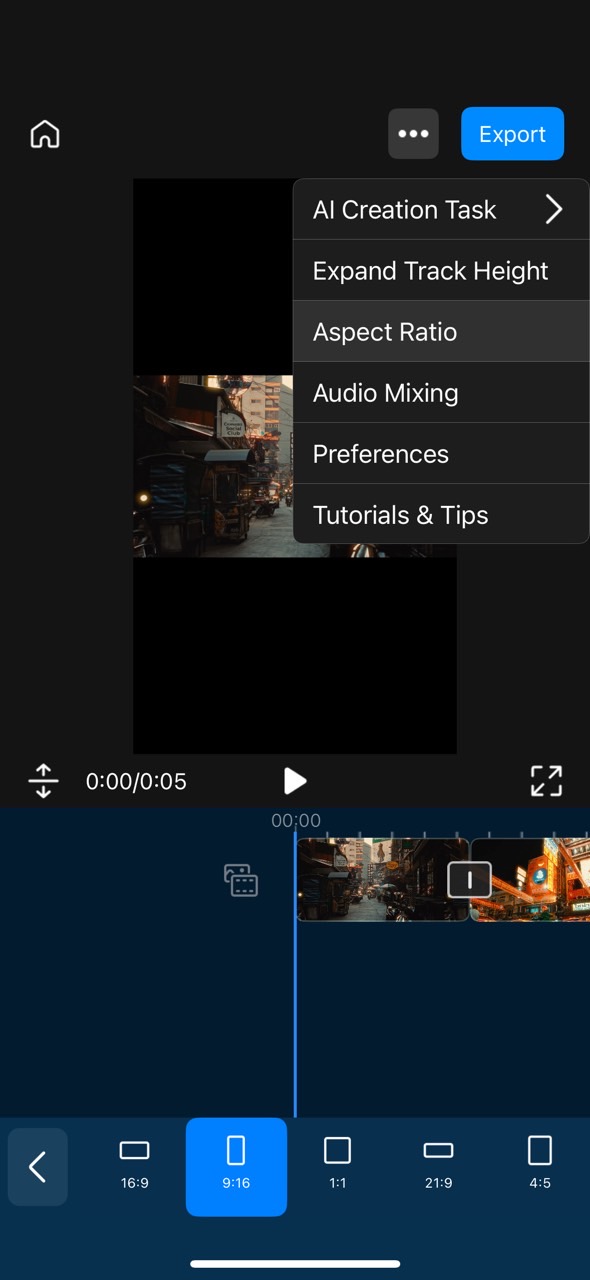
- Change to 9:16 aspect ratio.
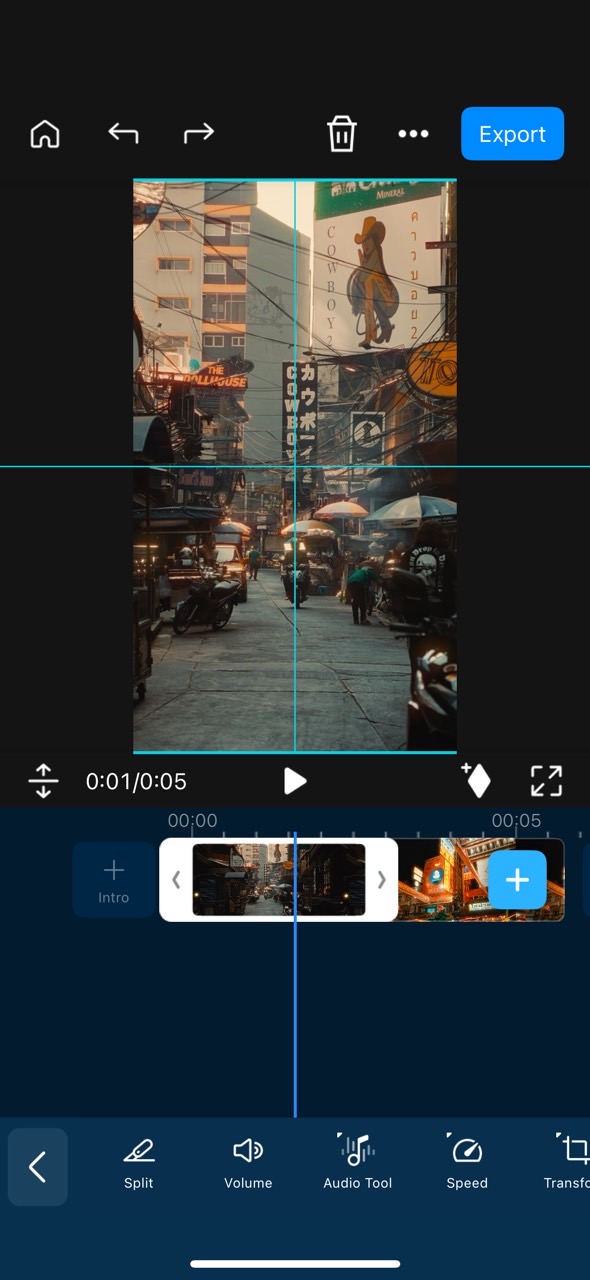
- Adjust framing or crop to center your subject.
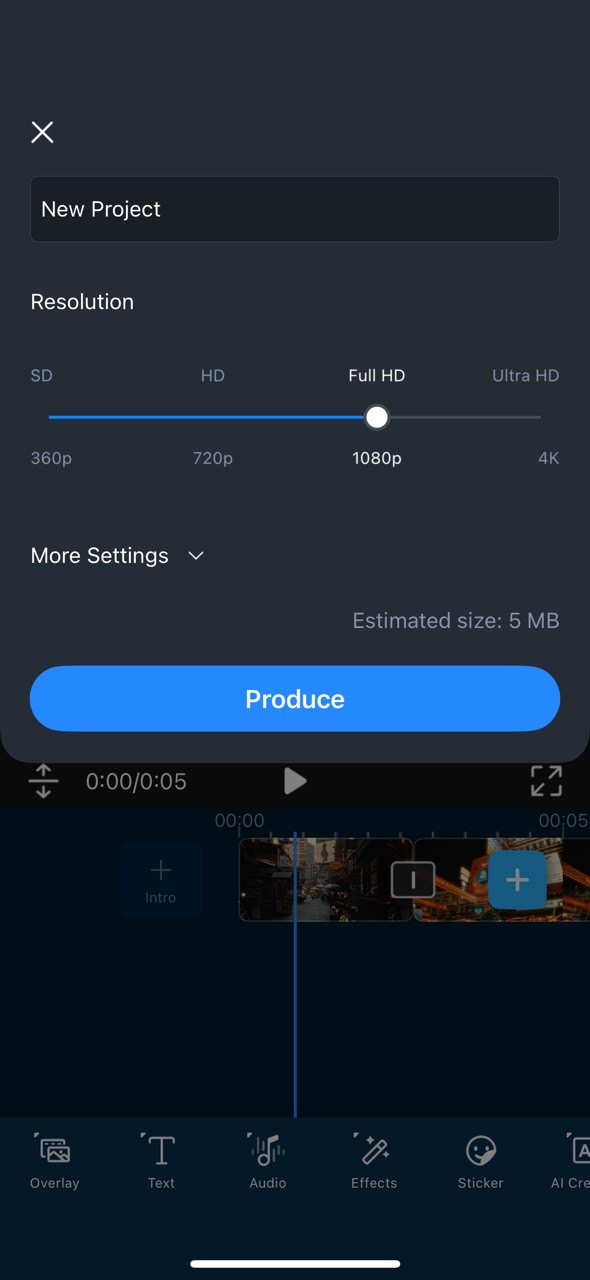
- Export in TikTok-ready MP4 format.


Editing and Resizing TikTok Videos with PowerDirector on PC and Mobile
Beyond resizing, PowerDirector includes other tools that are useful when editing TikTok videos on PC and mobile:
- 9:16 aspect ratio setting for vertical platforms like TikTok, Instagram Reels, and YouTube Shorts
- Auto captions for viewers who watch with the sound off
- Effects and transitions
- Voice changer and filters
- PC version: suited to reframing horizontal videos and camera footage on a larger screen
TikTok Video Tips to Boost Performance (2026)
Beyond getting the size right, these habits can help your videos perform:
- Post during peak audience times (check your analytics).
- Use trending sounds and effects.
- Add captions and text overlays for viewers watching without sound.
- Add effects in PowerDirector to give your videos a distinctive look.
Related articles:
FAQs on TikTok Video Size
1080 × 1920 pixels with a 9:16 vertical aspect ratio.
Yes, but horizontal clips show black bars. PowerDirector lets you resize horizontal videos into vertical 9:16 in a few steps, as shown in the tutorials above.
It depends on how you upload. The TikTok mobile app has lower file size limits than the web uploader at tiktok.com, and the exact caps change over time. For long or high-quality videos, uploading from a computer is the safer option, and exporting at 1080 × 1920 keeps file sizes manageable.
You can upload 4K videos, but TikTok compresses them down to 1080p. Exporting at 1080 × 1920 yourself gives you more control over the final quality than letting TikTok downscale the file.

The CyberLink Editorial Team is composed of product testing specialists and content creation experts with over 20 years of hands-on experience and rigorous research in the multimedia editing industry. As the official voice of CyberLink, the team consistently delivers practical, easy-to-follow tutorials across video, photo, and audio editing, while highlighting AI innovations, product insights, and emerging industry trends. Their work empowers millions of creators worldwide each year to elevate their content. Beyond the blog, the team actively shares editing tips and product updates across YouTube, Facebook, Linkedin and Pinterest.
😎 Outside of their work, they enjoy capturing travel moments and meticulously editing photos and videos for their social channels.


