CyberLink Logo
MyEdit Icon
MyEdit Image
Try Online

56 Best Copy & Paste Nano Banana Prompts to Enhance Your Portraits and Images

Last Updated on Feb. 11, 2026 - by CyberLink Editorial Team
56 Best Copy & Paste Nano Banana Prompts to Enhance Your Portraits and Images

Nano Banana is one of the best AI image models available, perfect for generating stunning, realistic portraits and high-quality visuals from text or reference images.

With MyEdit, you can harness Nano Banana to generate, enhance, and refine images—all while preserving facial identity, adjusting style, and applying professional-quality edits in one easy browser-based tool.


Introduction to Nano Banana AI Prompts

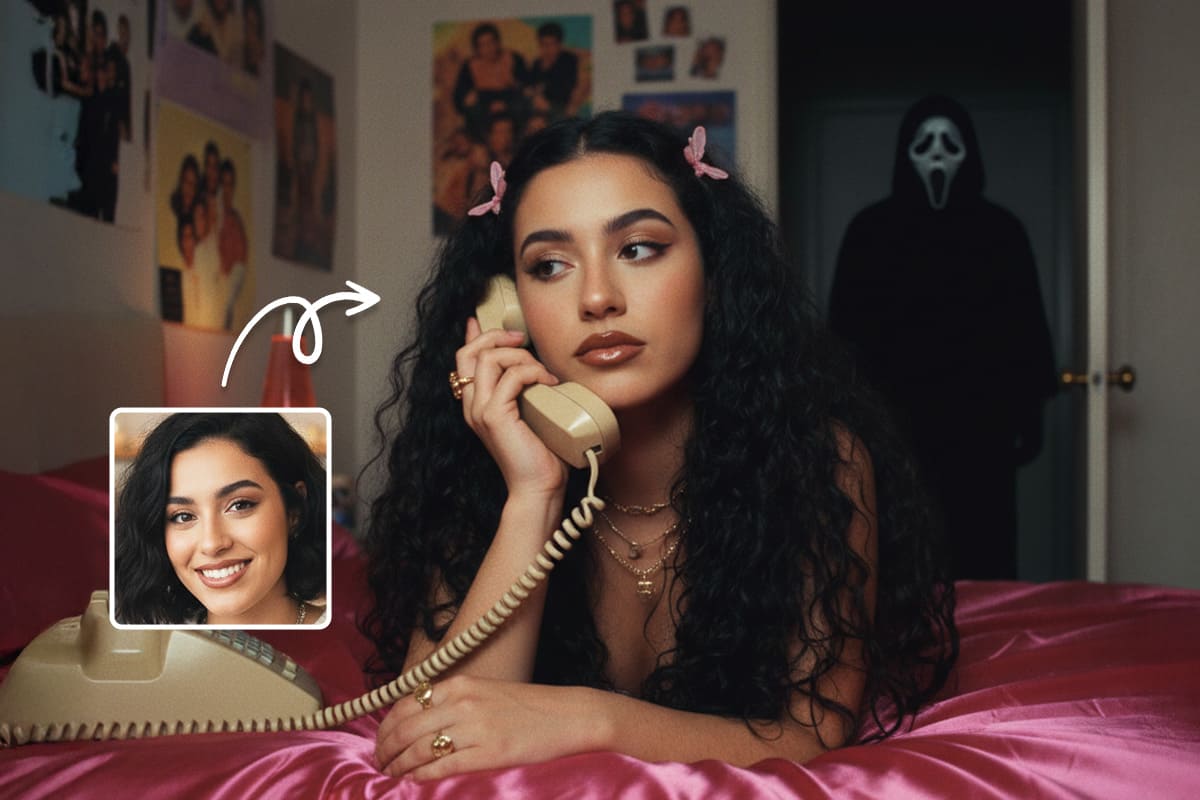
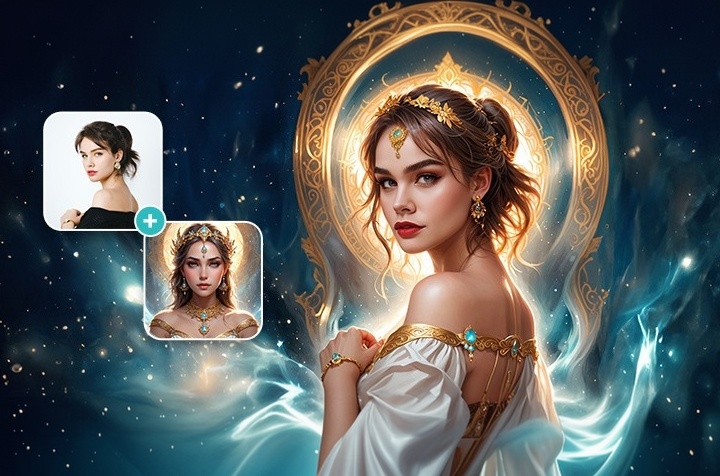
Nano Banana AI generating realistic portraits from prompts

Nano Banana AI prompts are precise instructions that guide the model to create or enhance images with stunning realism and creative control. They let you refine lighting, style, composition, and details, turning simple ideas into polished visuals.

These prompts work especially well with MyEdit, which gives instant access to the latest Nano Banana model—just upload a photo, paste your prompt, and generate high-quality results without setup.

Key advantages of Nano Banana AI include:

For more details on how the Nano Banana model works, its latest capabilities, and technical background, see our in-depth Nano Banana article.


56 Best Nano Banana Prompts You Can Copy & Paste Instantly

Whether you’re editing portraits, enhancing photos, or creating creative AI visuals, these Nano Banana prompts are ready to copy and paste. Designed for everyone from casual users to professional creators, they help you get consistent, high-quality results with minimal effort. Just upload your image, apply the prompt, and let the AI handle the rest.

Best Nano Banana Photo Editing & Enhancement Prompts

  1. Fix Blurry Selfie While Preserving Identity
  2. Improve Lighting and Color Balance
  3. Remove Noise and Compression Artifacts
  4. Restore Natural Skin Texture Without Smoothing
  5. Sharpen and Enhance Details in Low-Quality Images
  6. Correct Underexposed Photos While Maintaining Natural Tones
  7. Adjust White Balance for Warmer or Cooler Lighting
  8. Subtle Background Enhancement to Improve Focus on Subject
  9. Remove Unwanted Objects or Distractions from a Photo
  10. Enhance Color Vibrancy Without Affecting Realism
  11. Smooth Uneven Lighting Across a Group Photo
  12. Correct Minor Distortions or Lens Artifacts

Top Nano Banana Prompts for Men’s Portraits

  1. Masculine Portrait Enhancement With Natural Facial Structure
  2. Beard and Haircut Refinement
  3. Fitness / Physique Enhancement With Realistic Details
  4. Casual Lifestyle Portrait for Men
  5. Professional Business Headshot for Men
  6. Dating Profile Photo Enhancement for Men
  7. Editorial-Style Male Portrait With Cinematic Lighting
  8. Outdoor Lifestyle Portrait for Men

Top Nano Banana Prompts for Women’s Portraits

  1. Natural Beauty Enhancement With Soft Lighting
  2. Hairstyle Adjustment: Volume, Length, and Style
  3. Hair Color Change With Realistic Tones
  4. Subtle Makeup Refinement for Women
  5. Fashion Editorial Portrait for Women
  6. Social Media-Ready Lifestyle Portrait
  7. Dating Profile Photo Enhancement for Women
  8. Outdoor Lifestyle Portrait for Women With Natural Lighting

Best Nano Banana Prompts for Couples, Groups & Family Portraits

  1. Couple Portrait With Balanced Lighting and Natural Poses
  2. Family Photo Enhancement Preserving Everyone’s Identity
  3. Group Photo Retouch With Consistent Colors and Lighting
  4. Friends or Siblings Portrait With Natural Expressions
  5. Outdoor Group Lifestyle Portrait With Dynamic Lighting
  6. Before-and-After Composite of Multiple People Hugging
  7. Team Photo Enhancement for Social Media or Corporate Use
  8. Group Portrait With Subtle Color Grading for Realism

Nano Banana Prompts for Fashion, Outfit & Hairstyle Edits

  1. Outfit Replacement While Preserving Identity
  2. Casual-to-Formal Outfit Transformation
  3. Luxury Fashion Portrait With Accurate Fabric Texture
  4. Hairstyle Change: Length, Volume, Style
  5. Hair Color Adjustment With Natural Tones
  6. Streetwear Fashion Look Enhancement
  7. Editorial Fashion Photo With Studio Lighting
  8. Seasonal Outfit Change
  9. Accessory Addition: Hat, Glasses, Jewelry
  10. Hair and Outfit Style Combination for Social Media

Best Nano Banana Prompts for Professional & Social Media Headshots

  1. LinkedIn-Ready Professional Portrait
  2. Neutral Studio Background Replacement
  3. Corporate Team Photo Enhancement
  4. Personal Branding Portrait
  5. Dating Profile Photo Enhancement
  6. Modern Professional Portrait With Clean Lighting
  7. Executive-Style Headshot With Subtle Shadows
  8. Headshot With Soft Focus Background
  9. Profile Picture Enhancement for Professional Apps
  10. Clean, Well-Lit Indoor Office Portrait

Best Nano Banana Photo Editing & Enhancement Prompts

These prompts help improve photo quality, correct lighting, and enhance details while preserving realism. Copy and paste them into your preferred AI model with a reference image to instantly upgrade your photos.

1. Fix Blurry Selfie While Preserving Identity

Ideal for slightly blurry selfies or low-resolution profile photos. The AI sharpens details while keeping facial features natural.

Reference Photo Before
Generated AI Portrait After

Prompt sample: "Enhance a slightly blurry selfie using reference image, sharpen facial features, retain natural skin texture, maintain soft lighting, realistic depth and clarity, casual expression"

Pro Tip: Focus on the eyes and mouth for the most realistic effect; avoid over-sharpening to prevent a harsh look.


2. Improve Lighting and Color Balance

Perfect for photos with uneven or flat lighting. The AI adjusts brightness, contrast, and color tones for a more polished image.

Reference Photo Before
Generated AI Portrait After

Prompt sample: "Enhance lighting and color balance using reference image, correct shadows and highlights, adjust warmth and contrast, maintain natural skin tones, subtle and realistic improvement"

Pro Tip: Make small adjustments first, then refine; subtlety maintains realism.


3. Remove Noise and Compression Artifacts

Ideal for low-quality or compressed photos. The AI smooths grain and removes compression artifacts while keeping details intact.

Reference Photo Before
Generated AI Portrait After

Prompt sample: "Clean up noise and compression artifacts using reference image, smooth background and skin textures, preserve facial identity, maintain natural lighting and realistic details"

Pro Tip: Apply noise reduction carefully; over-smoothing can remove important facial details.


4. Restore Natural Skin Texture Without Smoothing

Perfect for portraits where skin appears overly smooth. The AI restores realistic textures while maintaining natural light and tone.

Reference Photo Before
Generated AI Portrait After

Prompt sample: "Restore natural skin texture using reference image, retain pores and fine details, maintain natural lighting, realistic facial features, subtle enhancement"

Pro Tip: Avoid overcorrecting; focus on small areas for the most natural effect.


5. Sharpen and Enhance Details in Low-Quality Images

Great for old photos or low-resolution images. The AI sharpens edges and brings out fine details without introducing artifacts.

Reference Photo Before
Generated AI Portrait After

Prompt sample: "Enhance low-resolution image using reference image, sharpen fine details, bring out textures in hair and clothing, maintain realistic lighting and facial structure"

Pro Tip: Apply sharpening incrementally to avoid halos around edges.


6. Correct Underexposed Photos While Maintaining Natural Tones

Perfect for dark or shadowed images. The AI brightens the photo while preserving colors and natural skin tones.

Reference Photo Before
Generated AI Portrait After

Prompt sample: "Brighten underexposed photo using reference image, enhance midtones and shadows, retain natural skin tones, realistic lighting and contrast"

Pro Tip: Focus on midtones to preserve detail; avoid overexposing highlights.


7. Adjust White Balance for Warmer or Cooler Lighting

Perfect for correcting color temperature. The AI adjusts warmth or coolness while keeping skin and environment realistic.

Reference Photo Before
Generated AI Portrait After

Prompt sample: "Adjust white balance using reference image, warm or cool tones as needed, preserve natural skin color, maintain consistent lighting and realism"

Pro Tip: Small tweaks often work better than extreme shifts; subtlety keeps colors natural.


8. Subtle Background Enhancement to Improve Focus on Subject

Use when the background distracts from the subject. The AI softens or enhances background elements to emphasize the main subject.

Reference Photo Before
Generated AI Portrait After

Prompt sample: "Enhance background subtly using reference image, soften distractions, emphasize subject, maintain realistic depth and lighting"

Pro Tip: Keep adjustments subtle to avoid separating subject unnaturally.


9. Remove Unwanted Objects or Distractions from a Photo

Perfect for cleaning up images with wires, trash, or background distractions. The AI fills removed areas naturally.

Reference Photo Before
Generated AI Portrait After

Prompt sample: "Remove unwanted objects using reference image, fill background seamlessly, preserve main subject and lighting, maintain natural details"

Pro Tip: Zoom in on edges to ensure smooth blending and avoid unnatural patches.


10. Enhance Color Vibrancy Without Affecting Realism

Great for dull or flat photos. The AI boosts colors subtly while keeping the image realistic.

Reference Photo Before
Generated AI Portrait After

Prompt sample: "Enhance color vibrancy using reference image, maintain realistic skin tones, subtle saturation increase, preserve natural lighting and details"

Pro Tip: Apply incremental vibrancy boosts to avoid oversaturation.


11. Smooth Uneven Lighting Across a Group Photo

Ideal for group shots taken in uneven light. The AI balances brightness and shadows for all subjects.

Reference Photo Before
Generated AI Portrait After

Prompt sample: "Balance uneven lighting in group photo using reference image, equalize shadows and highlights, retain natural skin tones for all subjects"

Pro Tip: Focus on faces first, then refine background lighting.


12. Correct Minor Distortions or Lens Artifacts

Perfect for photos with minor lens or perspective issues. The AI corrects distortions while keeping proportions natural.

Reference Photo Before
Generated AI Portrait After

Prompt sample: "Correct minor lens distortions or perspective issues using reference image, maintain realistic proportions and details, subtle and natural adjustments"

Pro Tip: Check edges and corners for subtle stretching when correcting wide-angle shots.


Top Nano Banana Prompts for Men’s Portraits

These prompts are tailored for enhancing male portraits — from casual selfies to professional headshots and lifestyle images. Use a reference image to achieve realistic results with proper facial structure, lighting, and style.

13. Masculine Portrait Enhancement With Natural Facial Structure

Ideal for refining facial features while keeping a natural, masculine appearance. Perfect for profile pictures or portraits that need subtle enhancement.

Reference Photo Before
Generated AI Portrait After

Prompt sample: "Enhance masculine facial features using reference image, maintain natural jawline, cheekbones, and skin texture, realistic lighting and subtle enhancement, casual expression"

Pro Tip: Focus on enhancing natural facial contours without exaggerating features.


14. Beard and Haircut Refinement

Perfect for enhancing beard shape, hair texture, or updating hairstyles. Maintains realistic hair detail and natural flow.

Reference Photo Before
Generated AI Portrait After

Prompt sample: "Refine beard and haircut using reference image, enhance hair texture, maintain realistic style and natural lighting, subtle grooming adjustments"

Pro Tip: Use a clear reference to match the style you want; small tweaks are better than major changes.


15. Fitness / Physique Enhancement With Realistic Details

Ideal for gym selfies or fitness portraits. Enhances muscle definition subtly while maintaining realistic body proportions and skin texture.

Reference Photo Before
Generated AI Portrait After

Prompt sample: "Enhance physique in male portrait using reference image, define muscles naturally, maintain realistic skin and proportions, subtle lighting enhancement"

Pro Tip: Avoid over-emphasizing muscles; subtle definition looks most realistic.


16. Casual Lifestyle Portrait for Men

Perfect for relaxed or candid shots. Enhances natural expression, lighting, and background details while keeping a casual vibe.

Reference Photo Before
Generated AI Portrait After

Prompt sample: "Enhance casual male lifestyle portrait using reference image, natural pose, realistic lighting, subtle background improvement, preserve natural expression"

Pro Tip: Use ambient lighting to keep the shot relaxed and natural.


17. Professional Business Headshot for Men

Ideal for LinkedIn or corporate profiles. Enhances facial clarity, lighting, and suit details while keeping a professional look.

Reference Photo Before
Generated AI Portrait After

Prompt sample: "Enhance professional male headshot using reference image, crisp facial details, natural skin tone, suit refinement, subtle studio lighting, realistic background"

Pro Tip: Keep expression confident but approachable; subtle lighting adjustments make it look professional.


18. Dating Profile Photo Enhancement for Men

Enhances attractiveness and clarity for online dating profiles. Focuses on facial expression, skin tone, and subtle lighting improvements.

Reference Photo Before
Generated AI Portrait After

Prompt sample: "Enhance male dating profile photo using reference image, natural smile, clear eyes, realistic skin tones, subtle lighting and background improvement"

Pro Tip: Make sure the expression feels natural and approachable, not forced.


19. Editorial-Style Male Portrait With Cinematic Lighting

Perfect for fashion or editorial-style images. Enhances dramatic lighting, textures, and overall composition while maintaining realism.

Reference Photo Before
Generated AI Portrait After

Prompt sample: "Create cinematic male portrait using reference image, dramatic lighting, enhanced textures, realistic shadows and highlights, editorial composition"

Pro Tip: Use controlled light sources in your reference image to guide the AI for realistic cinematic effects.


20. Outdoor Lifestyle Portrait for Men

Enhances outdoor shots with natural sunlight and environmental details. Maintains realistic skin tones and depth of field.

Reference Photo Before
Generated AI Portrait After

Prompt sample: "Enhance outdoor male portrait using reference image, natural sunlight, realistic skin tones, subtle background enhancement, preserve depth of field and details"

Pro Tip: Capture shadows and highlights carefully to maintain natural outdoor lighting.


Top Nano Banana Prompts for Women’s Portraits

These prompts are designed to enhance female portraits — from natural beauty shots to fashion and lifestyle images. Use a reference image to achieve realistic results with soft lighting, flattering angles, and accurate details.

21. Natural Beauty Enhancement With Soft Lighting

Ideal for portraits that need subtle enhancement. Focuses on softening shadows, refining facial features, and preserving natural skin texture.

Reference Photo Before
Generated AI Portrait After

Prompt sample: "Enhance natural female beauty using reference image, soft lighting, smooth yet realistic skin texture, maintain facial identity and subtle expressions, casual pose"

Pro Tip: Keep the lighting soft and avoid over-smoothing for natural realism.


22. Hairstyle Adjustment: Volume, Length, and Style

Perfect for adjusting hair volume, length, or style in a portrait while maintaining natural hair flow and texture.

Reference Photo Before
Generated AI Portrait After

Prompt sample: "Adjust hairstyle using reference image, change volume, length, or style, maintain realistic hair texture, natural lighting, subtle enhancement"

Pro Tip: Use a clear reference for desired hair style and avoid extreme changes for realism.


23. Hair Color Change With Realistic Tones

Ideal for updating hair color while preserving natural highlights, shadows, and texture.

Reference Photo Before
Generated AI Portrait After

Prompt sample: "Change hair color using reference image, realistic highlights and shadows, maintain natural texture, soft lighting, subtle tone adjustment"

Pro Tip: Slight adjustments often look more natural than dramatic color changes.


24. Subtle Makeup Refinement for Women

Enhances makeup subtly — ideal for portraits or social media photos. Maintains realism and natural skin texture.

Reference Photo Before
Generated AI Portrait After

Prompt sample: "Refine female makeup using reference image, enhance lips, eyes, and cheeks subtly, maintain realistic skin texture and natural lighting"

Pro Tip: Keep makeup enhancement light for realistic results; avoid heavy edits that look artificial.


25. Fashion Editorial Portrait for Women

Perfect for high-fashion or editorial-style images. Enhances lighting, textures, and pose while keeping the photo realistic.

Reference Photo Before
Generated AI Portrait After

Prompt sample: "Create fashion editorial female portrait using reference image, enhance lighting and textures, maintain realistic skin and hair, elegant pose, cinematic composition"

Pro Tip: Use controlled lighting references to guide dramatic yet natural-looking editorial results.


26. Social Media-Ready Lifestyle Portrait

Enhances casual or lifestyle portraits for Instagram, TikTok, or personal blogs. Focuses on clarity, soft lighting, and subtle background enhancement.

Reference Photo Before
Generated AI Portrait After

Prompt sample: "Enhance female lifestyle portrait using reference image, soft natural lighting, clear facial features, subtle background improvement, maintain realistic colors"

Pro Tip: Bright, natural lighting works best for social media-ready images.


27. Dating Profile Photo Enhancement for Women

Optimizes female portraits for online dating profiles, enhancing facial clarity, smile, and natural lighting.

Reference Photo Before
Generated AI Portrait After

Prompt sample: "Enhance female dating profile photo using reference image, natural smile, clear eyes, realistic skin tones, subtle lighting and background adjustments"

Pro Tip: Maintain a relaxed expression to appear approachable and genuine.


28. Outdoor Lifestyle Portrait for Women With Natural Lighting

Perfect for outdoor shots with natural sunlight. Enhances depth, skin tones, and background subtly for realistic results.

Reference Photo Before
Generated AI Portrait After

Prompt sample: "Enhance outdoor female portrait using reference image, natural sunlight, realistic skin tones, subtle background enhancement, maintain depth and natural lighting"

Pro Tip: Capture shadows and highlights carefully to keep outdoor lighting realistic.


Best Nano Banana Prompts for Couples, Groups & Family Portraits

Enhance group, couple, or family portraits using reference images for realistic lighting, expressions, and composition. These prompts are ideal for preserving identity while improving clarity and aesthetics for all subjects.

29. Couple Portrait With Balanced Lighting and Natural Poses

Perfect for romantic or casual couple shots. Focuses on balanced lighting, natural interaction, and facial clarity.

Reference Photo Before
Generated AI Portrait After

Prompt sample: "Enhance couple portrait using reference image, natural poses, balanced lighting, preserve facial identity, subtle background refinement"

Pro Tip: Capture gentle interactions (holding hands, slight lean) for more authentic results.


30. Family Photo Enhancement Preserving Everyone’s Identity

Ideal for family portraits where all members’ facial features and expressions are preserved. Enhances lighting and clarity while keeping skin tones natural.

Reference Photo Before
Generated AI Portrait After

Prompt sample: "Enhance family portrait using reference image, maintain identity of each person, natural skin tones, subtle lighting and color correction, preserve group dynamics"

Pro Tip: Use consistent lighting references across all members to avoid unnatural differences.


31. Group Photo Retouch With Consistent Colors and Lighting

Perfect for friends, coworkers, or event group photos. Ensures consistent lighting and color grading for a polished look.

Reference Photo Before
Generated AI Portrait After

Prompt sample: "Retouch group photo using reference image, consistent colors, balanced lighting, natural expressions, preserve individuality and overall composition"

Pro Tip: Ensure all faces are clearly visible in reference image for best results.


32. Friends or Siblings Portrait With Natural Expressions

Enhances portraits of friends or siblings, maintaining their natural interactions, smiles, and personalities.

Reference Photo Before
Generated AI Portrait After

Prompt sample: "Enhance friends or siblings portrait using reference image, natural smiles, realistic lighting, preserve individual identities, subtle background refinement"

Pro Tip: Capture candid moments to maintain authenticity in group photos.


33. Outdoor Group Lifestyle Portrait With Dynamic Lighting

Perfect for outdoor events, trips, or casual group shots. Enhances natural sunlight, shadows, and depth for dynamic realism.

Reference Photo Before
Generated AI Portrait After

Prompt sample: "Enhance outdoor group portrait using reference image, natural sunlight, dynamic lighting, maintain realistic skin tones and depth, subtle background enhancement"

Pro Tip: Use the reference image’s light direction to guide realistic shadows and highlights.


34. Before-and-After Composite of Multiple People Hugging

Ideal for intimate or emotional moments. Preserves individual identities while creating a cohesive composite of multiple people interacting.

Reference Photo Before
Generated AI Portrait After

Prompt sample: "Create composite of multiple people hugging using reference images, maintain facial identity, realistic skin tones, balanced lighting, preserve emotional connection and composition"

Pro Tip: Ensure reference images have similar angles and lighting for seamless composites.


35. Team Photo Enhancement for Social Media or Corporate Use

Enhances group photos for professional or social media purposes. Focuses on clarity, consistent lighting, and subtle color correction.

Reference Photo Before
Generated AI Portrait After

Prompt sample: "Enhance team photo using reference image, consistent colors, clear facial details, subtle lighting adjustment, professional appearance, realistic group composition"

Pro Tip: For corporate photos, maintain formal posture and background neutrality.


36. Group Portrait With Subtle Color Grading for Realism

Enhances group portraits with natural color grading and realistic lighting while keeping individual features intact.

Reference Photo Before
Generated AI Portrait After

Prompt sample: "Apply subtle color grading to group portrait using reference image, maintain realistic skin tones, consistent lighting, preserve individual identities, natural composition"

Pro Tip: Use soft adjustments rather than heavy grading to maintain realism across all subjects.


Nano Banana Prompts for Fashion, Outfit & Hairstyle Edits

Use these prompts to refine fashion portraits, change outfits, hairstyles, or add accessories — all while keeping the person’s identity intact. Reference images help achieve realistic textures, lighting, and style consistency.

37. Outfit Replacement While Preserving Identity

Replace a subject’s outfit while maintaining facial features, posture, and proportions. Ideal for casual, formal, or themed photos.

Reference Photo Before
Generated AI Portrait After

Prompt sample: "Replace outfit using reference image, maintain identity, accurate fit and posture, realistic fabric texture, subtle lighting adjustments"

Pro Tip: Provide a reference for the desired outfit style to get precise results.


38. Casual-to-Formal Outfit Transformation

Transforms casual clothing into formal attire while keeping facial expressions and overall composition natural.

Reference Photo Before
Generated AI Portrait After

Prompt sample: "Transform casual outfit to formal attire using reference image, maintain identity and proportions, realistic textures and lighting, preserve pose and expression"

Pro Tip: Keep accessories and posture consistent for a natural transformation.


39. Luxury Fashion Portrait With Accurate Fabric Texture

Enhances high-end fashion portraits, focusing on accurate fabric details, lighting, and elegance.

Reference Photo Before
Generated AI Portrait After

Prompt sample: "Enhance luxury fashion portrait using reference image, accurate fabric texture, realistic lighting, maintain facial identity, elegant pose"

Pro Tip: Highlight textures (silk, leather, etc.) for a professional editorial finish.


40. Hairstyle Change: Length, Volume, Style

Modify hairstyle — length, volume, or overall style — while keeping natural hair texture and identity intact.

Reference Photo Before
Generated AI Portrait After

Prompt sample: "Change hairstyle using reference image, adjust length, volume, and style, preserve natural hair texture, maintain identity, subtle lighting"

Pro Tip: Use clear reference photos for desired style and angle.


41. Hair Color Adjustment With Natural Tones

Change hair color realistically, maintaining highlights, shadows, and natural texture.

Reference Photo Before
Generated AI Portrait After

Prompt sample: "Adjust hair color using reference image, natural tones, realistic highlights and shadows, preserve hair texture and facial identity"

Pro Tip: Subtle color tweaks often produce more realistic results than extreme changes.


42. Streetwear Fashion Look Enhancement

Perfect for casual, urban, or streetwear styles. Enhances outfit textures, lighting, and overall mood for a modern, realistic look.

Reference Photo Before
Generated AI Portrait After

Prompt sample: "Enhance streetwear fashion portrait using reference image, realistic textures, natural lighting, preserve identity, casual urban pose"

Pro Tip: Focus on clothing details like fabric folds, logos, or patterns for authenticity.


43. Editorial Fashion Photo With Studio Lighting

Enhances professional editorial images, emphasizing lighting, textures, and pose accuracy.

Reference Photo Before
Generated AI Portrait After

Prompt sample: "Create editorial fashion portrait using reference image, studio lighting, accurate textures, maintain facial identity, cinematic composition"

Pro Tip: Pay attention to shadow direction and contrast to emulate professional studio photography.


44. Seasonal Outfit Change

Switch outfits to match seasonal themes — summer, winter, or festive — while preserving identity and pose.

Reference Photo Before
Generated AI Portrait After

Prompt sample: "Change outfit to seasonal style using reference image, maintain identity, realistic fabric textures, natural lighting, preserve pose"

Pro Tip: Choose reference images that clearly show seasonal clothing for better results.


45. Accessory Addition: Hat, Glasses, Jewelry

Add or refine accessories while keeping them natural and proportionate to the subject.

Reference Photo Before
Generated AI Portrait After

Prompt sample: "Add accessories using reference image, hats, glasses, jewelry, maintain realistic proportions, natural lighting, preserve identity"

Pro Tip: Ensure accessories match the outfit style and lighting conditions of the reference image.


46. Hair and Outfit Style Combination for Social Media

Perfect for Instagram, TikTok, or lifestyle posts. Enhances both hairstyle and outfit simultaneously for a polished look.

Reference Photo Before
Generated AI Portrait After

Prompt sample: "Enhance hair and outfit style using reference image, realistic textures, natural lighting, maintain identity, polished look for social media"

Pro Tip: Align hairstyle and outfit colors to complement each other for a cohesive final image.


Best Nano Banana Prompts for Professional & Social Media Headshots

Use these prompts to create polished headshots for LinkedIn, corporate use, personal branding, or dating profiles. Reference images help ensure realistic lighting, facial features, and backgrounds.

47. LinkedIn-Ready Professional Portrait

Enhance headshots for professional networking, with crisp lighting, clear facial features, and subtle retouching.

Reference Photo Before
Generated AI Portrait After

Prompt sample: "Enhance professional headshot using reference image, clear facial features, soft studio lighting, natural skin tones, polished LinkedIn-ready portrait"

Pro Tip: Keep expressions neutral and approachable for professional appeal.


48. Neutral Studio Background Replacement

Replace busy or distracting backgrounds with a clean, neutral studio backdrop, keeping identity intact.

Reference Photo Before
Generated AI Portrait After

Prompt sample: "Replace background with neutral studio backdrop using reference image, preserve facial identity, consistent lighting, professional look"

Pro Tip: Ensure the reference photo has consistent lighting to match the new background.


49. Corporate Team Photo Enhancement

Refine team photos for company profiles, maintaining uniformity in lighting, colors, and clarity of each individual.

Reference Photo Before
Generated AI Portrait After

Prompt sample: "Enhance corporate team photo using reference image, consistent lighting and color, clear individual features, maintain realistic skin tones and professional look"

Pro Tip: Keep all members’ postures natural and avoid heavy retouching for professionalism.


50. Personal Branding Portrait

Perfect for entrepreneurs, influencers, or creatives, focusing on a polished, engaging, and authentic look.

Reference Photo Before
Generated AI Portrait After

Prompt sample: "Enhance personal branding portrait using reference image, clear facial identity, engaging expression, balanced lighting, polished yet authentic look"

Pro Tip: Slightly enhance eyes and smile to make the portrait more inviting without overdoing edits.


51. Dating Profile Photo Enhancement

Optimizes headshots for dating apps with natural expressions, flattering lighting, and subtle background enhancements.

Reference Photo Before
Generated AI Portrait After

Prompt sample: "Enhance dating profile photo using reference image, natural smile, flattering lighting, subtle background enhancement, maintain identity"

Pro Tip: Keep the pose relaxed and approachable for better engagement.


52. Modern Professional Portrait With Clean Lighting

Produces sleek, contemporary headshots suitable for portfolios, resumes, or social media.

Reference Photo Before
Generated AI Portrait After

Prompt sample: "Enhance modern professional portrait using reference image, clean lighting, natural skin tones, maintain identity, contemporary polished look"

Pro Tip: Keep backgrounds minimal to emphasize the subject’s face and posture.


53. Executive-Style Headshot With Subtle Shadows

Refines headshots for leadership roles, emphasizing depth, shadows, and authority while preserving natural appearance.

Reference Photo Before
Generated AI Portrait After

Prompt sample: "Enhance executive-style headshot using reference image, subtle shadows, maintain identity, natural expression, professional depth"

Pro Tip: Use reference images with natural head tilt or posture to add authority.


54. Headshot With Soft Focus Background

Creates professional headshots with a gentle bokeh or blurred background, emphasizing the subject.

Reference Photo Before
Generated AI Portrait After

Prompt sample: "Enhance headshot using reference image, soft focus background, clear facial features, natural lighting, maintain identity"

Pro Tip: Adjust blur strength subtly to ensure the subject remains sharp and realistic.


55. Profile Picture Enhancement for Professional Apps

Optimizes headshots for professional social media apps, keeping a polished yet authentic look.

Reference Photo Before
Generated AI Portrait After

Prompt sample: "Enhance profile picture using reference image, polished appearance, natural expression, clear lighting, maintain identity, professional app ready"

Pro Tip: Keep the expression approachable but confident.


56. Clean, Well-Lit Indoor Office Portrait

Refines indoor office photos for clarity, lighting, and professional presentation.

Reference Photo Before
Generated AI Portrait After

Prompt sample: "Enhance indoor office portrait using reference image, clean lighting, natural skin tones, maintain identity, professional and polished look"

Pro Tip: Ensure reference photo has consistent lighting for realistic enhancements.


Create Stunning Images with Nano Banana AI on MyEdit

MyEdit is the easiest way to bring your ideas to life with the Nano Banana AI model. Key benefits include:

With these tools, MyEdit makes Nano Banana accessible for anyone — from casual users to professional creators.

AI Art – Custom Mode

Before Custom Mode
After Custom Mode

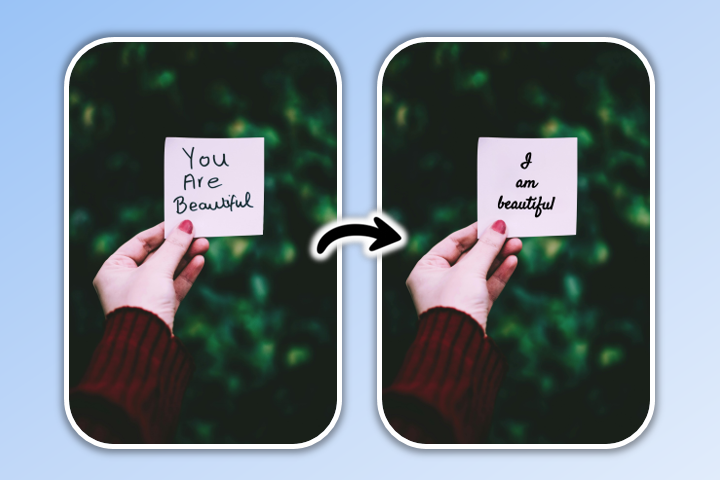
Custom Mode lets you generate lifelike or stylized images from one or multiple reference photos, guiding the AI to produce realistic portraits, family shots, or creative compositions.

AI Art – Template Mode

Reference Photo Before
Generated AI Art After

Template Mode provides hundreds of built-in layouts and style presets, making it the fastest way to create polished portraits or stylized images in just a few clicks.

AI Image Generator

MyEdit - AI Image Generator

The AI Image Generator allows you to quickly create high-quality images using Nano Banana or other models, applying templates and style presets for polished results in seconds.

AI Image to Video

Reference Image Before
Generated Video After

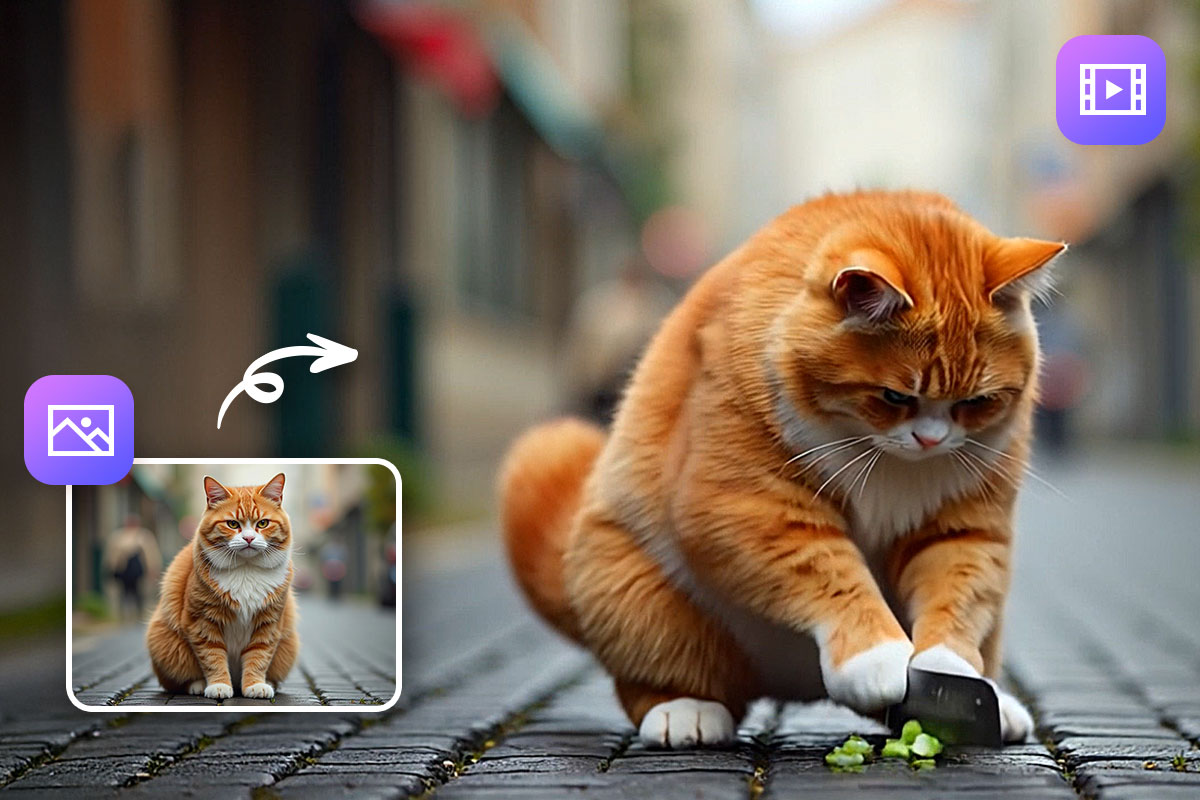
AI Image to Video transforms your reference images into animated videos, making it easy to bring portraits, couples, families, or groups to life.

In short, MyEdit is the most complete platform to harness the power of Nano Banana AI, offering professional-quality results for portraits, fashion, lifestyle, or animated projects with speed, simplicity, and flexibility.


How to Use Nano Banana Prompts in MyEdit

MyEdit makes it easy to use Nano Banana prompts for both reference-based portraits and text-to-image creations. Whether you want ultra-realistic people, creative styles, or fast concept visuals, you can choose the workflow that fits your goal.


Create Custom Portraits & Group Images with Nano Banana

Use Nano Banana prompts with reference photos to generate high-quality portraits of individuals, couples, families, or groups. MyEdit’s Custom mode allows precise control over identity, lighting, style, and scene.

  1. Open MyEdit AI Art: Go to AI Art to start creating portraits using reference images.
  2. Upload your reference photo: Add one or multiple faces (single portrait, couple, family, or group). The AI will preserve facial identity while applying your prompt.
    Upload portrait reference for Nano Banana AI
  3. Select Custom mode: Custom mode uses the Nano Banana AI model to analyze your reference image and apply your prompt. It gives you precise control over facial identity, pose, lighting, environment, and overall realism.
    Select Custom mode using Nano Banana model in MyEdit AI Art
  4. Enter your Nano Banana prompt: Describe the scene, lighting, mood, clothing, or setting. You can copy any prompt from this article and adapt it to your reference image.
    Enter Nano Banana prompt with reference image
  5. Generate your image: Click Generate and get a polished portrait or group image in seconds.
    Generated Nano Banana portrait result

Generate AI Images with Nano Banana (Text-to-Image)

If you don’t need reference photos, you can use Nano Banana prompts to generate images directly from text. This workflow is perfect for creative concepts, stylized portraits, fashion visuals, or experimental artwork.

  1. Open the AI Image Generator: Launch AI Image Generator in your browser.
  2. Select Nano Banana or another model: Choose Nano Banana for stylized, expressive results, or switch to other models like FLUX or GPT-Image for different visual styles.
    Select Nano Banana model in MyEdit
  3. Paste your prompt: Use any Nano Banana prompt from this guide or write your own, describing subject, style, lighting, and atmosphere.
    Enter Nano Banana text prompt
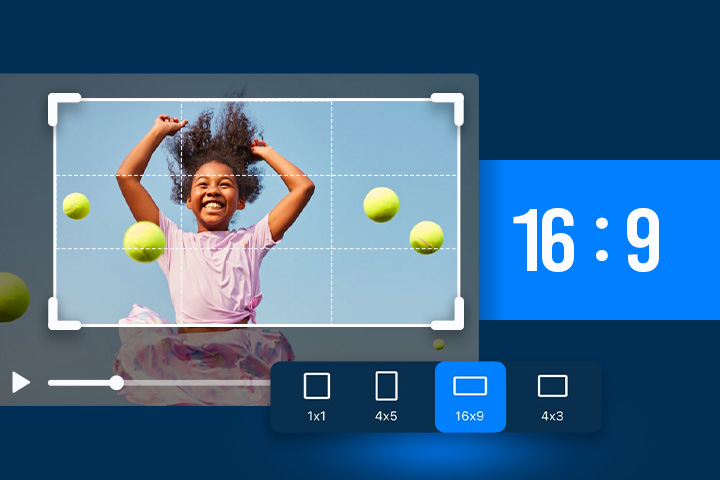
  4. Customize your output: Adjust the aspect ratio and apply optional style presets to refine the final look.
    Customize AI image settings
  5. Generate your image: Click Generate to instantly create your AI image from text.
    Generated Nano Banana AI image

Related Articles:

  • ChatGPT Image Ideas & Photo Editing Prompts
  • Ultimate Guide to Nano Banana Pro
  • Gemini Polaroid Trend Using the Best Prompts

Nano Banana AI Prompt FAQ

Nano Banana prompts can be used to generate realistic portraits, enhance photos, change styles, edit faces, swap outfits, adjust lighting, and create couple or group images. In MyEdit, these prompts work both for text-to-image creation and for editing existing photos using image reference.

The best Nano Banana prompts for realistic portraits describe lighting, facial details, camera style, and skin texture clearly. When used in MyEdit, Nano Banana prompts benefit from additional AI tools that help keep faces natural and consistent, even after multiple edits.

Nano Banana prompts guide the AI model by describing the subject, style, and quality you want. In MyEdit, you can use these prompts to generate images from scratch (text-to-image) or apply them to an existing photo, giving you more control over the final result.

A strong Nano Banana prompt is specific and focused, with details about realism, lighting, and mood. Combining a good prompt with MyEdit’s editing tools—such as targeted adjustments or AI replace features—helps refine results beyond prompt-only generation.

Yes, copy-and-paste Nano Banana prompts are effective and save time. They provide a solid base that you can reuse or tweak, especially in MyEdit where you can visually refine the output using additional AI photo-editing tools.

Yes, Nano Banana prompts work well for couples, families, and group photos. In MyEdit, using an image reference helps preserve facial identity and balance when editing or generating images with multiple people.

Nano Banana prompts can enhance old or low-quality photos by improving clarity, lighting, and facial details. When combined with MyEdit’s restoration and enhancement tools, they’re especially useful for upgrading portraits while keeping the original look.

Yes. Nano Banana prompts can target hairstyles or outfits while preserving the face, particularly when using image-based editing. MyEdit makes this easier by locking facial identity and applying changes only where needed.

The best Nano Banana prompts for men’s portraits focus on natural skin texture, realistic facial hair, and defined lighting. In MyEdit, you can further fine-tune results using additional tools for contrast, detail, and facial consistency.

Nano Banana prompts for women work best when they emphasize soft lighting, realistic makeup, and natural skin tones. Using MyEdit allows you to enhance these results with extra AI editing tools while keeping the portrait authentic.

Try These Prompts Now
Share this article via emailShare this article on FacebookShare this article on LinkedInShare this article on XShare this article on Pinterest