20 Mother's Day AI Image Prompts That Turn Any Photo into a Heartfelt Gift

Mom deserves something truly special this Mother's Day, but distance, busy lives, and the years that pass too quickly can make that harder than it should be.
Whether you have an old faded photograph that deserves new life, a family spread across different cities, or simply want to give her something more meaningful than a last-minute card, there is a way to make it happen.
With AI and MyEdit, creating a personalized, heartfelt Mother's Day image takes minutes to turn any photo into something she will treasure forever.
- What AI Can Create for Mother's Day
- Best Mother's Day AI Image Prompts
- How to Create Your Image with MyEdit
- Mother's Day AI Image Prompts FAQs
What You Can Create with AI This Mother's Day

AI tools make it easier than ever to create something truly personal for Mother's Day — in minutes, and without any design experience. From restoring a cherished old photo to generating a one-of-a-kind card, here are the best ways to use AI this Mother's Day.
- Personalized photos and portraits — transform a casual snapshot into a professional portrait, restore an old family photo, or place mom in a dream location using tools like MyEdit or Adobe Firefly.
- Custom cards and digital art — generate a beautiful, illustrated Mother's Day card from scratch or using a photo of mom, with no design skills needed.
- Heartfelt messages and poems — use AI to write a personalized poem, a heartfelt card message, or a touching tribute tailored to your mom.
- Social media tributes — create a shareable image or post for Instagram, Facebook, or WhatsApp that celebrates mom in a way that feels personal and meaningful.
The best results come from combining AI-generated visuals with a personal touch — a handwritten note, a printed and framed image, or a message that only you could write.
20 Mother's Day AI Image Prompts That Actually Work (for Photos and Cards)
The 20 prompts below cover every Mother's Day use case — from restoring a damaged old photo to creating a beautiful card from scratch. Each prompt is ready to copy and paste directly into any AI image tool, including MyEdit, ChatGPT, and Gemini. For best results, always upload a clear, well-lit reference photo and include a face preservation instruction when working with portraits.
Restore & Enhance Mom's Old Photos
- Restore a faded or damaged old family photo
- Colorize a black and white photo of mom
- Sharpen and enhance a blurry or low-resolution photo
- Remove scratches and wear from a vintage photograph
- Improve a dark or poorly lit photo of mom
Transform & Reimagine Mom's Photos with AI
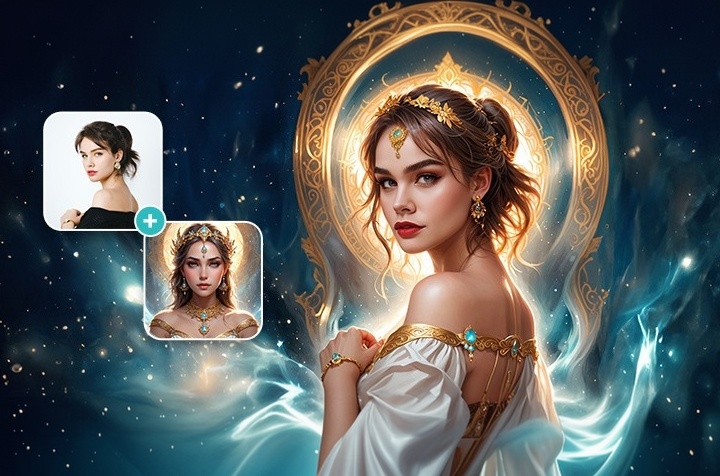
- Turn a casual photo of mom into a professional portrait
- Transport mom and family into a dream location
- Transform mom's photo into a hand-drawn illustration
- Make mom look younger — age reversal to her 20s
- Turn a photo into a classic oil painting
Reunite & Remember with AI Family Photos
- Combine separate photos into one family portrait
- Place a distant family member into a family photo
- Gently include a deceased mom in a family photo
- Merge mom's current photo with a childhood picture
- Recreate an old family photo with today's everyone
Cards & Wishes for Mother's Day with AI
- Generate an illustrated Mother's Day card with flowers
- Create a personalized card using mom's photo
- Design a warm minimal card with a heartfelt message
- Generate a watercolor illustration card without a photo
- Create a social-media ready wish image with mom's photo
Restore & Enhance Old Family Photos for Mother's Day
These prompts are designed to bring old, damaged, or low-quality photos of mom back to life using AI. Whether you are working with a faded print from the 1970s or a blurry digital snapshot, each prompt gives the AI clear instructions to recover detail, correct color, and produce a result worth framing.
1. Restore a Faded or Damaged Old Family Photo
Perfect for bringing a cherished but worn family photograph back to its original quality. This prompt instructs the AI to recover lost detail, repair physical damage, and restore natural color balance while preserving the authenticity of the original image.


Prompt sample: "Using the uploaded reference photo, restore this old and faded family photograph to its original quality. Repair any visible damage including tears, stains, creases, and discoloration. Recover fine details in faces, clothing, and background. Correct color balance to natural, warm tones. Preserve the original composition and authenticity of the photo. Output: photorealistic, high resolution, 8K."
2. Colorize a Black and White Photo of Mom
Give a timeless black and white photo of mom a new dimension by adding natural, realistic color. This prompt guides the AI to apply historically accurate and emotionally warm tones to skin, clothing, and environment without making the result look artificially processed.


Prompt sample: "Using the uploaded reference photo, colorize this black and white photograph naturally and realistically. Apply warm, lifelike skin tones to all faces. Add natural, era-appropriate colors to clothing, hair, and background elements. Avoid oversaturation — keep the color palette soft, warm, and authentic. The result should look like a naturally taken color photograph, not a digitally processed image. Output: photorealistic, high resolution, 8K."
3. Sharpen and Enhance a Blurry or Low-Resolution Photo
Ideal for old digital photos or scanned prints that lack sharpness and detail. This prompt instructs the AI to reconstruct fine facial features, recover texture, and upscale the image to a high-resolution output suitable for printing or framing.


Prompt sample: "Using the uploaded reference photo, sharpen and enhance this blurry or low-resolution photograph. Reconstruct fine facial details including eyes, skin texture, and hair strands. Remove motion blur and digital noise. Upscale the image while preserving natural proportions and authentic facial features. Do not alter the composition or change any faces. Output: photorealistic, ultra-sharp, high resolution, 8K."
4. Remove Scratches and Wear from a Vintage Photograph
For printed photos that have been physically damaged over time — scratched, torn, or marked. This prompt focuses the AI specifically on surface repair, removing imperfections while leaving the underlying image completely intact and authentic.


Prompt sample: "Using the uploaded reference photo, repair this vintage photograph by removing all visible surface damage including scratches, tears, dust spots, water stains, and age marks. Reconstruct any missing areas of the image naturally and seamlessly. Do not alter faces, expressions, or the original composition. Preserve the vintage character of the photo while making it clean, clear, and print-ready. Output: photorealistic, high resolution, 8K."
5. Improve a Dark or Poorly Lit Photo of Mom
Many candid family photos suffer from poor lighting — too dark, too harsh, or unevenly exposed. This prompt instructs the AI to correct exposure, balance shadows and highlights, and bring out natural skin tones without overprocessing the image.


Prompt sample: "Using the uploaded reference photo, correct the exposure and lighting of this photograph. Brighten dark areas naturally, reduce harsh shadows, and balance highlights without overexposing. Restore natural, warm skin tones to all faces. Improve overall clarity and color balance while preserving the original composition and all facial features exactly as they appear. Output: photorealistic, naturally lit, high resolution, 8K."
Transform & Reimagine Mom's Photos into AI Art
These prompts go beyond restoration — they use AI to creatively reimagine a photo of mom into something new and extraordinary. From professional studio portraits to artistic illustrations and dream locations, each prompt transforms an ordinary image into a meaningful and visually stunning Mother's Day gift.
6. Turn a Casual Photo of Mom into a Professional Portrait
Transform any everyday snapshot of mom into a polished, studio-quality portrait she will be proud to display. This prompt instructs the AI to enhance lighting, refine background, and elevate the overall quality while keeping her likeness completely intact.


Prompt sample: "Using the uploaded reference photo, produce a high-end studio portrait of this person. Set them against a rich, dark charcoal seamless backdrop. Apply dramatic but flattering split lighting — strong soft light from one side creating gentle shadow definition on the face. Preserve the person's face and expression exactly. Style: luxury portrait photography, moody and sophisticated, natural skin texture, 85mm lens, f/1.8. Output: photorealistic, high resolution, 8K."
7. Transport Mom and Family into a Dream Location
Place mom — or the whole family — in any location in the world without leaving home. This prompt instructs the AI to seamlessly integrate the uploaded photo into a beautiful new environment while preserving all faces and natural proportions.


Prompt sample: "Using the uploaded reference photo, place the people in this image into a beautiful dream location — a golden Tuscan countryside at sunset, with rolling hills, cypress trees, and a warm amber sky in the background. Keep all faces, expressions, skin tones, and body proportions exactly as in the reference photo. Integrate the subjects naturally into the new environment with realistic lighting and shadows that match the scene. Style: lifestyle travel photography, cinematic, warm golden tones. Output: photorealistic, high resolution, 8K."
8. Transform Mom's Photo into a Hand-Drawn Illustration
Turn a photo of mom into a beautiful hand-drawn illustrated portrait — a truly unique and artistic Mother's Day gift. This prompt instructs the AI to recreate her likeness in a warm, detailed illustration style while preserving her recognizable features.


Prompt sample: "Using the uploaded reference photo, transform this photograph into a warm, detailed hand-drawn illustration portrait. Style: fine pencil sketch with soft watercolor washes, warm pastel tones of peach, cream, and rose. Preserve the subject's facial features, expression, and likeness accurately. Add delicate floral elements — small roses and leaves — around the border of the portrait. The overall feel should be tender, artistic, and timeless — like a handmade gift. Output: high detail, illustration style, high resolution."
9. Make Mom Look Younger — Age Reversal to Her 20s
A deeply personal and joyful gift — showing mom as she looked in her younger years. This prompt guides the AI to reverse visible signs of aging naturally and convincingly while maintaining her identity and the warmth of her expression.


Prompt sample: "Using the uploaded reference photo, make this person appear as they would have looked in their mid-20s. Naturally reduce visible signs of aging — soften fine lines and wrinkles, restore skin firmness and glow, add natural hair volume and color appropriate for a younger age. Keep all core facial features, bone structure, eye color, and overall identity completely intact. The result should feel authentic and natural — not artificially smoothed or plastic. Style: natural portrait photography, warm soft light. Output: photorealistic, high resolution, 8K."
10. Turn a Photo into a Classic Oil Painting
Transform mom's photo into a timeless, museum-quality oil painting — an elegant and deeply meaningful gift. This prompt instructs the AI to recreate her portrait in the style of classical European oil painting, with rich texture, dramatic lighting, and warm tones.


Prompt sample: "Using the uploaded reference photo, transform this photograph into a classical oil painting portrait in the style of 17th century European masters. Apply rich, visible brushstrokes with warm, deep tones of amber, gold, and brown. Use dramatic Rembrandt-style lighting — soft light from one side, gentle shadow on the other. Preserve the subject's facial features and likeness faithfully. Add a dark, textured background typical of classical portraiture. The result should feel like a museum-quality artwork. Output: oil painting style, high detail, high resolution."
Reunite & Remember Family Moments with AI Photos
These prompts use AI to create family images that would otherwise be impossible — bringing together people separated by distance, time, or loss. Each prompt is designed to handle the emotional weight of these moments with care, producing results that feel natural, respectful, and deeply meaningful.
11. Combine Separate Photos into One Family Portrait
Create a beautiful family portrait even when everyone could not be in the same place at the same time. This prompt instructs the AI to seamlessly merge individual or group photos into a single, natural-looking family image with consistent lighting and proportions.


Prompt sample: "Using the uploaded reference photos, combine all the people shown into a single, natural-looking family portrait. Integrate each person seamlessly into a shared scene — a warm living room setting with soft natural light from a window. Match lighting, skin tones, and shadows across all subjects for a consistent, realistic result. Preserve every person's face, expression, and proportions exactly as in their reference photo. The final image should look like a naturally taken family photograph. Output: photorealistic, high resolution, 8K."
12. Place a Distant Family Member into a Family Photo
For families separated by distance — add a son, daughter, or loved one living abroad into an existing family photo. This prompt guides the AI to integrate the missing person naturally and convincingly into the scene, as if they had always been there.


Prompt sample: "I am uploading two reference photos — one of a family group and one of an individual who was not present. Naturally integrate the individual from the second photo into the family group photo. Place them in a natural position within the group — standing or seated beside the others. Match the lighting, color temperature, and shadows to the original scene. Preserve all faces and expressions exactly as in the reference photos. The result should look like the person was always part of the original photograph. Output: photorealistic, seamless, high resolution, 8K."
13. Gently Include a Deceased Mom in a Family Photo
A tender and deeply personal use of AI — creating a tribute image that brings a late mother back into a family moment. This prompt is written with care and sensitivity, instructing the AI to handle the result with respect, warmth, and emotional authenticity.


Prompt sample: "I am uploading two reference photos — one of a current family group and one older photo of a loved one who has passed away. With great care and sensitivity, gently integrate the person from the older photo into the family group scene. Place them naturally within the group in a warm, peaceful pose. Match the lighting and color tone of the current photo. Preserve all facial features from both reference photos exactly. The result should feel tender, respectful, and emotionally meaningful — a gentle tribute to her memory. Output: photorealistic, warm tones, high resolution, 8K."
14. Merge Mom's Current Photo with a Childhood Picture
Create a touching and emotional image of mom embracing her younger self — one of the most heartfelt and shareable Mother's Day AI image ideas. This prompt guides the AI to blend two photos of the same person taken decades apart into one natural, believable scene.


Prompt sample: "I am uploading two reference photos of the same person — one current and one from their childhood or younger years. Create a tender, emotional image of the current version of this person gently embracing their younger self. Both versions must maintain their exact facial features, skin tone, and identity from the reference photos. The scene should feel warm and natural — soft indoor light, neutral background, gentle expressions. The overall mood should be emotional, nostalgic, and deeply personal. Output: photorealistic, warm soft light, high resolution, 8K."
15. Recreate an Old Family Photo with Today's Everyone
Recreate a beloved old family photo — same pose, same setting, same energy — but with everyone as they look today. A joyful and deeply sentimental Mother's Day gift that celebrates how far the family has come.


Prompt sample: "Using the uploaded reference photo, age every person in this family photograph by approximately 20 years. Apply natural, realistic aging to each face — add gentle lines, softer skin texture, slightly greyer hair, and subtle changes in facial structure appropriate for each person's age progression. A young child should become a young adult. A parent in their 30s should look like they are in their 50s. Preserve every person's identity, facial features, and family resemblance exactly. Keep the original composition, setting, clothing, and background completely unchanged. The result should feel like a natural, believable photo taken 20 years later. Output: photorealistic, high resolution, 8K."
Cards & Wishes: Create Mother's Day Cards with AI
These prompts are designed to generate beautiful, personalized Mother's Day cards and wish images — with or without a photo of mom. Whether you want something to print, frame, or share digitally on Instagram or WhatsApp, each prompt produces a ready-to-use result that feels genuinely personal and thoughtful.
16. Generate an Illustrated Mother's Day Card with Flowers
Create a beautiful illustrated Mother's Day card from scratch — no photo needed. This prompt generates a warm, floral card design in a soft illustrated style, ready to print or share digitally.

Prompt sample: "Create a beautiful illustrated Mother's Day greeting card. Design: an elegant floral composition featuring soft pink peonies, white roses, and green eucalyptus leaves arranged naturally across the top and bottom of the card. Center text in an elegant serif font reads: 'Happy Mother's Day'. Background: soft cream white. Color palette: blush pink, soft white, sage green, and warm gold accents. Style: fine botanical watercolor illustration, delicate and timeless. The overall feel should be warm, elegant, and heartfelt. Output: vertical card format, high resolution, print-ready."
17. Create a Personalized Card Using Mom's Photo
Turn a photo of mom into the centerpiece of a beautiful, personalized Mother's Day card. This prompt instructs the AI to design a complete card layout around her image, with elegant typography and a warm color palette.


Prompt sample: "Using the uploaded reference photo, create a personalized Mother's Day card with this person as the centerpiece. Frame the photo with a soft border of watercolor flowers — pink roses and eucalyptus. Add elegant serif text at the top reading 'Happy Mother's Day' and a smaller line beneath the photo reading 'With all my love'. Background: soft warm cream. Color palette: blush pink, gold, and sage green. The overall design should feel warm, personal, and elegant — like a premium printed card. Output: vertical card format, high resolution, print-ready."
18. Design a Warm Minimal Card with a Heartfelt Message
For those who prefer clean, modern design over florals and decoration. This prompt generates a minimal, typographic Mother's Day card with a warm color palette and a heartfelt message — elegant in its simplicity.

Prompt sample: "Create a minimal, modern Mother's Day greeting card with a focus on typography and warmth. Background: soft warm white. Center the following text in a clean, elegant serif font: 'To the woman who made me who I am — Happy Mother's Day.' Below the main text, add a small, simple botanical illustration — a single stem with two leaves. Color palette: warm white, soft terracotta, and sage green. No heavy decoration. The design should feel calm, modern, and deeply sincere. Output: vertical card format, high resolution, print-ready."
19. Generate a Watercolor Illustration Card Without a Photo
A purely illustrated card generated entirely from scratch — no photo required. This prompt creates a dreamy, artistic Mother's Day card in a soft watercolor style, perfect for printing or sharing as a digital gift.

Prompt sample: "Create a Mother's Day greeting card in a soft, dreamy watercolor illustration style. Scene: a tender mother and child silhouette standing together in a sunlit garden, surrounded by blooming flowers in pink, peach, and lavender. Soft golden light in the background. At the top of the card, elegant handwritten-style script reads: 'Happy Mother's Day'. Color palette: soft pastels — blush pink, peach, lavender, and warm gold. The overall mood should be gentle, emotional, and beautifully artistic. Output: vertical card format, high resolution, print-ready."
20. Create a Social-Media Ready Wish Image with Mom's Photo
Generate a beautiful, shareable Mother's Day image optimized for Instagram, Facebook, or WhatsApp — using a photo of mom as the hero. This prompt produces a warm, polished result ready to post or send directly on her special day.


Prompt sample: "Using the uploaded reference photo, create a warm and beautiful Mother's Day wish image optimized for social media. Place the photo of mom in the center, softly framed by a delicate arrangement of pink roses and eucalyptus. Add a warm, soft light overlay. At the top, elegant serif text reads: 'Happy Mother's Day'. At the bottom, smaller text reads: 'Thank you for everything, Mom.' Color palette: blush pink, warm cream, and soft gold. The result should feel warm, personal, and visually polished — ready to share on Instagram or WhatsApp. Output: square format 1:1, high resolution."
How to Create Your Mother's Day AI Image with MyEdit
MyEdit is an all-in-one AI creative platform that lets you transform any photo of mom into a stunning, professional-quality portrait — no design skills, no software download, no studio required. Every before and after example in this article was created using MyEdit.
AI Image Generator — Turn Any Photo of Mom into Something Special


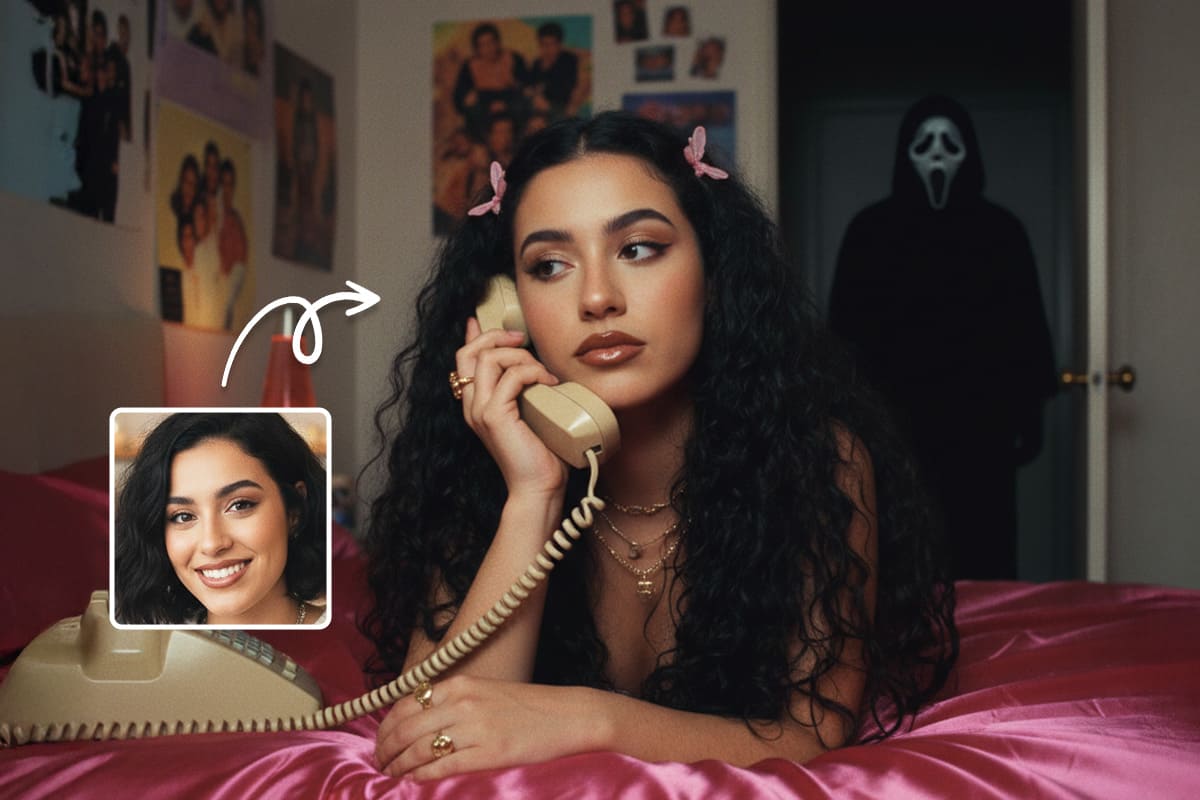
AI Image Generator is the tool behind every transformation in this article. Upload your photo of mom, paste any of the 20 prompts above, and let the AI do the rest. MyEdit supports multiple advanced AI models — including Nano Banana, Flux, and GPT-Image-1 — each delivering a different level of detail, realism, and artistic style. For the most accurate and emotionally powerful results — sharp facial details, natural skin tones, and true-to-life colour — Nano Banana consistently delivers the best output for family portraits and personal photos.
- Go to MyEdit's AI Image Generator — no account required to get started.
-
Select your AI model: choose Nano Banana for the most realistic and detailed results — accurate skin tones, sharp facial features, and natural lighting across all portrait styles.

-
Upload your reference photo: any photo of mom works — a casual snapshot, an old family photo, or even separate photos of different people to combine. The AI uses your uploaded image as the face and identity reference while transforming everything else.

-
Paste your prompt: copy any of the 20 ready-made prompts from the section above and paste it directly into the prompt box. Describe the style, mood, and setting you want — for example "restore this faded family photo to full clarity and color" or "transform this photo into a warm studio portrait with soft natural light".

-
Click Generate — in seconds, your photo is transformed into a polished, meaningful Mother's Day image ready to print, frame, or share.

AI Image to Video — Bring Mom's Portrait to Life
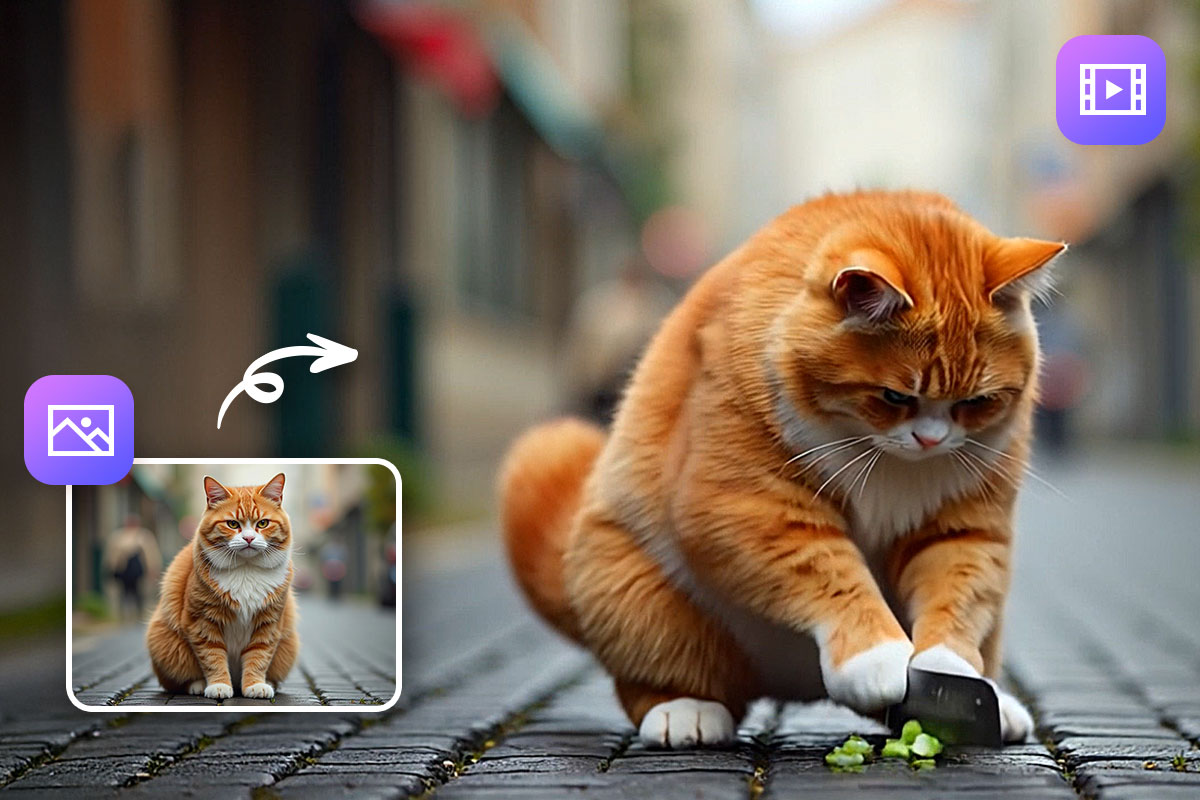
AI Image to Video takes your Mother's Day creation one step further — animating your portrait into a short, emotional video. Once you have generated your image using the AI Image Generator, use this tool to add subtle movement and bring the moment to life. A restored family photo, a dream location portrait, or a tribute to a late mom — all can be animated into a cinematic short video perfect for sharing on Instagram, TikTok, or WhatsApp on Mother's Day.
Why MyEdit Is Perfect for Mother's Day AI Image Prompts
- No skills needed: upload a photo, paste a prompt, click generate — the whole process takes under a minute.
- Works with any photo: casual snapshots, old damaged prints, separate individual photos — MyEdit handles all of them.
- Multiple AI models: switch between Nano Banana, Flux, and GPT-Image-1 depending on the style and level of realism you need.
- Every use case covered: restore old photos, reunite family members, create cards, age progression — all 20 prompts in this article work directly with MyEdit.
- Animate your result: the Image-to-Video feature turns any portrait into a shareable Mother's Day video in seconds.
- No download required: fully web-based — works in any browser, on any device, anywhere in the world.
Related Articles:
- Best AI Family Photoshoot Prompts to Copy & Paste
- Best Valentine's Day AI Prompts for Couples
- Best Funny AI Prompts to Create Hilarious Images
Mother's Day AI Image Prompts: Frequently Asked Questions
Mother's Day AI image prompts are text instructions that tell an AI image tool exactly what to create or transform for Mother's Day — a restored old photo, a professional portrait, a personalized card, or a dream location scene. You type a description of the style, mood, and transformation you want, upload a reference photo if needed, and the AI generates the result in seconds. The more specific and detailed your prompt, the more accurate and meaningful the output.
The best AI prompt for a Mother's Day portrait combines three elements: a clear transformation instruction, a defined visual style, and an explicit face preservation command. Without the face preservation instruction — phrases like "preserve all facial features exactly as in the reference photo" — AI tools tend to reimagine the face rather than keep it accurate. All prompts in this article include this instruction built in and can be copied and pasted directly into any AI image tool.
Yes, AI can restore old or damaged photos of mom by repairing faded colors, removing scratches and age spots, sharpening blurry details, and colorizing black and white images naturally. All you need is a scan or smartphone photo of the original print. Tools like MyEdit handle this particularly well — upload your scan, paste the restoration prompt, and the Nano Banana model recovers fine facial details and natural colors in seconds.
Yes, AI can merge people from separate photos into a single, natural-looking family portrait, making it ideal for families separated by distance. Upload a clear, well-lit reference photo of each person and instruct the AI to preserve every face exactly while matching the lighting and setting across the full scene. MyEdit's AI Image Generator supports multiple reference photo uploads, making it one of the most practical tools for this specific use case.
Yes, AI can naturally reverse the signs of aging in a photo of mom, softening lines, restoring hair color, and adding a natural glow while keeping her identity and facial features completely intact. The key is to explicitly instruct the AI to preserve her likeness while reversing the aging — and to avoid over-smoothing, which can make the result look unrealistic. MyEdit's Nano Banana model produces particularly natural age reversal results — realistic enough to feel like a genuine photograph taken years ago.
Yes, AI can gently and respectfully integrate a late mother into a current family photo, creating a tender tribute that brings her back into a family moment. Upload an existing photo of her alongside a current family photo, and instruct the AI to preserve her likeness exactly while matching the lighting and tone of the current scene. For many families, this is not just a Mother's Day image — it is a keepsake.
AI changes faces because image models reimagine facial features by default rather than preserving them — especially when making large changes to lighting, style, or background. The fix is to include explicit face preservation language in every prompt: "preserve all facial features exactly as in the reference photo" and "do not alter skin tone, eye shape, or facial structure". MyEdit's Nano Banana model is specifically strong at face consistency when a reference photo is uploaded — making it one of the most reliable tools for portrait transformations.
Yes, AI can generate a complete, beautiful Mother's Day card entirely from scratch with no photo needed. Simply describe the style, color palette, floral elements, and message you want, and the AI creates a ready-to-print or share card design. Watercolor illustration styles, minimal typographic cards, and botanical floral designs all work particularly well without a source photo.
Yes, AI-generated Mother's Day images can be both printed and shared digitally. For printing, generate at the highest resolution available — 8K or the maximum output of your tool — and save as a high-quality JPEG or PNG for sharp, professional results. For social media, use a 1:1 square format for Instagram and Facebook, or any standard image format for WhatsApp. MyEdit generates images at print-ready resolution by default, with no extra steps required before downloading.

The Cyberlink Editorial Team creates in-depth articles on video editing, multimedia innovation, and AI-powered creative tools. Our mission is to provide practical, easy-to-follow tutorials across video and photo editing, while showcasing AI features, product insights, and industry trends that empower creators around the world.