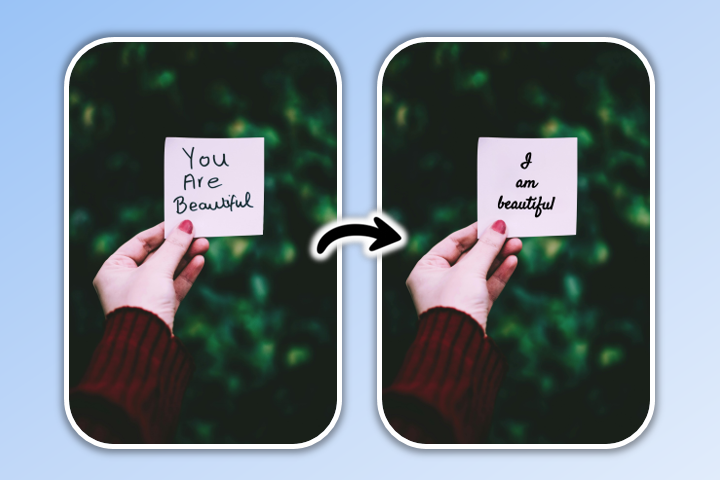
#1 PhotoDirector: The best all-around choice. Its AI Creative Studio lets you remove a watermark with a single prompt, plus a full suite of photo editing tools.
#2 AniEraser: The best mobile option if you need to remove watermarks from both photos and videos. Its AI reconstructs the area frame by frame.
#3 TouchRetouch: Excellent for decluttering photos. Its edge-aware removal detects the shape of the watermark, effortlessly wiping out everything from thin lines to full-frame mesh patterns.
1. PhotoDirector — Best Watermark Remover with AI Prompt & Brush Tools
Best For: One-prompt watermark removal and creative AI edits with a natural finish.
Available on:iOS
and
Android
Of all the photo editing apps available, PhotoDirector is the best watermark remover. Its standout AI Creative Studio lets you edit by prompt, so clearing a watermark is as easy as typing what you want—and that's only the beginning of what the app can do.
How We Tested: Editor's First-Hand Results
Here's what we threw at them:
A semi-transparent stamp over a busy scene—where most tools start to struggle.
A repeating tiled stock-preview watermark—the hardest test, with almost no clean pixels to work from.
Text laid over a human face—because our eyes catch even tiny mistakes on faces.
Result 1
Result 2
Result 3
Remove Watermarks with a Single Prompt
PhotoDirector's AI Creative Studio works just like editing by prompt. Upload your photo, type "remove watermark" into the prompt box, and the AI clears it in a single tap.
Edit by Prompt for Any Change You Can Describe
The same prompt-based workflow goes far beyond watermarks. Just describe what you want, swap a background, erase a passerby, replace an object, and AI Creative Studio makes the edit happen in plain language.
Fine-Tune Detailed Watermarks by Hand
Want more control on an especially detailed watermark? You can still take over with the manual AI removal brush, choose your brush size and drag your finger over the exact area you want gone to act as a perfect back-up tool.
Remove Unwanted Objects
Beyond watermark removers, PhotoDirector stands out as the premier tool for eliminating unwanted objects. Its advanced algorithms allow for seamless removal of distractions, photobombers, or any elements that disrupt your image's composition. With PhotoDirector, achieving a clean, captivating, and professional look in your photos has never been easier.
Pros
The prompt-based workflow extends beyond watermark removal to support background replacement and advanced object erasure
The application is free to download and provides an ad-free workspace
Includes a manual brush tool for precise control and adjustments
Features a comprehensive editing suite, including filters, AI enhancement, and generative replace tools
Cons
AI reconstruction performance may vary when watermarks are overlaid on complex textures like hair or foliage
Certain advanced features require a premium subscription
Functionality is limited to static images; video processing is not supported
💡 Learn More about Removing Unwanted Objects:
10 Magic Eraser Alternative Apps
How To Remove People from Pictures for Free
PhotoDirectorEffortless Watermark Removal
Download from the App Store for iOS
and Android
.
2. AniEraser — Best for Removing Watermarks from Videos on Mobile
Image Source: Uptodown
Best For: Cross-platform video and photo watermark removal via frame-by-frame AI reconstruction.
Available on:iOS
and
Android
Developed by Wondershare, AniEraser is one of the most capable mobile apps for stripping watermarks from both photos and videos. You can remove unwanted marks simply by brushing over them with your finger, or use its convenient auto option to automatically detect text and objects. Its AI then reconstructs the area frame by frame, making it a go-to choice for creators repurposing short videos across platforms.
Pros
One of the few mobile apps that cleans up both photos and videos
Rebuilds the area frame by frame, so moving watermarks come out cleaner than with crop-based tools
Cons
The free trial relies on a credit system, requiring credits to download your final results or access the auto-removal tool
The free version runs out fast; do a lot and you'll hit the paywall
Everything happens in the cloud, so you'll need a solid connection
Busy backgrounds or fast-moving footage can leave the results a bit hit-or-miss
3. TouchRetouch — Best for Decluttering Photos with Watermark Removal
Best For: Precision manual removal of complex, thin-line, or mesh-pattern watermarks.
Available on:iOS
and
Android
TouchRetouch uses its object removal feature to clean up your images and remove watermarks from photos. Its edge-aware object removal detects the shape of your watermark and can remove anything from thin lines to mesh patterns covering your whole photo.
Pros
Smart enough to follow odd watermark shapes, not just neat rectangles
Wipes out lines, mesh, and full-frame overlays, not only corner logos
The results are reliably clean, whatever the background
Cons
It's not free, there's a one-time $1.99 charge
You do the selecting yourself; there's no auto-detect to lean on
It does one thing well, but don't expect a full editing toolkit
4. Snapseed — Best for Removing Watermarks with Tutorials
Best For: Beginners looking for a completely free photo editor with step-by-step guidance.
Available on:iOS
and
Android
Snapseed, developed by Google, gives you tips and tutorials for watermark removal alongside a deep set of editing tools. Its Healing tool lets you brush over a watermark so the app blends in the surrounding pixels — ideal for small marks on uniform backgrounds.
Pros
Totally free
The built-in tips make it friendly if you've never edited a photo before
It's a Google app, so it gets updated regularly
The Healing tool does a tidy job on small marks over smooth backgrounds
Cons
No auto-detect
How well it works really depends on what's behind the mark
There's a lot packed in, so it takes a little longer to find your way around
5. PhotoRoom — Best for Removing Watermarks from Ecommerce Photos
Best For: Online sellers looking to batch-clean and professionalize product shots.
Available on:iOS
and
Android
PhotoRoom's Magic Retouch and Background Removal tools combine for easy, complete watermark removal. It is especially strong on product photography, and you can also add your own watermark to protect designs you post for sale.
Pros
Magic Retouch and Background Removal team up for a genuinely clean result
Built with online sellers in mind
You can add your own watermark
Cons
Throw a busy background at it and the quality drops off noticeably
Full watermark removal sits behind a premium plan
Less of an all-rounder once you step outside product and flat-lay photos
6. Fotor — Best for Fast AI Removal for Designers
Image Source: Fotor
Best For: Fast, graphic-designer-oriented AI asset cleaning and quick touch-ups.
Available on:iOS
and
Android
Fotor is a popular choice among photographers and designers thanks to its fast, accurate AI watermark removal. It handles JPEG, JPG, and PNG files, and pairs removal with a full lineup of design and editing tools on both iOS and Android.
Pros
Quick, accurate AI removal
Comes loaded with design and editing tools beyond just removal
Cons
The better features ask you to upgrade to premium
High-detail images can take a while to come out clean
7. SnapEdit — Best for Batch Watermark Removal
Image Source: SnapEdit
Best For: Bulk processing and securely processing large batches of images in the cloud.
Available on:iOS
and
Android
SnapEdit pairs AI watermark removal with batch processing, letting the paid version clean up to 50 images at once. It also offers old-photo restoration and background replacement, and although files are processed in the cloud, they are encrypted with a manual delete option for added security.
Pros
Files are encrypted in the cloud
Bonus tools too, like old-photo restoration and background swaps
Cons
The free tier limits how much you can batch and which AI tools you get
It's cloud-based, so no internet means no editing
Full batch power only kicks in once you pay
8. PhotoGrid — Best for High-Volume Creators
Image Source: PhotoGrid
Best For: Ad-free 4K exports and casual creators editing across both desktop and mobile layouts.
Available on:iOS and Android
PhotoGrid offers AI-powered watermark removal with no login and no ads, plus 4K exports. It runs on iOS, Android, and the browser, letting you erase logos, text, and date stamps with precise manual control wherever you are.
Pros
Free to use, no login, and no ads
Exports in full 4K when you need the higher resolution
Cons
You'll be steering it manually rather than letting it auto-detect
At heart it's a collage app, so removal feels like a side feature
How to Remove Watermarks from Photos for Free with an App
With these simple steps, you can remove watermarks from photos easily using your preferred editing style:
Download PhotoDirector and Open AI Creative Studio
Upload an Image and Type "Remove Watermark" in the Prompt Box
Save and Share
With PhotoDirector, you can remove watermarks and unwanted objects with remarkable simplicity and precision. Don't forget to try other useful features in PhotoDirector like AI Hairstyle, AI Anime, and AI Enhance.
Method 2: Remove Watermarks Using the AI Removal Brush
Select "AI Removal" and Upload an Image
Brush Over the Watermark
Adjust the brush size to perfectly match the width of your watermark. Drag your finger over the text or logo you want to eliminate. Once highlighted, the AI will process the area and instantly fill it in with a natural-looking background reconstruction.
Fine-Tune, Save, and Share
If the background is highly complex, you can apply the brush again for pixel-perfect touch-ups. Once satisfied, save your image or keep exploring other creative tools like Photo Collage and ID Photo Maker.
Watermark Removal Pro Tips: Hardest Cases, When AI Fails & Fixing Artifacts
Not every watermark comes off cleanly. Knowing which ones are difficult — and how to repair what is left behind — saves far more time than trial and error. Here is what actually matters once you start removing watermarks for real.
Which Watermarks Are Hardest to Remove
Semi-transparent marks over busy backgrounds A faint logo over flat sky is easy; the same logo over foliage, hair, or patterned fabric is hard, because the tool has to rebuild the texture underneath, not just paint over a solid area.
Full-image tiled or repeating watermarks Stock-preview watermarks that repeat across the whole frame are the toughest of all — there is almost no clean pixel left for the tool to sample from.
Watermarks over faces, text, or sharp edges Our eyes are unforgiving about faces and lettering, so even a small reconstruction error is obvious. High-contrast edges are where artifacts show up first.
Easiest case A solid-color logo in a corner, over a smooth or low-detail background, comes off almost perfectly on the first pass.
When AI Watermark Removal Fails
AI removal works by inpainting — predicting what should sit behind the watermark from the surrounding pixels. It struggles when:
The watermark covers most of the image, leaving little surrounding context to learn from.
It sits over fine, high-frequency detail (hair, leaves, small text), where the fill blurs or invents texture that does not match.
The source image is low resolution — there simply are not enough pixels to reconstruct a believable result.
The watermark color is very close to the subject behind it, so the boundary is hard to detect.
How to Fix Common Artifacts After Removal
Blurry or smudged patch Re-run removal with a smaller brush on just that spot, or switch to a manual clone/heal tool and sample from a clean nearby area.
Repeating texture that looks off The fill sometimes clones a recognizable pattern. Break it up with a few manual clone-stamp strokes from different source points.
Halo or color mismatch around the cleaned area Feather the edge and apply a localized exposure or color adjustment so the patch blends with its surroundings.
Lost fine detail If the detail cannot be rebuilt convincingly, crop it out or composite the area from a higher-resolution copy of the same shot.
When Is It Legitimate to Remove a Watermark?
This matters as much as the technique. Removing a watermark is reasonable when the image is yours: photos you shot, designs you created, or content you have licensed with rights that allow editing — for example, clearing your own old watermark before re-exporting, or cleaning up a stock asset you have fully purchased.
It is not okay to strip watermarks from someone else's work to avoid paying for it. Removing the watermark from a stock-site preview, another photographer's image, or any paid content you have not licensed is copyright infringement and can carry legal consequences — the watermark is there precisely to mark ownership. When in doubt, license the image or ask the creator for permission. That is the only safe path.
Download from the App Store for iOS
and Android
.
Download the Best Free Watermark Remover App
PhotoDirector has its own free watermark removal feature with no ads. Just open AI Creative Studio, type "remove watermark," and the app catches every detail for a clean result. Its impressive AI technology instantly removes watermarks without changing your photo quality or messing up your background. Download PhotoDirector free for iOS or Android to see how it can transform your photos!
Download from the App Store for iOS
and Android
.
💡 Learn More about PhotoDirector’s Features:
10 Best Photo Enhancer Apps To Enhance Photo Quality Instantly
Best Photo App To Make Backgrounds Transparent
How To Use AI Face Swap for Free on Your Phone
10 Best Photo Apps for Photo Filters
How To Try on Hair Color with AI Avatars
PhotoDirector: Best App To Make You Have the Perfect Hourglass Body Shape
FAQs about Watermark Removers
Yes, many tools allow you to remove watermarks from photos for free. PhotoDirector has some of the most advanced watermark removal features available, including its prompt-based AI Creative Studio.
Follow these steps to remove watermarks with PhotoDirector:
Open AI Creative Studio and upload your photo.
Type "remove watermark" in the prompt box and tap to apply.
Save your edits!
Using a photo editing app is best because it gives you more than just watermark removal. With an app like PhotoDirector, you can add filters and stickers, change your face and body shape, and retouch your photos after you've removed your watermark.
Explore these 8 watermark removal apps:
PhotoDirector
AniEraser
TouchRetouch
Snapseed
PhotoRoom
Fotor
SnapEdit
PhotoGrid
We recommend PhotoDirector as the top watermark remover for its AI technology and clean edits.
PhotoDirector is the best free watermark remover for its AI-powered tools. It maintains your photo quality and lets you make lots of other edits to create the best look for your photos!