





What Will I Look Like with Lip Injections? Try the Best Lip Enhancement Apps

Lip augmentation is a popular beauty trend, but not everyone is ready for real injections. Ever wondered how fuller lips would look on you?
With a lip enhancement app, like PhotoDirector app, you can use a lip filler filter to experiment with different shapes and sizes—no needles, no commitment.
Discover how to enhance your lips virtually, explore the best apps, and find the perfect lip shape for you!
- Why Try a Lip Filler Filter?
- How to Use a Lip Filler Simulator
- Best Lip Enhancement Apps
- Popular Lip Filler Shapes
- What Will I Look Like with Lip Injections?
- Lip Filler Filter FAQ
Why Try a Lip Filler Filter?
Lip fillers are a popular cosmetic enhancement, but committing to injections can feel daunting. A lip filler filter allows you to experiment with different lip shapes, sizes, and enhancements—without the risks or costs of real procedures.
Benefits of Using a Lip Filler Simulator:
- Try Before You Buy – See how different lip augmentation styles look on you before making a permanent decision.
- No Needles, No Pain – Experience a virtual transformation without discomfort.
- Customize Your Look – Adjust lip volume, shape, and symmetry to find the best fit for your face.
- Share & Compare – Easily test and share results with friends or beauty professionals for feedback.
Whether you're considering lip injections or just want to enhance your selfies, a lip enhancement app is a fun and risk-free way to explore your options.
How to Use a Lip Filler Simulator

Ready to try a new look? Here’s how to use the PhotoDirector app to virtually enhance your lips!
- Download and install PhotoDirector – Get the free app on your Android or iOS device.
- Open the App and Access Lip Enhancer – Launch PhotoDirector, upload a portrait photo, then navigate to "Makeup," "Reshape," and select "Lips."
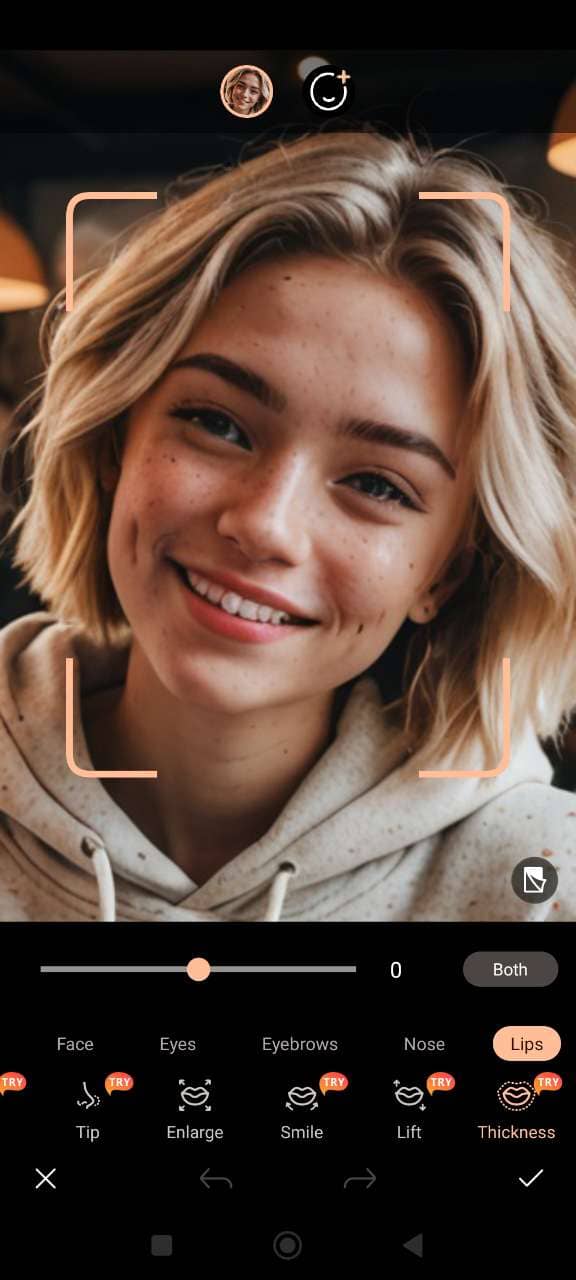
- Adjust with the "Thickness" Tool – Choose to enhance your upper, lower, or both lips, then use the slider to adjust the thickness to your liking.
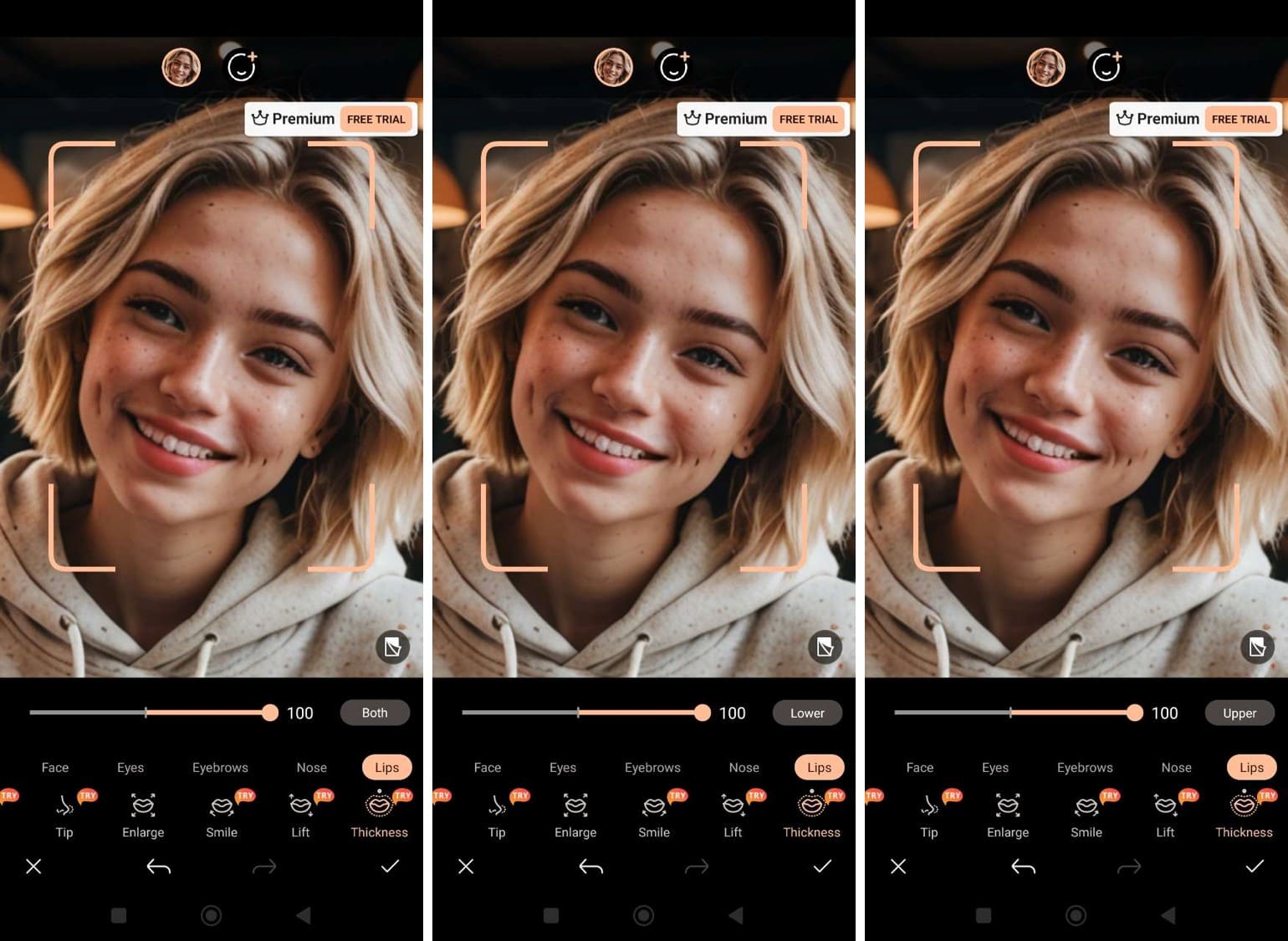
- Save Your Enhanced Lips – Tap the checkmark to save your plumped lips, and feel free to explore other beauty tools like lipstick, lip enlarger, lift, and more to complete your look.
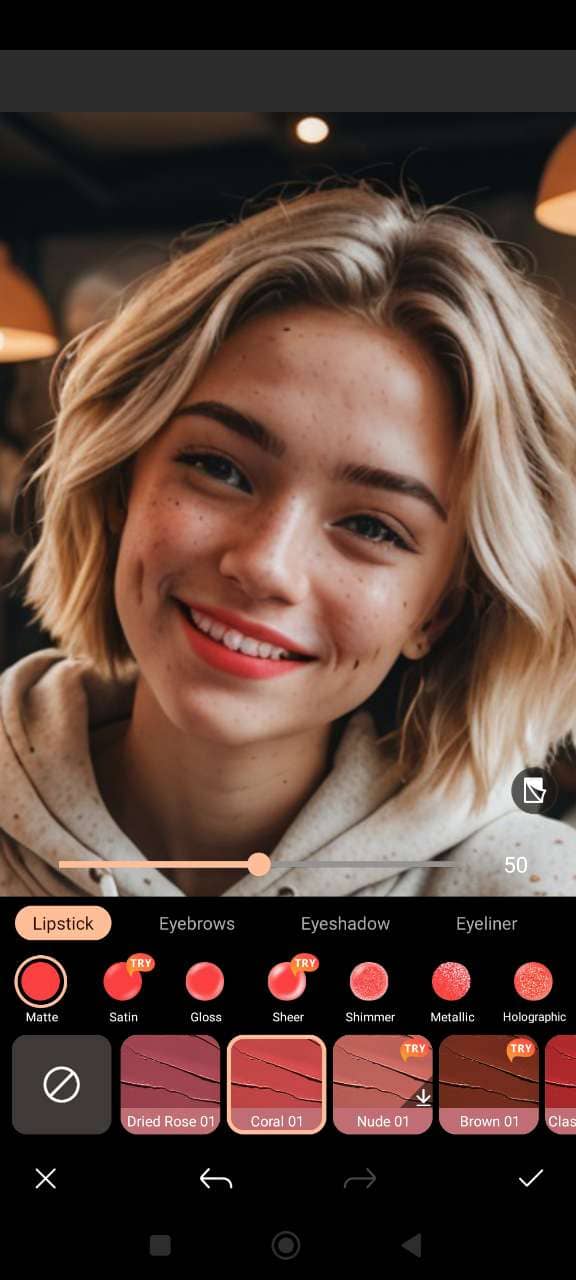


Top 3 Best Free Lip Enhancement Apps in 2026
PhotoDirector App
PhotoDirector app is a comprehensive photo editing tool that offers a Lip Shaper feature, allowing users to naturally adjust lip shape and thickness. Whether you want to enhance your cupid's bow or modify the upper and lower lip proportions, PhotoDirector provides intuitive controls for precise edits.
Other top features:
- AI Magic Tools – Transform your photos with Face Swap, AI Avatars, AI Replace, background removal, and more creative tools.
- AI Enhance & Beauty Tools – Instantly improve image quality, apply virtual makeup, smooth skin, whiten teeth, and reshape facial features for a flawless selfie.
Try different lip shapes and enhancements instantly with PhotoDirector!
YouCam Makeup

YouCam Makeup is a leading virtual makeover app that includes a Lip Reshape tool, enabling users to refine their lip shape easily. With just a few taps, you can adjust your lip contours and preview potential enhancements.
Other top features:
- Real-Time AR Makeup – Try on hundreds of virtual makeup looks from top beauty brands using augmented reality.
- Advanced Retouch Tools – Instantly smooth skin, whiten teeth, and fine-tune facial features like the nose and eyes for the perfect selfie.
BeautyPlus

BeautyPlus is an AI-powered photo editor that offers a Face Reshape feature, allowing users to adjust facial contours, including lips, effortlessly. This tool helps you visualize how different lip shapes and sizes would look on you.
Other top features:
- AI Portrait Enhancer – Automatically enhances facial features and smooths skin for professional-quality portraits.
- Makeup Editor – Apply virtual makeup, including lipstick and eyebrow enhancements, to complete your look.
Popular Lip Filler Shapes
When using a lip enhancement app, you can explore different lip filler shapes to find your perfect look. Here are some of the most popular options:
1. Russian Lips

This style gives the lips a more dramatic and lifted look, with the top lip slightly higher than the bottom, creating a heart-shaped appearance. It’s perfect for those wanting a fuller, more defined pout.
2. Heart-Shaped Lips

For a soft and feminine look, heart-shaped lips are a great choice. This shape emphasizes the Cupid’s bow and creates a youthful, balanced look.
3. Natural Plump

If you're looking for a subtle enhancement, a natural plump adds volume to the lips without altering their overall shape. It enhances the lip’s natural contours for a more youthful appearance.
4. Full Lips with Defined Contours

For those seeking a more bold and defined look, this shape focuses on both increasing volume and sharpness, accentuating the natural outline of the lips.
5. Pillow Lips

Pillow lips are voluminous and rounded, giving your pout a smooth and smooth look. This is ideal for those who want a fuller but soft appearance without sharp angles.
6. Bow-Shaped Lips

This shape focuses on enhancing the Cupid’s bow to create a more defined upper lip with a more classic, vintage look. It’s perfect for those who want a sophisticated, natural look.
Try these lip filler shapes today with the PhotoDirector app!
Related Articles:
- How to Try and Choose Best Lipstick Color
- PhotoDirector: Best App to Make Eyes Bigger
- How to Choose Your Perfect Eyebrow Shape
What Will I Look Like with Lip Injections?
Curious about how lip fillers would change your appearance? A lip filler simulator lets you preview different lip shapes and sizes in seconds—no needles required.
With PhotoDirector’s Lip Shaper tool, you can virtually enhance your lips, adjust volume, and refine contours to see what suits you best.
Try it now and see your perfect lip transformation instantly!
Lip Filler FAQ
- Download PhotoDirector from the app store.
- Open the app and upload a photo from your gallery.
- Navigate to “Makeup” and select “Reshape”, then tap “Lips”.
- Use the "Thickness" tool to adjust your upper and/or lower lip size to preview your lip filler look.
- Save your enhanced image and experiment with other beauty features.
- Download PhotoDirector from the app store.
- Upload your portrait to the app.
- Go to “Makeup”, then select “Reshape” and tap “Lips”.
- Adjust the lip shape using the thickness and contour tools to correct any imperfections or change the shape.
- Save the image with your desired lip enhancement.
- Open PhotoDirector and upload a photo.
- Go to “Makeup”, then “Reshape”, and select “Lips”.
- Use the “Thickness” tool to increase the size of your lips, adjusting both the upper and lower lips as needed.
- Tap the checkmark to save your enhanced lip size and explore other editing tools.
Wondering if lip fillers will suit you? Try using PhotoDirector to simulate lip enhancement. The app’s Lip Shaper tool allows you to preview different lip shapes and sizes, so you can see what works best for your face before deciding on a procedure.
PhotoDirector is the app that changes your lip size with ease. Using its Lip Shaper tool, you can quickly increase or decrease lip volume to suit your preferences, helping you decide if lip fillers are the right choice.
The app that increases lip size is PhotoDirector. With the Lip Shaper tool, you can adjust lip thickness and shape to create fuller lips, offering a preview of the results you could achieve with real lip fillers.
PhotoDirector is the app that fixes your lips! With its Lip Shaper tool, you can easily enhance, adjust, or fix lip shape and size to create the perfect look.
PhotoDirector is the ultimate app for enhancing lips. Using its Lip Shaper tool, you can refine lip contours, adjust size, and achieve a fuller, more defined lip appearance.


