


AI Product Video Generator: Create a Video from an Image

Creating engaging product videos has traditionally required a full video shoot, expensive equipment, and hours of editing. But with an AI Product Video Generator, you can skip the production hassle and instantly turn product images into compelling videos. Whether you're launching a new item, running social media ads, or building your e-commerce presence, this technology is changing the way marketers work.
In this article, you'll learn what an AI Product Video Generator is, how to use one, and how to take your content even further with marketing templates.
- What Is an AI Product Video Generator?
- Why Use an AI Product Video Generator for Marketing?
- How to Create a Product Video from an Image
- Take It Further: Turn Your Product Videos into Polished Marketing Content
- Best Practices for High-Converting Product Videos
- FAQs: AI Product Video Generator
What Is an AI Product Video Generator?
An AI Product Video Generator is a tool that uses artificial intelligence to animate static product images into dynamic videos. Instead of filming products, marketers can upload a single photo and let the AI apply visual effects to simulate a real video.
This innovation reduces the time and cost associated with video production, making it accessible for businesses of all sizes. From small online shops to global retailers, AI-generated product videos are quickly becoming a go-to content solution.
Why Use an AI Product Video Generator for Marketing?
Creating a high-quality product video used to mean staging, lighting, filming, and editing. That process does not scale well, especially for marketers juggling dozens or hundreds of products. Here is where AI comes in:
- Faster content creation: Generate a product video in minutes, not hours
- No equipment needed: Eliminate the cost of filming gear or studio rentals
- Highly scalable: Create videos for every product without increasing your budget
- Consistent branding: Maintain a uniform look across your catalog with customizable templates
- Perfect for social and e-commerce: AI-generated videos work well for Reels, TikToks, product pages, and paid ads

With today’s fast-moving marketing cycles, the ability to create professional-looking videos on demand is a real competitive advantage.
How to Create a Product Video from an Image
.com makes it simple to generate eye-catching product videos directly from images. Here is how you can create one in just a few steps:
Step-by-Step Guide:
- Visit MyEdit.com
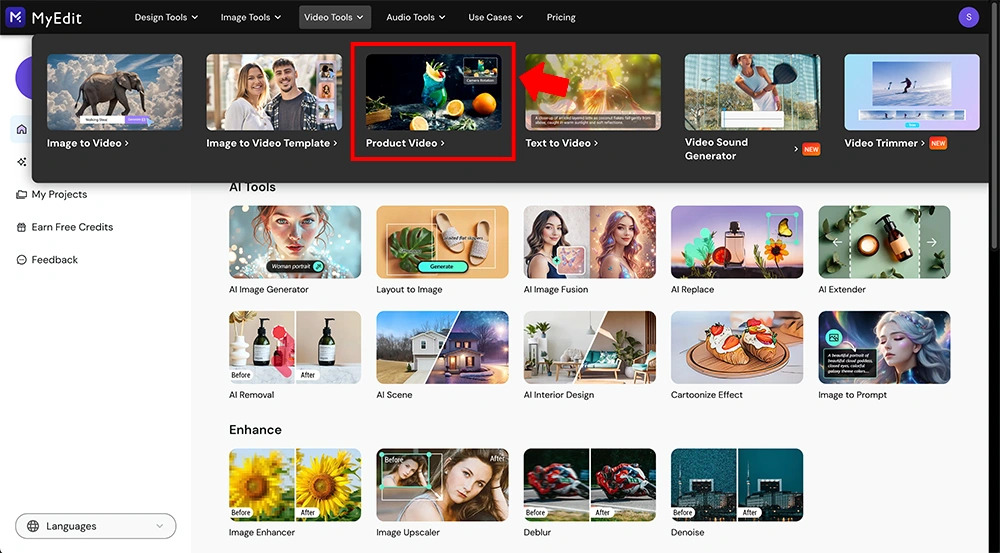
Go to ’s Product Video tool.
- Pick Options & Customize
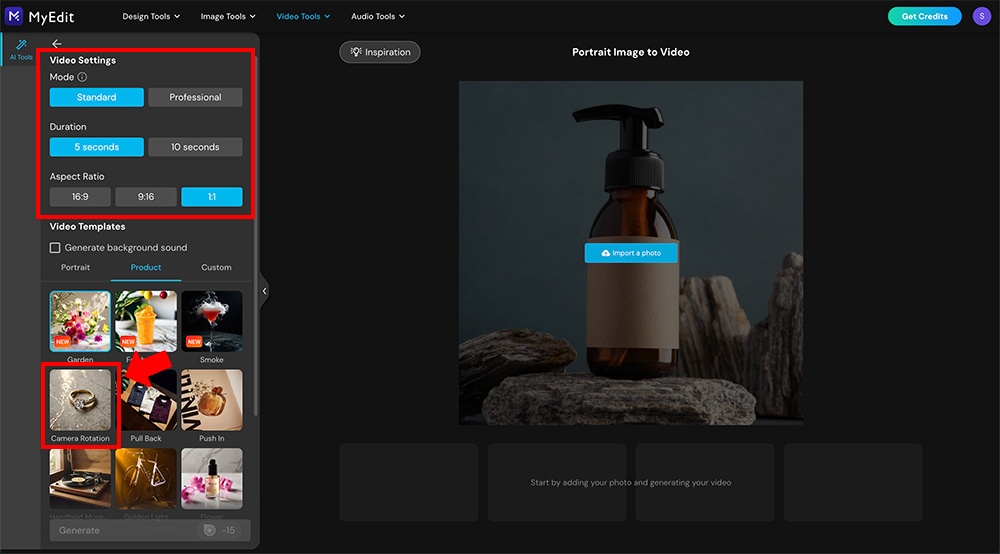
Pick your desired settings, such as duration, aspect ratio, etc. On the left menu bar labeled AI Tools, go to Templates and select the Product category. Next, pick your desired template.
- Upload Your Photo
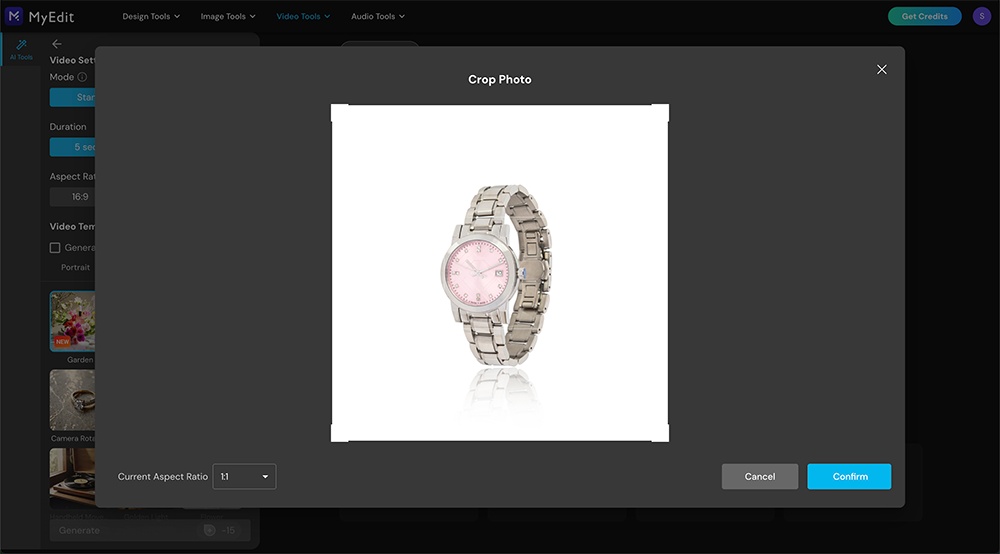
You may need to crop the photo based on the aspect ratio you selected.
- Generate the Product Video
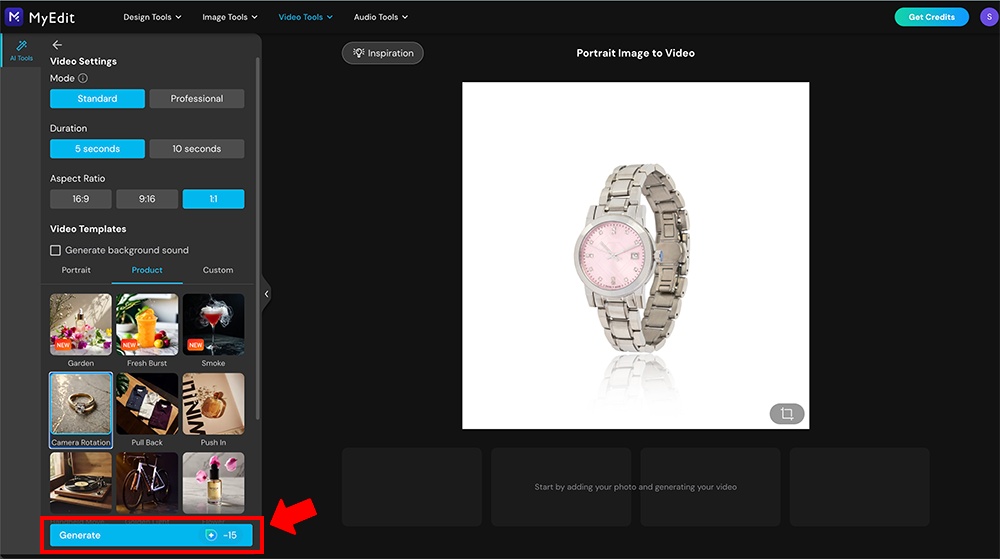
Click Generate on the AI Tools Menu bar on the left. It may take a few minutes for your video to generate.
- Download & Export
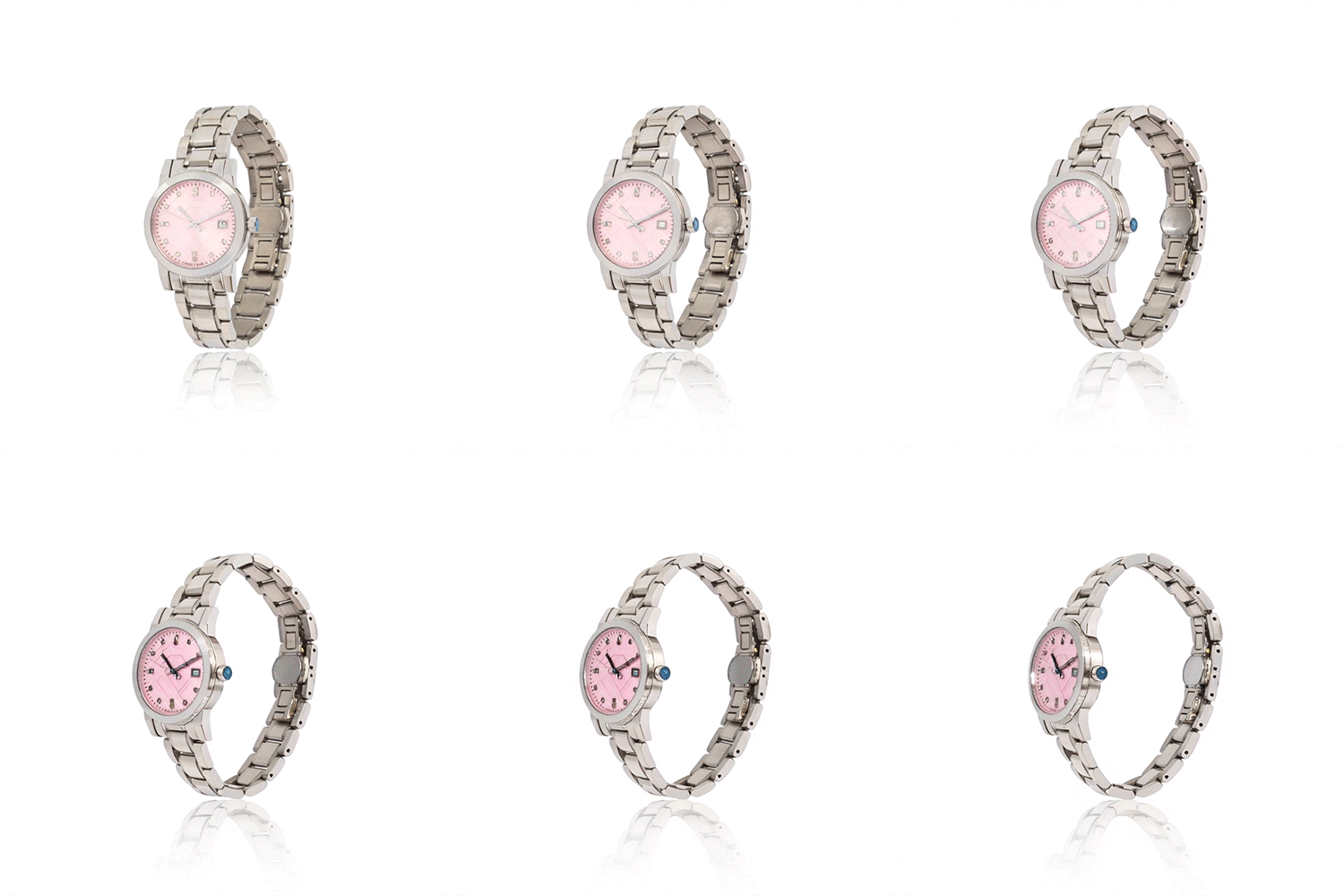
You can preview and download your AI product video.


Take It Further: Turn Your Product Videos into Polished Marketing Content
Once you have your AI-generated video, the next step is to present it in a branded, ready-to-post format. This is where Promeo comes in.
Promeo is a marketing design tool that helps you wrap your content in eye-catching, professional layouts with no design experience needed. Here is how you can enhance your video using Promeo:
- Download and Install Promeo: Click the button below to start your download.
- Upload Your AI product video: Start by selecting the right aspect ratio for your platform, then drop your content into one of Promeo’s thousands of customizable templates.
- Add brand elements:Include your logo, brand colors, slogans, or seasonal messages.
- Export: When you're finished editing, just export your template in the desired resolution.


Combining and Promeo gives you a complete video content pipeline, from product image to branded marketing asset in minutes.
Best Practices for High-Converting Product Videos
To get the most value from your AI product videos, keep the following tips in mind:
1. Use high-quality images
Blurry or low-resolution images will not convert well. Start with clean, well-lit product photos.
2. Keep it short
For social platforms, 10 to 30 seconds is ideal. Highlight one key benefit or feature to avoid overwhelming viewers.
3. Include a strong call to action
Use text overlays like “Shop Now” or “Learn More” to guide the viewer’s next step.
4. Optimize for mobile
Most users will view your video on their phones. Choose vertical or square formats for maximum impact.
5. A/B test your content class="divider"
Try different visuals, styles, or text headlines to see what drives the most engagement or conversions.
FAQs: AI Product Video Generator
A: Yes. com uses AI to animate single images into full product videos without any filming.
A: Absolutely. You can customize your videos in and further enhance them with Promeo's marketing templates.
A: Yes. AI-generated videos are perfect for Reels, Stories, YouTube Shorts, Facebook Ads, and more.
![How to Sell Clothes Online [2026 Complete Guide]](https://dl-file.cyberlink.com/web/content/b3529/l_Thumbnail.webp)


