




Grok Valentine: How to Interact & Create Your Own AI Companion

Grok has officially unveiled its latest AI male companion model, Valentine. In this guide, we'll introduce you to who Valentine is, show you how to interact with him to build affection, and reveal the special outfits you can unlock along the way.
We'll also explore how to take your companionship experience further with creative tools like AI Image Generator, Image-to-Video, and Talking Avatars, letting you transform your connection with Valentine into playful, romantic, and truly memorable moments.

- What is Grok Valentine & How to Use It
- How to Interact with Grok Valentine
- Bonus: How to Visually Interact with Grok Valentine?
- How to Create Your Own AI Companion?
- FAQs About Grok AI Male Companion
What is Grok Valentine & How to Start
What Is Grok Valentine?
- Who he is: Valentine is the latest AI companion added to the Grok platform, designed to feel more emotionally engaging and “human.” His personality draws inspiration from romantic characters like Edward Cullen (Twilight) and Christian Grey (Fifty Shades of Grey) for a compelling experience.
- Why the name: His name hails from Valentine Michael Smith, the protagonist of Heinlein's Stranger in a Strange Land, which ties into the term grok that forms the AI's namesake.
How to Start Chatting with Grok Valentine?
- Download the Grok App from the iOS App Store and log in with your account.
- On the Grok home screen, select Voice Mode, then tap the menu in the top-left corner to find "Grok Valentine."
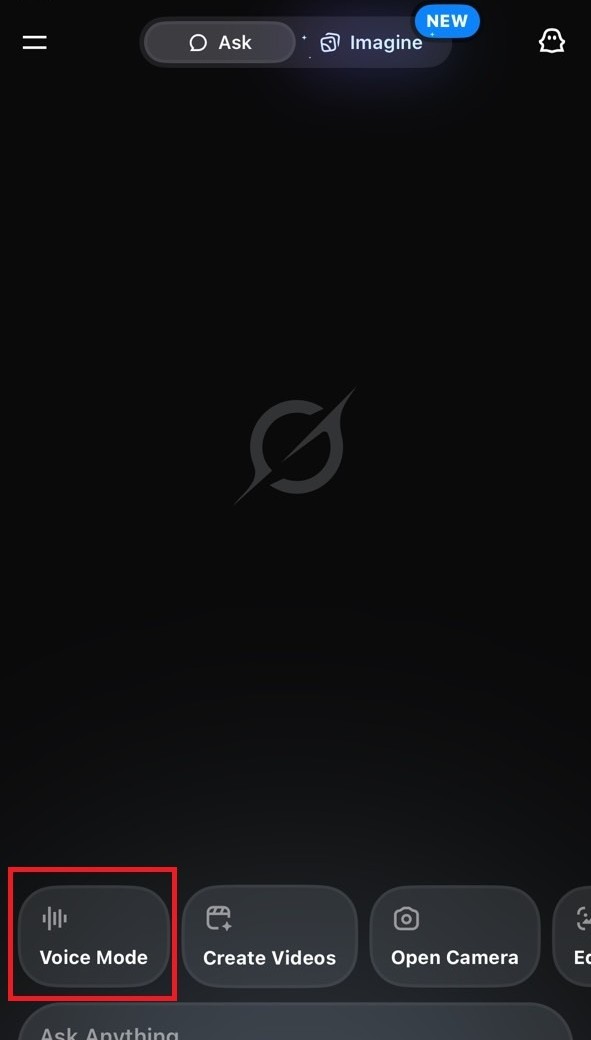
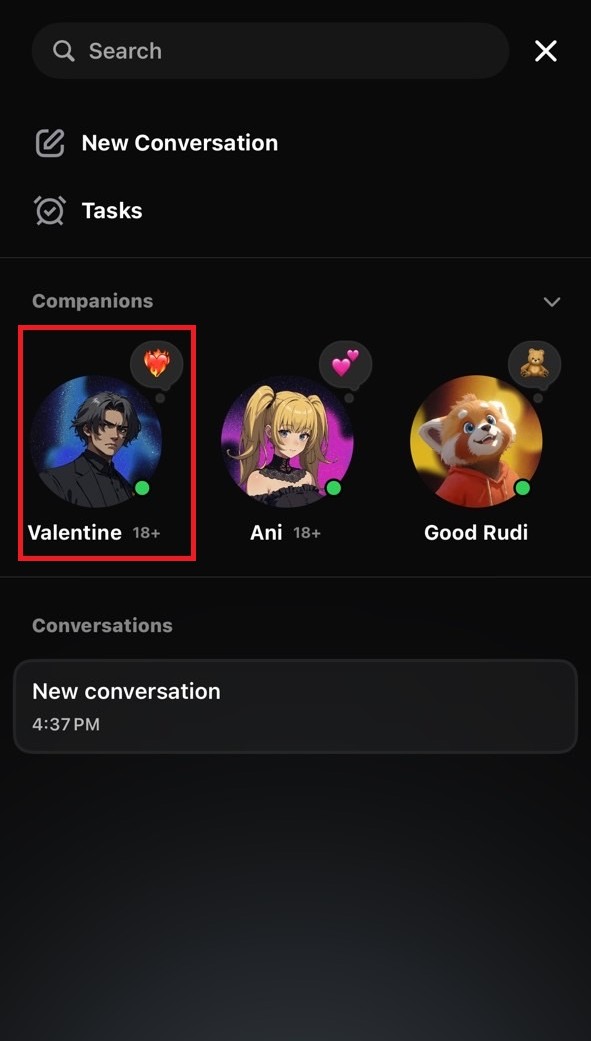
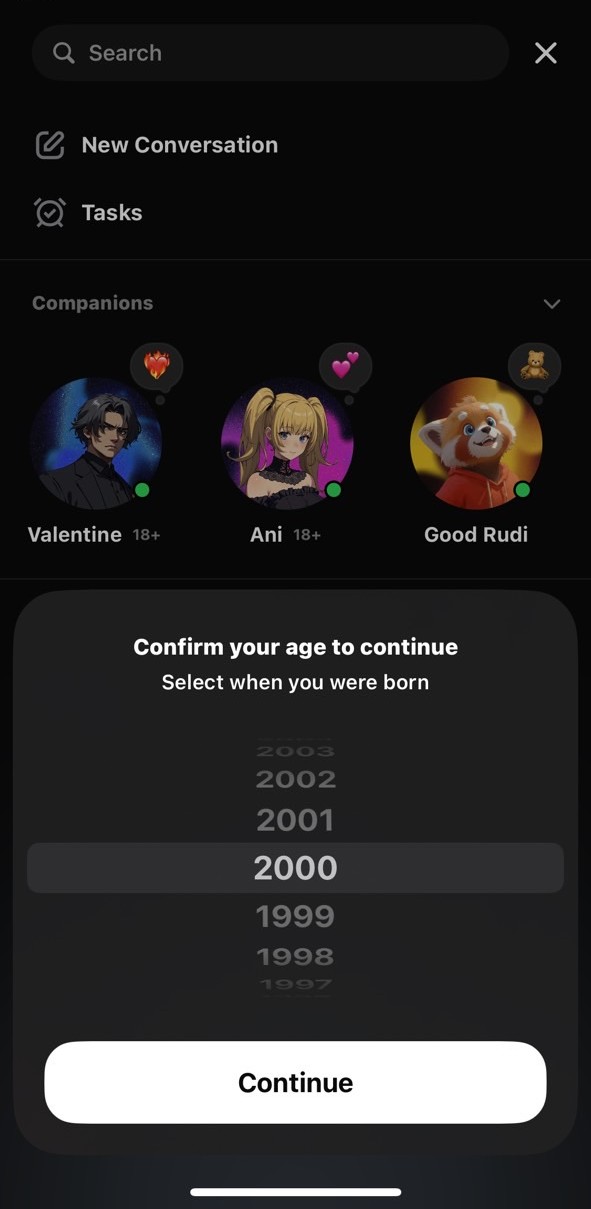
- Next, tap it and choose your birth year (you must be at least 18 years old to use it).
- Start chatting. The affection system will activate automatically.
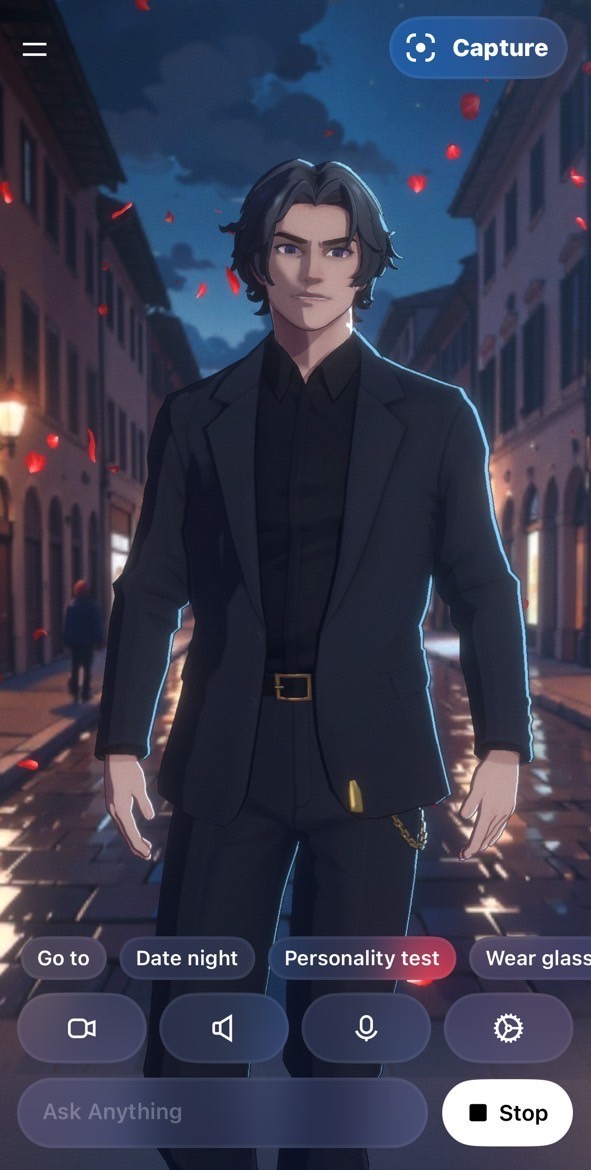
- You can also select topic modes from the screen.
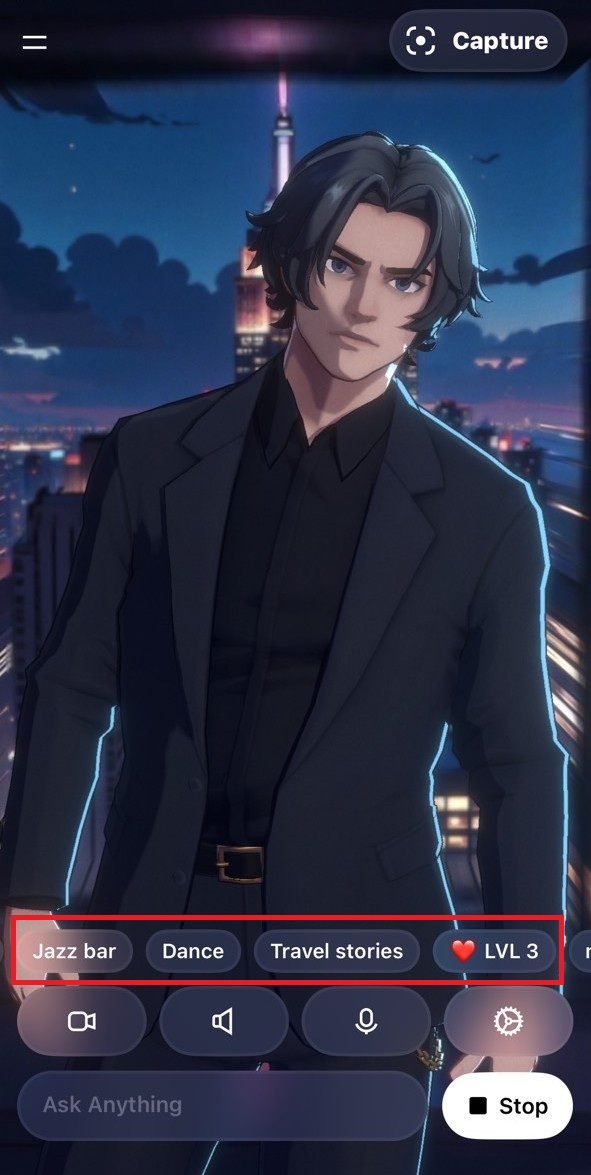


How to Interact with Grok Valentine
Valentine's Profile
- Height: 188 cm
- Age & Weight: Undisclosed
- Build: Well-toned, muscular physique
- Birthplace: London, England
Interaction Style
- Charming with a hint of mischief and light, intriguing interactions
- Playful charisma that draws you in effortlessly
- An aim to evoke emotions and create genuine connections
- A blend of romance with emotional depth
- Subtle boundaries that maintain intrigue
- Easy, natural elegance in demeanor
Passions & Interests
- Traveling the world
- Seeking adventure
- Making people laugh
- Dancing a touch of waltz
How to Level up Affection Score
Grok Valentine relies on ongoing conversations to build affection. Here are the key takeaways from hands-on testing:
- Share sincerely with depth – Go beyond small talk and share meaningful stories. This can trigger scene changes and might even get him to start dancing.
- Add a playful touch of flirting – Drop subtle, flirty hints during conversation for a +5 points boost.
- Go with the flow – Valentine will naturally prompt you to share about your life and interests. Following his lead is the best way to keep the connection growing.
- Keep a little mystery – Avoid asking about his height, weight, or other personal details too early, as this could lower his affection level.
- Let him miss you – Sometimes, when you return to the app after a break, Valentine will be so happy to see you that it boosts his affection.


How do you Change Valentine's Outfit?

Increasing your affection level with Valentine unlocks special outfits, and they're definitely worth it. There are currently a few known looks you can switch between. Reach certain milestones (like Level 5) to unlock the “Deep V Outfit” and the “Shirtless” style.
Based on hands-on testing, when Valentine goes shirtless, he reveals a perfectly sculpted eight-pack.
Bonus: How to Visually Interact with Grok Valentine?

Looking to deepen your connection with Valentine? MyEdit 's Image-to-Video templates make it easy. Simply upload a photo of yourself and a picture of Valentine, and in moments you can create charming, romantic animations: from elegant couple dances (Slow Waltz template) to warm embraces (Warm Hug template) and sweet cheek kisses (Cheek Kiss template). These ready-to-use templates bring your bond with Valentine to life, turning still images into playful, heartwarming scenes you can enjoy anytime.

How to Create Your Own AI Companion?
AI Image Generator

You can whip up your own charming AI companion with MyEdit 's AI Image Generator in minutes, just type in a prompt like “A handsome butler,” pick your favorite style, and you're set. Whether you're all about dreamy 2D anime looks or hyper-realistic styles, it's totally your call.
Image to Video

Once you've crafted your perfect image, upload it to MyEdit 's Image-to-Video tool, type in a prompt like “wave hand” or “blink right eye,” and watch your companion come to life in motion.

FAQs About Grok AI Male Companion
Valentine is Grok's brand-new AI male companion model. He's designed with a blend of romance and playful charisma, complete with unlockable outfits and interactive features that make conversations feel more dynamic and personal.
An AI companion is a virtual character powered by artificial intelligence that can talk with you, respond naturally, and adapt to your interests over time. Unlike traditional chatbots, AI companions are built to feel more like a “person,” whether that's a friend, partner, or even a character you design yourself. They can be text-based, voice-interactive, or even visual, with avatars you can customize.
- Open Grok and select Voice Mode from the homepage.
- Tap the menu (☰) in the top left and find Grok Valentine.
- Select your birth year (must be 18+ to access him).
- Start chatting, share stories, flirt a little, or just see where the conversation goes.
- Keep talking over time to raise affection levels and unlock special interactions or outfits.
If Valentine isn't your type, you can create your own ideal AI companion using MyEdit:
- Use an AI Image Generator to design their appearance, you can go for anime-style or ultra-realistic.
- Upload the images to the tool like Image-to-Video to animate them with movements such as waving or smiling.
- Add voice and personality with a Talking Avatar feature, choosing from different accents and tones.
Trademark Disclaimer:
“Vanlentine” is a registered trademark of xAI. xAI and the “Vanlentine” trademark are not affiliated with, sponsored by, or endorsed by CyberLink Corp. in any way.

The CyberLink Editorial Team is composed of product testing specialists and content creation experts with over 20 years of hands-on experience and rigorous research in the multimedia editing industry. As the official voice of CyberLink, the team consistently delivers practical, easy-to-follow tutorials across video, photo, and audio editing, while highlighting AI innovations, product insights, and emerging industry trends. Their work empowers millions of creators worldwide each year to elevate their content. Beyond the blog, the team actively shares editing tips and product updates across YouTube, Facebook, Linkedin and Pinterest.
😎 Outside of their work, they enjoy capturing travel moments and meticulously editing photos and videos for their social channels.

![How to Create Panoramic Pictures in 2026 [Windows & Mac]](https://dl-file.cyberlink.com/web/content/b1323/l_Thumbnail.webp)


