CyberLink Logo
MyEdit Icon
MyEdit Video
Try Online

Grok Imagine Complete Guide: AI Image & Video with v0.9 Model

Last Updated on Nov. 27, 2025 - by CyberLink Editorial Team

What is Grok Imagin? xAI's New Image & Video Generator

Have you heard of Grok Imagine? This trending AI tool is gaining attention for its realistic AI-generated short videos — and for the buzz surrounding its Spicy Mode.

In this guide, we’ll cover what Grok Imagine is, what it can do, and the concerns behind its viral fame. We’ll also introduce a safe and creative alternative — MyEdit, an easy-to-use online AI tool that turns text or images into videos with stunning effects, helping you create responsibly while exploring endless creative possibilities.


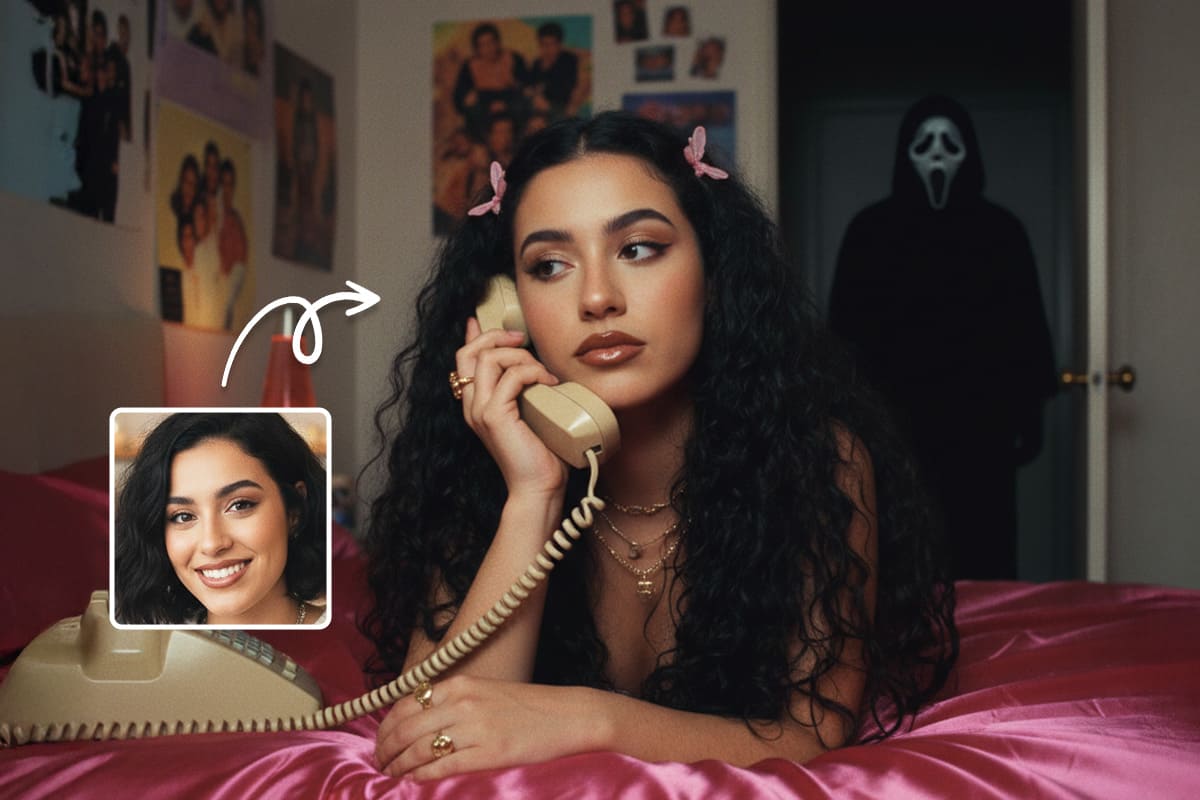
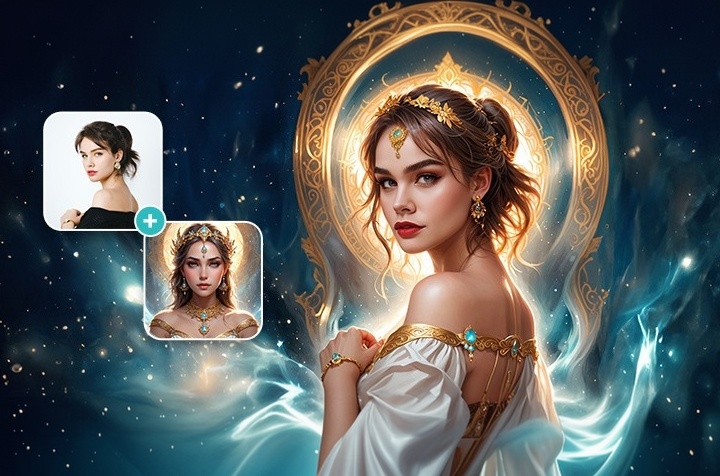
▼ Generated using MyEdit's Hair Tease template
MyEdit Image to Video Result


What is Grok Imagine?

Interface of Grok Imagine
▲ Interface of Grok Imagine

Grok Imagine is an AI image and short video generation platform created by xAI. Dubbed by Elon Musk as a “meme motherlode,” Grok Imagine can transform text, images, or even voice inputs into dynamic, creative short videos in seconds.

▲ Result of Grok Imagine AI Video Generation

One of its biggest advantages is speed — it generates videos much faster than most competitors. Users can simply upload a photo, and Grok Imagine automatically produces short video clips with four soundtrack variations. You can swipe to see more versions or switch modes, all generated at spectacular speed.

The platform offers 4 video modesCustom, Fun, Normal, and the much-debated Spicy mode. While Normal delivers polished results and Fun offers playful styles, Spicy introduces adult-oriented content and has drawn controversy for its moderation boundaries.

Is Grok Imagine Free?

Grok Imagine is open for free use, as of now. Anyone can try it by downloading the Grok App and accessing the “Imagine” tab.

However, the tool was originally exclusive to SuperGrok and Premium+ subscribers, so the current free access may only be a limited testing phase.

In October 2025, Grok released the upgraded Imagine v0.9 model, which improves visual quality and adds voice-synced video generation. Now, users can upload an image, convert it directly into a video, choose from the four built-in modes, and export results — all in one seamless workflow. The v0.9 model is currently available for free to all users.

Grok Imagine v0.9 model

Best Features of Grok Imagine

grok app ui
grok app ui
▲ Interface of Grok Imagine App

Grok Imagine Spicy Mode

Grok Imagine Spicy Mode

One of the most discussed features of Grok Imagine is Spicy Mode — but it’s also the most controversial. Unlike most AI platforms, this mode is designed to create sexually suggestive content. The system does try to prevent abuse: it automatically blurs inappropriate images and restricts content involving certain celebrities. However, mistakes can still happen, and a single slip could cause serious harm to the people involved.

Critics worry that Spicy Mode could be misused for deepfake pornography, violate portrait rights, or even produce content that sexualizes minors. Since the free version was released, Spicy Mode has been hidden or restricted and is now only available to paid users, which reduces risk but doesn’t completely eliminate it.


Best Safe Alternative to Grok Imagine: MyEdit

If you want to explore AI video generation like Grok Imagine but don’t want to subscribe to a paid version or risk generating controversial content, MyEdit is a great alternative. MyEdit is a free, secure online platform that prioritizes user privacy and content safety while offering creative AI tools for videos, images, and audio.

Unlike Spicy Mode, MyEdit provides safe templates designed to avoid overly nude or inappropriate content, making them perfect for social short videos or adding stylish, “sexy-but-safe” effects.

▲ Generated with MyEdit's "Swimsuit" Template


Important Reminder:

Always avoid using other people’s likenesses or private photos without consent. Even with safe templates, ensure your creations comply with legal and community guidelines to protect privacy and avoid infringing on others’ rights.

Key Features of MyEdit

AI Image to Video

Want fun effects close to Spicy Mode but safe? MyEdit offers special effect templates like swimsuits, maid outfits, or dance moves — all within secure limits. There are also dynamic AI filters popular on TikTok and Instagram, including transformations into muscular characters, cartoons, or two-person interactions such as hugging, fighting, or kissing.

MyEdit AI Image to Video Template
▲ Original Image
MyEdit AI Image to Video Template
▲ MyEdit's 'Velvet Drop' template result

Compared to Grok Imagine, where you often need luck to get the desired effect, MyEdit’s 100+ templates make results more predictable and user-friendly.

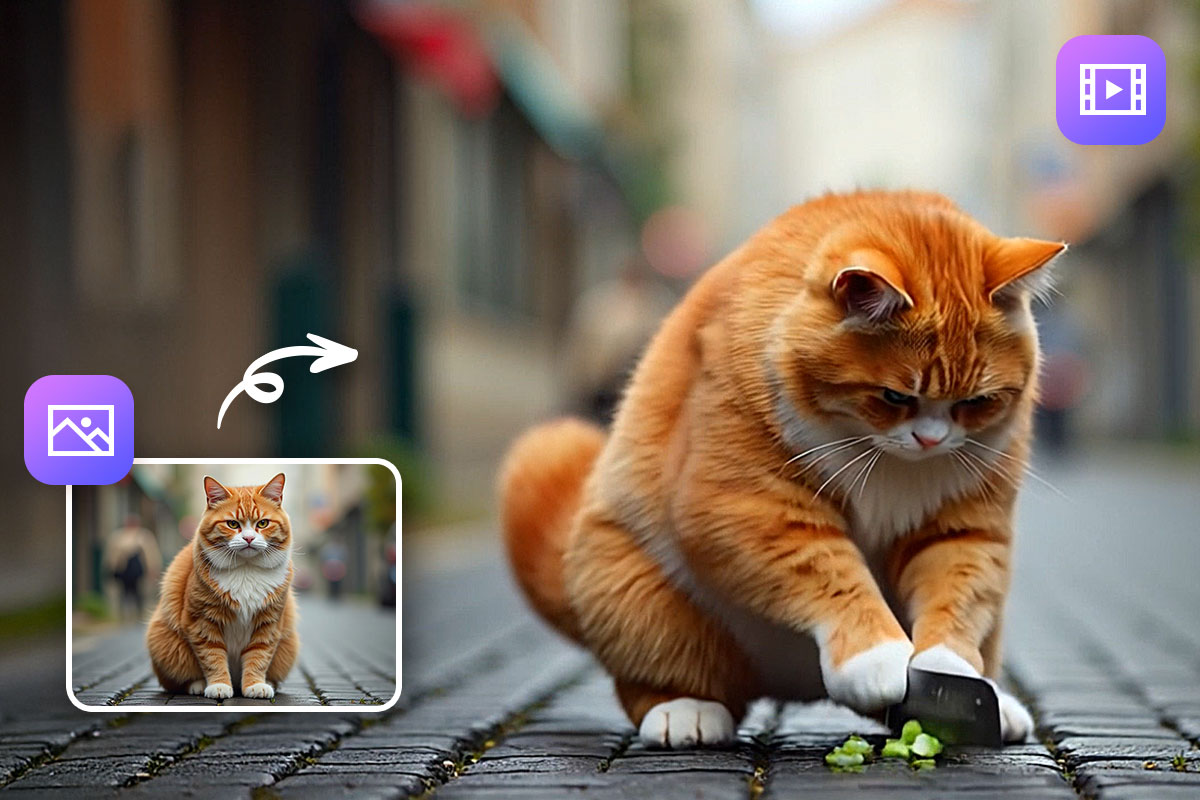
MyEdit AI Image to Video Example
▲ Original Image
MyEdit AI Image to Video Example
▲ AI Generated Video with Text Prompt

AI Text to Image & Video

Example Prompt:

“Cyberpunk female warrior, wearing advanced mechanical armor, in a neon-lit futuristic city. Performs somersaults and wields energy swords. Digital art style with dynamic motion.”

▲ Video Result Using MyEdit's Text to Video Feature

MyEdit will automatically generate a short video based on this description — letting you experiment with creative ideas safely and easily.

MyEdit

How to Use Grok Imagine Alternative for AI Video Generation

MyEdit’s Image to Video feature makes it easy to generate short AI videos in just three simple steps. You can use it to create creative, even slightly “spicy” content safely — no Grok Spicy Mode required.

If you don’t have a base photo, you can also skip the upload step and generate a video directly from text input using MyEdit’s AI Text to Video feature.

MyEdit AI Image to Video
  1. Go to the MyEdit Website and Choose “Image to Video”

    Visit the MyEdit website, select Image to Video in the Video Tools category and upload your image.

    🚨 Safety Reminder: When using character or cross-dressing templates, it’s best to start with AI-generated or fictional base images rather than real people. This helps avoid privacy or deepfake issues.

  2. Upload a Photo and Generate the Video

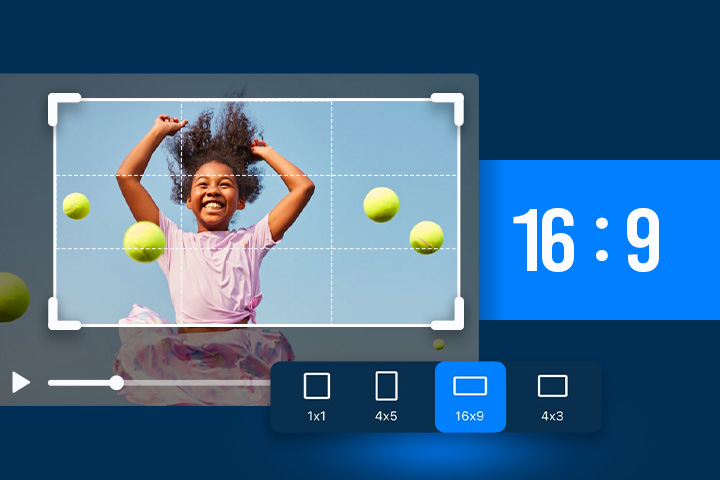
    Upload an image that you'd like to animate, adjust the video ratio, and tap Generate. Each video creation costs 15 credits, and your video will be generated within seconds.

  3. Preview and Download Your Work

    Once the video is ready, click the play button to preview it. If you’re satisfied with the result, click “Download” to save it directly to your device.

MyEdit AI Image to Video Template
▲ Original Image
MyEdit AI Image to Video Template
▲ MyEdit's 'Dark Angel' template result
MyEdit

Stay Safe and Respectful When Creating

Deepfake disputes have emerged worldwide, and using real people’s images without consent can even lead to legal consequences.

No matter which AI tool you use:

  • Always obtain explicit permission before uploading or using real photos.
  • For special effects or stylized edits, use AI-generated fictional characters instead.

AI tools like MyEdit are designed for creativity and entertainment — always keep safety, respect, and ethics at the heart of your creation.


Recommended readings about AI video generation:


FAQ About Grok Imagine

Grok Imagine AI is an AI-powered image and short video generation platform developed by xAI, the company founded by Elon Musk. It transforms text, images, or even voice inputs into dynamic videos with realistic motion, sound, and effects — ideal for creating memes, viral clips, or creative social media content.

You can access Grok Imagine through the Grok App. Download the app, log in, and tap the “Imagine” tab to start generating AI images or videos. The feature is currently available in several regions and supports both text and image inputs.

As of now, Grok Imagine is temporarily open for free use. However, it was originally a feature for SuperGrok and Premium+ subscribers, so this free access period may only be temporary.

Yes — if you choose to share your videos publicly, other users in the Grok community can view them. You can also keep creations private or download them directly. Check your privacy settings before posting.

Spicy Mode is Grok Imagine’s most controversial feature. It allows users to generate sexually suggestive or adult-themed content, which has raised concerns about privacy and misuse. This mode is believed to be restricted or hidden for free users and accessible only to paid subscribers.

The best alternative is MyEdit — a secure, free AI image and video generation tool. It offers ready-to-use templates and AI text-to-video tools while emphasizing content safety and user privacy.

Use MyEdit’s AI Image to Video or Text to Video features:

  1. Upload an image or enter a text description.
  2. Choose a theme or motion template.
  3. Generate and download your video within seconds.
Start Your AI Creation

⚠️ Disclaimer:

This article is based on publicly available information and actual testing results at the time of publication. It is for reference only and not intended to criticize or endorse any specific brand. Actual user experience may vary by version or device. We encourage readers to explore different AI tools and find the one that best fits their needs.

Share this article via emailShare this article on FacebookShare this article on LinkedInShare this article on XShare this article on Pinterest