CyberLink Logo
MyEdit Icon
MyEdit Image
Try Online

30+ Viral Gemini AI Prompts Ready to Copy & Paste for Portraits, Couples, and Families

Last Updated on Dec. 29, 2025 - by CyberLink Editorial Team
30+ Viral Gemini AI Prompts Ready to Copy & Paste for Portraits, Couples, and Families

Gemini AI has quickly become a favorite for creators, known for turning reference photos into viral images — from single portraits and couple shots to family photos, Polaroid-style snapshots, and even 3D figurine designs.

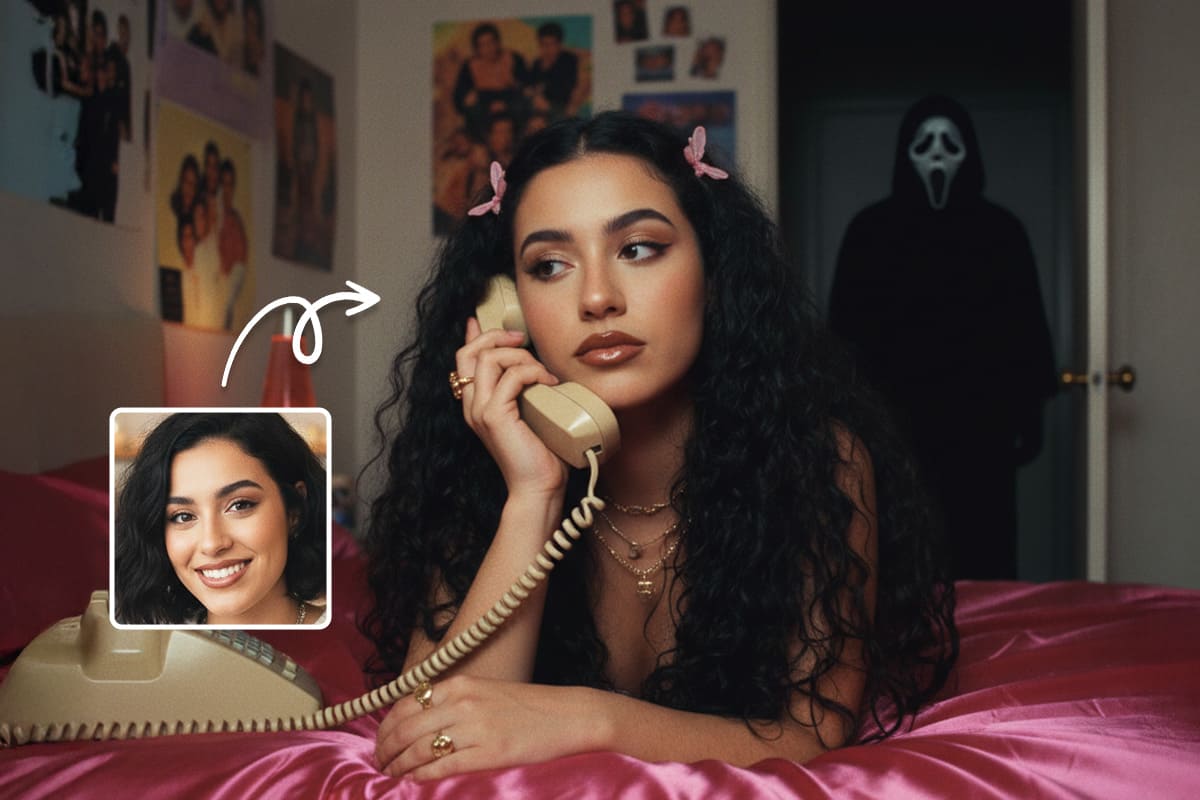
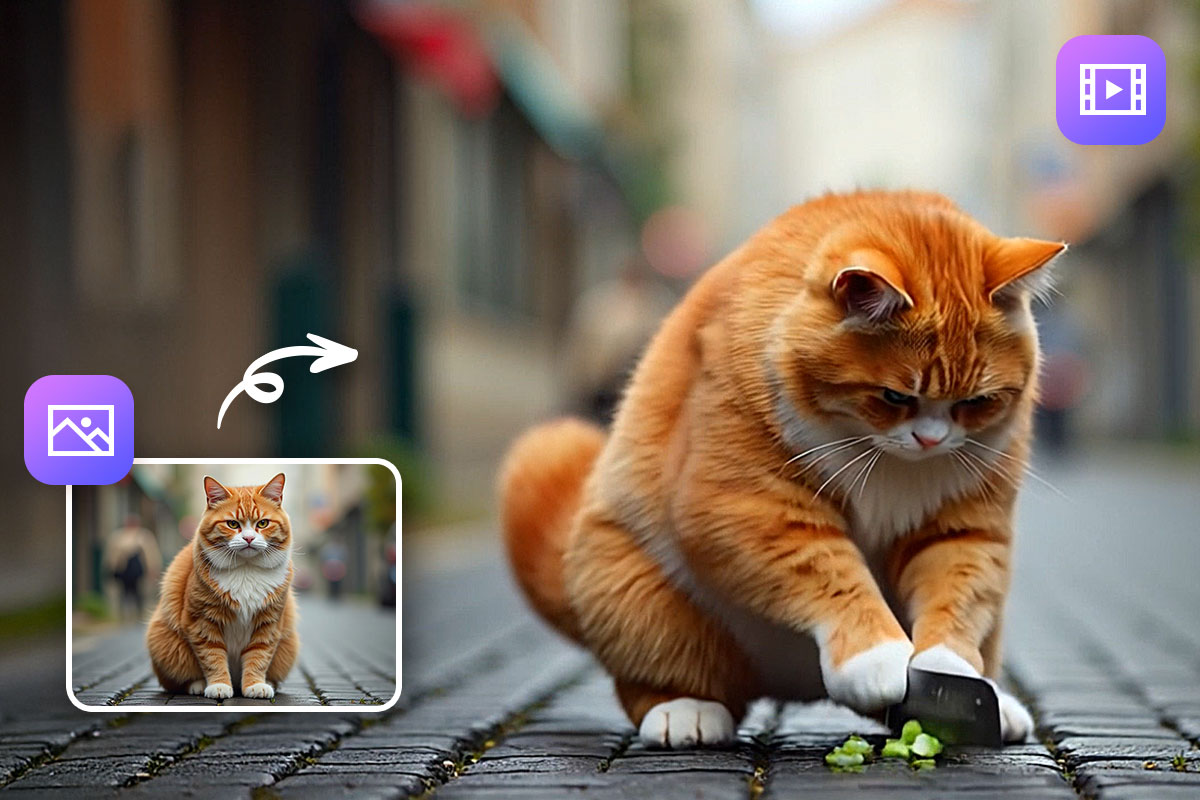
Want faster results with even more control? MyEdit works like Gemini AI, but offers even more: built-in templates for instant image generation, AI Image-to-Video for animated content, and AI Replace for magic edits — all in seconds.


Understanding Gemini AI Image Generation

How Gemini AI Generates Images from Prompts

Gemini AI is a powerful image generation tool that transforms text prompts and reference photos into realistic and creative images. It’s widely used for portraits, couples, family shots, and 3D figurine-style creations.

Tips for Writing Effective Gemini AI Prompts

Getting the best results from Gemini AI starts with a well-crafted prompt. Here are some quick tips:

Example prompt: "Outdoor Polaroid-style family portrait, golden-hour lighting, three generations laughing together, casual clothing, soft shadows, using reference faces."


30+ Trending Gemini AI Prompts You Can Copy & Paste

Trending Gemini AI Prompts

Here’s a curated list of original reference photo prompts you can use to generate singles, couples, family, Polaroid-style, hairstyle, and 3D figurine images in Gemini AI or MyEdit.

Single Portrait Prompts

  1. Close-up Portrait with Natural Smile
  2. Casual Selfie in Indoor Light
  3. Outdoor Portrait with Soft Sunlight
  4. Full-Body Casual Standing Pose
  5. Laughing Candid Indoor Portrait

Couple Photo Prompts

  1. Couple Holding Hands Outdoors
  2. Casual Hugging Couple in Indoor Light
  3. Golden-Hour Beach Couple Embrace
  4. Couple Walking in Park
  5. Forehead-Touch Romantic Couple

Family & Kids Prompts

  1. Parents with Toddler in Outdoor Park
  2. Indoor Family Candid with Infant
  3. Three Siblings Playing Outdoors
  4. Cozy Indoor Family Scene
  5. Multi-Age Family Outdoor Portrait

Friends & Group Shots

  1. Group of Friends at Party
  2. Friends Traveling Together Lifestyle Shot
  3. Fashion Group Editorial
  4. Sports Team Portrait
  5. Epic Fantasy Group Scene

Polaroid-Style Prompts

  1. Polaroid-Style Single Portrait
  2. Couple Hug Polaroid Photo
  3. Family Laughing Polaroid Portrait
  4. Child Indoor Polaroid Style

Hairstyle / Fashion Portrait Prompts

  1. Long Wavy Hair Studio Portrait
  2. Bob Haircut Fashion Portrait
  3. Curly Natural Hair Close-Up
  4. Male Textured Fade Portrait
  5. K-pop Inspired Hairstyle

3D Figurine / Nano Banana Prompts

  1. Superhero 3D Figurine Pose
  2. Chibi Toy Figurine Style
  3. Fashion Streetwear 3D Figure
  4. Gamer Collectible Figure
  5. Business Mini Figure Portrait

Single Portrait Prompts

Use a reference face to create realistic single portraits — from casual selfies to outdoor shots. Copy and paste these prompts directly into Gemini AI or MyEdit.

1. Close-up Portrait with Natural Smile

Ideal for casual selfies or profile photos with a natural, relaxed expression.

Reference Photo Before
Generated AI Portrait After

Prompt sample: "Close-up portrait of a young adult with a natural smile, soft window light, casual outfit, high-resolution, using reference face"

Pro Tip: Focus on subtle expressions and soft lighting to keep the portrait natural.


2. Casual Selfie in Indoor Light

Perfect for indoor portraits with relaxed, everyday poses.

Reference Photo Before
Generated AI Portrait After

Prompt sample: "Indoor selfie portrait, relaxed pose, warm natural light, minimal background, high-resolution, using reference face"

Pro Tip: Adjust the light source to match the reference for realistic results.


3. Outdoor Portrait with Soft Sunlight

Great for natural outdoor shots with soft sunlight and casual clothing.

Reference Photo Before
Generated AI Portrait After

Prompt sample: "Outdoor portrait in soft sunlight, casual clothing, slight breeze effect on hair, natural shadows, using reference face"

Pro Tip: Make sure shadows and highlights match the outdoor lighting for realism.


4. Full-Body Casual Standing Pose

For relaxed full-body shots with a natural stance.

Reference Photo Before
Generated AI Portrait After

Prompt sample: "Full-body portrait of a person standing casually, neutral background, natural lighting, relaxed posture, high-resolution, using reference face"

Pro Tip: Pay attention to posture and proportions to make the full-body portrait look natural.


5. Laughing Candid Indoor Portrait

Captures spontaneous, joyful expressions indoors.

Reference Photo Before
Generated AI Portrait After

Prompt sample: "Candid indoor portrait of a person laughing, warm ambient light, soft focus, natural expression, high-resolution, using reference face"

Pro Tip: Capture the timing of the smile or laugh for a natural and lively portrait.


Couple Photo Prompts

Create romantic or casual couple portraits using reference photos. Copy and paste these prompts directly into Gemini AI or MyEdit.

6. Couple Holding Hands Outdoors

Outdoor shot capturing a couple naturally holding hands, perfect for casual romantic photos.

Reference Couple Photo Before
Generated AI Couple Portrait After

Prompt sample: "Outdoor portrait of a couple holding hands, natural sunlight, casual clothing, gentle smiles, high-resolution, using reference faces"

Pro Tip: Align body posture and hand positioning naturally for realistic results.


7. Casual Hugging Couple in Indoor Light

Indoor portrait capturing a couple hugging, cozy and relaxed.

Reference Couple Photo Before
Generated AI Couple Portrait After

Prompt sample: "Indoor portrait of a couple hugging, soft warm light, relaxed pose, natural expressions, high-resolution, using reference faces"

Pro Tip: Capture facial expressions and lighting carefully to keep the moment intimate and natural.


8. Golden-Hour Beach Couple Embrace

Romantic beach scene at golden hour, with soft light and casual clothing.

Reference Couple Photo Before
Generated AI Couple Portrait After

Prompt sample: "Couple embracing on a beach during golden hour, soft sunlight, casual outfits, romantic atmosphere, high-resolution, using reference faces"

Pro Tip: Ensure shadows and highlights match the sun direction for realistic lighting.


9. Couple Walking in Park

Casual outdoor shot capturing motion and natural interaction between the couple.

Reference Couple Photo Before
Generated AI Couple Portrait After

Prompt sample: "Casual couple walking in a park, sunny daylight, relaxed posture, natural movement, high-resolution, using reference faces"

Pro Tip: Capture realistic movement by matching the pose to the reference photo.


10. Forehead-Touch Romantic Couple

Intimate pose, perfect for romantic or sentimental portrait shots.

Reference Couple Photo Before
Generated AI Couple Portrait After

Prompt sample: "Intimate couple portrait, touching foreheads, soft indoor light, gentle expressions, high-resolution, using reference faces"

Pro Tip: Focus on eye contact and lighting to emphasize emotion and connection.


Family & Kids Prompts

Capture natural and joyful family moments using reference photos. These prompts work with Gemini AI or MyEdit.

11. Parents with Toddler in Outdoor Park

Outdoor family shot with parents interacting naturally with their toddler.

Reference Family Photo Before
Generated AI Family Portrait After

Prompt sample: "Outdoor family portrait of parents with toddler, natural sunlight, casual clothing, playful interaction, high-resolution, using reference faces"

Pro Tip: Capture natural gestures and movement for realistic family interaction.


12. Indoor Family Candid with Infant

Casual indoor shot of parents interacting with a baby in a cozy environment.

Reference Family Photo Before
Generated AI Family Portrait After

Prompt sample: "Indoor family candid with infant, soft warm lighting, natural interactions, casual clothing, high-resolution, using reference faces"

Pro Tip: Focus on expressions and small gestures to capture intimacy.


13. Three Siblings Playing Outdoors

Dynamic outdoor scene showing three siblings playing and having fun.

Reference Kids Photo Before
Generated AI Kids Portrait After

Prompt sample: "Outdoor portrait of three siblings playing, natural daylight, dynamic movement, joyful expressions, high-resolution, using reference faces"

Pro Tip: Freeze playful moments in the reference to make the AI capture natural motion.


14. Cozy Indoor Family Scene

Warm indoor portrait of a family sitting together in a comfortable setting.

Reference Family Photo Before
Generated AI Family Portrait After

Prompt sample: "Cozy indoor family portrait, sitting together, soft warm lighting, casual outfits, natural smiles, high-resolution, using reference faces"

Pro Tip: Emphasize comfortable poses and soft lighting for a homey feel.


15. Multi-Age Family Outdoor Portrait

Outdoor portrait including parents, children, and grandparents for a multi-generational family shot.

Reference Family Photo Before
Generated AI Family Portrait After

Prompt sample: "Outdoor multi-age family portrait including grandparents, parents, and children, natural sunlight, casual clothing, high-resolution, using reference faces"

Pro Tip: Ensure everyone’s expressions and posture are coordinated for a natural family portrait.


Friends & Group Shots

Capture dynamic group moments with friends using reference photos. Perfect for parties, travel, or stylized editorial shots.

16. Group of Friends at Party

Casual indoor party scene capturing multiple friends in a fun and lively setting.

Reference Group Photo Before
Generated AI Group Portrait After

Prompt sample: "Indoor group portrait of friends at a party, fun expressions, casual clothing, high-resolution, using reference faces"

Pro Tip: Capture natural interactions and facial expressions for a lively group photo.


17. Friends Traveling Together Lifestyle Shot

Outdoor travel scene capturing friends enjoying a scenic location together.

Reference Travel Photo Before
Generated AI Travel Group Portrait After

Prompt sample: "Outdoor group portrait of friends traveling together, scenic background, casual clothing, joyful expressions, high-resolution, using reference faces"

Pro Tip: Ensure poses and positioning are natural to show authentic travel interactions.


18. Fashion Group Editorial

Stylized group shot in fashion editorial style with dramatic poses and clothing.

Reference Fashion Group Photo Before
Generated AI Fashion Group Portrait After

Prompt sample: "Fashion editorial group portrait, dramatic poses, stylish clothing, high-resolution, using reference faces"

Pro Tip: Focus on composition, contrast, and coordinated poses for a professional editorial feel.


19. Sports Team Portrait

Group portrait of a sports team, capturing uniformity and team spirit.

Reference Team Photo Before
Generated AI Team Portrait After

Prompt sample: "Sports team group portrait, uniform outfits, outdoor or indoor field, high-resolution, using reference faces"

Pro Tip: Make sure the arrangement and posture reflect team cohesion.


20. Epic Fantasy Group Scene

Transform a reference group into a stylized fantasy scene with magical elements.

Reference Fantasy Group Before
Generated AI Fantasy Group Portrait After

Prompt sample: "Epic fantasy group portrait, magical background, dramatic poses, high-resolution, using reference faces"

Pro Tip: Ensure lighting and perspective from reference faces match the fantasy environment.


Polaroid-Style Prompts

Create vintage-inspired Polaroid-style images from reference photos — perfect for singles, couples, families, and kids.

21. Polaroid-Style Single Portrait

Single portrait with a classic Polaroid aesthetic, soft light, and casual pose.

Reference Single Photo Before
Generated AI Polaroid Portrait After

Prompt sample: "Polaroid-style single portrait, soft natural lighting, casual pose, vintage feel, high-resolution, using reference face"

Pro Tip: Keep the pose simple and focus on soft lighting for an authentic Polaroid look.


22. Couple Hug Polaroid Photo

Romantic couple captured in a Polaroid-style instant photo with a warm, casual vibe.

Reference Couple Photo Before
Generated AI Polaroid Couple Portrait After

Prompt sample: "Polaroid-style couple hug, warm indoor lighting, casual clothing, vintage instant photo look, high-resolution, using reference faces"

Pro Tip: Highlight the connection between the couple and use a soft vignette for authenticity.


23. Family Laughing Polaroid Portrait

Family captured in a joyful, candid Polaroid-style photo, perfect for memories.

Reference Family Photo Before
Generated AI Polaroid Family Portrait After

Prompt sample: "Polaroid-style family portrait, laughing, indoor or outdoor setting, casual outfits, vintage instant photo feel, high-resolution, using reference faces"

Pro Tip: Capture spontaneous expressions and interactions for a natural Polaroid look.


24. Child Indoor Polaroid Style

Indoor portrait of a child in a playful Polaroid-style photo.

Reference Child Photo Before
Generated AI Polaroid Child Portrait After

Prompt sample: "Indoor Polaroid-style child portrait, playful pose, soft lighting, vintage instant photo feel, high-resolution, using reference face"

Pro Tip: Focus on playful expressions and keep the background simple for a classic Polaroid effect.


Hairstyle / Fashion Portrait Prompts

Use reference faces to create detailed hairstyle and fashion portraits — perfect for studio shoots, editorial looks, or casual style inspiration.

25. Long Wavy Hair Studio Portrait

Studio portrait highlighting long wavy hair with soft lighting and elegant styling.

Reference Portrait Before
Generated AI Hairstyle Portrait After

Prompt sample: "Studio portrait of a woman with long wavy hair, soft lighting, elegant styling, high-resolution, using reference face"

Pro Tip: Highlight hair texture and natural flow for realistic results.


26. Bob Haircut Fashion Portrait

Close-up fashion portrait emphasizing a chic bob haircut.

Reference Portrait Before
Generated AI Bob Hairstyle Portrait After

Prompt sample: "Fashion portrait of a woman with bob haircut, studio lighting, high-resolution, using reference face"

Pro Tip: Use lighting to emphasize the haircut’s lines and layers.


27. Curly Natural Hair Close-Up

Detailed close-up portrait showcasing natural curly hair texture.

Reference Portrait Before
Generated AI Curly Hairstyle Portrait After

Prompt sample: "Close-up portrait of a person with natural curly hair, soft lighting, high-resolution, using reference face"

Pro Tip: Focus on curl definition and subtle highlights for realism.


28. Male Textured Fade Portrait

Portrait of a male with a modern textured fade haircut, emphasizing style and sharpness.

Reference Male Portrait Before
Generated AI Male Hairstyle Portrait After

Prompt sample: "Male portrait with textured fade haircut, studio lighting, sharp detail, high-resolution, using reference face"

Pro Tip: Capture hairstyle angles and hairline precision for a polished look.


29. K-pop Inspired Hairstyle

Fashion-forward portrait inspired by K-pop hairstyles, vibrant and stylized.

Reference Portrait Before
Generated AI K-pop Hairstyle Portrait After

Prompt sample: "Portrait with K-pop inspired hairstyle, vibrant colors, studio lighting, high-resolution, using reference face"

Pro Tip: Emphasize color, volume, and styling details for authenticity.


3D Figurine / Nano Banana Prompts

Create stylized 3D figurines and collectible-style portraits using reference faces — from superheroes to chibi toys and fashion figures.

30. Superhero 3D Figurine Pose

Dynamic 3D figurine of a superhero, highlighting action and costume details.

Reference Face Before
Generated AI Superhero Figurine After

Prompt sample: "3D figurine of superhero in action pose, detailed costume, high-resolution, using reference face"

Pro Tip: Focus on dynamic posture and costume details for realism in 3D style.


31. Chibi Toy Figurine Style

Cute chibi-style 3D figurine using a reference face, perfect for collectibles or fun illustrations.

Reference Face Before
Generated AI Chibi Figurine After

Prompt sample: "Chibi-style 3D figurine, cute proportions, vibrant colors, high-resolution, using reference face"

Pro Tip: Emphasize facial expressions and stylized proportions for charm.


32. Fashion Streetwear 3D Figure

3D figure wearing trendy streetwear, posed dynamically for fashion showcase.

Reference Face Before
Generated AI Fashion 3D Figure After

Prompt sample: "3D figurine wearing fashion streetwear, dynamic pose, high-resolution, using reference face"

Pro Tip: Highlight clothing textures and movement for realistic fashion effect.


33. Gamer Collectible Figure

Stylized 3D figure inspired by gaming characters, detailed and action-ready.

Reference Face Before
Generated AI Gamer 3D Figure After

Prompt sample: "Gamer collectible 3D figurine, dynamic pose, detailed armor or outfit, high-resolution, using reference face"

Pro Tip: Emphasize props and accessories to enhance the gaming style.


34. Business Mini Figure Portrait

3D mini figure with business attire, perfect for stylized corporate or professional representations.

Reference Face Before
Generated AI Business Mini Figure After

Prompt sample: "3D mini figure in business attire, standing pose, high-resolution, using reference face"

Pro Tip: Focus on posture and suit details to create a professional miniature look.


Gemini AI Alternative: Use MyEdit to Generate Images Effortlessly

MyEdit is a versatile AI creative platform that lets you transform reference photos and text prompts into realistic or stylized images. Ideal for singles, couples, families, or groups, MyEdit makes advanced image generation simple, fast, and highly customizable.


AI Art

Before Custom Mode
After Custom Mode

AI Art transforms reference photos into stunning artwork, giving you full control over style and composition.

Custom Mode: This is the main workflow for generating images similar to Gemini AI. Include one or multiple people as reference photos — singles, couples, families, or group shots — and combine with detailed prompts to guide the AI for precise, realistic, or stylized results.

Reference Photo Before
Generated AI Art After

Template Mode: Use hundreds of built-in templates and style presets to quickly create professional-looking results. Ideal for experimenting with different artistic styles or producing polished visuals in seconds.


AI Image Generator

MyEdit - AI Image Generator

The AI Image Generator lets you generate high-quality images from reference photos or prompts. Choose from multiple AI models — Flux, Nano Banana (Gemini 2.5 & 3), and GPT-Image-1 — and apply built-in templates or style presets for professional results in seconds.


AI Image to Video

Reference Image Before
Generated Video After

AI Image to Video converts reference photos into animated videos. Use templates or custom prompts to animate singles, couples, families, or groups, creating multiple videos quickly with full creative control.


AI Replace

Reference Photo Before
Edited Image After

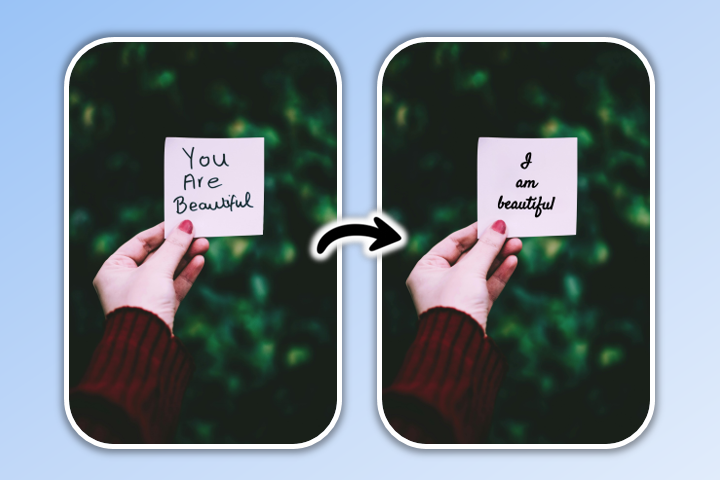
AI Replace allows you to add or swap elements in reference photos. Brush over the area to edit, type a prompt describing the change, and let the AI generate the result — perfect for portraits, couple shots, or creative enhancements.


Generate Your Gemini AI-Like Images Using MyEdit


Custom AI Portraits & Group Creations

Create ultra-realistic portraits and group images using one or more reference faces. MyEdit’s Custom mode lets you guide the AI with clear prompts, poses, and environments for stunning results.

  1. Go to MyEdit: Open the AI Art and get ready to create your custom portraits.
  2. Import your portrait(s): Upload a single face or multiple people from your device to use as reference.
    Upload portrait reference
  3. Select Custom mode: This allows the AI to detect each face and apply your desired style, pose, and environment.
    Select Custom mode
  4. Type your prompt: Describe the scene, style, lighting, and mood. You can specify casual, professional, cinematic, or fantasy settings.
    Type prompt for AI
  5. Generate your image: Click Generate and watch the AI bring your custom portrait or group scene to life in seconds.
    Generated AI portrait

Create Beautiful AI Images in Minutes

Creating amazing visuals with AI is easier than ever. Whether you’re generating portraits, landscapes, or abstract art, follow these simple steps using MyEdit.

  1. Go to MyEdit: Open the AI Image Generator directly in your browser—no installation required.
  2. Select Your AI Model: Choose the model that best fits your creative goal. Options include FLUX.1 (high-detail realism), MyEdit AI (balanced & versatile), Nano Banana (stylized & playful), and GPT-Image (fast concept visuals).
    Select AI image generation model in MyEdit
  3. Enter Your AI Prompt: Copy one of our ready-to-use prompts from this article or write your own. Add details like subject, style, lighting, mood, and environment for better results.
    Enter AI image prompt in MyEdit
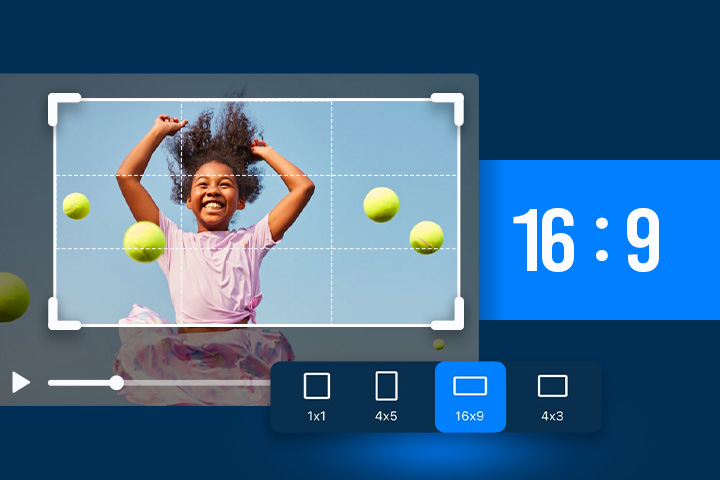
  4. Adjust Your Settings: Select your aspect ratio (available for all models). For supported models, you can also apply a style reference such as realistic, illustration, cinematic, or vintage, along with other visual options.
    Customize AI image settings in MyEdit
  5. Generate Your Image: Click Generate and watch the AI bring your idea to life in seconds.
    Generate AI image in MyEdit

Related Articles:

  • ChatGPT Image Ideas & Photo Editing Prompts
  • Ultimate Guide to Nano Banana Pro
  • Gemini Polaroid Trend Using the Best Prompts

Gemini AI Image Prompt FAQ

Start with a clear text description of the scene you want. Include subject type, pose, expressions, clothing, background, and lighting. Using a reference photo improves realism. For faster results with more control, try MyEdit, which supports multiple reference images and built-in style presets.

A good prompt is specific, descriptive, and concise. Mention the subject, environment, style, mood, and key actions. Example: "Outdoor Polaroid-style family portrait, golden-hour lighting, three generations laughing together, casual clothing, soft shadows, using reference faces." MyEdit simplifies this with Custom Mode and templates for instant results.

Ask for exactly what you want: single or group portrait, couple or family shot, hairstyle focus, or fantasy scene. Include details about expressions, clothing, background, and style. Example: "Romantic couple hugging on a beach at sunset, cinematic lighting, soft focus, using reference faces." MyEdit can turn these prompts into polished images quickly.

Type a descriptive prompt and optionally upload reference photos. Gemini interprets the text and photos to produce realistic or stylized images. For more speed and creative options, MyEdit offers multiple AI models, templates, AI Art, AI Image-to-Video, and AI Replace for professional-quality visuals.

Yes, Gemini allows uploading reference photos to guide the AI. This is especially useful for portraits, couples, and family shots. MyEdit goes further, supporting multiple reference images at once for single, group, or fantasy scenes with complete control over style.

Popular Gemini prompts include:

  • Single portraits: cinematic headshots, casual selfies, fashion photography
  • Couple shots: hugging, walking, golden-hour embraces
  • Family portraits: indoor cozy scenes or outdoor playful setups
  • Polaroid-style images
  • 3D figurine or fantasy-style portraits

Tip: MyEdit supports all these trends with reference photos for high-quality results

Specify what should be changed or enhanced, including subject, lighting, background, clothing, or props. Example: "Replace background with autumn forest, keep natural lighting and expressions." MyEdit offers AI Replace for easy element swapping while maintaining realism.

Here are some top trending prompts you can try:

  • Polaroid Trend: "Polaroid-style portrait of a woman smiling, casual outfit, natural light, using reference face"
  • Couple Hug: "Romantic couple hugging on a beach at sunset, cinematic lighting, soft focus, using reference faces"
  • Family Outdoors: "Multi-age family playing in a park, golden-hour lighting, candid expressions, using reference photos"
  • Fashion Editorial: "Three women posing in urban street fashion, dramatic lighting, stylish hairstyles, using reference faces"
  • Epic Fantasy: "Epic fantasy group portrait in a magical forest, mystical lighting, dynamic poses, remove objects from original photo, using reference faces"

Tip: MyEdit supports all these prompts and can generate high-quality images quickly with reference photos and Custom Mode.

The most recent viral trend is the cinematic glow portrait: ultra-HD portrait with warm golden highlights, soft background haze, and dramatic color grading, using reference faces. This style is highly shareable and visually striking. MyEdit can reproduce similar viral trends quickly for professional results.

Follow these steps to create trending Gemini images:

  1. Choose a subject type: single portrait, couple, family, or group photo.
  2. Select a style: Polaroid, fashion editorial, romantic, fantasy, or 3D figurine.
  3. Prepare reference photos: Upload images for accurate facial features and poses.
  4. Write a clear prompt: Include poses, expressions, clothing, lighting, and background. Example: "Romantic couple hugging on a beach at sunset, cinematic lighting, soft focus, using reference faces."
  5. Review and iterate: Adjust prompts, lighting, or style for better results.
Try These Prompts Now
Share this article via emailShare this article on FacebookShare this article on LinkedInShare this article on XShare this article on Pinterest