



How to Transform Your Photos Into Chibi-Style Art

- What you need: A clear, front-facing portrait photo and a versatile free online AI platform like MyEdit.
- The process: First, upload your image to the Trending AI Templates tool and apply the "Baby Face" filter for instant chibi proportions. Then, use the Image to Video tool with a simple text prompt to bring your character to life.
- The result: In minutes, your realistic photo is transformed into a highly stylized, animated chibi character (or static artwork) ready to be downloaded and shared on social media.
- What is the Chibi Art Trend?
- How to Turn Your Character into a Chibi Style
- The Best Free Online Chibi Character Maker
- Best Use Cases for a Chibi Character
- Chibi Art FAQs
What is the Chibi Art Trend?
@goodappsdaily GenPix is the app that creates cute chibi images everyone loves. Try it now.
♬ nhạc nền - GenPix - AI Photo Generator - GoodAppsDaily
This style is deeply rooted in Japan's kawaii (cute) culture, which emphasises things that feel soft, sweet, and playful. Recently, the chibi trend has exploded across social media. Users are leveraging AI tools to turn their photos into cute, big-eyed 3D chibi figures sitting perfectly on the palm of a hand, making them perfect for eye-catching avatars or viral posts.
How to Turn Your Character into a Chibi Style
Transforming your photos into adorable miniatures is simple with the right online tool. Follow these exact steps to create your chibi character:
- Choose the Baby Face Template and Upload Your Photo. Navigate to the MyEdit Trending AI Templates tool online, browse the available AI filters, and select the Baby Face template. Then, upload a clear, front-facing photo of yourself or your character to instantly apply the super-deformed chibi proportions.
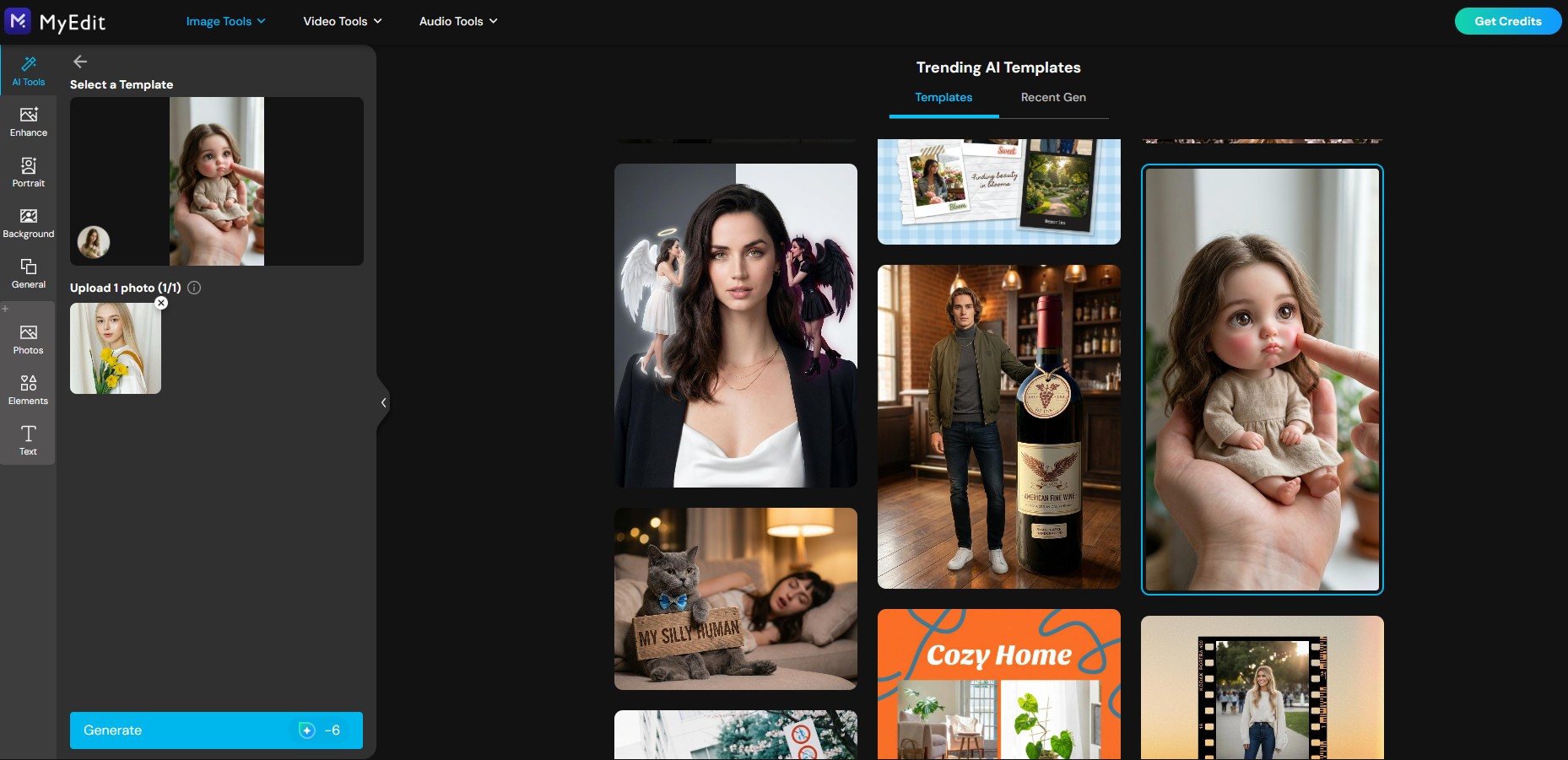
- Generate and Download. Click Generate. The AI will process the image in seconds, delivering a high-quality chibi artwork ready to be saved and shared.
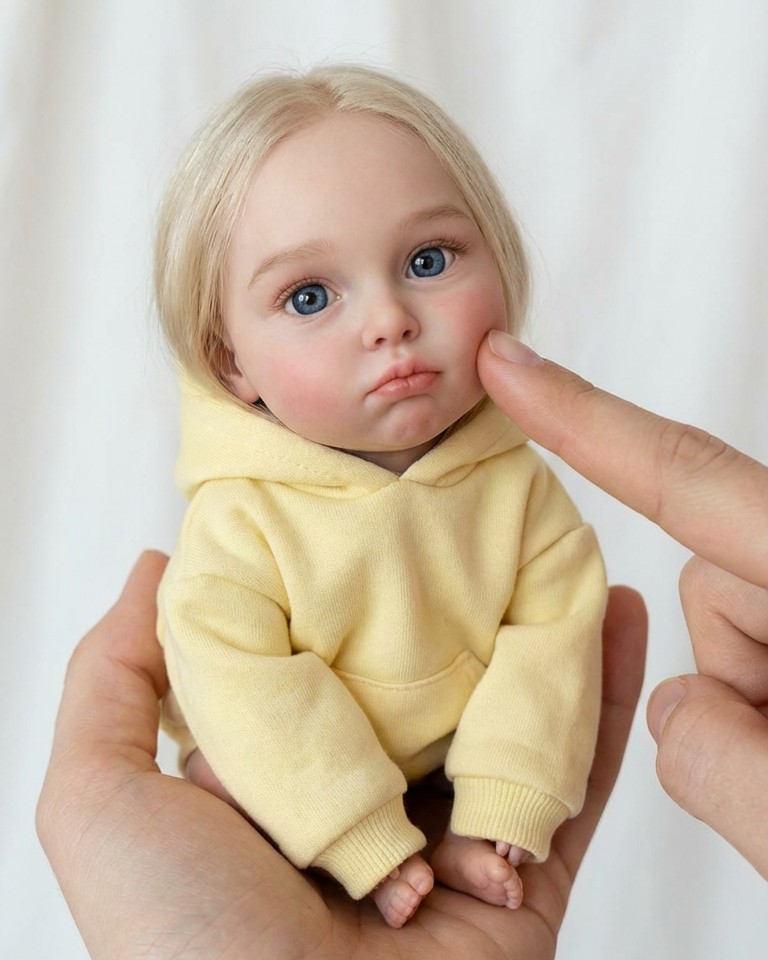
- Bring Your Chibi to Life. Want to animate your character? You can easily do this using MyEdit's Image to Video tool. Simply open the tool and upload your newly generated chibi artwork.
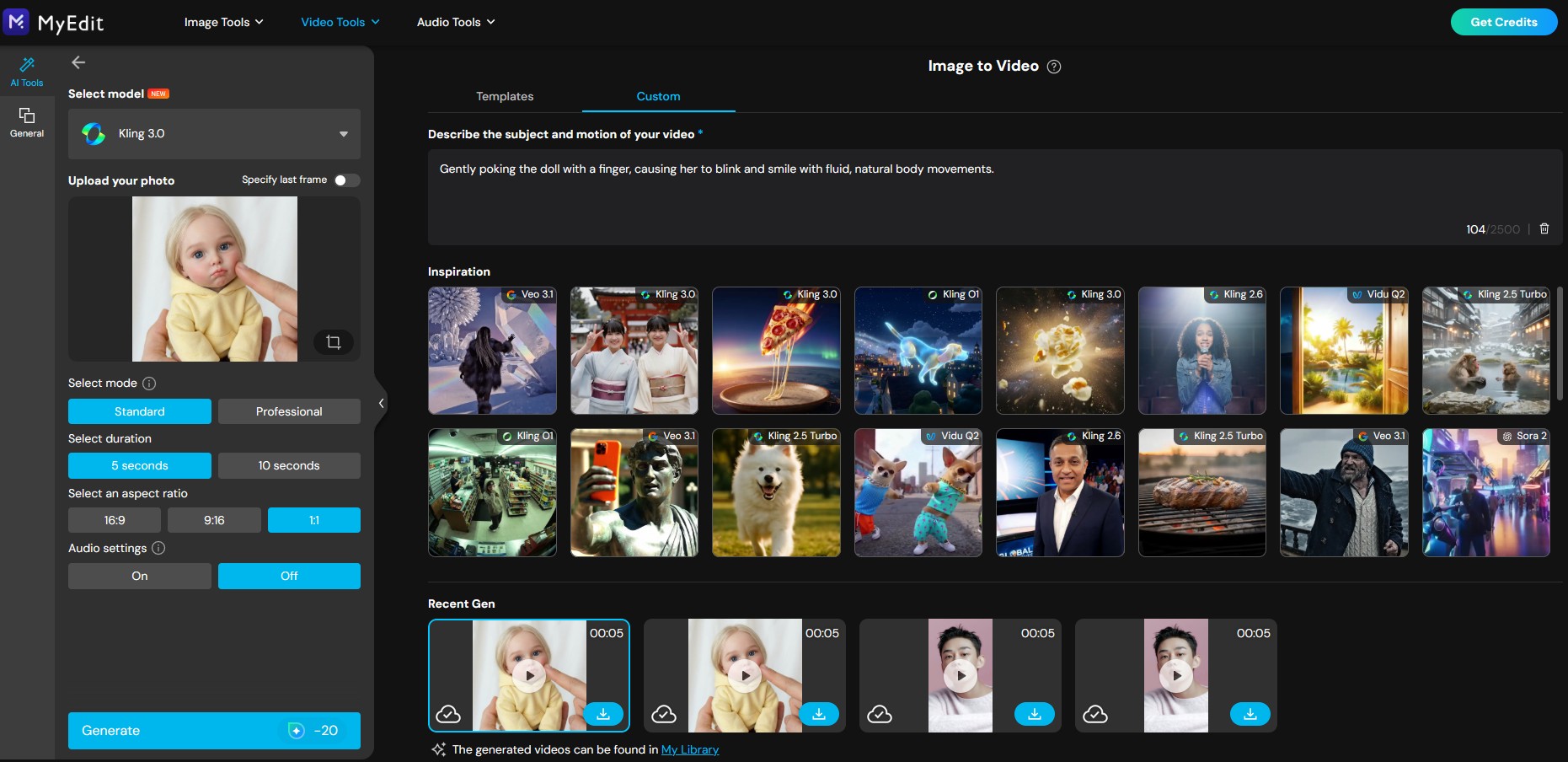
- Add Prompt and Animate. Select Custom and enter the following prompt to create fluid, natural body movements:
📝 Prompt Example:
Gently poking the doll with a finger, causing her to blink and smile with fluid, natural body movements.
- See the Result. Watch your animated chibi character come to life! You can now preview the stunning animation and download your final video or GIF to share with your friends and followers on social media.


The Best Free Online Chibi Character Maker


Key Features of MyEdit:
- Continuously Updated Trending Templates: Keep up with the latest viral styles with MyEdit's Trending AI Templates, including the popular "Baby Face" template designed specifically for the chibi aesthetic.
- Diverse AI Art Filters: Access a library of over 160 distinct AI Art styles and filters to easily explore various chibi, anime, and kawaii aesthetics.
- Dynamic Image to Video: Don't just stop at static images. Easily bring your generated chibi characters to life with fluid, natural movements using the built-in Image to Video tool.
- One-Click Generation: Simply upload your photo and select a filter. The AI automatically handles complex anatomical adjustments without any manual tweaking.
- Extremely User-Friendly: Completely web-based, making it accessible for beginners and pros alike.
- Free Daily Access: Generate high-quality AI art and animations for free using easily claimable daily bonus credits.
Best Use Cases for a Cute Chibi Character
Because the chibi style focuses on facial expressions rather than realistic anatomy, these figures serve multiple practical purposes. Here are the top ways to use your AI-generated chibi creations:
- Social Media Profile Pictures (PFPs): Replace standard selfies with eye-catching, stylised chibi avatars.
- Gaming Avatars: Create a friendly, memorable identity for platforms like Discord, Steam, or Twitch.
- Custom Stickers & Emojis: The exaggerated expressions of chibi characters make them perfect for reaction stickers on messaging apps.
- Digital Gifts: Turning a photo of a friend or family member into an adorable miniature figure is a popular and thoughtful digital gift.
The Best Free Online Chibi Character Maker
A chibi character features a "super-deformed" aesthetic, typically with an exaggerated 1:2 or 1:3 head-to-body ratio, massive expressive eyes, and tiny limbs. It is deeply rooted in Japanese "kawaii" (cute) culture. If you are looking to create this adorable art style, MyEdit is the perfect online tool to generate it effortlessly.
MyEdit is the fastest and easiest way to create chibi art from a photo. Simply upload your image to this free online platform, select the "Baby Face" AI template, and let the tool automatically transform your photo into adorable chibi artwork in seconds.
Using MyEdit's AI Art generator is the best method to make a chibi character effortlessly. You don't need any drawing skills; just upload a selfie or portrait, apply the dedicated chibi-inspired filter, and the AI will handle all the complex anatomical adjustments for you.
MyEdit makes it incredibly simple to convert a photo to chibi style directly in your web browser. Just open the online tool, upload your target photo, and click on the chibi style filter to seamlessly convert your picture's proportions into an adorable aesthetic ready for download.
Not if you use the right tool! While some AI generators require highly detailed text prompts, MyEdit offers a one-click "Baby Face" filter that automatically applies the chibi aesthetic without any prompt engineering needed.
As industry experts in generative AI, the CyberLink AI Research Team has spent over 5 years benchmarking and analyzing the rapidly evolving landscape of creative technology. The team conducts rigorous testing of emerging AI tools for content creation, delivering weekly insights and practical workflows that help millions of creators worldwide each year identify the most suitable AI solutions to enhance their productivity.
😜 Outside of their research, the team actively experiments with AI-driven video creation, builds content across social platforms, and explores new side projects, all with the long-term goal of achieving greater creative and financial freedom.

![How to Merge Photos Together [Windows, Mac]](https://dl-file.cyberlink.com/web/content/b1307/l_Thumbnail.webp)


