




Online Photo Booth: Create Fun Photo Strips and Grids

- What you need: A clear photo of yourself and a free online AI image generator like MyEdit.
- How it works: Open the photo booth web tool, upload your picture, and choose from a diverse library of "Trending AI Templates."
- The result:In seconds, the AI photo booth automatically transforms your photo while maintaining your natural look, delivering high-quality, shareable pictures.
Best Online Photo Booth: MyEdit


- Trending AI Templates: Explore a massive variety of cute and popular styles using the Trending AI Templates feature.
- Perfect for Everyone: Whether you are creating solo portraits, sweet couple shots, or fun memories with friends and family, there is a perfect look for every occasion.
- One-Click Photo Strips & Grids: Simply select a built-in template to instantly generate aesthetic photo strips or dynamic photo grids without the need to type complicated text prompts.
Explore More Trending Templates
MyEdit's ai photo booth provides a constantly updated library of styles, ensuring you are always on top of the latest viral social media trends. Here are some must-try templates you can explore:


- Seasonal: Instantly try on festive, holiday-themed virtual outfits and matching backgrounds to celebrate any season in style.
- Trendy: Stay on top of viral social media aesthetics by applying the most popular, cutting-edge fashion and art templates to your photos.
- 90s Retro: Travel back in time and turn yourself into an iconic 90s video game character playing on a vintage CRT TV.
- Collage: Easily combine multiple AI-generated looks into stunning photo strips or aesthetic grids to create the ultimate virtual photo booth experience.
How to Use the MyEdit Online Photo Booth (Step-by-Step)
Using this powerful photo booth web tool is incredibly intuitive, meaning you do not need any professional photo editing skills to get started. Follow these simple steps to create your custom photos:
- Open MyEdit Trending AI Templates
- Select a Template: Browse the library and choose your favourite style from the Trending AI Templates.
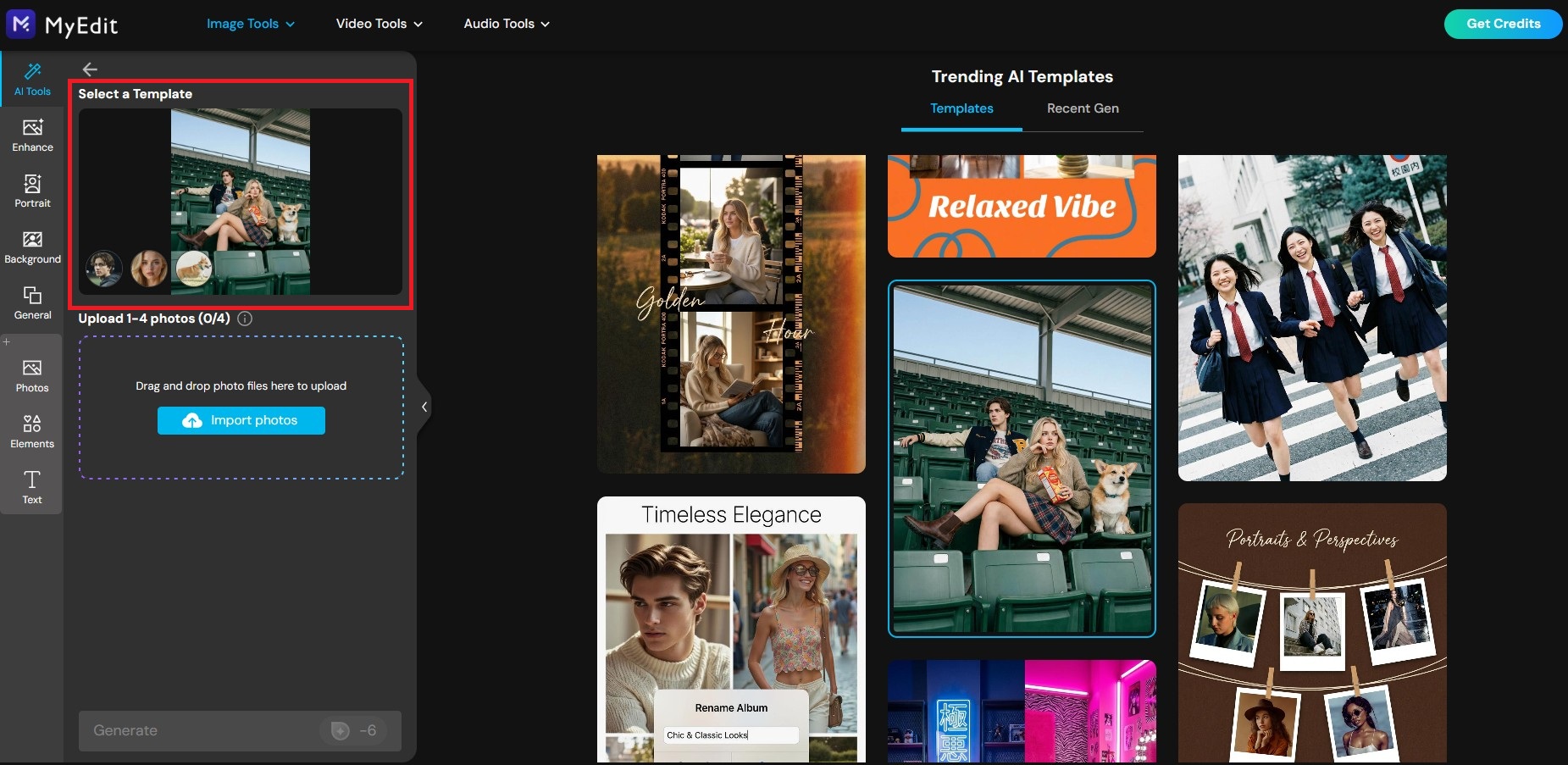
- Upload Your Photo: Go to the MyEdit AI tool online and upload a clear photo of yourself (full-body or front-facing shots work best).
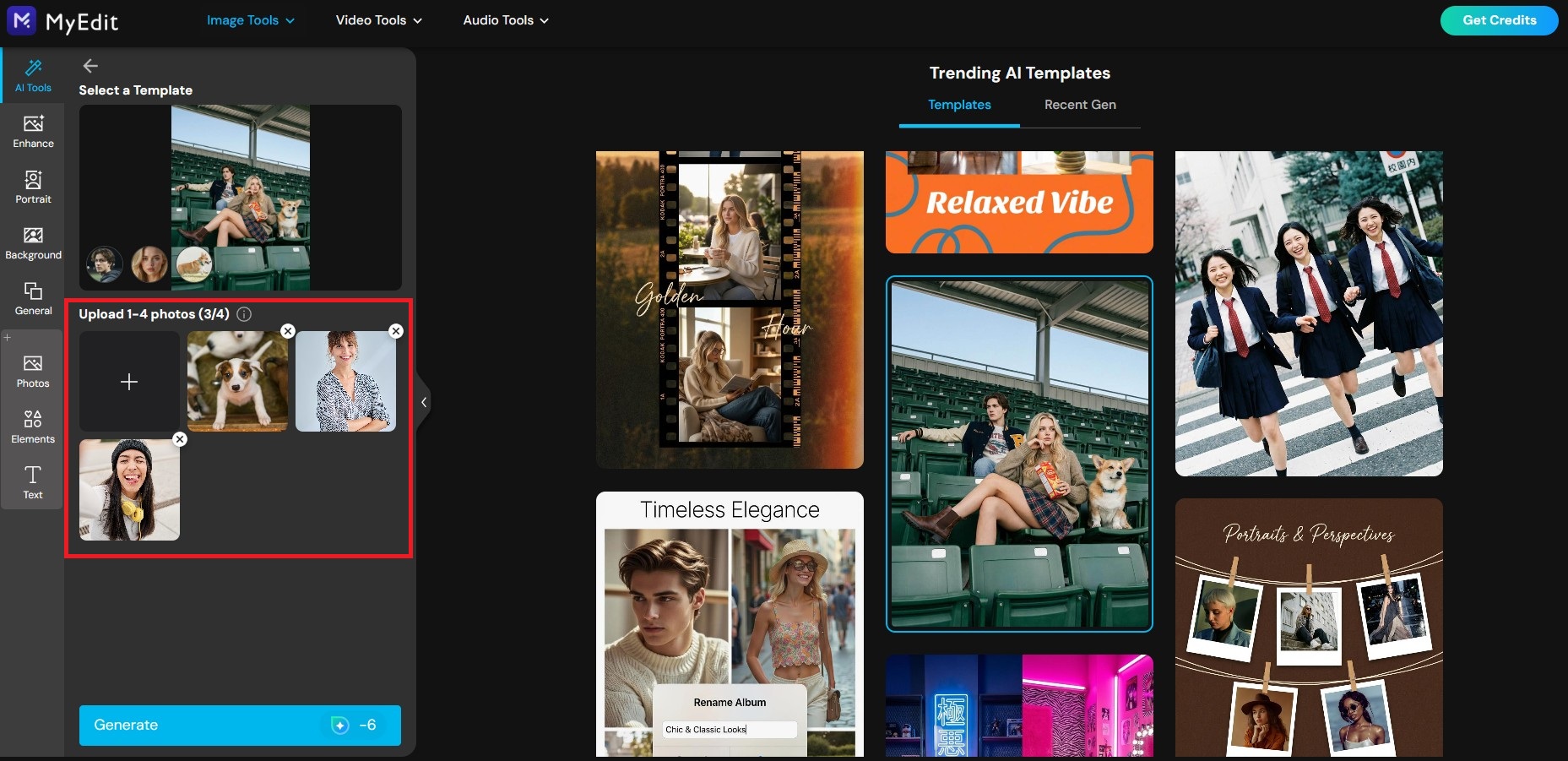
- Generate and Share: Click "Generate." The AI will instantly replace your outfit or background with the new look while keeping your pose natural. Preview and download your high-quality photo!


Online Photo Booth Frequently Asked Questions
An AI photo booth is an online tool that uses advanced artificial intelligence to transform your pictures. Instead of just taking a standard photo, it analyzes your image and instantly applies unique styles, virtual outfits, backgrounds, or artistic filters with incredible realism.
No, not with tools like MyEdit. Our photo booth web tool uses pre-designed "Trending AI Templates." You simply click the style you want, and the AI automatically handles all the complex processing behind the scenes to give you a perfect result.
Yes, MyEdit offers free daily credits that you can use to try out the online photo booth and explore the vast library of AI templates without any initial cost.
MyEdit is the best online photo booth website available. It stands out because of its powerful Trending AI Templates feature, which allows you to apply stunning aesthetic styles, seasonal outfits, and retro vibes with a single click, completely eliminating the need for complicated text prompts.
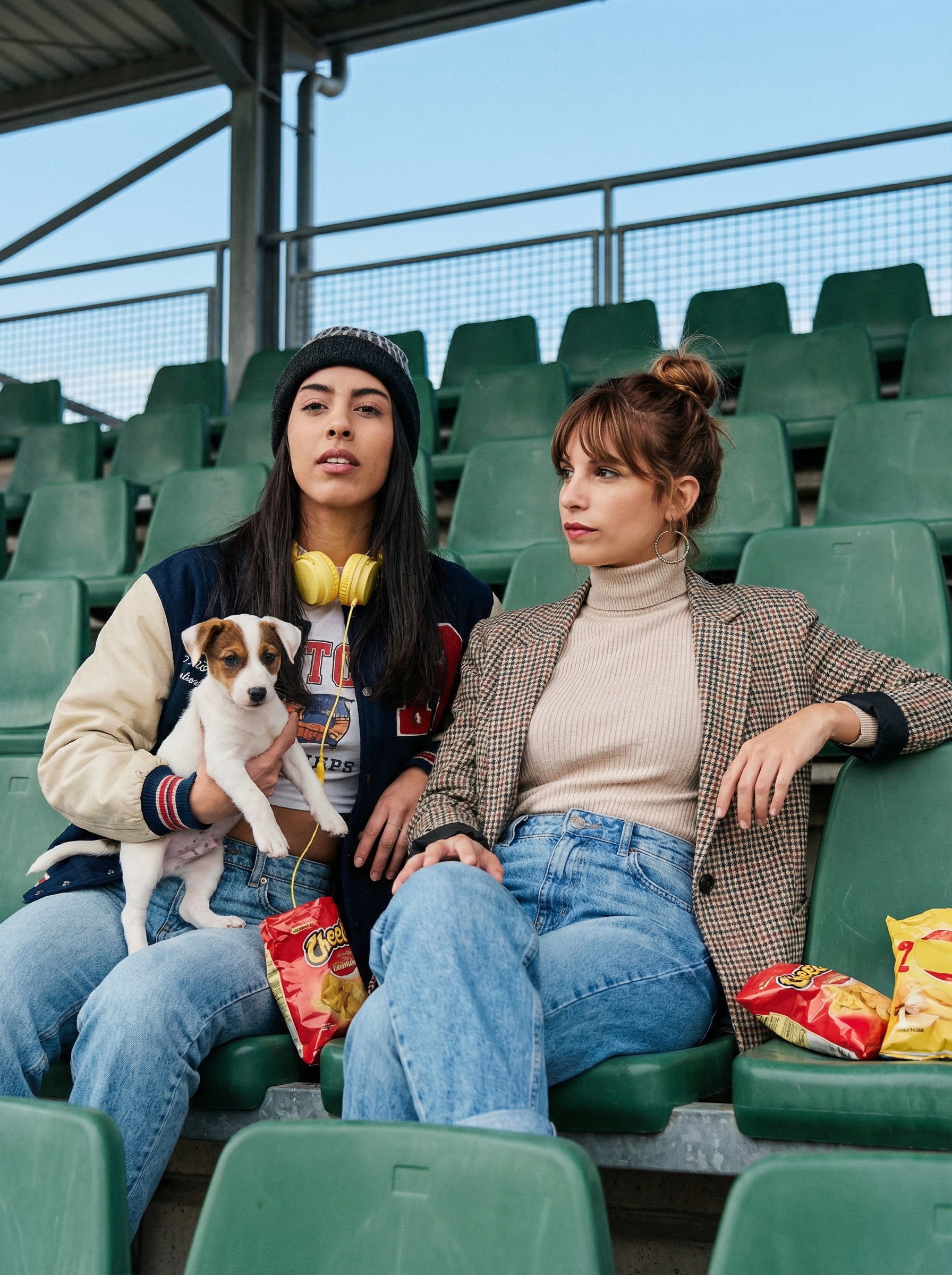
Start with a clear picture where everyone's faces are visible and well-lit. Then, elevate it using MyEdit's online photo booth! You can upload your group photo and apply cohesive styles from the Trending AI Templates, such as a 90s classic sitcom poster or a fun party theme, giving your group memories a creative and aesthetic touch instantly.
Creating an aesthetic photo collage is effortless with MyEdit. Simply browse the Trending AI Templates and select our collage or grid options. With one click, the AI will automatically generate beautiful photo strips, dynamic 3x3 grids, or vintage scrapbook compositions from your images, delivering a perfect, shareable photo booth experience.
As industry experts in generative AI, the CyberLink AI Research Team has spent over 5 years benchmarking and analyzing the rapidly evolving landscape of creative technology. The team conducts rigorous testing of emerging AI tools for content creation, delivering weekly insights and practical workflows that help millions of creators worldwide each year identify the most suitable AI solutions to enhance their productivity.
😜 Outside of their research, the team actively experiments with AI-driven video creation, builds content across social platforms, and explores new side projects, all with the long-term goal of achieving greater creative and financial freedom.


