







What's New with Google Omni: Hands-on Test & Review

- Google Omni: A groundbreaking multimodal AI (text, image, audio, video) focused on conversational, physics-aware video editing and avatar creation. Best for advanced, cinematic transformations.
- How it Compares: Unlike Nano Banana (images) or Veo (cinematic generation), Omni is a unified engine that blends multiple inputs into seamless video edits.
- Best Alternative for Beginners: 👉 MyEdit. An easy-to-use platform with Image to Video and Character Motion Swap tools, perfect for quick, high-quality content creation without the learning curve.
- What's Google Omni
- Comparison with Other Gemini Family
- Hands-On: Stress Testing Google Omni
- Google Omni Alternative for Beginner
- FAQs about Google Omni
What's Google Omni
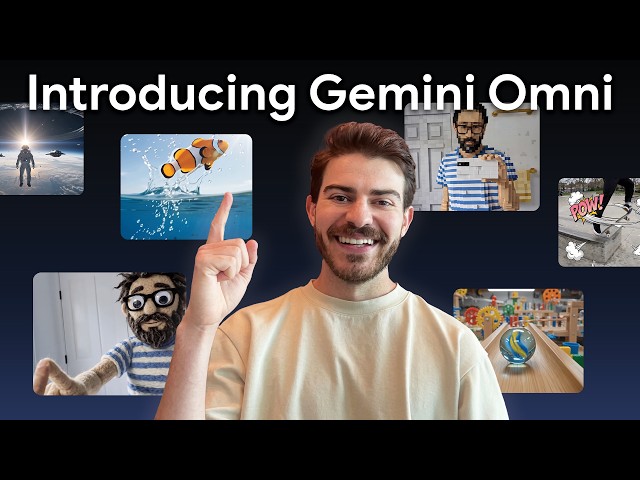
Google Gemini Omni is a groundbreaking, all-modality AI model that merges advanced text reasoning with multimedia creation. Officially launched at Google I/O 2026, Omni is designed to seamlessly blend text, images, audio, and video inputs to generate high-quality media.
Unlike traditional video editors, Omni operates as a unified multimodal engine that goes far beyond basic pattern matching, offering an intuitive, conversational approach to media generation and editing.
Key Features of Google Omni
- All-Modality Inputs: Create videos by blending any combination of text, images, video, or audio references into a single, cohesive output.
- Custom References & Styling: Start with what you have—use your own images of characters, scenes, or drawings to match your exact vision. Easily apply specific visual styles, motions, or effects using reference media or natural language.
- Conversational Video Editing: Modify video clips simply by typing or speaking natural language instructions, bypassing the need for complex timeline-based software.
- Real-World Physics Simulation: Features an intuitive understanding of gravity, kinetic energy, and fluid dynamics, ensuring generated motions and interactions look incredibly realistic.
- AI Avatars & Voice Cloning: Allows creators to generate lifelike digital video avatars of themselves, complete with a synthesized matching voice.
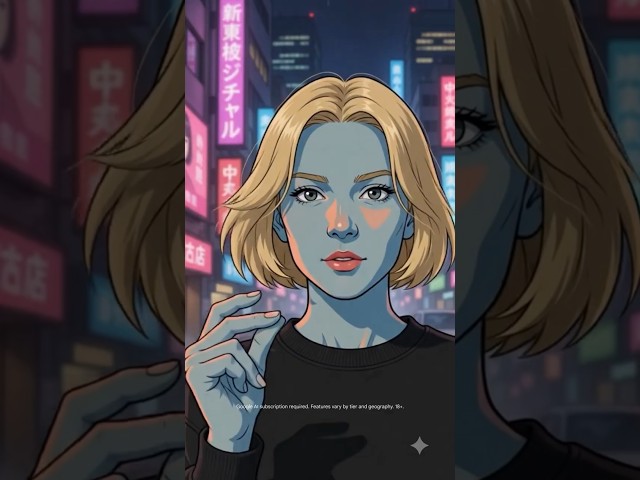
- Built-in Media Safety: Automatically embeds SynthID digital watermarks and utilizes C2PA Content Credentials to ensure transparency and combat deepfakes.
Comparison with Other Gemini Family
The Gemini ecosystem has grown into a versatile suite of tools, each with distinct specializations. Here is how Omni stands out from its siblings:
| Feature | Google OmniNew | Nano Banana | Veo |
|---|---|---|---|
| Modality Focus | All-modality (Text, Image, Audio, Video) | Detailed image creation & editing | Cinematic video with audio |
| Core Specialization | Multimedia creativity & real-world physics | Realism & style control for images | High-quality video generation |
| Editing Experience | Conversational, step-by-step video editing | Natural-language image edits | Standard video generation |
Hands-On: Stress Testing Google Omni
Currently, Gemini Omni is available to Google AI Plus, Pro, and Ultra subscribers directly via the Gemini app and Google Flow. Instead of just reading about its capabilities, we decided to put it through a rigorous hands-on stress test.
How to Use Google Omni in the Gemini App


We designed a series of pure visual challenges to see if Omni truly understands real-world physics, spatial reasoning, and continuous conversational context without relying on complex timeline-based video editing software. Here are the five tests we ran and the exact prompts we used:
Test 1: Physics & Fluid Dynamics
To see if Omni genuinely understands real-world physics like gravity and fluid mechanics—rather than just blending stock animations—we tested it with a complex slow-motion water splash scenario.
A slow-motion close-up of an ice cube dropping into a clear glass full of water. Show the dynamic splash, the fluid mechanics of the water overflowing the rim, and ensure the light refraction through the water and glass looks hyper-realistic.
Result:
The overall lighting, perspective, and fluid dynamics are quite realistic. However, the volume of overflowing water can sometimes be exaggerated, the water droplets and bubbles lack fine detail, and the ice cube fails to float back to the surface.
Test 2: Multi-Modality Blending & Dynamic Generation
Can Omni turn a basic 2D sketch into a high-quality 3D animation? This test evaluates how well the model extrapolates details and maintains character consistency during complex physical movements.
Input Material:

Transform this 2D character sketch into a highly detailed 3D cinematic model. Make the character perform a smooth hip-hop dance routine in a neon-lit Cyberpunk alleyway, ensuring the neon lights reflect accurately on the character's clothing.
Result:
The process of converting a 2D sketch into a 3D model is truly amazing. The figure also reflects the neon lighting very well. The only drawback is that the boxes and background are not always consistent.
Test 3: Conversational Video Editing
The true power of an AI video engine lies in its ability to remember context. In this test, we challenge Omni to perform consecutive, precise edits without breaking the original scene.
Input Material:
Replace the coffee cup in the person’s hand with a glowing sci-fi cube while keeping their natural grip intact, then transform the background street into a snowy winter night while preserving the person’s exact outfit, movement, and the glowing cube.
Result:
In this test, the consistency of the character’s facial features, clothing, expressions, and even the movement of the hair was excellent. The model also generated different hand-gripping positions naturally based on the object being held, which demonstrates strong reasoning and understanding capabilities.
Test 4: Lighting Logic & Spatial Reasoning
We want to see if the model actually understands 3D space. This extreme stress test focuses on dynamic mirror reflections, environmental light, and realistic shadow casting.
A highly polished, reflective chrome sphere rolling across a black-and-white checkered floor toward a giant floor-to-ceiling mirror. Show the environment reflecting on the sphere's surface, accurate dynamic shadows on the floor, and the correct perspective reflection in the mirror.
Result:
In this test, the video demonstrated remarkably accurate spatial awareness and highly detailed mirror reflection logic, resulting in a very realistic and refined output.
Google Omni Alternative for Beginner
If you’re looking for an accessible and budget-friendly way to dive into AI media creation, MyEdit is a fantastic choice. It’s an all-in-one online AI tool designed for creating high-quality images, audio, and videos without the need for complex software.
Image to Video
Bring your static photos to life effortlessly. MyEdit's Image to Video tool allows you to animate any image, making it a standout feature for scaling your visual storytelling without any complex video editing skills.
Image to Video Template
Accelerate your content creation with pre-designed motion presets. These templates allow you to instantly apply trending camera movements, fun distortions, or cinematic effects to your uploaded photos in seconds.
Character Motion Swap
Animate your unique characters using real-world movements. This robust tool maps complex physical actions from a reference video directly onto your static image, ensuring character consistency while delivering dynamic results.
Text to Video
Turn simple text prompts into dynamic video content in minutes. Perfect for rapid brainstorming and storytelling, this tool completely automates time-consuming creation tasks so you can focus on your biggest creative ideas.
FAQs about Google Omni
Gemini Omni has a tiered rollout schedule. It is available immediately to Google AI Plus, Pro, and Ultra subscribers globally via the Gemini app and Google Flow. General users will also see it rolling out at no cost within YouTube Shorts and the YouTube Create app.
To combat misinformation and deepfakes, all video content generated or edited by Omni automatically embeds SynthID, an imperceptible digital watermark developed by Google DeepMind. It also utilizes C2PA Content Credentials so users can easily verify AI-generated media across the web.
Yes. While the Gemini Omni model family is launching with video creation as its starting point, Google has confirmed that it will expand to support direct image and audio generation in the future, fulfilling its promise to "create anything from any input".
The best and most accessible alternative for beginners is MyEdit. While Google Omni is tailored for advanced multimodal generation, MyEdit offers a highly intuitive, browser-based platform equipped with powerful features like Image to Video, Text to Video, and Character Motion Swap, allowing creators to generate high-quality AI videos in minutes without a steep learning curve.
As industry experts in generative AI, the CyberLink AI Research Team has spent over 5 years benchmarking and analyzing the rapidly evolving landscape of creative technology. The team conducts rigorous testing of emerging AI tools for content creation, delivering weekly insights and practical workflows that help millions of creators worldwide each year identify the most suitable AI solutions to enhance their productivity.
😜 Outside of their research, the team actively experiments with AI-driven video creation, builds content across social platforms, and explores new side projects, all with the long-term goal of achieving greater creative and financial freedom.


