How to Author Your Own CD/DVD Movie
|
|
||||||
Step 2: In the Authoring menu, you have to first select the video title you would like to work on using the Title selection box at the bottom of the Authoring Menu (see image below)
Step 3: Once you have selected your video title, you can select one of the 4 different adjustment settings for your selected title. |
||||||
|
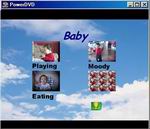 Most
CD/DVD movies come with Chapters and menus for easier access to
different sections of the movie. With PowerProducer, you can also
author your disc to make fancy Menus complete with background music,
themes, navigators and more. In this tutorial, we will demonstrate
how you can Author your very own CD/DVD movies with PowerProducer's
simple and straightforward Authoring features. Click the image on
the right to view a menu that was created using PowerProducer Authoring
functions. Here's how to start:
Most
CD/DVD movies come with Chapters and menus for easier access to
different sections of the movie. With PowerProducer, you can also
author your disc to make fancy Menus complete with background music,
themes, navigators and more. In this tutorial, we will demonstrate
how you can Author your very own CD/DVD movies with PowerProducer's
simple and straightforward Authoring features. Click the image on
the right to view a menu that was created using PowerProducer Authoring
functions. Here's how to start: Step
1: First you will want to import your video files and/or
photo slideshows. From the Preview Mode, you can personalize your
movie disc by clicking on the Authoring menu.
Step
1: First you will want to import your video files and/or
photo slideshows. From the Preview Mode, you can personalize your
movie disc by clicking on the Authoring menu. 


