



The Best Foundation Matching App to Find Your Perfect Shade

How many times have you ordered foundation or gone to the store to buy some, only to find it doesn’t match your skin? You end up stuck using an imperfect shade or wasting time and money searching for one that looks right. And you start losing hope that you’ll find a shade that matches your complexion.
A foundation matching app takes the mess out of matching your foundation to your skin. We will introduce you a super useful app that lets you try new shades virtually to avoid the frustration of an endless search. Learn how to choose the best foundation shade now!

- The Best Foundation Matching App to Try on Shades
- How to Find Your Foundation Match
- 3 Tips on Finding the Perfect Foundation Color Match
- Perfect Your Look with AI Makeup Tools
- FAQs About Foundation Finder App
The Best Foundation Matching App to Try on Shades
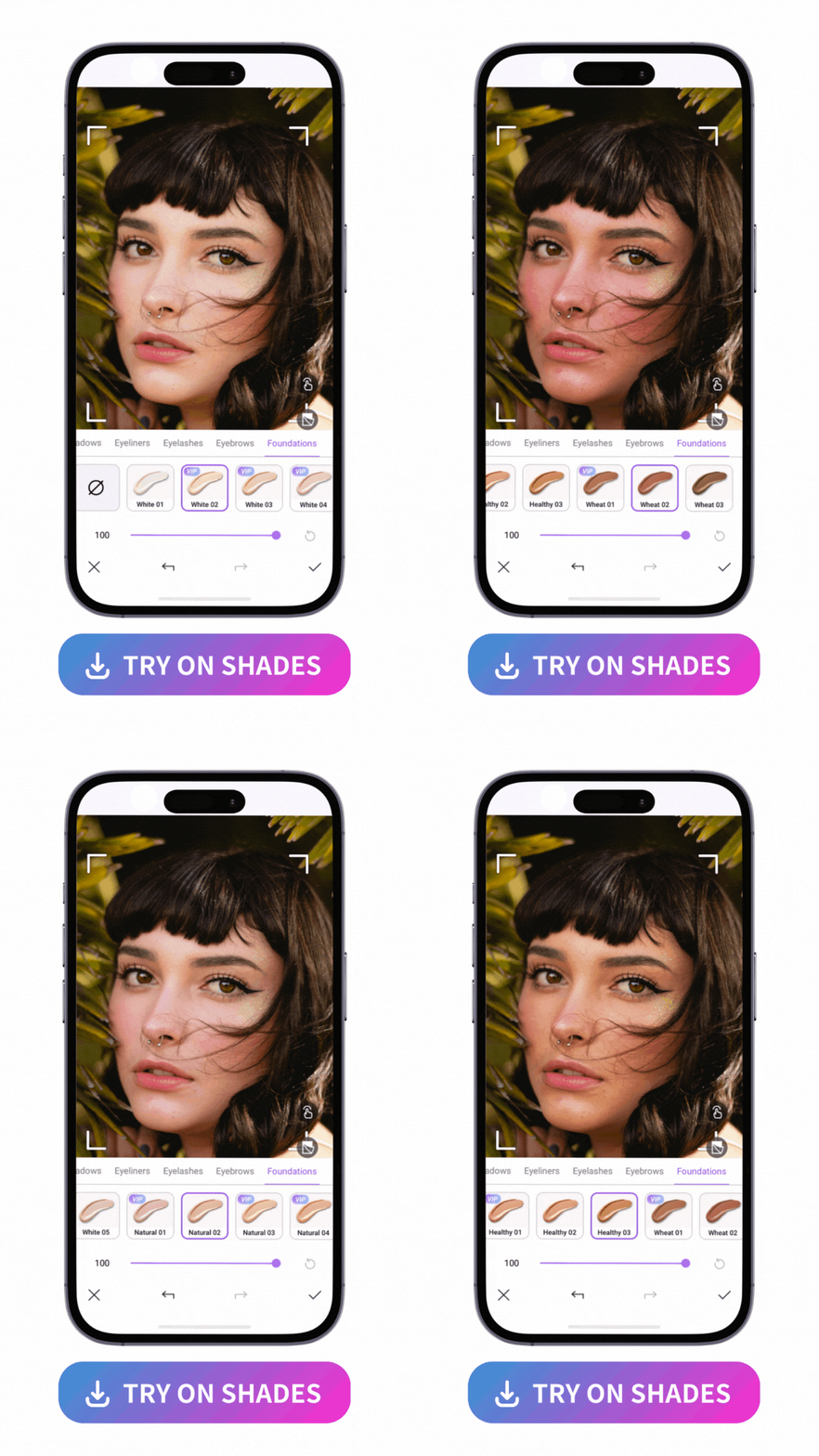
PhotoDirector is a free beauty app available on iOS and Android devices that lets you touch up your photos and videos with smart editing tools. It automatically detects your facial features and body, so you can make seamless, natural-looking edits. And with 15 different foundation shades, you can find one that blends with your skin.
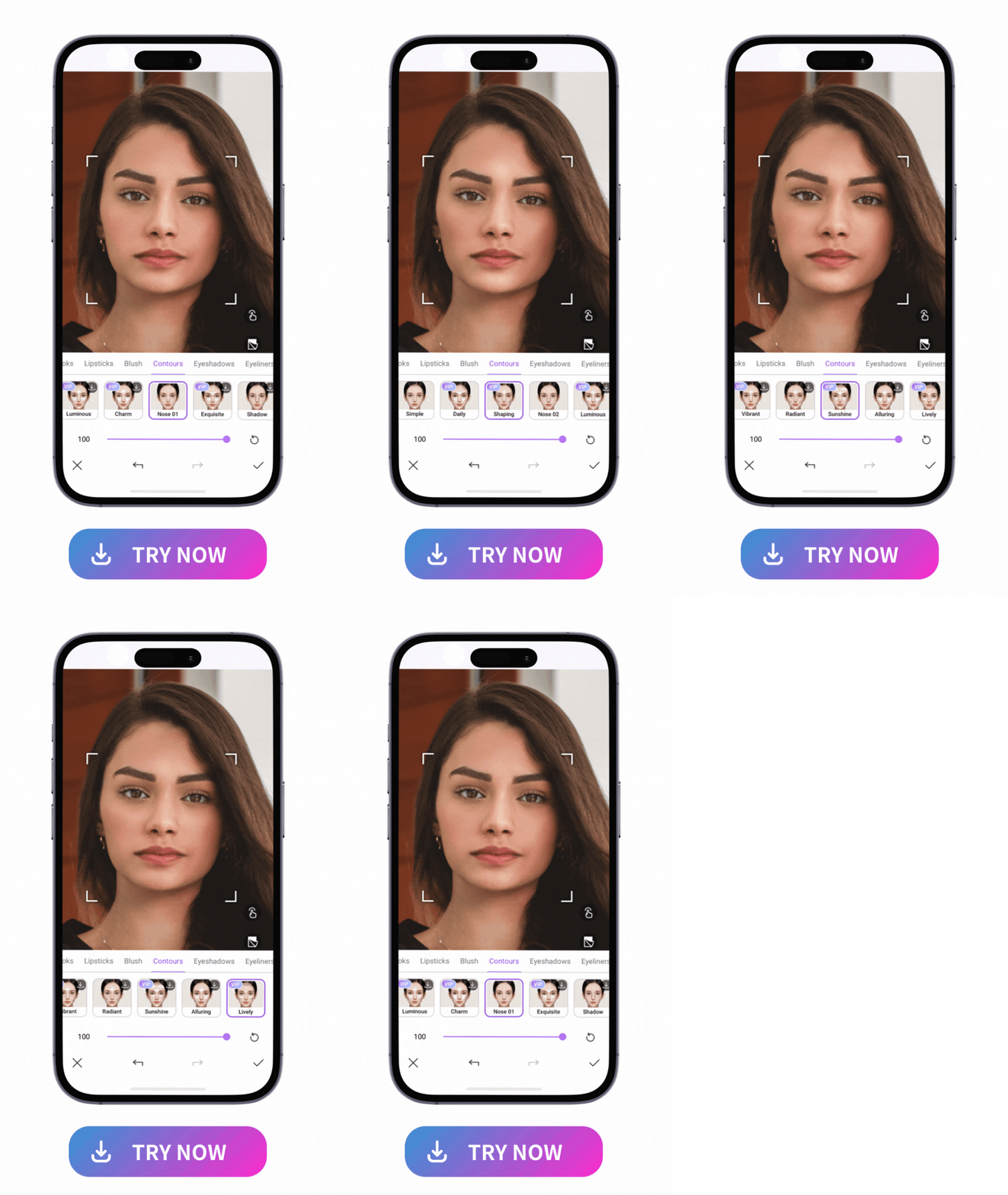
Along with all its foundation options, PhotoDirector has contour patterns to accentuate your cheekbones, sculpt your jaw, and draw attention to your beautiful complexion. You can try 16 contour styles and find the one that highlights the angles of your face that you want people to notice.

PhotoDirector is the ultimate AI photo editing app designed to elevate your selfies and portraits. With the Makeup feature, you can enhance your natural glow while exploring the ideal foundation shade tailored to your skin tone. Whether you're experimenting with makeup styles or simply curious about what works best for you, PhotoDirector makes the process effortless and fun.
Beyond shade-matching, the app offers a full suite of photo editing tools, including skin smoothing, blemish removal, and vibrant filters to perfect every shot. Experience the art of self-expression with PhotoDirector for beauty, creativity, and flawless edits now!
How to Find Your Foundation Match
With the new innovations and technology, we can now try on foundation shades completely virtually without having to bear the risk of getting the wrong shade. Read on to learn how to do it easily and discover your perfect match!
- Download and open PhotoDirector
- Select "Makeup" tool and upload a photo
- Tap “Foundation” and Try on Shades Virtually
- Adjust the Color Match
- Save the Edit

PhotoDirector is available on App Store and Google Play, where you can download it for free and access all its makeup tools. Explore everything from foundation to contour patterns to full makeup palettes.
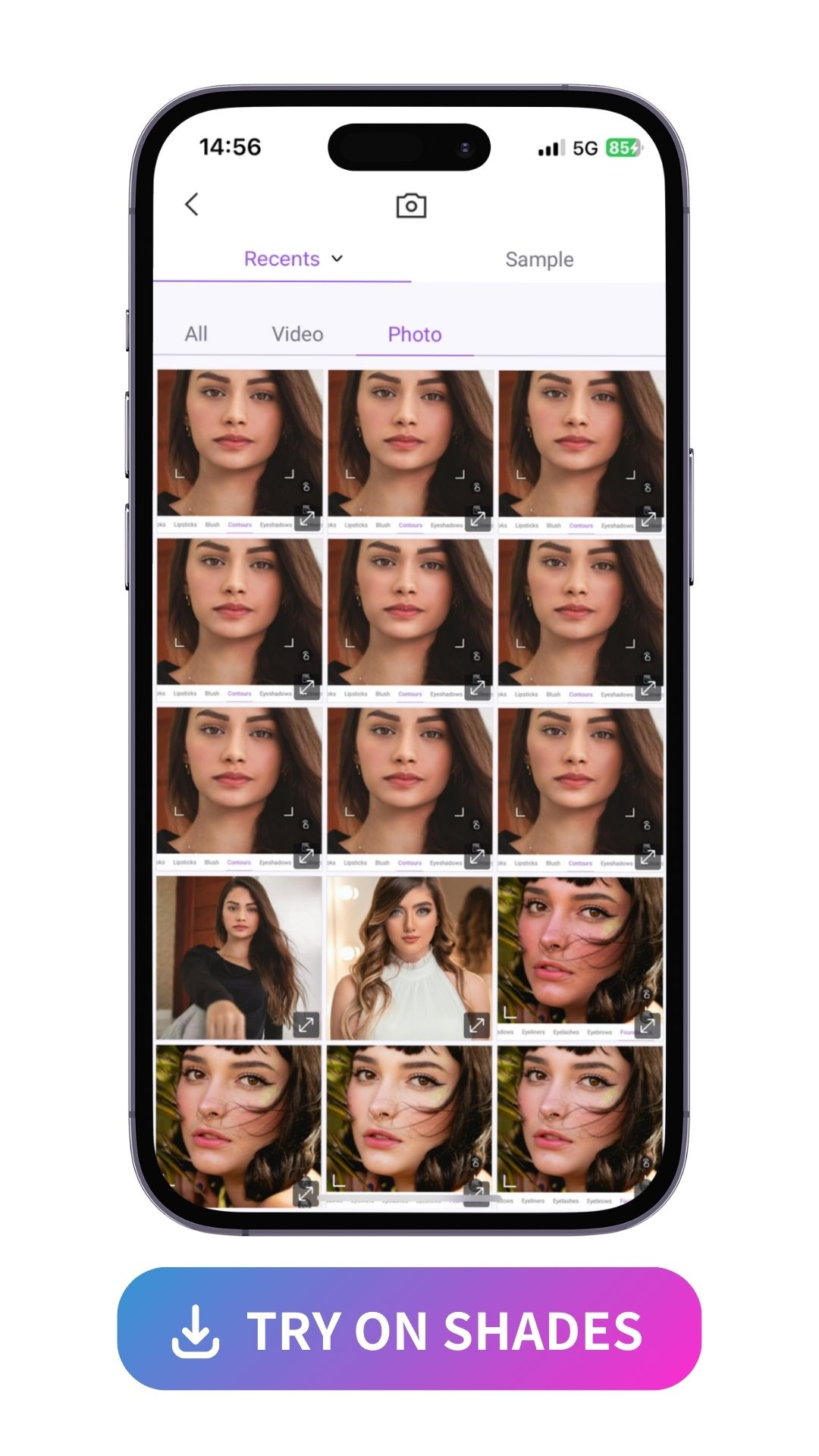
You’ll need a photo of your face, so PhotoDirector can apply your makeup accurately. To get the best look, choose a portrait photo with a clear shot of your face in natural lighting. In other words, use an outdoor photo or a picture of yourself by a window, as long as there’s no harsh sunlight. You should also make sure you’re not wearing any hats or face coverings to give the app a better look at your face.
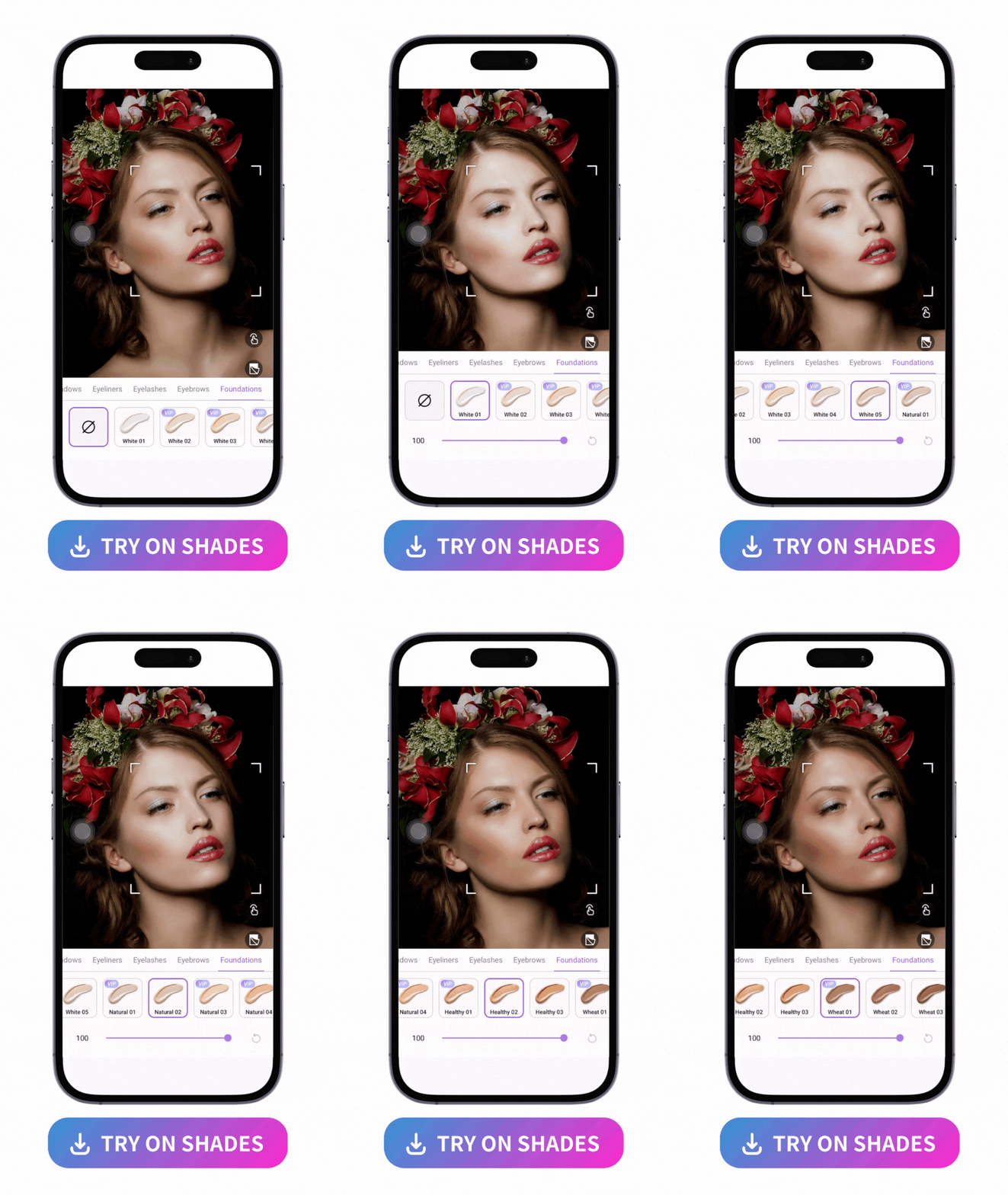
In the Foundation section, you’ll find 15 different shades of foundation. Tap the one you want to try it on, and PhotoDirector will apply it for you. With so many shades available, you can try slightly different ones to make sure you get a true match for your skin tone.
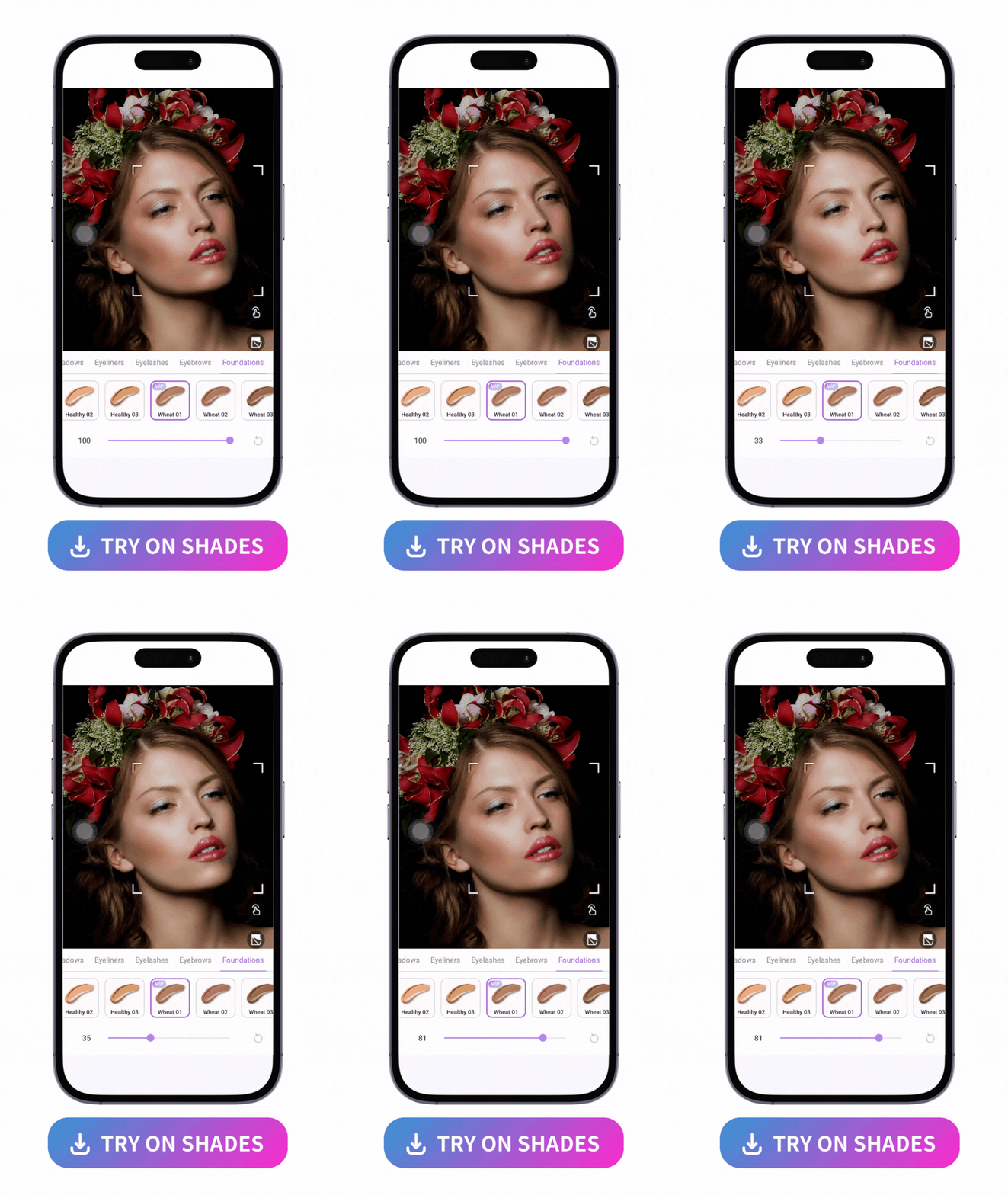
Once you’ve applied the closest possible foundation shade, you can adjust it even further for a seamless blend. Use the slider to change the intensity of your foundation until it has the amount of coverage and the specific shade you want.
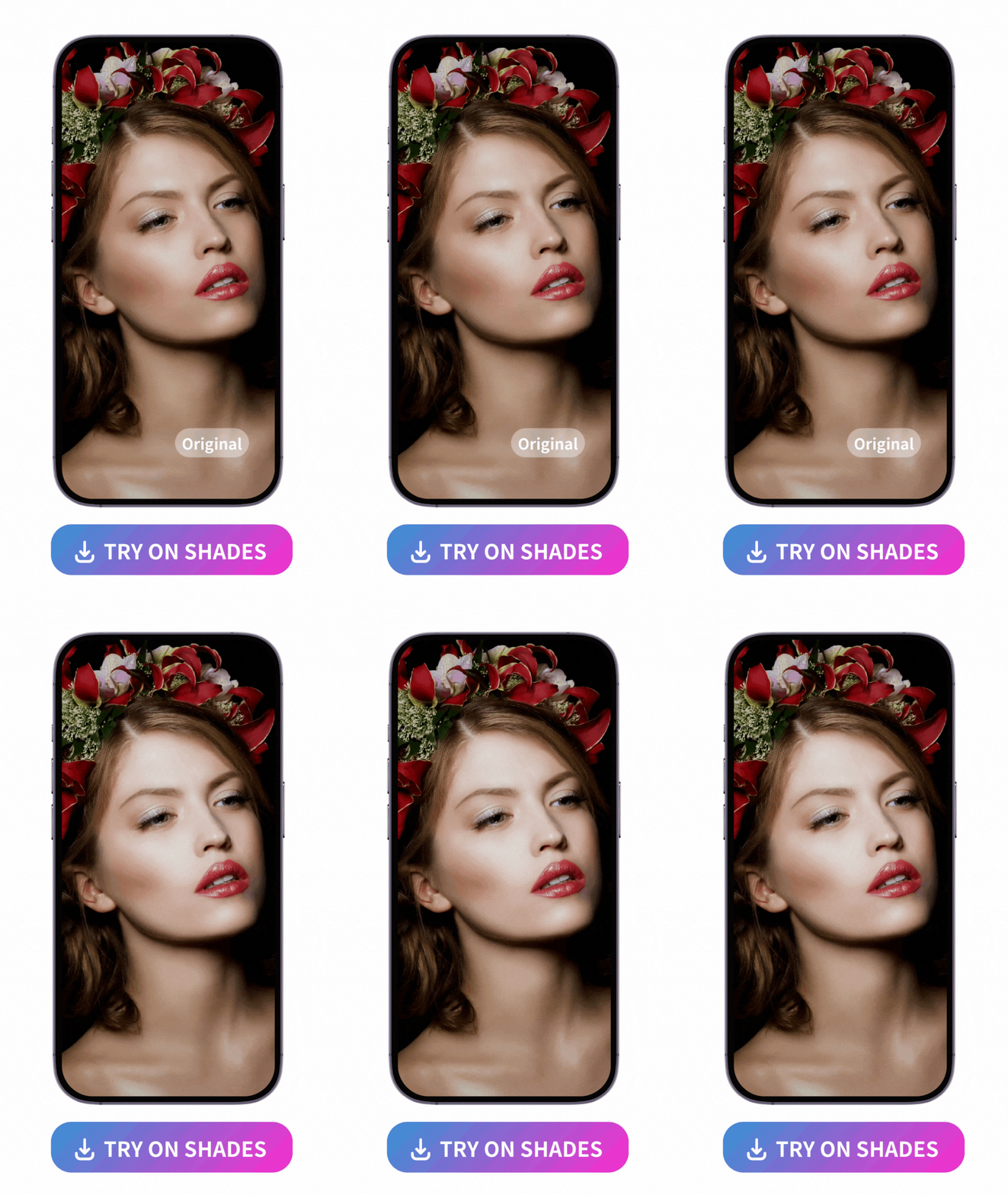
Now that you’re done, tap the save button to download your foundation shade. You can save it as a reference for when you pick out your foundation in real life, so you can skip trying on tons of makeup.
You don’t have to stop trying on makeup here, either! Use PhotoDirector to test different contour patterns or explore its other makeup tools.
3 Tips on Finding the Perfect Foundation Color Match
Whether you’re trying on foundation shades in brick-and-mortar stores or with a beauty app virtually, it helps to know what you need from your makeup. Here are a few things to remember that will help you find your ideal shade faster.
- Know Your Skin Tone & Undertone
- Test in Natural Light
- Update with the Seasons
The amount of melanin in your skin will clue you into your skin tone. It’s the surface color of your skin, and in basic terms, you probably have a light, fair, medium, or dark skin tone. The undertone adds some depth to your complexion with cool, warm, or neutral accents. Knowing your skin tone and undertone helps you choose a foundation that won’t clash with your actual skin.
Artificial lighting can create extra shadows, glare, and other issues that don’t show you how your foundation really looks. Natural lighting gives you a closer, more accurate idea of how well your foundation matches your skin tone.
Your skin tone can change from one season to the next, especially if you spend a lot of time in the sun when it’s warmer. You might have a darker skin tone in the summer than in the winter, for example, and that means you need to switch your foundation — and do another color match.
Don't want to go through the hassle of trying on foundations physically? Try the free app with ease now!
Perfect Your Look with AI Makeup Tools
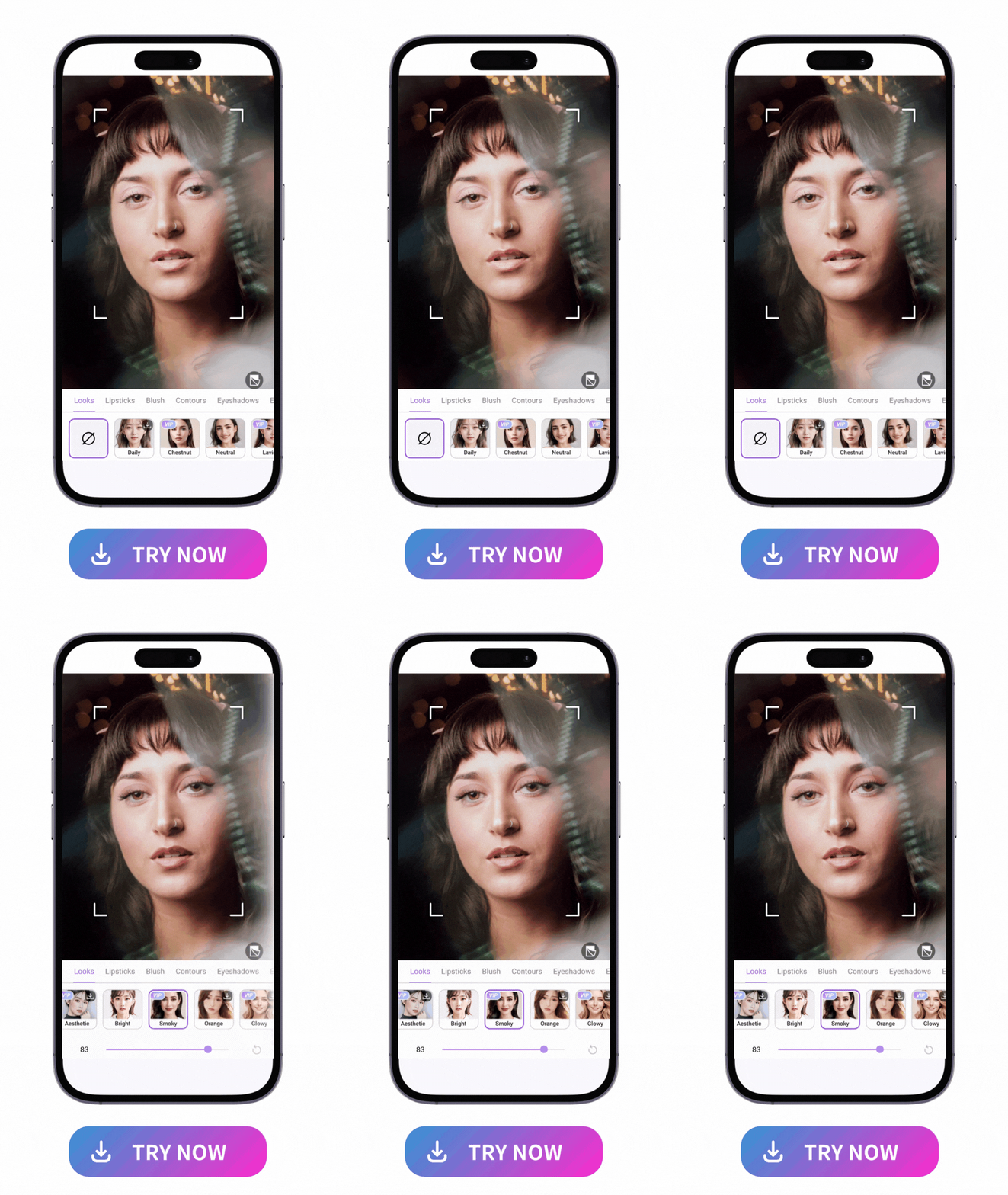
Along with foundations and contours, PhotoDirector comes with plenty of other features to help you create your own custom makeup looks. You can try complete, preset makeup styles, as well as individual makeup tools, like lipsticks, blushes, eyeshadow, mascara, and more. PhotoDirector also lets you refine and reshape your face and body with its slimming and retouch tools.
- Makeup Looks
- Lipsticks
- Blushes
- Eye Makeup
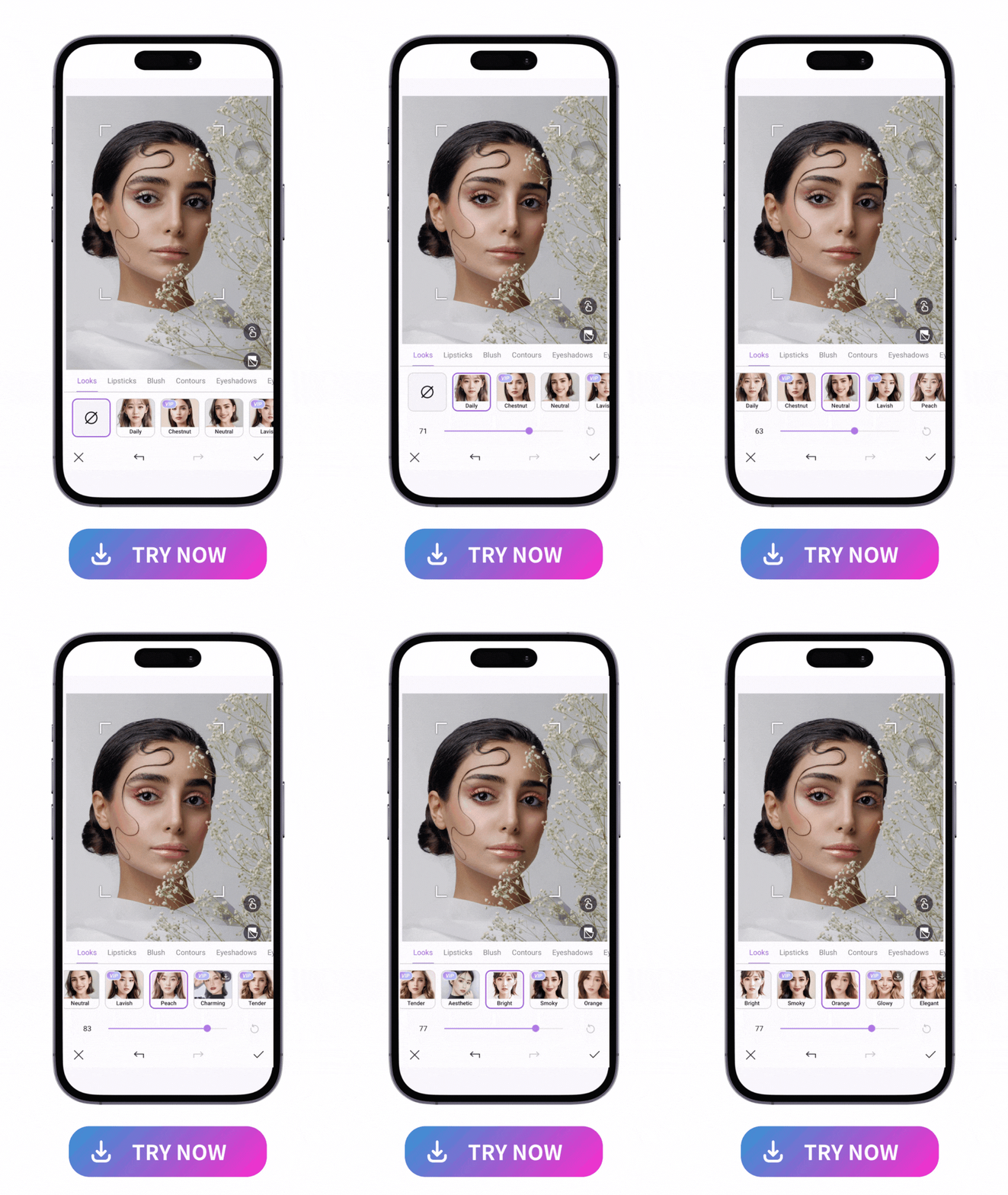
PhotoDirector has 20 makeup looks that work for any occasion. From natural, everyday styles to glam looks for your next party, the Looks category lets you discover a new signature style when you’re bored of your old one.
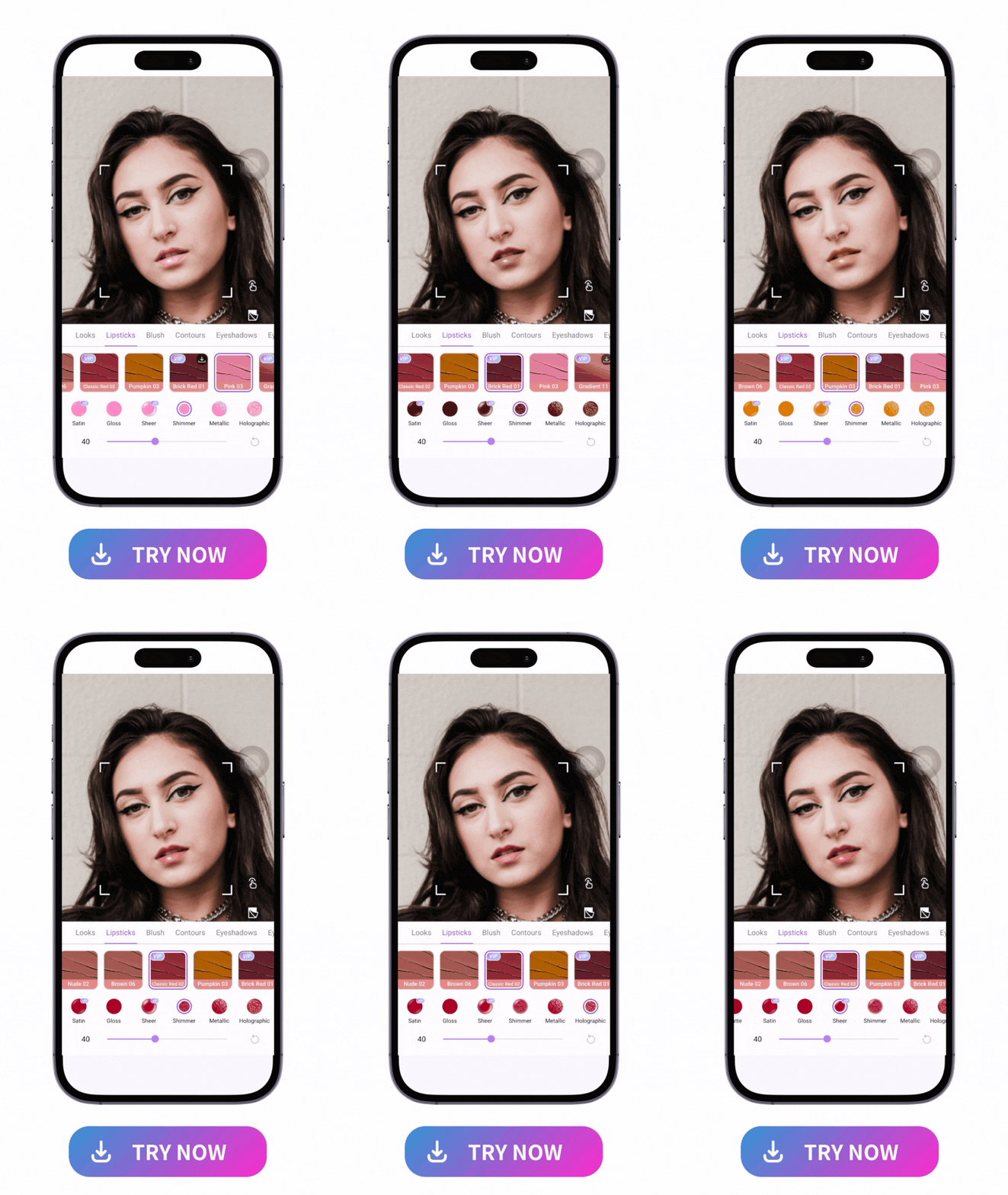
With over 40 lipstick colors, you can find the right shade to complete your makeup look. Match it to your eyeshadow or wardrobe, or complement your skin tone with every shade from classic red to deep, bold hues. Explore 7 textures, including glossy and matte, to set the tone for your style.
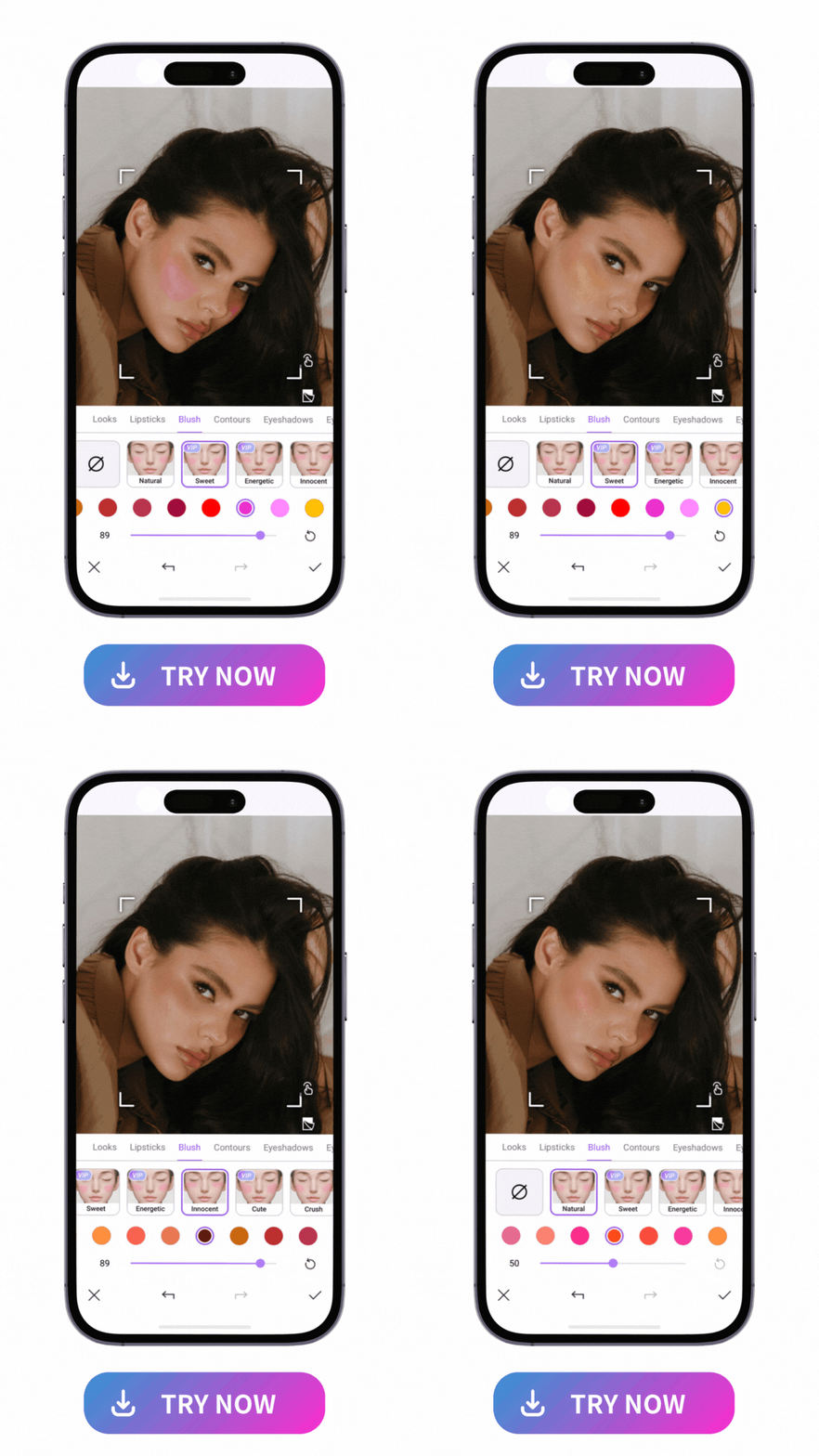
Add some life to your makeup with PhotoDirector’s blush collection. Give yourself a dusting of pink across your cheekbones or try a more dramatic look that you can adjust until it creates the perfect rosy complexion.
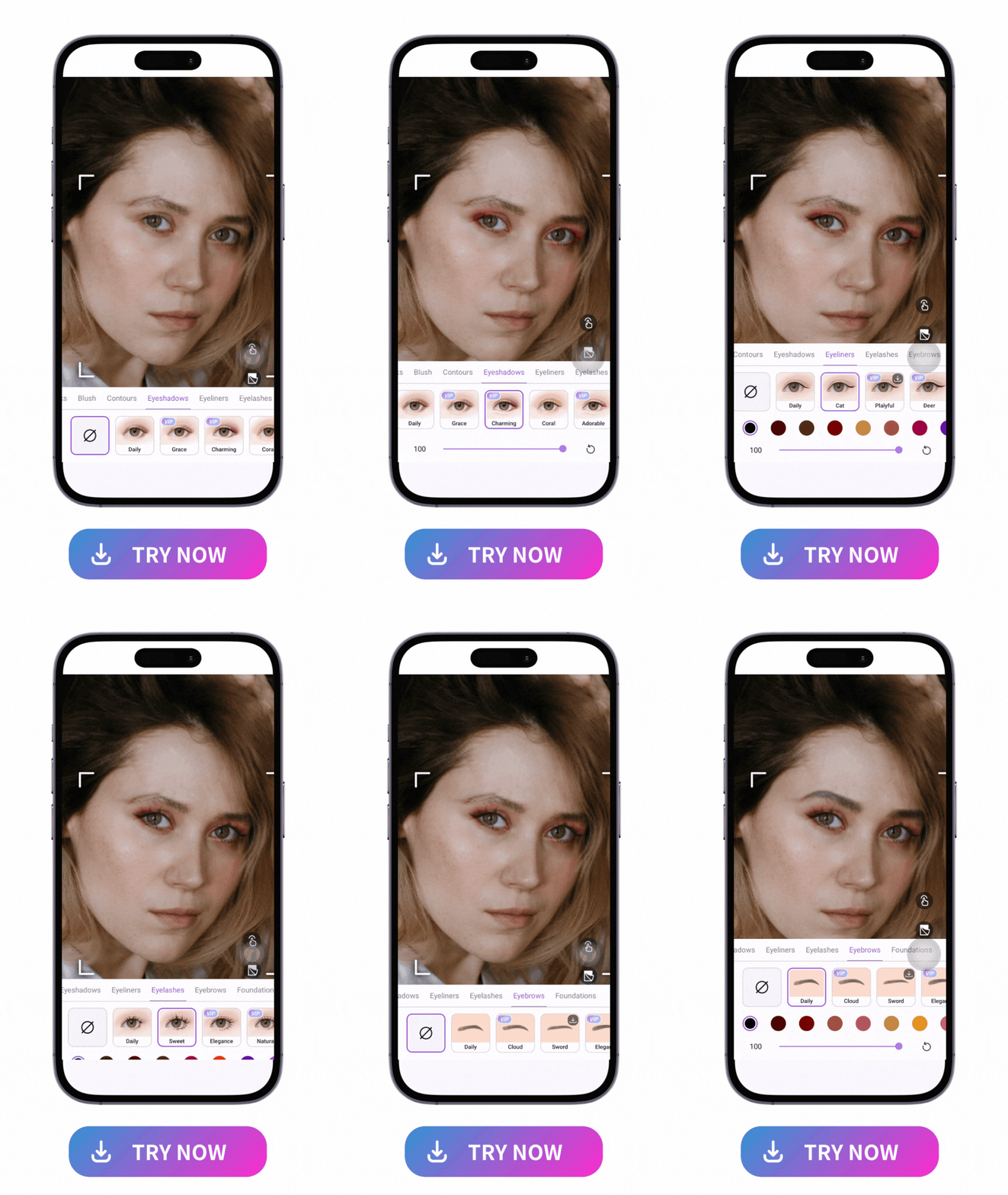
With 30 eyeshadow colors, including everything from bright blues to neutral browns, you can customize your eye makeup using any of PhotoDirector’s palettes. Try on 12 different eyeliner styles and create your own smoky eye, or complete the perfect cat eyes with 13 eyelash colors and 60 styles. And don’t forget to frame your face with its eyebrow-shaping tool, where you can explore 13 colors and 12 shapes.
FAQs About Foundation Finder App
PhotoDirector is the perfect foundation-matching app, whether you’re using foundation for the first time or changing your shade for the season. Its complete makeup features let you try on foundation, contour, and more virtually, making it easy and mess-free. The app is free to download for iOS and Android, and anyone can use it — even beginners!
PhotoDirector is the easiest way to try on foundation, and it has 15 shades for all skin tones. You can even adjust your foundation coverage to make sure you get the right shade for your skin. Download the app to discover yours!
PhotoDirector's foundation tool gives you plenty of options to try when you follow these steps:
- Download PhotoDirector and go to Makeup.
- Upload a portrait photo of yourself.
- Tap Foundation and choose the shades you want to apply.
- Use the slider to adjust the color and coverage.
- Save your foundation.
With PhotoDirector, all it takes is a photo of yourself to try on foundation colors virtually without any hassle. To get the best match, use a photo taken with natural lighting that shows your face clearly. Avoid wearing hats, sunglasses, and other face coverings to get the most precise and matching shade for your skin.
Yes! You can download PhotoDirector for free and try all its Makeup and Retouch features for free. If you want unlimited resources for photo editing or to download your photo without a watermark, there is also a premium version to enjoy the app without limitations.

The Cyberlink Editorial Team creates in-depth articles on video editing, multimedia innovation, and AI-powered creative tools. Our mission is to provide practical, easy-to-follow tutorials across video and photo editing, while showcasing AI features, product insights, and industry trends that empower creators around the world.


