



AI French Kiss Generator: Turn Your Photos Into Romantic Kiss Videos

Ever wondered what it would look like if a photo could kiss?
With AI French Kiss generators, you can now turn static portraits into intimate, romantic animations—no video editing skills needed.
In this guide, we’ll show you how to transform a still photo into a sweet or playful AI French Kiss video in just a few simple steps.

- How to Create an AI French Kiss Video
- Why Create AI French Kiss Videos?
- Best Use Cases for AI French Kiss Videos
- FAQ – AI French Kiss
How to Create an AI French Kiss Video
Create an AI French Kiss Video Online
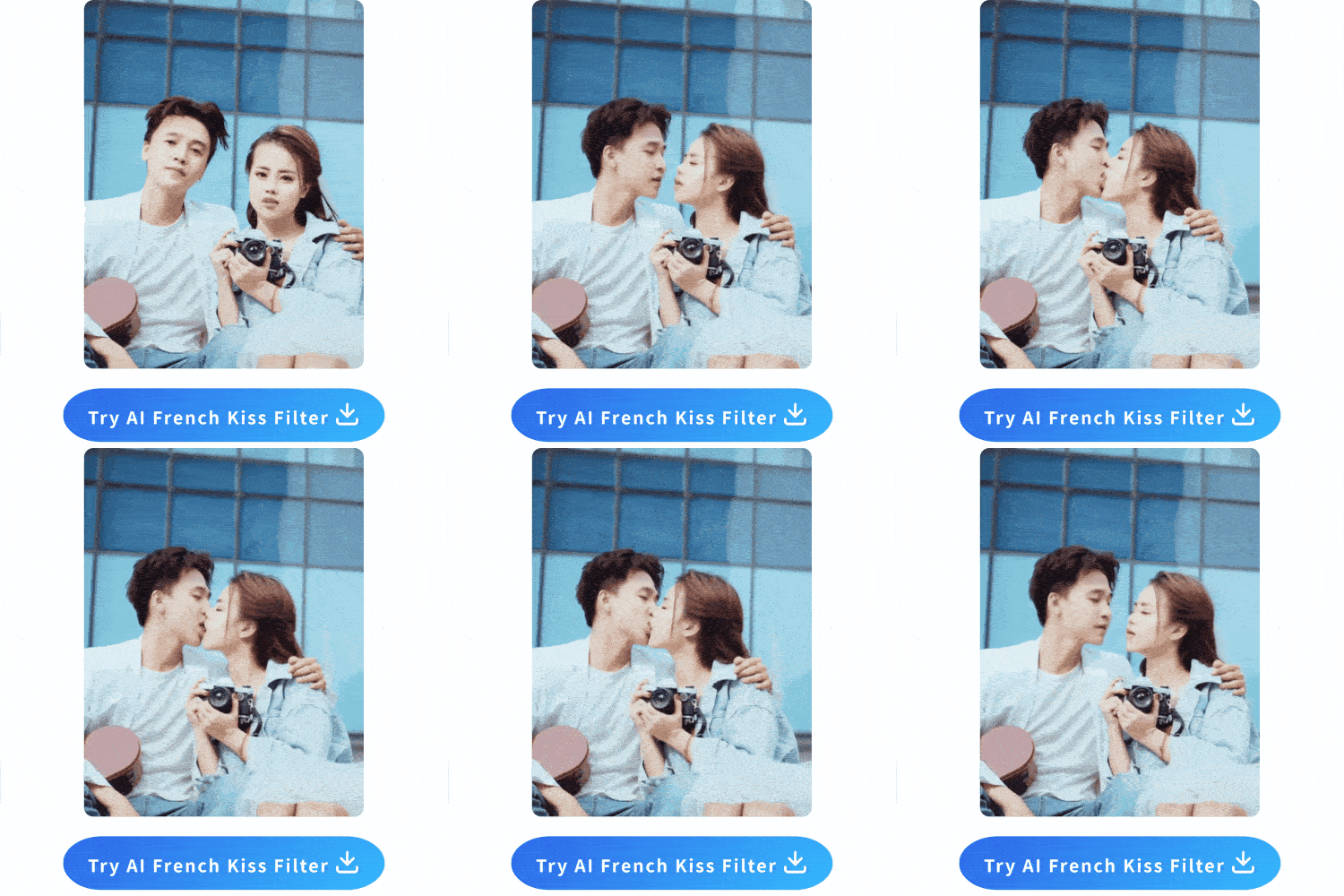
MyEdit now offers a brand-new “French Kiss” template in its Image-to-Video tool, allowing you to instantly transform one or two photos into a beautifully animated romantic video. Whether you're capturing a tender couple's moment or simulating a kiss between two separate portraits, the process is quick, easy, and requires no editing experience.
- Visit MyEdit Website – Open your browser and go to the MyEdit homepage. Choose the Image to Video template tool.
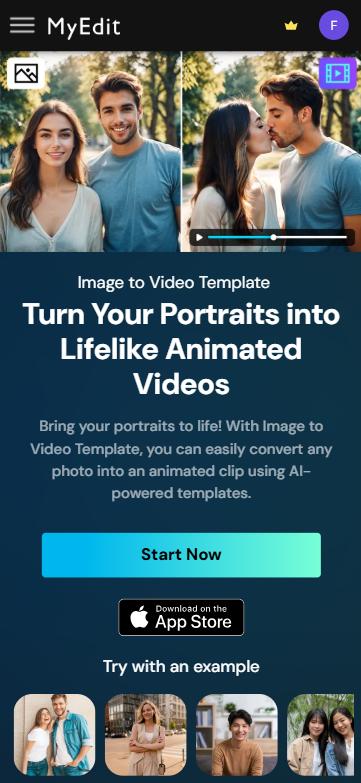
- Upload Your Image(s) – Click “Import a photo” to upload your image(s). You can either use a single photo featuring both people or two separate images of each person. Then, select the image ratio and choose the video duration.
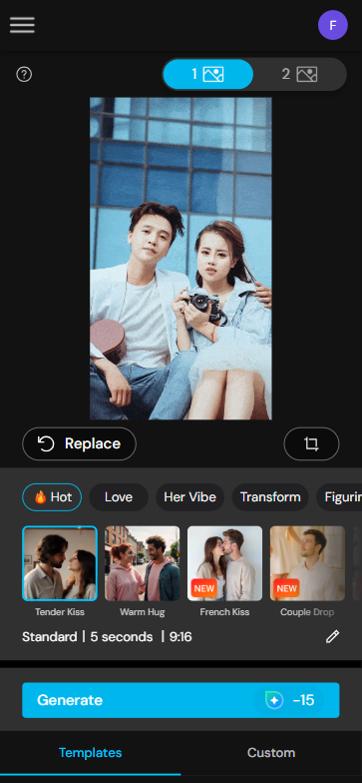
- Choose the "French Kiss" template – Browse the available templates and select “French Kiss” to apply a soft, romantic animation.
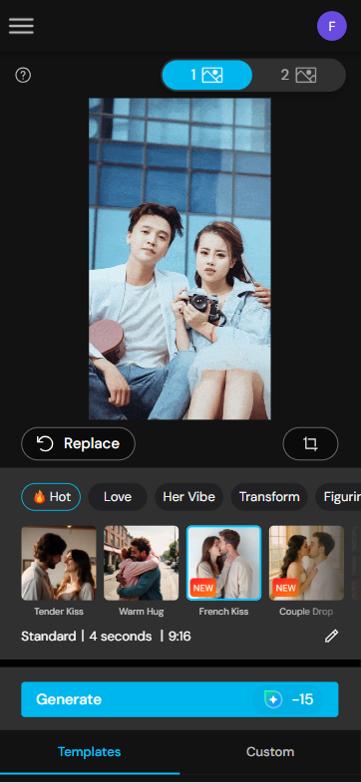
- Generate and Download – Click “Generate” and wait a few moments while the AI processes your video. Once it's ready, preview the result to ensure you're happy with it, then download your AI French Kiss video directly to your device.


Create an AI French Kiss Video on Mobile
You can also create a charming AI French Kiss video directly from your smartphone. We recommend using the PhotoDirector app, a powerful mobile editor that offers various photo animation templates including the romantic "French Kiss" effect to bring your images to life.
- Download PhotoDirector App on Your Device – PhotoDirector is free to download on both Android and iOS devices. Search for it on the App Store or Google Play.
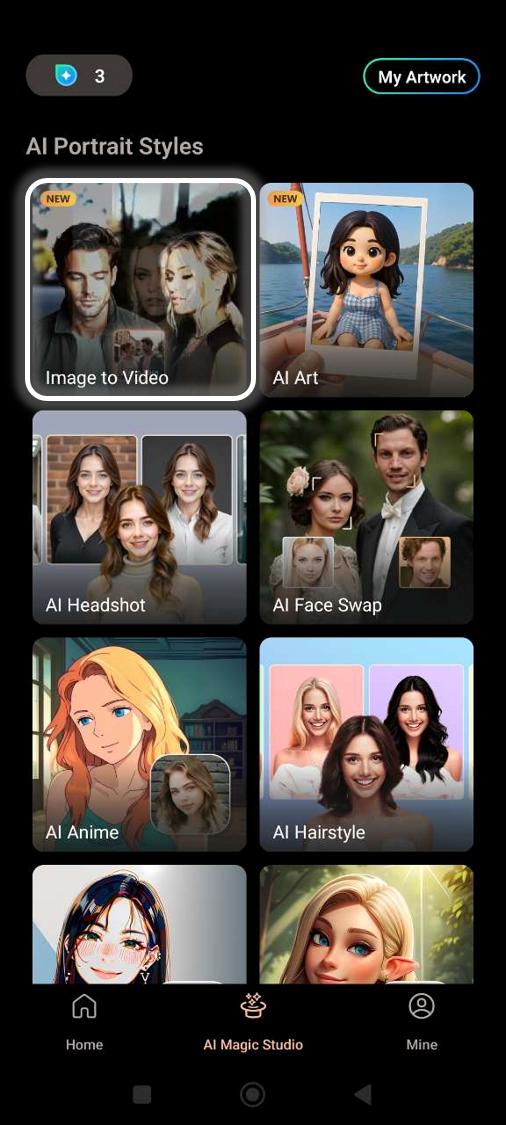
- Open the AI Magic Studio – Once launched, navigate to the “AI Magic Studio” from the main menu. This is where you'll find all the latest generative AI tools. Tap on Image to Video to get started.
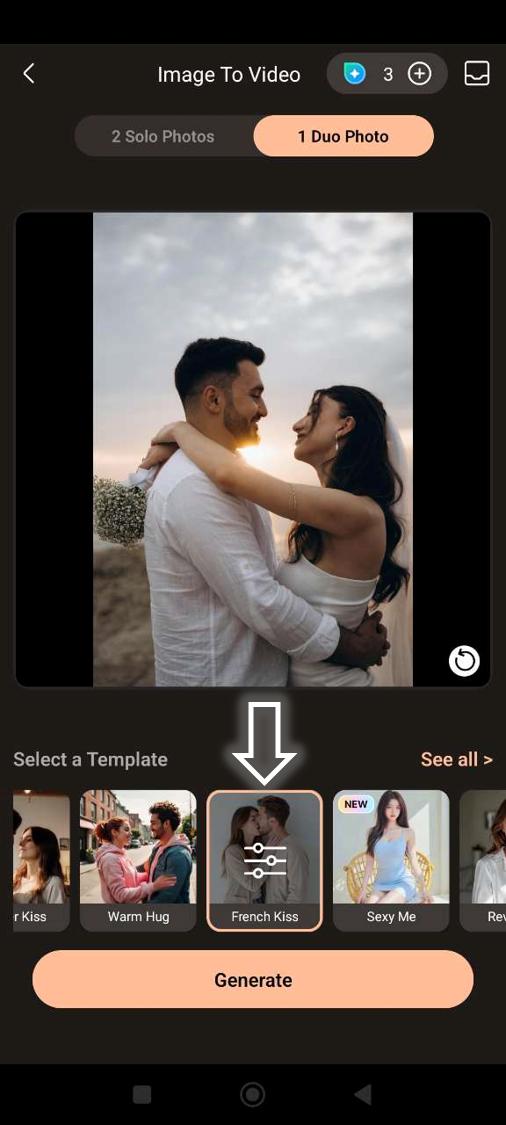
- Upload Your Picture and Choose "French Kiss" – Choose a photo from your phone’s gallery. Then, apply the “French Kiss” animation template to generate a romantic, lifelike video.
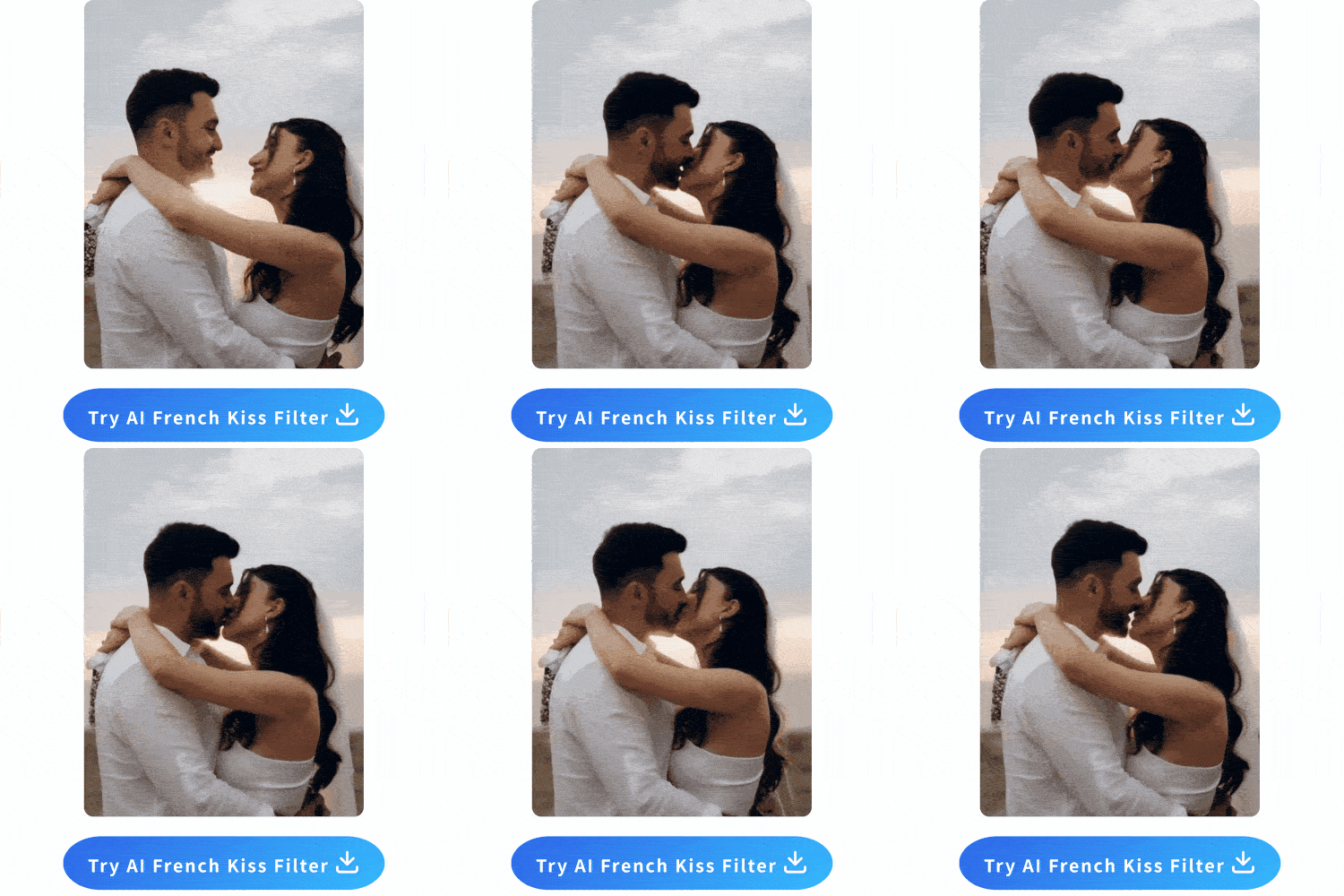
- Download and Share – After a short processing time, your video will be ready. Download it to your device and share it with someone special to spread a little love.


Why Create AI French Kiss Videos?
Unlike flashy dance animations, AI French Kiss videos focus on intimacy, emotion, and subtlety. They’re not just funny or viral—they’re tender, expressive, and personal.
Think of it as a digital love letter: AI French Kiss generators can breathe life into a simple couple’s photo, adding romantic movement that captures affection in a way a still image never could. Whether you're commemorating a special anniversary, sending a message, or creating an emotional short for social media, these tools offer a unique new form of visual storytelling.
When to Use It:
- To personalize anniversary or Valentine's Day content
- As a creative idea for couples, long-distance partners, or even wedding slideshows
- For artists and influencers creating mood-driven reels or storytelling posts
Best Use Cases for AI French Kiss Videos
AI French Kiss videos aren’t just fun—they’re surprisingly versatile. Whether you’re sharing a romantic message, spicing up your social media feed, or experimenting with creative photo edits, these animations offer a unique way to express affection and connection.
Here are some of the best ways to use AI French Kiss videos:
- 📬 1. Romantic Surprises for Your Partner
- 💖 2. Valentine’s Day or Anniversary Posts
- 📱 3. Social Media Content with a Personal Touch
- 🌍 4. Long-Distance Relationship Keepsakes
- 🎉 5. Wedding or Engagement Slideshows
Send your significant other a personalized kiss animation made from your favorite photo together. It's perfect for anniversaries, long-distance relationships, or just as a spontaneous show of love.
Want to stand out on Valentine’s Day? Instead of the usual couple selfie, post an animated French Kiss video that brings the romance to life. It adds emotional depth to your post and grabs attention.
Create unique reels or stories for Instagram, TikTok, or Facebook using AI French Kiss videos. These emotionally driven clips often perform better than generic content—especially with a romantic music track added.
When physical affection isn't possible, AI kiss videos can offer a small but meaningful sense of closeness. They're easy to create and make heartfelt digital keepsakes for couples separated by distance.
Add a playful, loving twist to your wedding or engagement presentation with animated kiss clips. These short videos can be embedded between photo slides for extra emotional impact.
FAQ – AI French Kiss
An AI French Kiss video is a short animated clip generated from a photo using artificial intelligence. The tool applies subtle romantic motion—such as head tilts and kissing gestures—to create a lifelike kissing scene from one or two static images.
You can use most portraits or couple photos, but for best results, use high-quality images where the faces are clearly visible and close together. The more natural the pose, the more realistic the kiss animation will look.
Top tools include MyEdit for browser-based editing and the PhotoDirector app for mobile users. Both offer a “French Kiss” template in their image-to-video feature, making it quick and easy to create your animation.
Not at all. AI French Kiss tools are designed for beginners. Simply upload your photo, choose the animation style, and let the AI do the rest—no technical skills required.

The CyberLink Editorial Team is composed of product testing specialists and content creation experts with over 20 years of hands-on experience and rigorous research in the multimedia editing industry. As the official voice of CyberLink, the team consistently delivers practical, easy-to-follow tutorials across video, photo, and audio editing, while highlighting AI innovations, product insights, and emerging industry trends. Their work empowers millions of creators worldwide each year to elevate their content. Beyond the blog, the team actively shares editing tips and product updates across YouTube, Facebook, Linkedin and Pinterest.
😎 Outside of their work, they enjoy capturing travel moments and meticulously editing photos and videos for their social channels.


