



Fairy AI – Create Magical Portraits and Fantasy Videos of Yourself

Have you ever imagined what you’d look like as a shimmering fairy straight out of a magical forest? Thanks to powerful AI technology, you can now create enchanting fairy-inspired photos or videos in just seconds using nothing more than a selfie. AI fairy generators are the latest trend on platforms like TikTok and Instagram, letting anyone transform into a sparkling woodland sprite or an ethereal Tinkerbell lookalike with just a few clicks.
In this guide, we’ll walk you through why these fairy filters are gaining popularity, how to use MyEdit’s Fairy AI tools to bring your fantasy to life, and how to create your own mystical look using a fairy photo filter or animated video template.

- Why Use a Fairy AI Generator?
- How to Make an AI Fairy Video with MyEdit
- Create a Magical Fairy Portrait with Face Reference
- Creative Ways to Use Your AI Fairy Creations
- FAQ – Fairy AI
Why Use a Fairy AI Generator?
AI Fairy generators blend fantasy and technology to deliver a magical transformation in seconds. Here's why users are enchanted by them:
- ✨ Magical makeovers: See yourself with sparkling wings, glowing eyes, and otherworldly features—all done by AI.
- 📱 Viral-ready visuals: Perfect for Reels, TikToks, or profile photos that stand out and tell a story.
- 🎨 Zero effort needed: No need for makeup, costumes, or Photoshop. The fairy filter does the work for you.
- 📸 Great for fantasy fans: Whether you love folklore, fantasy aesthetics, or just a bit of sparkle, these tools deliver.
- 🧚 Plenty of style choices: From nature fairies and fire sprites to anime fairies and glowing AI Tinkerbell looks, the options are endless.
How to Make an AI Fairy Video with MyEdit
Want to animate your fairy transformation? MyEdit's video templates allow you to turn your photo into a mesmerizing fairy clip. Here’s how to create your own:
- Launch MyEdit in your browser – Head over to the
Image to Video template tool to get started.
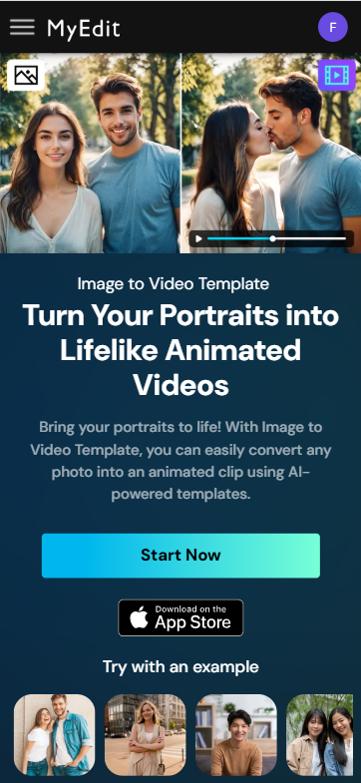
- Upload your photo – Choose a front-facing selfie with good lighting and no distractions in the background.
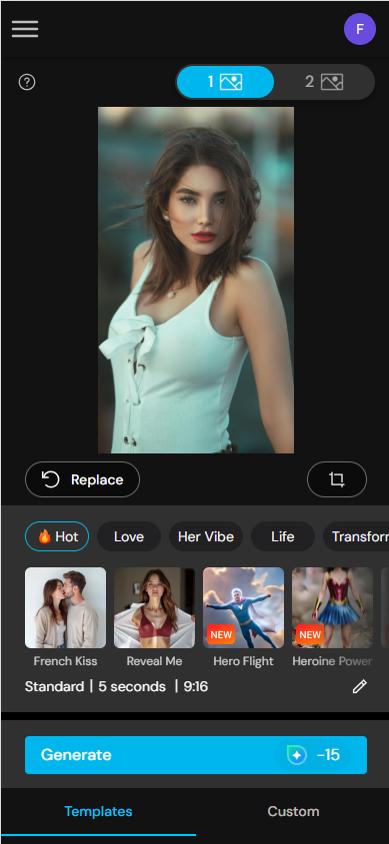
- Pick a fairy video theme – Select a fantasy-style animation that fits your desired aesthetic, whether it’s a glowing forest look or a sparkling sky-fairy vibe.
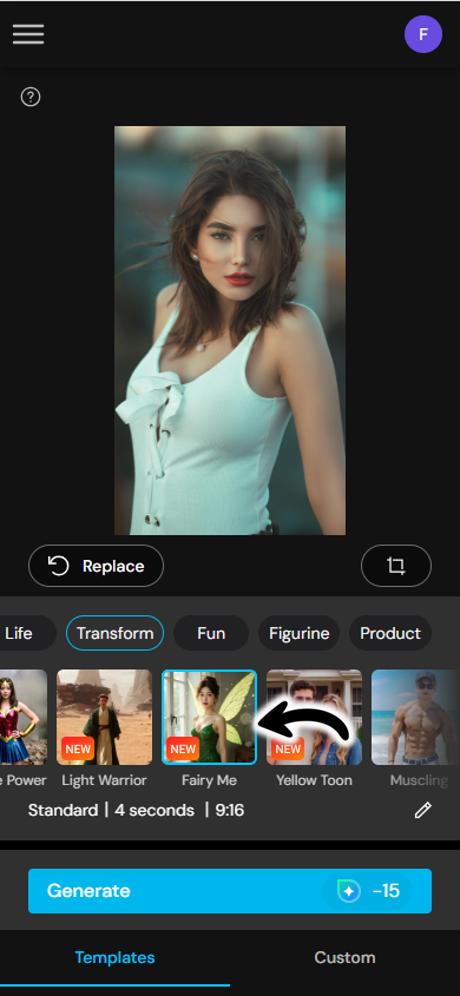
- Adjust your animation – Set how long the animation lasts, change the background scene, or apply glimmer effects to match your fairy mood.
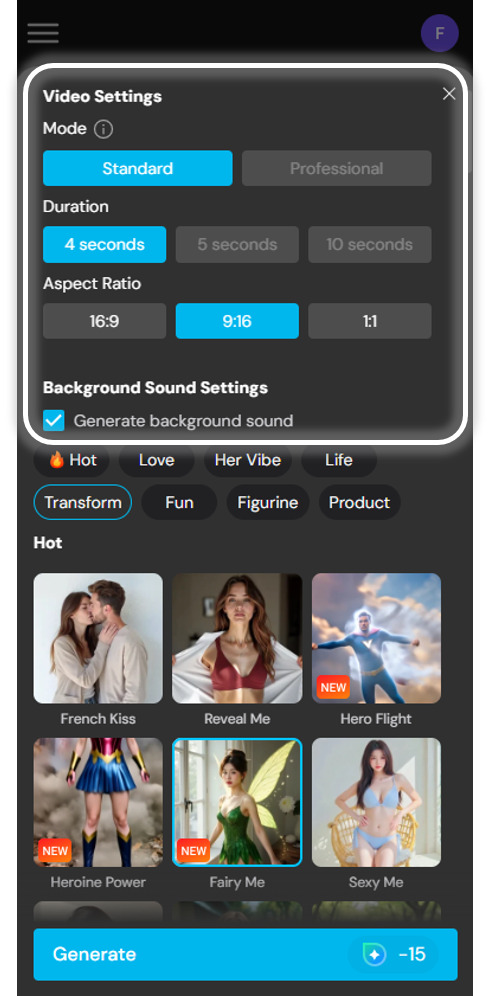
- Create and download – Click “Generate” and let Fairy AI work its magic. Once it's done, preview and download your video to share with friends!
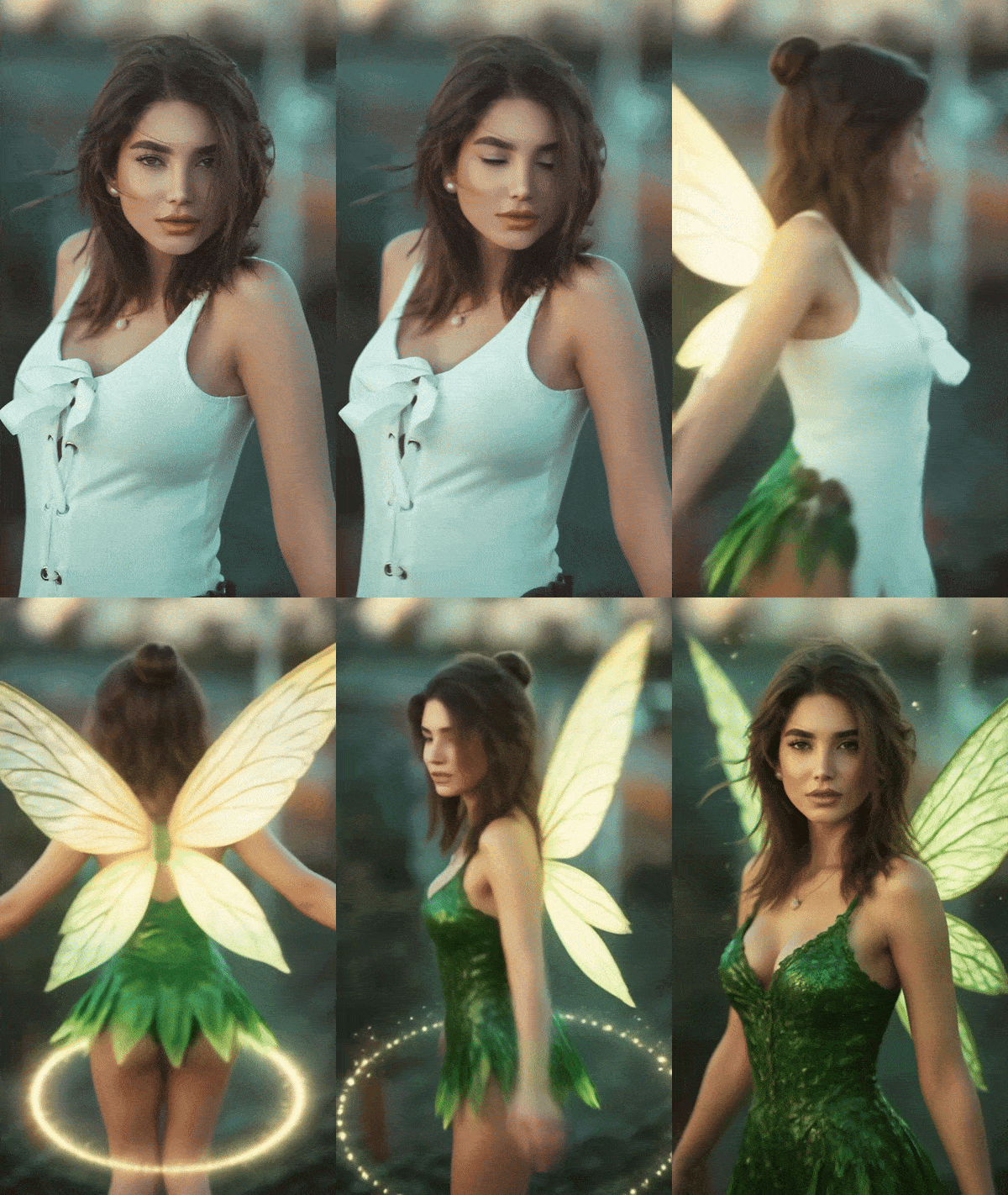


Create a Magical Fairy Portrait with Face Reference

If you want to create a still, high-quality fairy portrait instead of a video, MyEdit’s AI Image Generator is a perfect fit. Using the face reference option, the tool captures your facial features and blends them into a beautifully detailed fantasy-style portrait—complete with fairy wings, glowing effects, and enchanted backgrounds.
- Go to the AI Image Generator on MyEdit – Open your browser and launch the AI Image Generator.
- Upload a Clear Selfie Using Face Reference – Choose a well-lit, front-facing image. The tool will use your facial structure to generate a stylized fairy version of yourself. Be sure your face is clearly visible for the best results.
- Enter Your Prompt – Describe the type of AI Fairy you want to become. The more detailed your prompt, the better the result! For example: “golden-haired forest fairy with glowing wings and a green leaf dress” or “celestial fairy with silver hair, starry eyes, and a galaxy background.” Let your imagination guide the transformation.
- Generate & Download Your AI Fairy Portrait – Click “Generate” to let the AI work its magic. Within seconds, you'll see a beautifully reimagined version of yourself as a fantasy fairy. Save and share your magical new look on socials or use it as a profile avatar!
Creative Ways to Use Your AI Fairy Creations
Fairy AI content isn’t just fun—it can be functional and even meaningful. Here are some creative ways to use your fairy generator results:
- 👸 Fantasy profile pictures: Show off your mystical side on socials, gaming platforms, or chat apps.
- 🎁 Unique gifts: Turn a friend's selfie into an AI fairy portrait for birthdays or special surprises.
- 📬 Invites and greeting cards: Use your fairy transformation on digital event invitations or e-cards.
- 📸 Cosplay ideas: Use the fairy AI result as a visual reference for makeup, outfits, or fantasy roleplay.
- 🎧 Music visuals or cover art: Add a magical flair to personal projects or creative portfolios.
- 📚 Storytelling and character design: Use AI-generated fairy looks to visualize characters in fantasy writing.
Recommended Articles:
- Disney Filter: What Would I Look Like in Disney Animation?
FAQ – Fairy AI
A Fairy AI generator is an online tool that transforms your selfie into a fantasy fairy version of yourself using artificial intelligence. It applies magical effects like wings, glow, and fantasy-inspired filters to give your photo a mystical new look.
Choose a well-lit, front-facing selfie with a simple background. Avoid heavy shadows, sunglasses, or multiple faces in the image. This gives the AI a clean canvas to apply the fairy effects more accurately.
Yes! Some fairy generators allow full-body uploads and can add flowing fairy dresses, glowing scenery, and flying particle effects to the entire frame. Just make sure your body is clearly visible in the image.

The CyberLink Editorial Team is composed of product testing specialists and content creation experts with over 20 years of hands-on experience and rigorous research in the multimedia editing industry. As the official voice of CyberLink, the team consistently delivers practical, easy-to-follow tutorials across video, photo, and audio editing, while highlighting AI innovations, product insights, and emerging industry trends. Their work empowers millions of creators worldwide each year to elevate their content. Beyond the blog, the team actively shares editing tips and product updates across YouTube, Facebook, Linkedin and Pinterest.
😎 Outside of their work, they enjoy capturing travel moments and meticulously editing photos and videos for their social channels.


