




How to Make Pictures into a Video: Easy Mobile & Online Guide

Imagine your favorite photo suddenly coming to life — lips moving, eyes blinking, even showing a smile. With AI image-to-video tools, you can do exactly that.
People are already jumping on viral trends like AI kissing photos, old portraits brought to life, and selfies turned into animated clips.
Beyond the fun factor, animating your photos has real benefits: it makes slideshows more engaging, helps your social media content stand out, and gives your memories a fresh, shareable dimension.
And the best part? You don’t need any editing skills — just one photo is enough to create a short, captivating video.
- Turn Your Photos into a Video on Mobile
- Animate Your Photos into a Video Online
- FAQ About Creating Videos from Pictures
How to Make a Video from Photos on Your Phone (iPhone and Android)
Turn your photos into short, animated videos in just a few taps. Using the AI-powered Image to Video feature, you can bring still pictures to life and share them instantly on social media. Follow these simple steps to get started:
- Download and Install PhotoDirector – Get the free PhotoDirector app on your Android or iOS device.
- Open the Image to Video Feature – Launch the app and find this tool on the home screen.
- Upload Your Images – You can upload one photo of a single person, two separate photos of different people, or one image featuring both individuals.
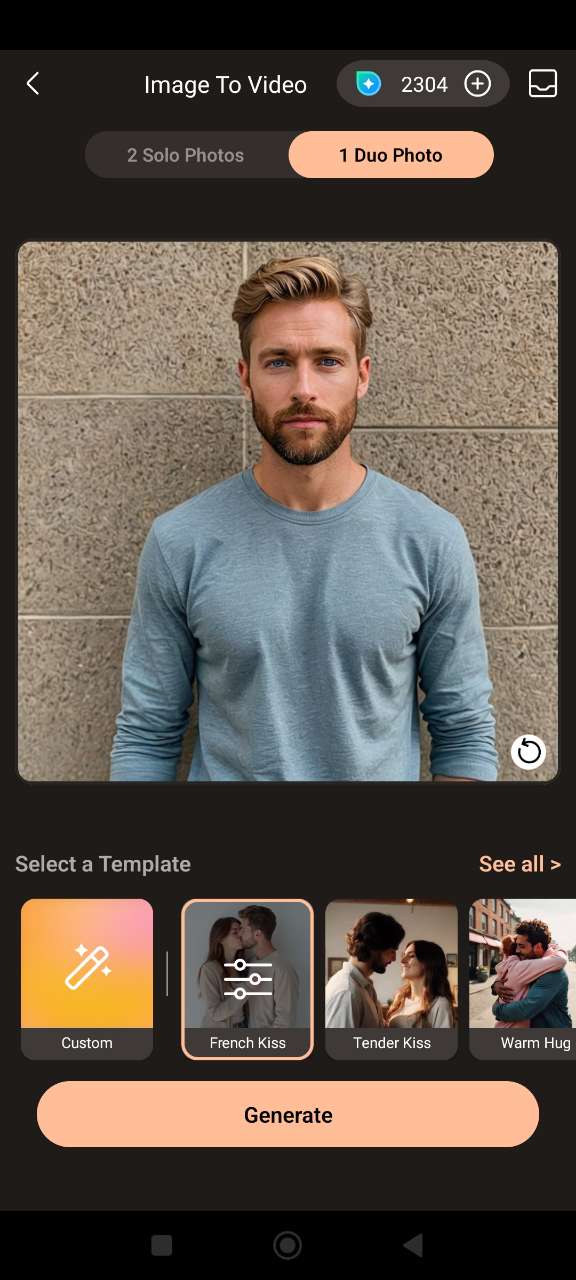
- Choose a Template – Browse through the available templates. Once ready, tap "Generate".
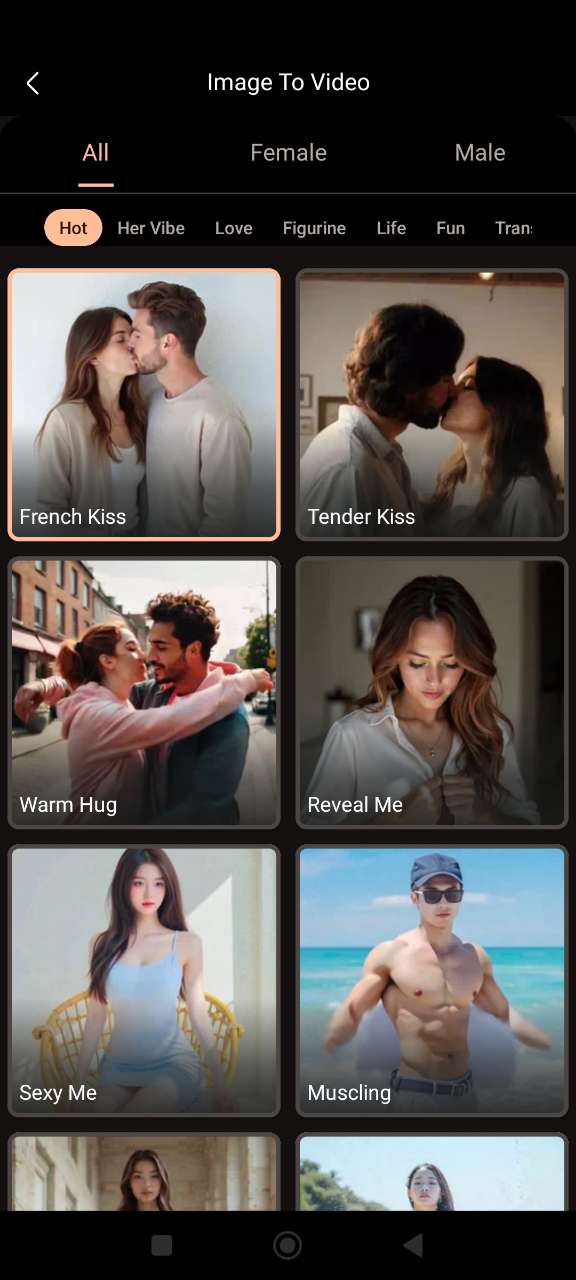
- Preview and Share – In just a few seconds, your AI-generated moving picture will be ready to preview and share on social media!




How to Turn Photos into a Video Online (No App Needed)
Animating your photos has never been easier. With MyEdit, you can create fun AI-powered videos directly in your browser—no downloads required. Bring your pictures to life with playful effects and share them instantly on social media. Follow these simple steps:
- Connect to MyEdit Website – Open your browser and access the tool online. No installation or app needed.
- Upload Your Photo – Choose an image of one person, two separate people, or a single photo featuring both individuals, then upload it.
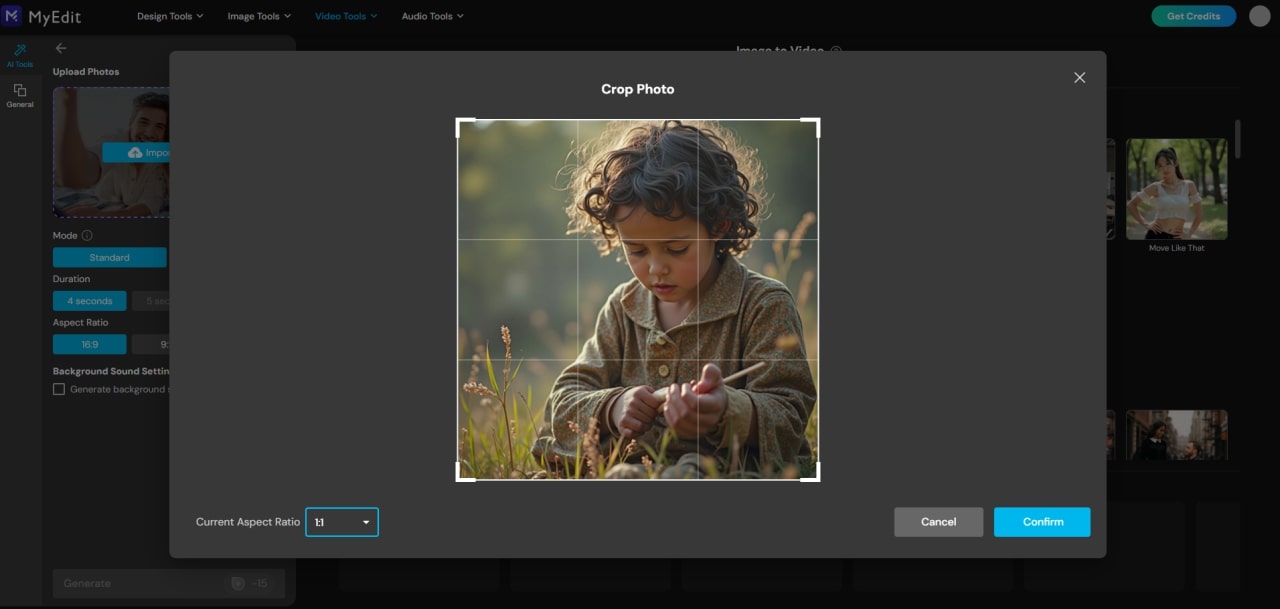
- Select an Animation Effect – Pick from fun effects like kissing, hugging, high-fiving, and many more.
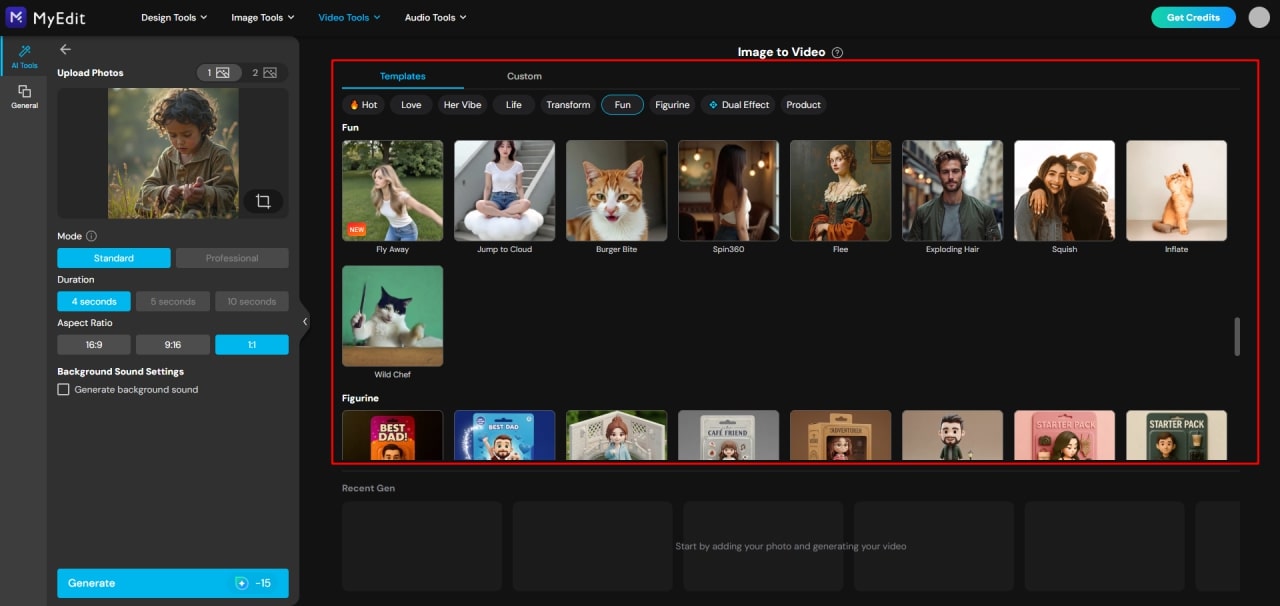
- Generate, Preview, and Share – Let the AI process your image, create a smooth animation, and once ready, preview, download, and share your moving picture instantly!


Related Articles:
- Best Free Tools to Turn Photo Into Video
- Top Apps that Make Pictures Move
- How to Create Your Own AI Kissing Video
FAQ About Creating Videos from Pictures
You can turn your photos into a video quickly using AI-powered tools like PhotoDirector (mobile) or MyEdit (online). Simply upload your images, choose a template or animation style, and generate your video.
- Use a free online tool like MyEdit—no app installation required.
- Upload one or more photos you want to animate.
- Select an effect such as blinking, smiling, or trending AI animations.
- Generate, preview, and download your animated clip.
AI image-to-video technology animates static images using machine learning. It can create facial movements, gestures, and interactions automatically. Popular tools include MyEdit and PhotoDirector’s Image to Video feature.
You can animate photos online using MyEdit or other browser-based AI tools. No installation is needed, and results can be downloaded instantly.
Yes! Apps like PhotoDirector allow you to apply cartoon or animated effects to your photos and create fun videos.
- Use apps like PhotoDirector or similar mobile video/photo apps.
- Upload your images and pick effects or templates.
- Generate your video in a few taps, then preview, download, or share it.
- Upload your photos to an AI tool or app.
- Arrange images if needed and select an animation style.
- Generate the video automatically and preview it.
- Download or share your finished video instantly.


