CyberLink Logo
PhotoDirector Mobile Icon
PhotoDirector Mobile
Learn MoreFree Download

How to Create TikTok & Instagram Photo Dumps [2025 Complete Guide]

Last Updated on Dec. 5, 2025 - by CyberLink Editorial Team

The photo dump trend has taken over social media, giving users a relaxed, authentic way to share life moments without the pressure of perfect curation. In this guide, we’ll break down exactly what a photo dump is, how to create an eye-catching Instagram dump, and the best apps and online tools to turn a simple batch of photos into a cohesive, scroll-stopping story.


What Is a Photo Dump?

A photo dump is a casual carousel post featuring a mix of photos and videos bundled together in one upload. Instead of perfectly edited or highly curated content, a photo dump embraces a more relaxed, authentic vibe.

Think of it as a mini digital scrapbook: a handful of moments from your week, the season, a trip, or a special event, shared in no particular order. The goal isn’t perfection—it’s to capture a story or mood in a spontaneous, genuine way.

This trend has become popular as users move away from the overly polished aesthetic and toward something more real, relatable, and effortlessly creative.


Where Should I Post My Photo Dump?

You can share a photo dump on both Instagram and TikTok, and each platform offers its own vibe and creative tools. Here’s how they differ:

Instagram Dumps

Instagram is the original home of the photo dump, and it’s still where the trend thrives. Today, the hashtag #photodump has millions of posts, proving just how popular this format has become.

Instagram supports up to 20 photos or videos in one carousel post, and each slide can resurface in your followers’ feeds multiple times — giving your dump more chances to be seen. Beyond the main feed, Instagram also lets you create casual photo-dump-style Stories using built-in Layout tools or simple edits in external apps for a more personal touch.

Whether it’s highlights from your recent life or random snaps that didn’t make the grid, Instagram is perfect for sharing relaxed, authentic moments.

TikTok Photo Dumps

TikTok Photo Dump
TikTok Photo Dump
TikTok Photo Dump

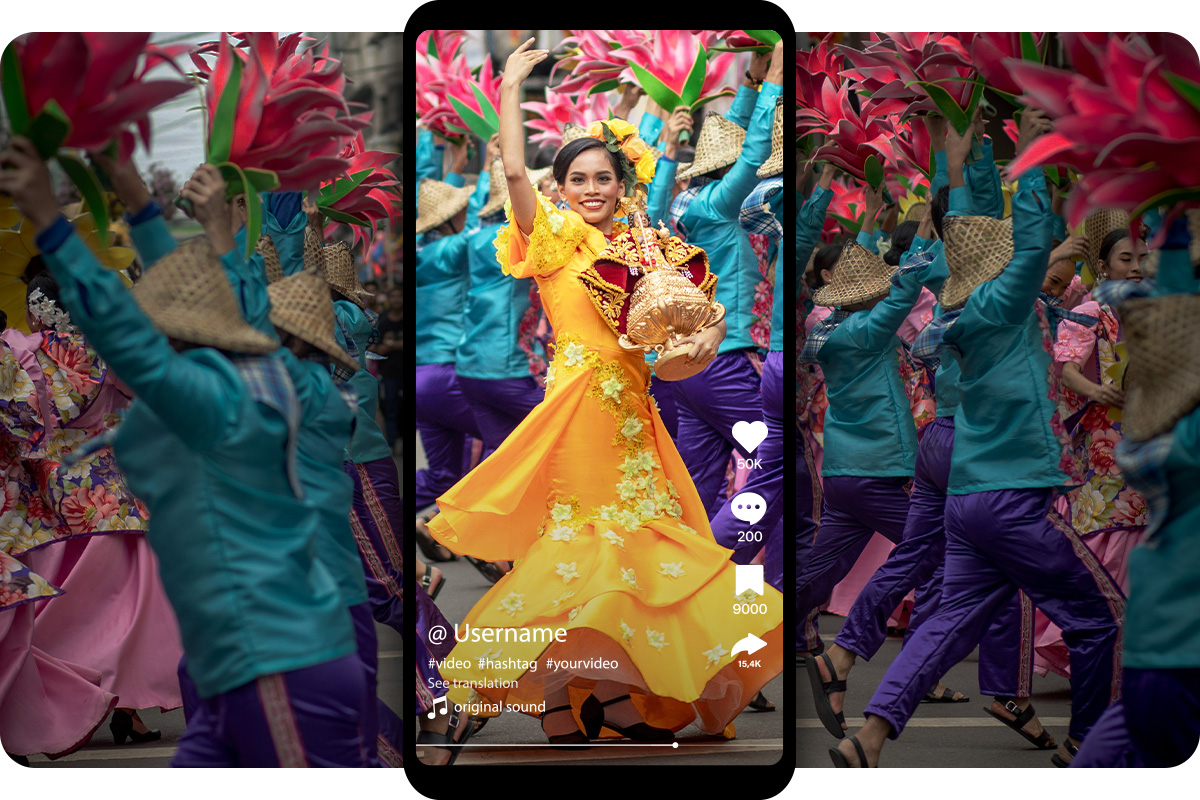
While the photo dump trend began on Instagram, TikTok quickly embraced the idea through Photo Mode, its own version of a carousel post. TikTok allows up to 35 photos in a single upload, paired with music and smooth auto-scroll transitions. You can swipe manually or let the slideshow play like a mini movie.

TikTok photo dumps tend to feel more dynamic thanks to audio, pacing, and the platform’s cinematic vibe. It’s great for sharing aesthetic collections, travel highlights, memes, or fun snapshots of your day — all with that signature TikTok energy.

If you want your dump to feel more expressive or mood-driven, TikTok is an excellent place to post.


How to Do a Photo Dump

Create a Photo Dump with PhotoDirector

Creating a great photo dump is simple — it’s all about capturing genuine moments and presenting them in a way that feels personal, chill, and a little nostalgic. Here are a few ways to level up your photo dumps using PhotoDirector for photos and CapCut if you want to turn your dump into a cinematic TikTok slideshow.

Touch Up Your Photo Dump Posts

PhotoDirector- AI Removal

A good photo dump doesn’t need heavy editing, but a little touch-up can help your collection feel cohesive. With PhotoDirector, you can:

You’re not aiming for perfection — just a consistent vibe that ties your moments together.

Create Instagram Photo Dump Collages

Create Photo Dump Collages with PhotoDirector

If you feel like sharing photo dump as a single image in Stories rather than a carousel, collages are a fun and creative option. It's easy and fun to create one with PhotoDirector:

  1. Choose a collage template

    Open the PhotoDirector app and tap “Collage.” Pick a layout you like, or filter templates by the number of frames.

    Collage templates in PhotoDirector
  2. Select your photos

    Choose the images you want to include. For a themed photo dump—like a December photo dump—you might add Christmas lights, holiday gatherings, cozy winter outfits, year-end celebrations, or festive food to keep the vibe consistent.

  3. Arrange and save

    Drag photos into place, adjust their size or crop, and reorder them until the layout looks right. Once finished, tap the download icon to save your collage or share it directly to Instagram or Facebook.

    Create Collage with PhotoDirector
PhotoDirector Mobile Icon
PhotoDirector MobileCreate Photo Dump with The Best AI Photo App
Download from the App Store for iOS and Android.

Pro Tip:

Add simple text or stickers like “December Moments”, “Holiday Dump”, or “Year-End Recap” to give your collage a clear theme and personality. 🎄✨

Make a Cinematic Photo Dump Video

If you want your photo dump to feel more like a memory reel, try creating a slideshow video. Many TikTokers use CapCut's ready-made photo dump templates that add music, transitions, and a cinematic feel automatically. Here's how to do it:

  1. Choose a Photo Dump Video Template

    Open CapCut and search for “Photo Dump” or “Memory” templates. You can also tap “Use Template in CapCut” directly from a photo dump TikTok video if the creator enabled it to instantly loads the same template into the app.

  2. Add Your Photos

    Import the photos you want to feature. Most templates support 10–30+ images. Arrange them in the order you like — travel moments, daily snapshots, holiday memories, or anything that fits your vibe.

  3. Customize & Export

    CapCut automatically syncs your photos to the template’s transitions and music. You can switch the audio, adjust timing, or add text for a personal touch. When you’re done, export the video and post it to TikTok or Instagram Reels.

Pro Tip:

Choose templates with trending sounds or cinematic transitions — they instantly give your photo dump a polished, emotional feel without extra editing. ✨


FAQ About Instagram Photo Dump

A photo dump is a casual collection of photos and videos shared in one post, usually in no particular order, showing authentic and everyday moments rather than highly polished content.

An Instagram dump is simply a photo dump posted on Instagram, often using the carousel feature to share multiple photos or videos in one post.

A memory dump is a type of Instagram dump that focuses on nostalgic or past moments, like highlights from a trip, season, or year.

People post photo dumps to share life authentically, showcase multiple moments at once, and connect with followers without the pressure of curated perfection.

Captions can be casual, funny, or reflective. Examples include short phrases to note the theme like “Weekend vibes,” “Street Photo Dump,” or “School Days Memrory.” Emojis can add personality, and hashtags can help categorize your post or boost discoverability. Some popular hashtags include #frienshipdump, #traveldump, and #recap.

Include everyday moments, travel photos, food, pets, friends, behind-the-scenes shots, or seasonal highlights — anything that tells a story or captures your vibe.

A good dump feels authentic, visually cohesive, and tells a story or showcases a theme, whether it’s a week in your life, a trip, or a seasonal highlight.

Yes! TikTok supports photo dumps via its “Photo Mode”, which supports up to 35 photos in a single post, or by using CapCut templates to create slideshow videos.

There’s no set frequency — post whenever you have a collection of moments to share. Many people post monthly, seasonally, or after special events.

Carousel posts increase engagement because each swipe counts as interaction. Multiple slides also give your content more chances to appear in followers’ feeds, encouraging comments and likes.

Share this article via emailShare this article on FacebookShare this article on LinkedInShare this article on XShare this article on Pinterest