




AI Lego Filter: Turn Photos Into Brick Art Online For Free

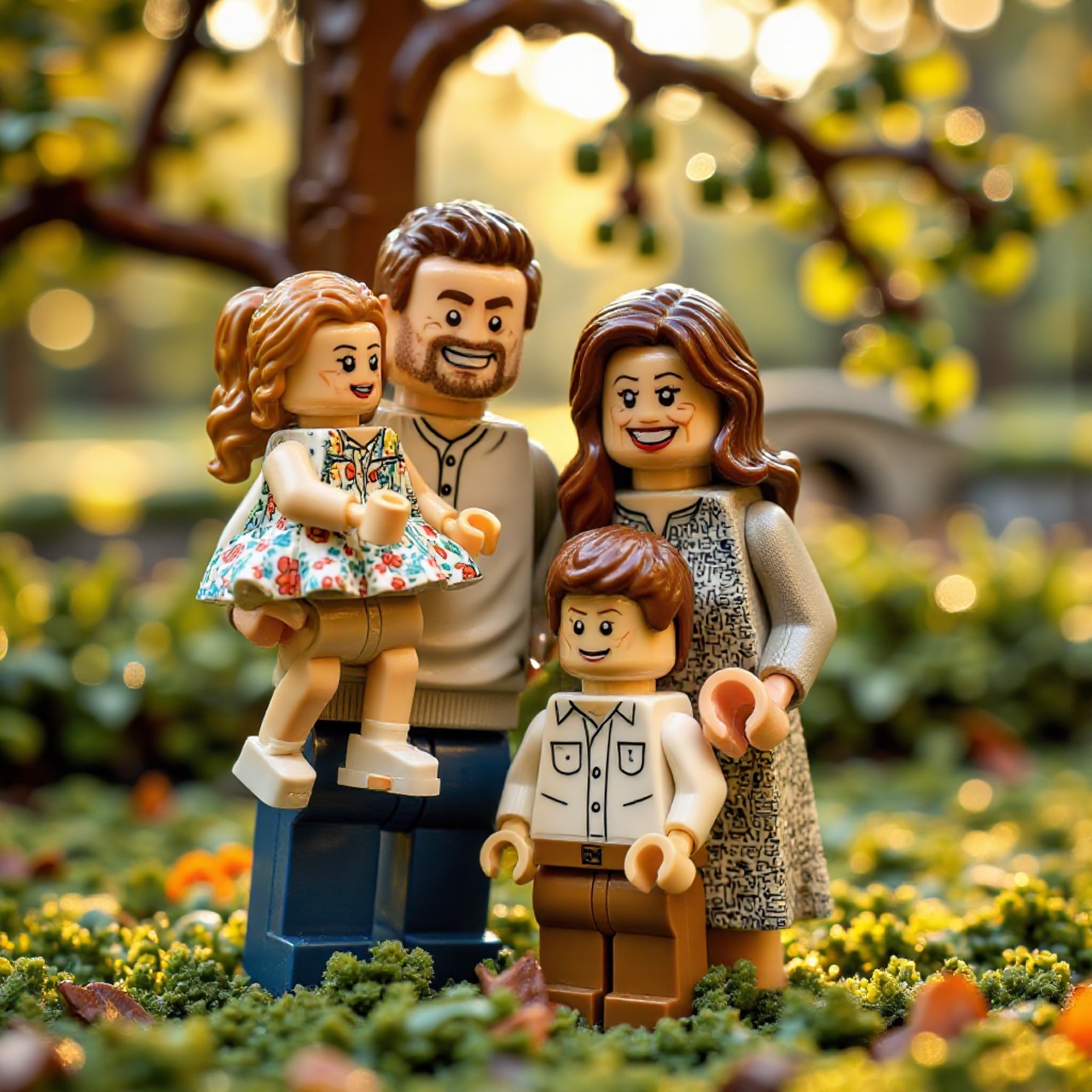
Looking to transform your selfies, family portraits, or pet photos into playful LEGO-style artwork? With the rise of AI Lego filters, you can now turn any image into a brick-inspired masterpiece in seconds.
In this guide, we'll walk you through how to use an AI Lego filter online for free and generate a LEGO-style video.

- How to Create a Lego Style Photo with AI Lego Filter Online
- How to Turn Your Lego Photo Into a Video
- Where to Use AI Lego Images
- FAQs About AI Lego Filter
How to Create a Lego Style Photo with AI Lego Filter Online
You can easily generate LEGO-style images using MyEdit's AI Art tool. It works for profile pictures (PFP), family photos and pet portraits.
- Open AI Art
Visit MyEdit and select AI Art.
- Upload Your Photo
Choose a clear image (portrait, group photo, or pet photo).
💡Pro Tips: Use high-resolution images for cleaner brick details. Choose simple backgrounds to avoid clutter. - Apply "Toy Brick" Template
Find the "Toy Brick" in "Figurine."
- Generate, Save and Share
Click "Generate." In seconds, your playful brick art will be ready to share.
🎁MyEdit offers 3 free credits daily. Once you log in, you can claim your free credits!


How to Turn Your Lego Photo Into a Video
Creating a LEGO-style image is just the beginning. With AI video tools, you can animate your brick-style photo and turn it into a short video for social media, ads, or storytelling.
- Open Image to Video
Visit MyEdit and select Image to Video.
- Upload Your Lego Image
Start with the LEGO-style photo you generated using an AI Lego filter.
- Choose a Template or Add Motion Prompts
Choose from over 100 templates on MyEdit, featuring everything from viral dances to off-the-wall situations. Can't find the right one? Create your own move with a custom prompt, and be sure to browse our massive library of video prompts.
- Generate, Save and Share
Render your video and download it in MP4 format for easy sharing.


Where to Use AI Lego Images
Once you've created your LEGO-style image, here are some fun and practical uses:
- Social Media Profiles: Stand out with a unique LEGO-style PFP
- Marketing & Branding: Add playful visuals to campaigns
- Greeting Cards & Invitations: Perfect for birthdays or themed events
- NFT & Digital Collectibles: Turn your image into stylized digital assets
- Content Creation: Use in blogs, thumbnails, or video covers
FAQs About AI Lego Filter
An AI Lego filter transforms photos into LEGO-style images using generative AI models that simulate brick textures, lighting, and structure.
Yes, many AI Lego generators offer free access or daily credits, allowing you to create LEGO-style images without paying.
Clear, high-resolution photos with simple backgrounds work best, as they help the AI generate cleaner and more detailed brick effects.
It depends on the platform’s licensing terms. Always check the usage rights before using AI-generated LEGO images for commercial purposes.
Most reputable AI tools use secure processing, but it’s best to avoid uploading sensitive or private images to unfamiliar platforms.

The CyberLink Editorial Team is composed of product testing specialists and content creation experts with over 20 years of hands-on experience and rigorous research in the multimedia editing industry. As the official voice of CyberLink, the team consistently delivers practical, easy-to-follow tutorials across video, photo, and audio editing, while highlighting AI innovations, product insights, and emerging industry trends. Their work empowers millions of creators worldwide each year to elevate their content. Beyond the blog, the team actively shares editing tips and product updates across YouTube, Facebook, Linkedin and Pinterest.
😎 Outside of their work, they enjoy capturing travel moments and meticulously editing photos and videos for their social channels.


