




Turn Any Text Into a Song: The Complete Guide to Text-to-Song AI

If you’ve ever wished you could turn your ideas, stories, or random notes into a fully produced track, text to song technology is about to become your new favorite tool. Over the past few years, text to song AI systems have evolved dramatically, making it possible for anyone—no music skills required—to generate melodies, lyrics, and full vocals with just a few sentences. Whether you want to write a personalized birthday jingle, make a viral TikTok audio, or create royalty-free tracks for content creation, a text to song generator can do the heavy lifting for you.
In this guide, we’ll walk you through what text-to-song AI is, how it works, and how you can use tools like MyEdit to instantly create your own music. You'll also find a practical step-by-step section and an FAQ to help you get started.
- What Is a Text-to-Song Generator?
- How to Create Your Own Song From Text With MyEdit (Step-by-Step)
- FAQ - Text to Song AI
What Is a Text-to-Song Generator?

Text-to-song AI is a type of artificial intelligence that converts written text into music. Instead of manually composing melodies or hiring a singer, these tools analyze your input and generate:
- Lyrics
- Melody
- Vocals (AI-generated singers)
- Instrumentals
- Full arrangements
A modern text to song generator relies on deep learning models trained on thousands of songs. These models understand rhythm, rhyme, voice tone, musical genres, and phrasing patterns. By analyzing your prompt, they build a coherent musical structure and create a song that matches your chosen mood or style.
This technology is particularly popular among:
- Content creators
- Marketers
- Social media users
- Bloggers
- Video editors
- Musicians seeking inspiration
Even beginners can now make studio-quality audio in seconds.
How to Create Your Own Song From Text With MyEdit (Step-by-Step)
If you want the easiest way to turn your ideas into music, MyEdit is one of the simplest and most polished AI music generators available today. It lets you turn text into a song with clean vocals, stylistic choices, and ready-to-use audio that works for videos, social media, or personal projects.
Follow these steps to create your own AI-generated song:
- Go to MyEdit’s Lyrics-to-Song Tool
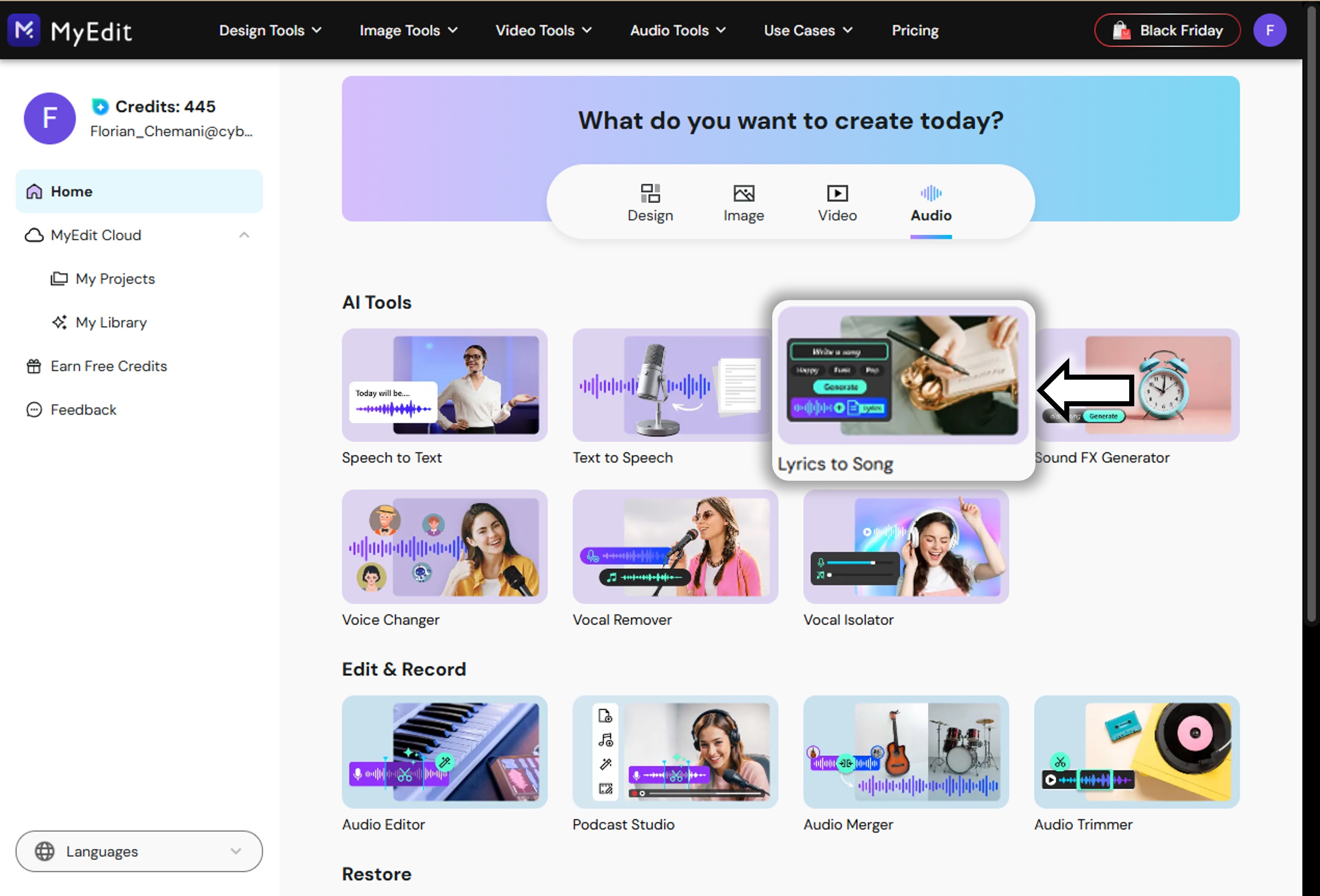
Open MyEdit and select the Lyrics to Song feature. This tool lets you generate a complete, AI-powered song from scratch—no music skills or recording equipment needed.
- Describe Your Song
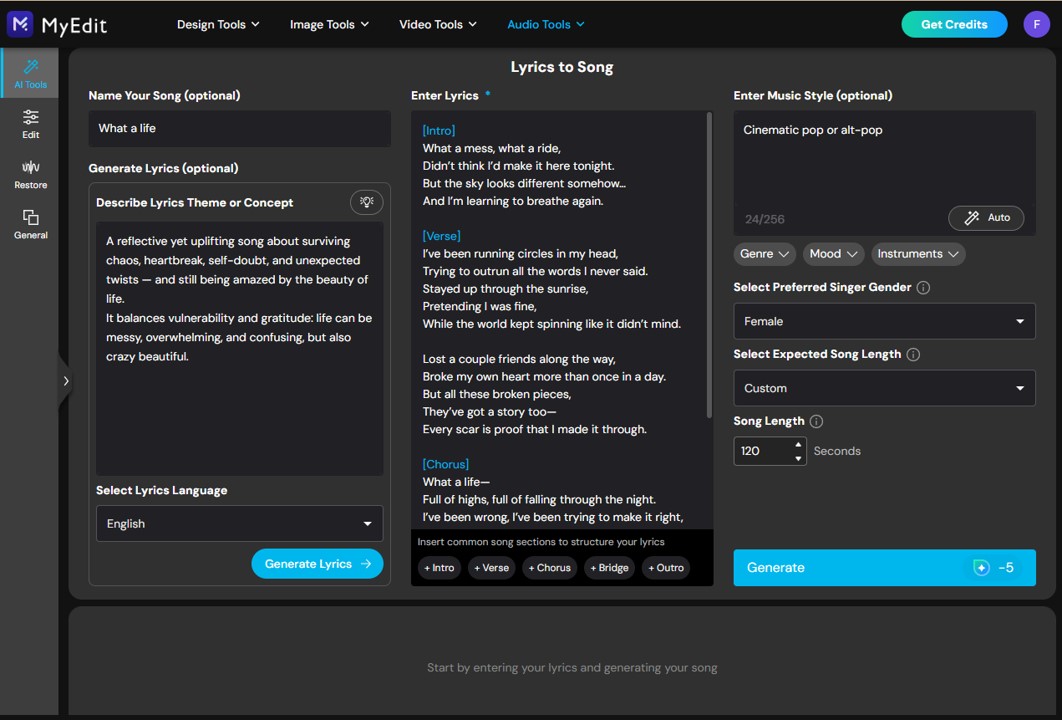
Start by entering your song title and describing the theme or concept you want the AI to follow. Then choose your preferred language (English, French, Spanish, etc.). Next, paste or type your lyrics, select a male or female vocal style, and pick the music genre you want for the instrumental. Once everything is set, simply click Generate to create your track.
- Wait While MyEdit Generates Your Song
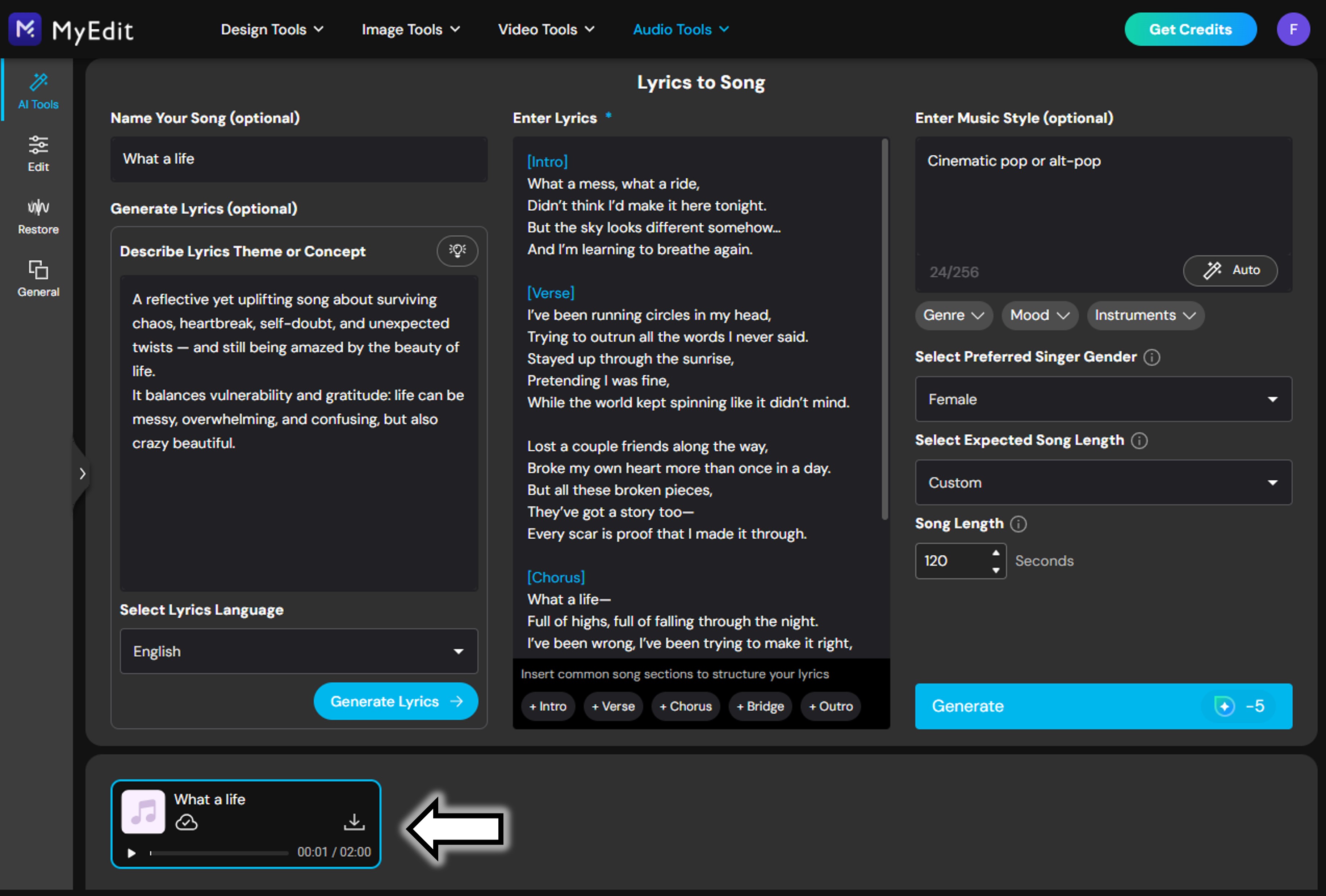
Within a few seconds, the AI will produce your finished song and display it at the bottom of the interface. You can listen to the preview, download the final audio, and share it with others instantly.


FAQ — Text to Song AI
A text to song generator is an AI tool that turns written text into a full musical composition, including vocals and instrumentals.
No. Text-to-song AI generators like MyEdit handle everything automatically, so beginners can create music in seconds.
Yes. You can select your preferred genre (pop, rock, lo-fi, hip-hop, etc.) and choose between male or female AI singers.
Absolutely. You can paste your own lyrics or let the AI guide the style and structure based on your theme.

The CyberLink Editorial Team is composed of product testing specialists and content creation experts with over 20 years of hands-on experience and rigorous research in the multimedia editing industry. As the official voice of CyberLink, the team consistently delivers practical, easy-to-follow tutorials across video, photo, and audio editing, while highlighting AI innovations, product insights, and emerging industry trends. Their work empowers millions of creators worldwide each year to elevate their content. Beyond the blog, the team actively shares editing tips and product updates across YouTube, Facebook, Linkedin and Pinterest.
😎 Outside of their work, they enjoy capturing travel moments and meticulously editing photos and videos for their social channels.


![PowerDirector - Reverse a Video to Create Cool Effects [Windows, Mac]](https://dl-file.cyberlink.com/web/content/b63/l_Thumbnail.webp)


