




The Best Makeup Filter App to Try on Virtual Makeup Filters

Embracing the ease and efficiency of makeup filters can be a game-changer, allowing you to achieve a polished appearance in photos and videos without the time-consuming process of traditional makeup application. In this article, we will introduce you to the best makeup filter app we found in the market, and how it makes the enhancement of your selfies an effortless and enjoyable process!

- The Best Makeup Filter App in 2026
- How to Apply Makeup Filters
- Trendy Makeup Styles in 2026
- More Portrait Editing Tools to Enhance Your Look
- FAQs About Makeup Filters
The Best Makeup Filter App in 2026
Vivid Glam is free for iOS users and comes with tons of makeup filter styles, so you can always put one together that matches your vibe of the day. It has preset looks and individual tools for detail makeup customization, so you can craft a specific look or apply something fast with a platform even beginners can use.
- Precise Facial Detection Technology
- Applicable to Both Photos and Videos
- Numerous Makeup Filter Styles
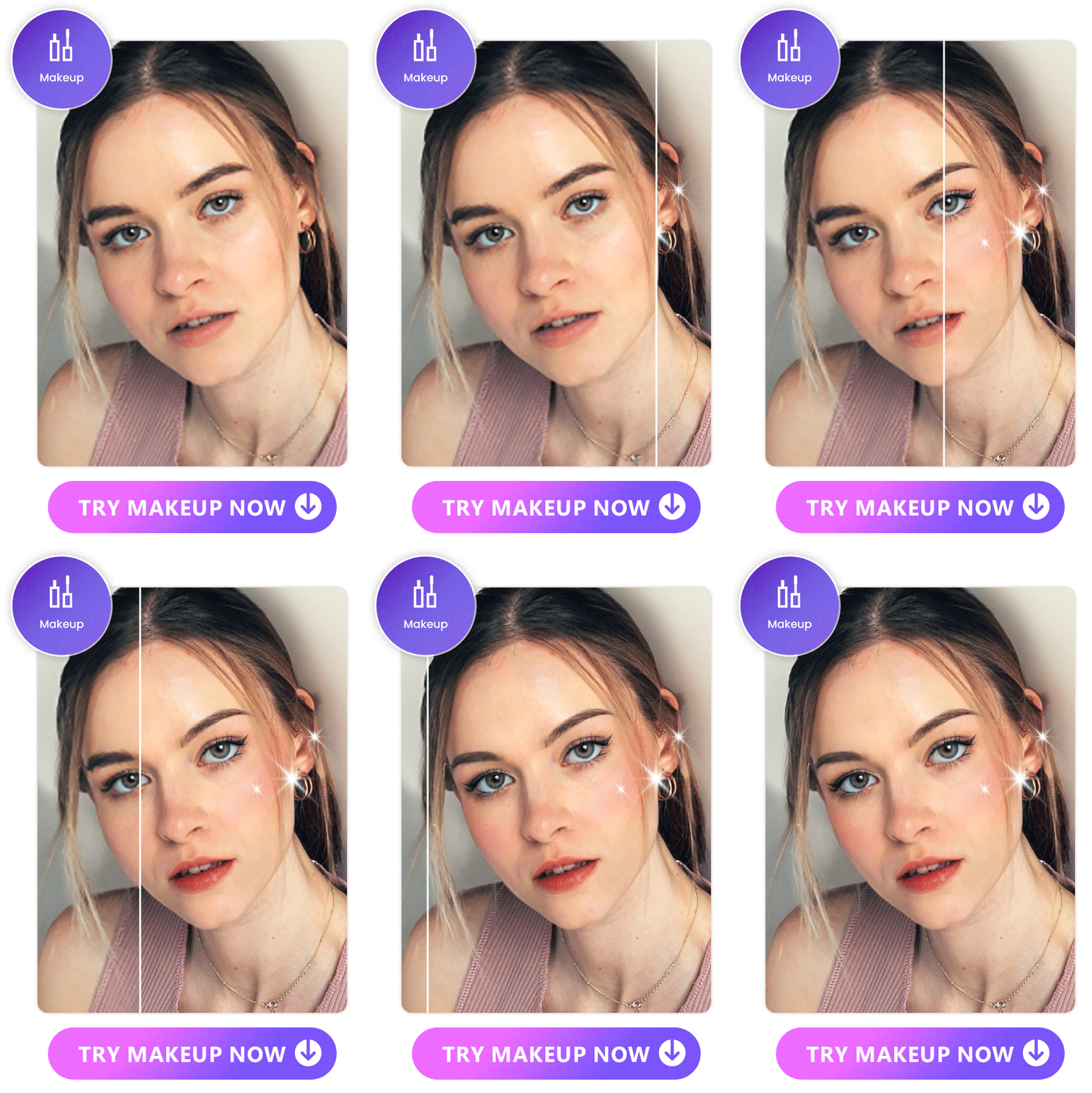
Vivid Glam stands out with its advanced facial detection technology. This ensures accurate recognition of facial features, allowing for a seamless and natural application of makeup filters. Say goodbye to generic edits and embrace a tailored enhancement that complements your unique features.

Unlike traditional makeup applications limited to static images, Vivid Glam breaks barriers by offering its exquisite filters for both photos and videos. This versatility opens up a world of possibilities, enabling users to showcase their beauty dynamically on various platforms.
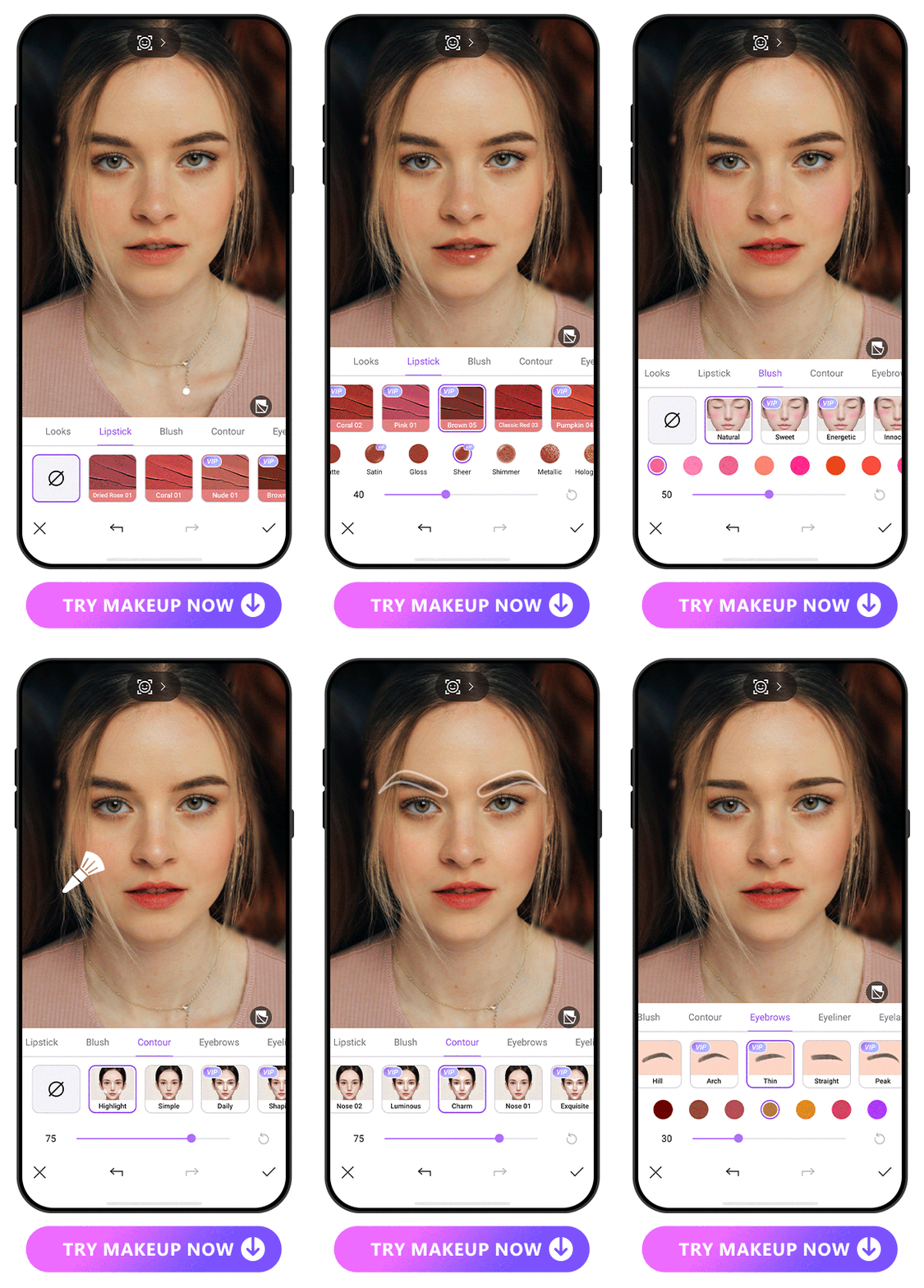
Variety is the spice of life, and Vivid Glam understands this well. With a wide array of makeup tools such as lipstick, blush, contour, and eyebrows, users can experiment and find the perfect style to suit their preferences. Each tool boasts comprehensive styles, ensuring there's something for everyone.
How to Apply Makeup Filters
Try on all kinds of makeup filter with Vivid Glam by following these steps! With the abundant options and customization possibility, you'll be able to find your perfect match in no time.
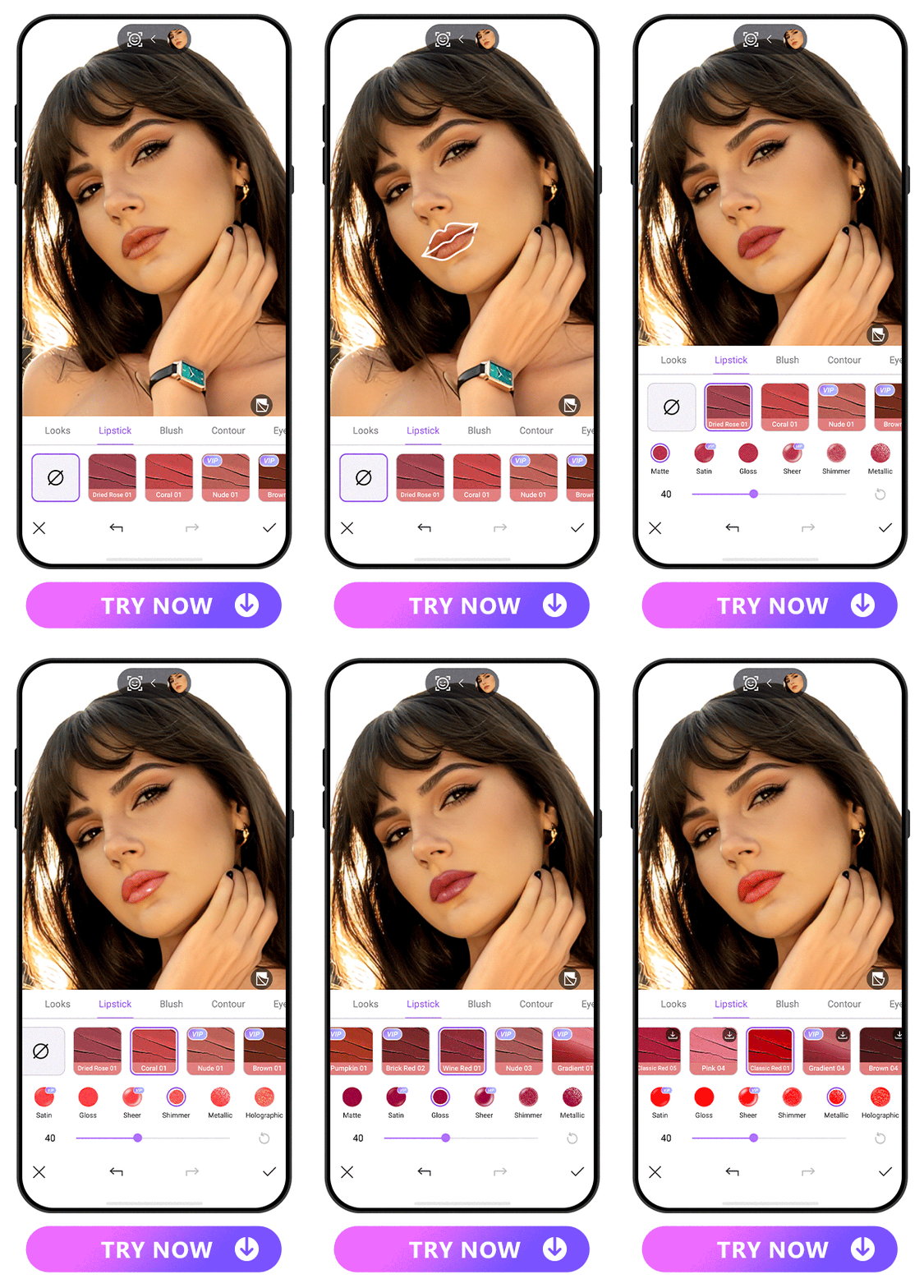
- Download Vivid Glam
- Upload a Photo or Video
- Click on the Makeup Tools and Choose the Desired Style
- Save the Photo or Video with Makeup Filter Applied
Vivid Glam is available on iOS only. For Android users, we recommend PhotoDirector for its abundant AI photo editing tools, including virtual makeup filters.
Now comes the fun part – experimenting with makeup styles! Vivid Glam offers an impressive selection of tools, including lipstick, blush, contour, and eyebrows.
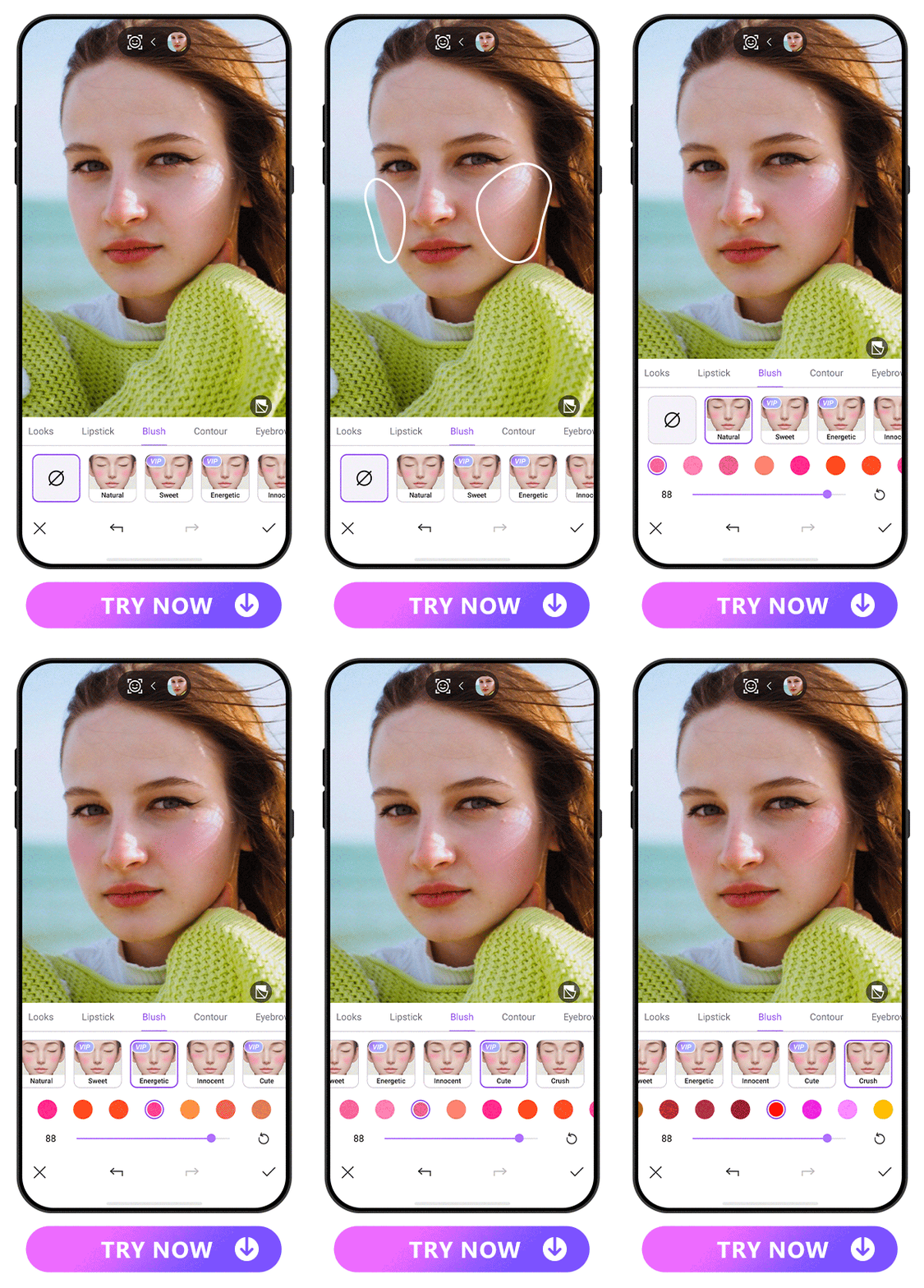
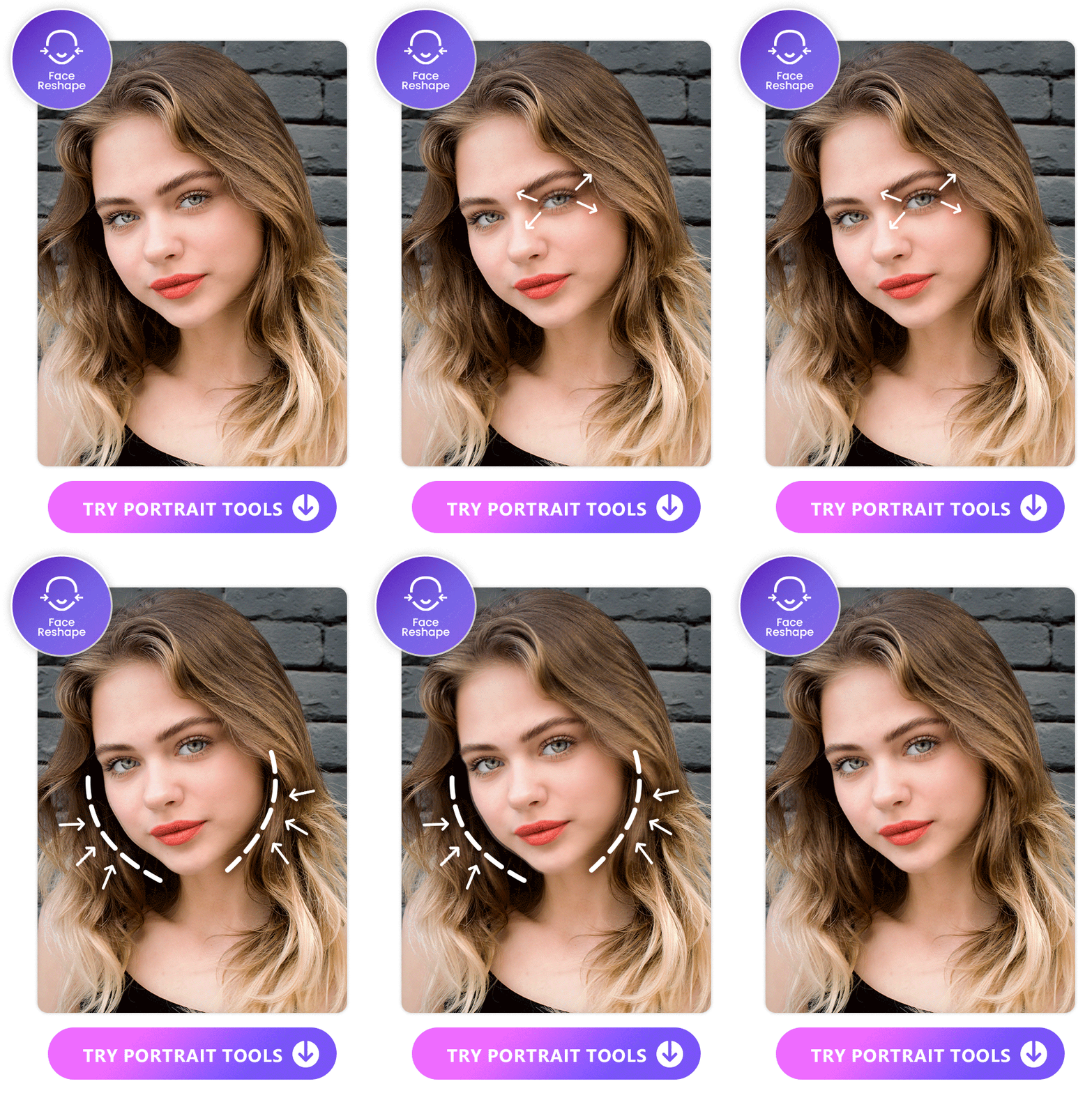
With the chosen styles applied, behold your stunning transformation. Whether you're aiming for a natural look or something more dramatic, Vivid Glam allows you to customize your appearance effortlessly by not only putting on makeup but also reshaping faces. Share your masterpiece directly on social media or continue editing with additional portrait tools.
Trendy Makeup Styles in 2026
- Cherry-Cola Lips
- Espresso Makeup
- Office Siren Makeup
- Black Lips
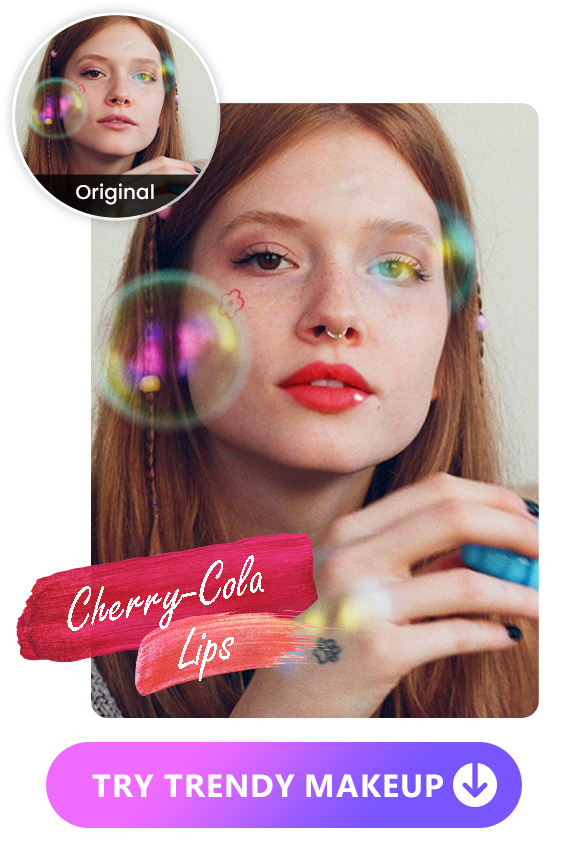
One of the hottest trends in 2026 is the allure of Cherry-Cola Lips. Cherry-Cola Lips involve creating a captivating, glossy cherry-colored or red lip. When using Vivid Glam’s makeup filter, choose a lipstick with a reddish tone, such as classic red, and opt for a shiny finish, whether it's a gloss or sheer texture. This combination will not only enhance your lips but also add a touch of allure to your overall appearance.
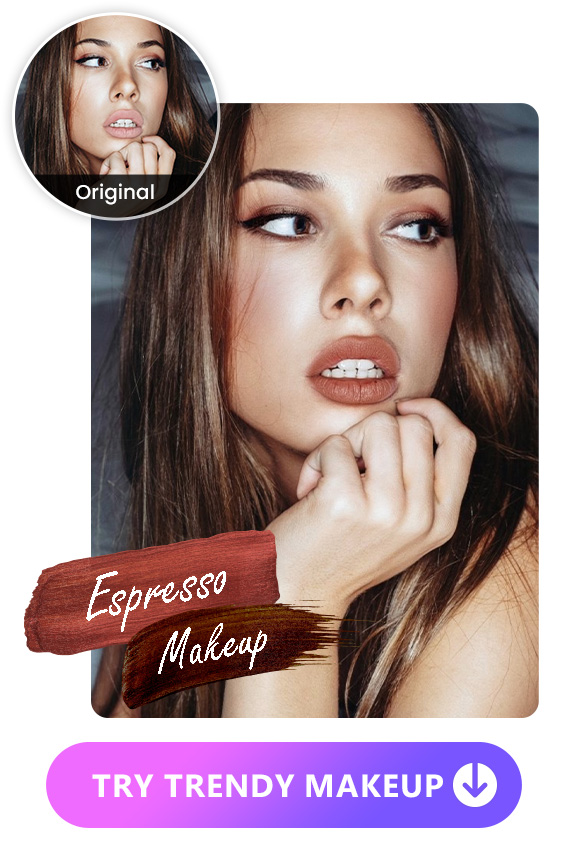
Espresso Makeup is all about embracing deep-brown tones to achieve a monochromatic and sophisticated look. Vivid Glam offers a variety of brown eyebrows, blush, and lipstick options. Let the richness of espresso take center stage in your makeup routine, creating a harmonious and elegant aesthetic.
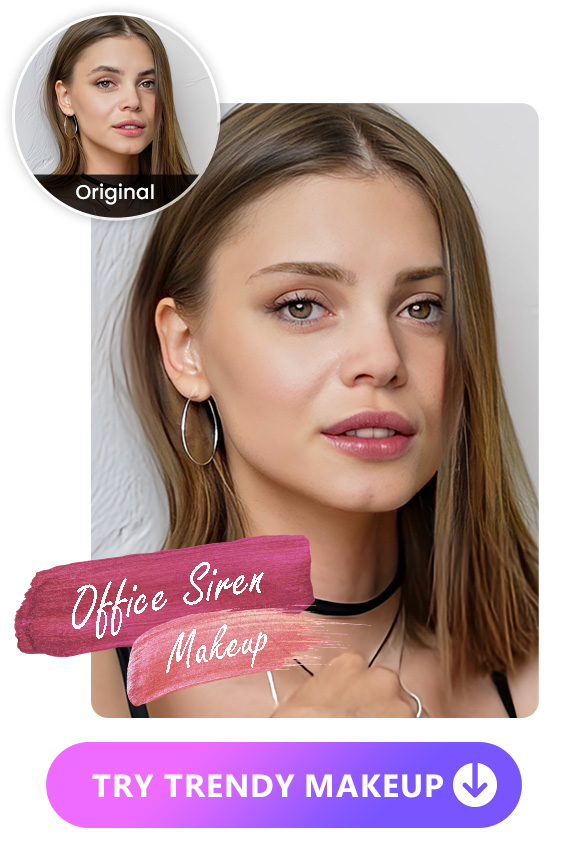
For the professional yet captivating "Office Siren" Makeup look, it features thin brows and neutral or red lips. To achieve this look with Vivid Glam’s makeup filter, try brow styles like “thin” and “willow”. There are also endless options of neutral or red lips for you to choose from. Strike the perfect balance between professionalism and allure with this sophisticated, office-ready makeup style.
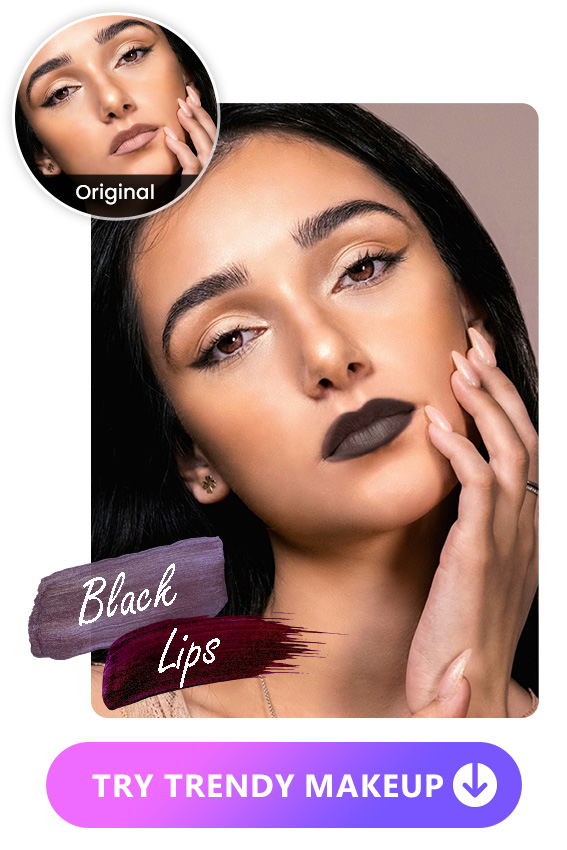
In the realm of makeup trends, black lips are making a bold statement. With Vivid Glam, explore a variety of dark lipstick colors to effortlessly embrace this edgy and trendy look. Experiment with different shades, allowing your lips to become a canvas of dark elegance.
More Portrait Editing Tools to Enhance Your Look
Besides offering stunning makeup filters, Vivid Glam also provides retouch and reshape tools to refine every aspect of your photo. From face and body reshaping to skin tone adjustment, Vivid Glam guarantees flawless results.
- Face Reshape
- Skin-Related Features
- Eye Brighten
- The Best Photo Retouching Beauty App
- 10 Best Video Editing Apps With Perfect Face Filters
- How to Look Prettier in Videos and Pictures with the Best AI Beauty App
- Download Vivid Glam for free on iOS.
- Upload a photo or video by tapping “New Project” or use the built-in camera for a quick selfie capture.
- Explore Makeup Tools and Styles: Vivid Glam offers a diverse selection of tools like lipstick, blush, contour, and eyebrows.
- Witness your stunning transformation!
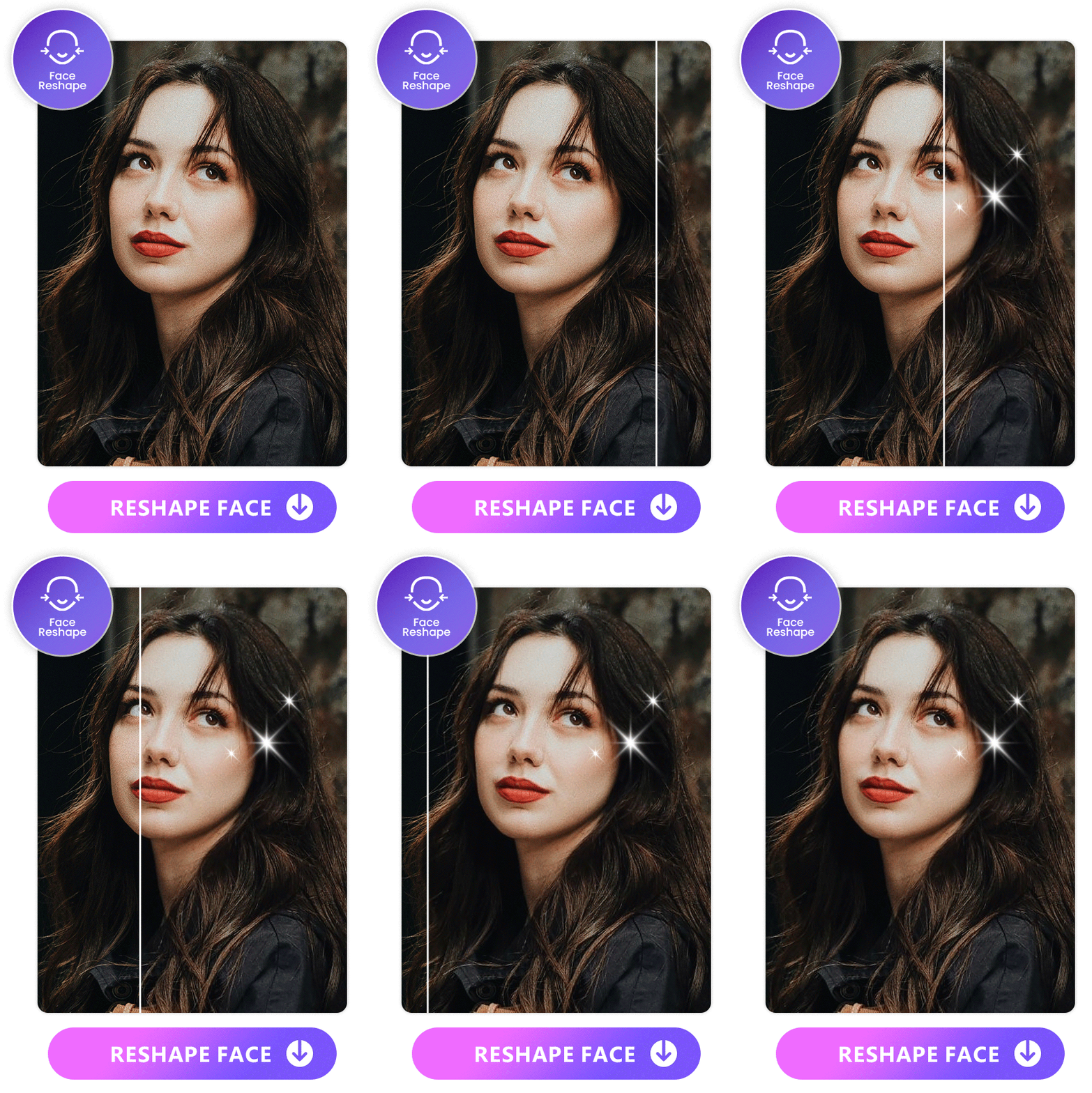
Enhance your facial features with Vivid Glam's Face Reshape feature. From eyes to nose, mouth, and eyebrows, this tool allows for one-tap reshaping. Choose from various presets, such as natural or slim style, to achieve your desired look effortlessly.
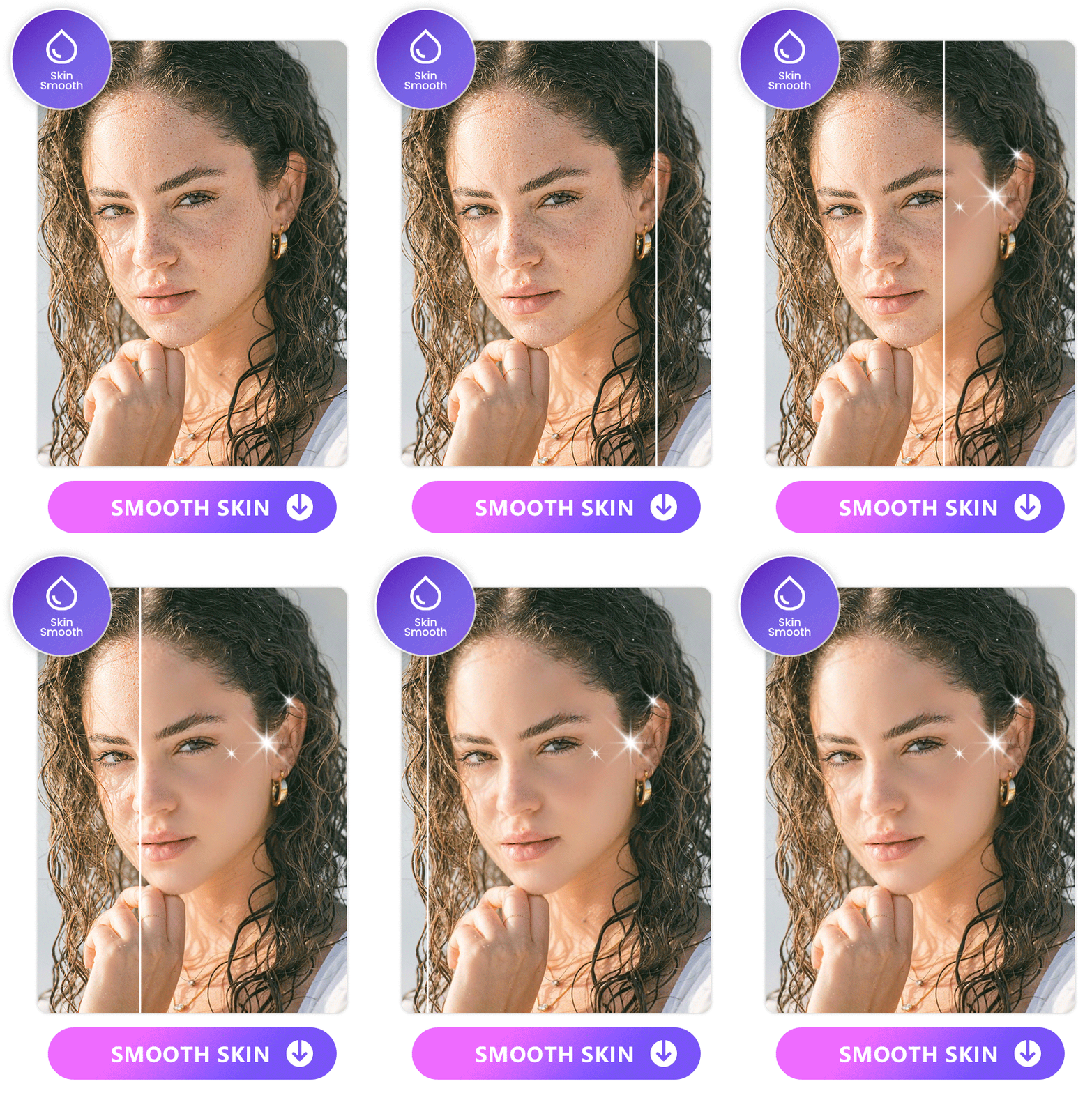
Vivid Glam goes beyond makeup filters with features like Skin Smooth, Conceal, and Skin Tone. Elevate your appearance by smoothing out imperfections, concealing blemishes, and adjusting your skin tone for a flawless finish.
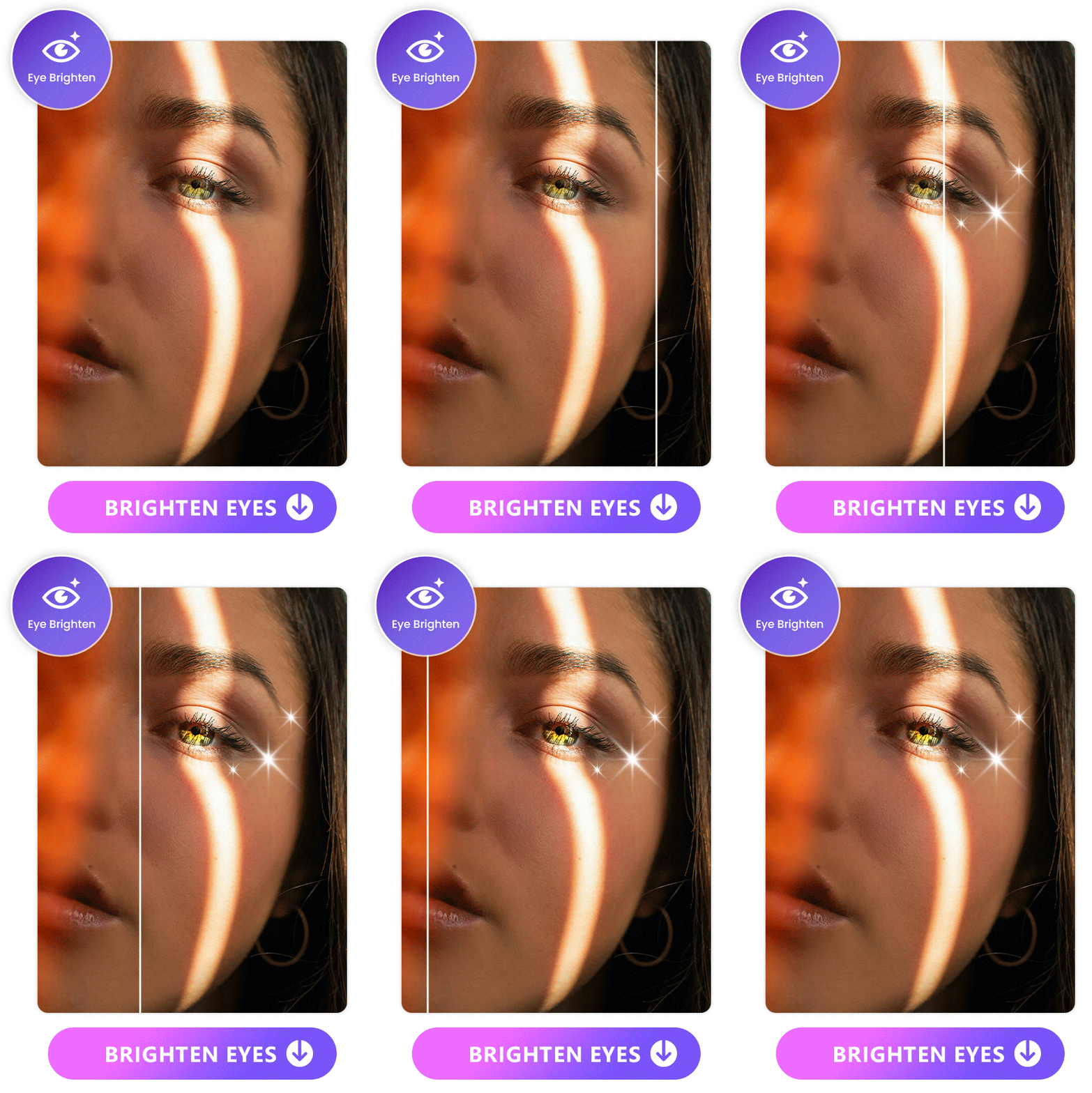
Combat tired-looking eyes with Vivid Glam's Eye Brighten feature. Adjust the brightness level to give your eyes a lively and refreshed appearance. Say goodbye to dull eyes in photos and videos.
Learn More About Beauty Tools in Vivid Glam:
If you want to learn more about perfecting your photos, check out our Ultimate Guide to Photo Retouching.
FAQs About Makeup Filters
The makeup trend in 2026 is diverse, ranging from glossy Cherry-Cola Lips to sophisticated Espresso Makeup and the professional yet captivating "Office Siren" look. Each makeup look can be achieved with Vivid Glam. Learn the details in this section.
Vivid Glam stands out as the premier free makeup filter app, providing an array of features, precise facial detection, and a multitude of makeup styles to effortlessly elevate your photos and videos, all at no cost.
The only downside of Vivid Glam is that it is only available on iOS. If you're working with an Android device, we recommend using PhotoDirector to retouch face features and put on makeup. The app is available for both Android and iPhone users. Equipped with AI powered photo editing tools, you're guaranteed to get stunning results for your next Instagram post.
Here are the steps to apply makeup filters to your photo:
You have the flexibility to freely customize the intensity of makeup filters for all the makeup tools on almost all of the apps available makeup filter apps nowdays. Take Vivid Glam for example, simply tap the desired tool and drag on the slider to adjust the intensity with ease.
With the latest AI makeup filter apps, you can combine lipstick, blush, contour, and eyebrows as you desire, enabling a fully personalized and unique look. Through these combinations, you can effortlessly create various makeup trends that are in vogue this year. Try with our favorite Vivid Glam app for free now!
With Vivid Glam, you're able to edit facial appearance to the smallest detail in photos and videos alike. The app offers Face Reshape, skin-related features (Smooth, Conceal, and Skin Tone), and Eye Brighten features. Explore these tools to enhance your overall appearance in photos and videos.
![How to Flip a Video for Free [Windows, Mac, App & Online]](https://dl-file.cyberlink.com/web/content/b867/l_Thumbnail.webp)


