



Top 5 Vlog Video Editing Software

While it may seem intimidating, becoming a vlogger on YouTube, Vimeo, Instagram, or TikTok doesn’t take much. All you really need is a camera, the proper lighting, and video editing software.
However, finding the best software for vlogging can be a bit tricky. With so many options to choose from it can be hard to tell them apart and know which one will actually fulfill your vlog-making needs.
That’s why we created this guide, to make your search for the best vlog editing software simpler. We’ve rounded up the 5 best video editors for vloggers that include everything you’ll ever need.
Best Video Editing Software for Vlogging
1. PowerDirector
If you’re looking for the easiest editor for creating vlogs then PowerDirector is for you. Its library of customizable templates and beginner-friendly design modules will have most novice content creators producing professional quality work in minutes.
Along with all the basic editing tools you’ll need, the software includes a wide range of special effects including:
- Chroma key green-screen effects
- Masking and blending mode compositing
- Motion tracking for titles and motion graphics
- Multicam editing
- Animated video stickers and call-outs
You won’t have to worry about file formats with PowerDirector’s vast and always updated format support. Lightning-fast rendering speeds and direct uploading to social media makes PowerDirector the fastest editor for making and sharing videos on our list. And when it comes to features, no video editor compares to PowerDirector’s robust collection of tools, effects, and templates.
Key Features:
- Customizable templates including new YouTube intros and outros
- Latest and greatest visual effects
- Built-in stock library with millions of royalty-free videos, photos, and music
Pros:
- Straightforward, streamlined editing interface
- Easy to learn
- Wide range of titles, transitions, and motion graphics
- Direct upload to social media
Cons:
- Feature-rich software may intimidate beginners at first glance
2. Corel VideoStudio

Even beginners can overcome the moderate learning curve by using the software's customizable themes and templates. Unfortunately, Corel VideoStudio’s project templates typically lean toward social media marketing creations rather than feature-film-worthy clips. That said, the drag-and-drop templates make it easy to capture the look of trendy editing styles.
It features a lineup of essential editing tools as well as slightly more advanced features, such as:
- Stop-motion editing
- Multi-cam editing
- Animated decorations
Despite Corel VideoStudio’s overall ease of use, the vlog editing software doesn’t measure up compared to a user-friendly interface like PowerDirector. Some video editors have steered away from the software due to its unusual and somewhat awkward editing interface.
Key Features:
- Comprehensive range of editing tools
- Solid collection of project templates
- Advanced third-party plugins
Pros:
- Wide range of learning resources
- Customizable transitions and templates
Cons:
- Outdated, unusual workflow
- Only available for Windows users
- Moderate learning curve
3. Pinnacle Studio Ultimate

Now in its 24th iteration, Pinnacle Studio Ultimate has yet to achieve the popularity of other editors such as Vegas Movie Studio or PowerDirector. Even so, it packs a considerable punch of creative power for Windows users worldwide.
The editing software combines some of the streamlined functions of an entry-level option with professional editing tools, including:
- Advanced color grading
- Batch processing
- Motion tracking
- Speed controls
- Green screen capabilities
- High-def video editing
Pinnacle Studio Ultimate has a relatively simple workflow, but the platform falls short in several key ways. First, it is only available for Windows. Secondly, while Pinnacle Studio Ultimate does provide quite an array of advanced features, it lacks several key tools found in PowerDirector and other comprehensive editing suites.
Key Features:
- Prosumer-quality editing tools
- Quick, lightweight vlog editing platform
- 3D capabilities
Pros:
- Professional tools in a streamlined platform
- Impressive 360º VR and 4K capabilities
- Wide range of color presets and templates
Cons:
- Costly up-front investment
- Only available for Windows
- Moderate learning curve
4. Vegas Movie Studio

Vegas Movie Studio has always toed the line between usability and expert-grade capability. Most would agree that the platform leans slightly more toward educated video editing professionals than beginners or intermediate creators.
Still, the software’s editing power and customizable editing platforms earn it a spot among our top five vlog editing software picks. It combines a wide range of essential tools, including:
- Enhanced color grading tools
- Dozens of visual effects
- Customizable text templates and transitions
- Substantial audio tools
The platform’s single-screen take on editing makes it easy to organize your projects without navigating multiple windows. Even so, this video editing platform trails behind competitors. The editing timeline limits your drag-and-drop abilities, while the quality of the advanced tools doesn’t measure up.
Key Features:
- Unlimited video tracks
- Customizable editing modes
- Advanced color grading tools
Pros:
- Wide range of visual effects and filters
- Auto-adjustments to suit a variety of formats
Cons:
- Complex vlog editing platform
- Limited basic and advanced tools
- Substantial learning curve
5. Magix Movie Edit Pro
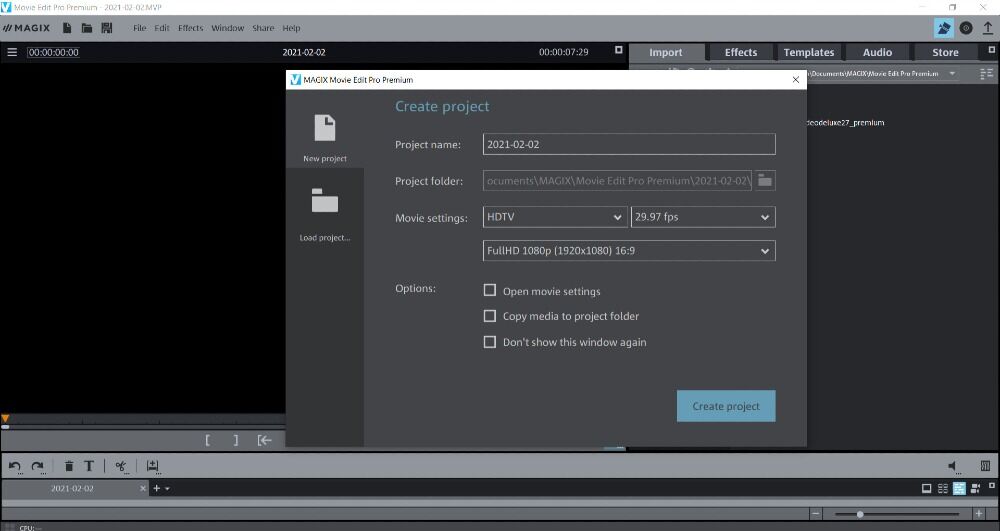
Magix Movie Edit Pro, the consumer alternative to Vegas Movie Studio, provides novice vloggers with all the functionality needed to create their first videos.
While the platform lacks a few common-sense additions, such as thumbnail viewing while uploading media, the slightly outdated interface gets the job done. Even if you’ve never edited a video before, you can pick up Movie Edit Pro relatively quickly. Additionally, you won’t feel overwhelmed by options thanks to the simplified features, including:
- 4K editing capability
- Chroma key and green screen tools
- Motion tracking
- Speed controls
- Video stabilization
The multi-track editing timeline makes it easy to organize your video footage while dragging effects like transitions, motion graphics, and filters into your workflow. Magix Movie Edit Pro also offers a library of filters, known as Looks, that you can apply to your film.
On the downside, it limits your ability to expand your skills beyond those of a beginner. Nevertheless, you can enjoy a wide range of tools, features, and effects from the Windows-only software.
Key Features:
- Built-in store for additional sound effects, transitions, and more
- 8K Ultra HD video support
- Sufficient tools for beginners
Pros:
- High-quality templates
- Impressive lineup of text tools and titles
- Enhanced color-correcting tools
Cons:
- Slow rendering
- Limited organization tools
- Moderate learning curve
Comparison Chart
| Software | PowerDirector | Corel VideoStudio | Pinnacle Studio Ultimate | Vegas Movie Studio | Magix Movie Edit Pro |
|---|---|---|---|---|---|
| Price | $69.99/yr | $79.99 | $129.95 | $79.99 | $129.99 |
| User-Friendly | Easy, Beginner Friendly | Moderate | Moderate | Moderate | Moderate |
| Updates & New Features | Constantly/Year-Round | No | No | No | No |
| Transition Library | Large Collection & Growing | Yes | Yes | Yes | Yes |
| Text Animations & Title Templates | Wide Selection | Yes | Yes | Yes | Yes |
| Split Screen Designer | Yes | No | No | No | No |
| Audio Syncing Tools | Yes | Yes | Yes | Yes | Yes |
| Multicam Editing | Yes | Yes | Yes | Yes | Yes |
Summary
Launching a vlogging channel can become one of the most exciting and fulfilling challenges of your life. However, with so many different vlogging channels it may be difficult to stand out from the crowd.
Give yourself a leg up on the competition by starting with the best vlog editing software on the market. With PowerDirector you don’t need an expansive budget, years of experience or a production crew to create jaw-dropping, visually appealing vlogs to share online. All you need are a few impactful ideas and a quick vlog intro in order to create viral-worthy vlogs in minutes.
To get started, download PowerDirector for Mac or Windows and bring your vlog to life.


