





Fit Check: Meaning, Why It’s Trending, and How to Make One

Ever wondered why so many people online are posting “fit checks”? From TikTok videos to Instagram reels, this trend has taken over social media feeds — with people snapping mirror selfies or filming street-style videos to show off their outfits. In this article, you’ll discover why fit checks are so popular and learn how to create your own using an easy, beginner-friendly app.
- What Is a “Fit Check”?
- Why Fit Checks Are Trending
- How to Do a Fit Check (Step-by-Step Guide)
- Best Ideas for Your Next Outfit Check Video
- Fit Check FAQ
What Is a “Fit Check”?
A fit check is a quick way to showcase your outfit online. It can be as simple as a mirror selfie, a full-body shot, or a short video walking down the street, letting you share what you’re wearing in a casual, authentic way.
The focus is on your outfit and how you style it, not on professional photography or polished editing. Fit checks are meant to be fun, spontaneous, and relatable—giving your followers a peek into your personal style and sparking reactions.
Why Fit Checks Are Trending
Fit checks have exploded in popularity because they tap into several social media trends at once. People love them because they’re:
Relatable
Fit checks show everyday outfits, not runway looks. Think cozy loungewear, casual streetwear, or a weekend brunch outfit—real clothes that anyone can wear.
Community-Driven
Followers love to comment or ask where pieces are from. Fit checks inspire outfit ideas and encourage interaction—like sharing sneaker recommendations or layering tips.
Entertaining
Short videos with spins, jumps, or quick transitions make them fun to watch. A short clip of a twirl in a new jacket or a street-style stroll can go viral.
Easy to Create
All you need is a smartphone, with a mirror to add in other angles to the clip, or a video app like PowerDirector or CapCut. Even a 10-second clip of your “work-from-home look” counts as a fit check.
How to Do a Fit Check (Step-by-Step Guide)
Creating a fit check is simple and fun — you don’t need professional gear or complicated editing. Here’s how:
1. Pick Your Outfit
Choose something you want to show off — it could be a new piece you purchased, a themed look, or just your everyday style. Accessories, shoes, and even hairstyles can add personality.
2. Find A Spot
A clean mirror, a well-lit room, or a street backdrop works perfectly. Natural lighting makes your outfit pop and keeps the video or photo looking vibrant.
3. Capture Your Fit
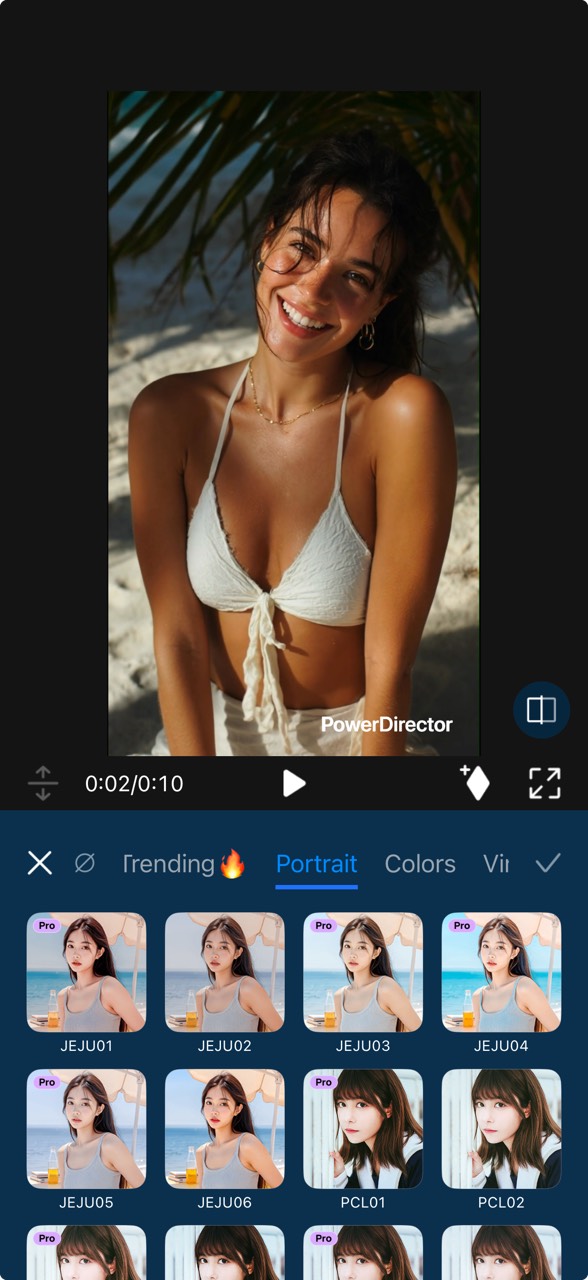
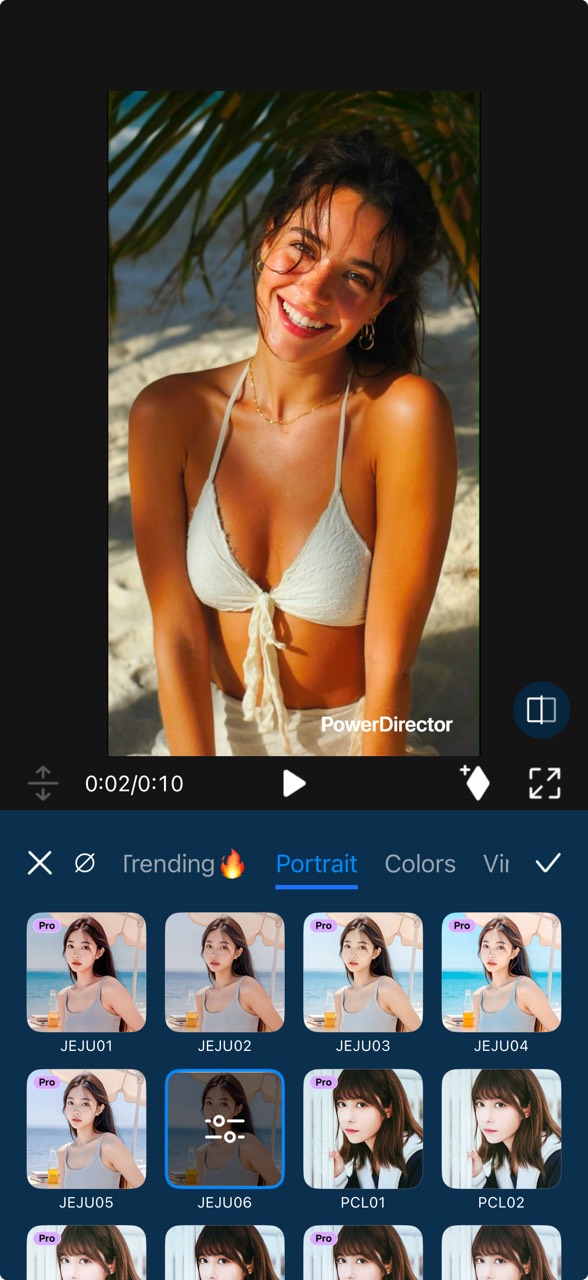
Once you’ve chosen your outfit and spot, it’s time to record your fit check. Using PowerDirector makes it easy to shoot and edit videos even if you’re new to video creation.
- Download and open PowerDirector.
- Open New Project and tap the camera icon on the upper right corner to start filming.
- Capture a 5–15 second clip of your fit.
- Trim, arrange or add fun touches to the clip.
Enhance your fit check with light edits, music, stickers, or captions. Remember to keep it casual — authenticity is key!
- Tap the Export button on the upper right to save your fit check clip.


4. Share Your Outfit
Post on TikTok, Instagram Feed, or Reels. Use hashtags like #fitcheck or #OOTD to join the trend and connect with the community!
Create a cool fit check video to show what you stand for!

No time for a video shoot?
If you don’t have time to film a fit check video, PowerDirector’s AI Image to Video tool lets you turn any outfit photo into a smooth, stylish fit check clip in seconds. It’s perfect for busy days or when you only have one good picture of your outfit.

Best Ideas for Your Next Outfit Check Video
Whether it’s your first fit check or not, mixing up how you film your outfit can make your videos more engaging and fun. Here are some ideas to try:
💡 Mirror selfie style
Stand in front of a full-length mirror and present your OOTD by posing with different angles.
💡 Street-style walk
Film walking outdoors, showing your outfit from head to toe (or the other way around 😜).
💡 Fun poses
Jump, twirl, or flex your accessories (like your rings or bag) for personality.
💡 Duo or Team Outfit Check
Show off coordinated outfits with a friend, sibling, or partner. Simply walk, pose, or spin together to highlight your complementary styles. This works well for themed outfits, matching colors, or just playful comparisons.
Fit Check FAQ
A fit check is a quick way to show or review someone’s outfit—usually through a short video or photo.
Here are some examples:
- “Here’s my weekend fit check!”
- “Fit check—how did I do?”
“Fit check” is the short and commonly used version of “outfit check.”
OOTD stands for Outfit of the Day, a popular hashtag used to share daily looks on Instagram, TikTok, and other platforms.
Not exactly. OOTD highlights today’s outfit, while a fit check focuses more on showing the details or style vibe of any outfit, anytime.
No—your phone camera or a simple video app is enough.
Both are fine, but video is more common on TikTok and Instagram Reels because it shows movement and details better.
Usually 5–10 seconds is enough to show your look and keep viewers engaged.

The CyberLink Editorial Team is composed of product testing specialists and content creation experts with over 20 years of hands-on experience and rigorous research in the multimedia editing industry. As the official voice of CyberLink, the team consistently delivers practical, easy-to-follow tutorials across video, photo, and audio editing, while highlighting AI innovations, product insights, and emerging industry trends. Their work empowers millions of creators worldwide each year to elevate their content. Beyond the blog, the team actively shares editing tips and product updates across YouTube, Facebook, Linkedin and Pinterest.
😎 Outside of their work, they enjoy capturing travel moments and meticulously editing photos and videos for their social channels.


