




Cat Meme Generator: Create Viral Cat Memes with AI

From Grumpy Cat to the "Vibing Cat," felines have always ruled the internet. Now, you can create the perfect moment yourself. Welcome to the era of the AI Cat Meme Generator.
In this guide, we’ll show you how to generate funny cat memes online step-by-step, and reveal the best AI generator to help you dominate your group chats and social media feeds.
Ready to unleash your creativity? Let’s dive in.
- What is a Cat Meme Generator?
- How to Generate Funny Cat Memes Online
- The Best AI Cat Meme Generator
- Cat Meme Generator FAQs
What is a Cat Meme Generator?
A Cat Meme Generator is a tool designed to help users create humorous feline-themed content instantly. While traditional generators simply allowed you to overlay text onto static images, modern AI-powered generators have revolutionized the process.
Today's advanced tools utilize artificial intelligence to turn simple text prompts, such as "a cat DJ performing at a festival," into unique, animated video clips. This technology bridges the gap between imagination and reality, offering significant advantages over older methods.
How to Generate Funny Cat Memes Online
- How to Create Cat Video Memes from Text Prompts
- How to Create Cat Video Memes from Images
- How to Create Funny Cat Pics from Text Prompts
How to Create Cat Video Memes from Text Prompts
Gone are the days when you needed to film your own pet to get a funny clip. With MyEdit, you can conjure up hilarious scenarios instantly using just words.
Here is how to turn your ideas into viral cat memes:
- Open MyEdit and navigate to the Text to Video tool.
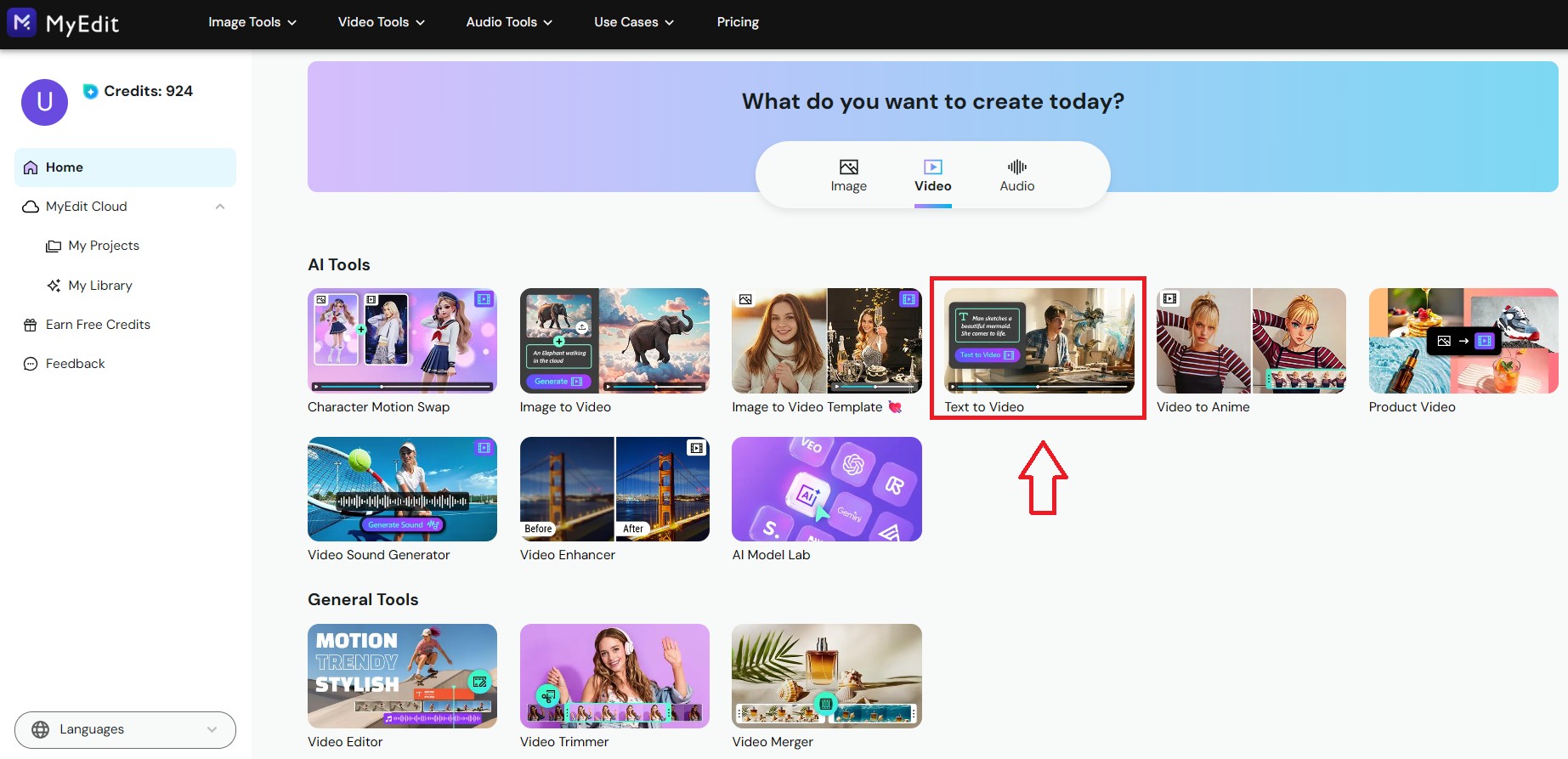
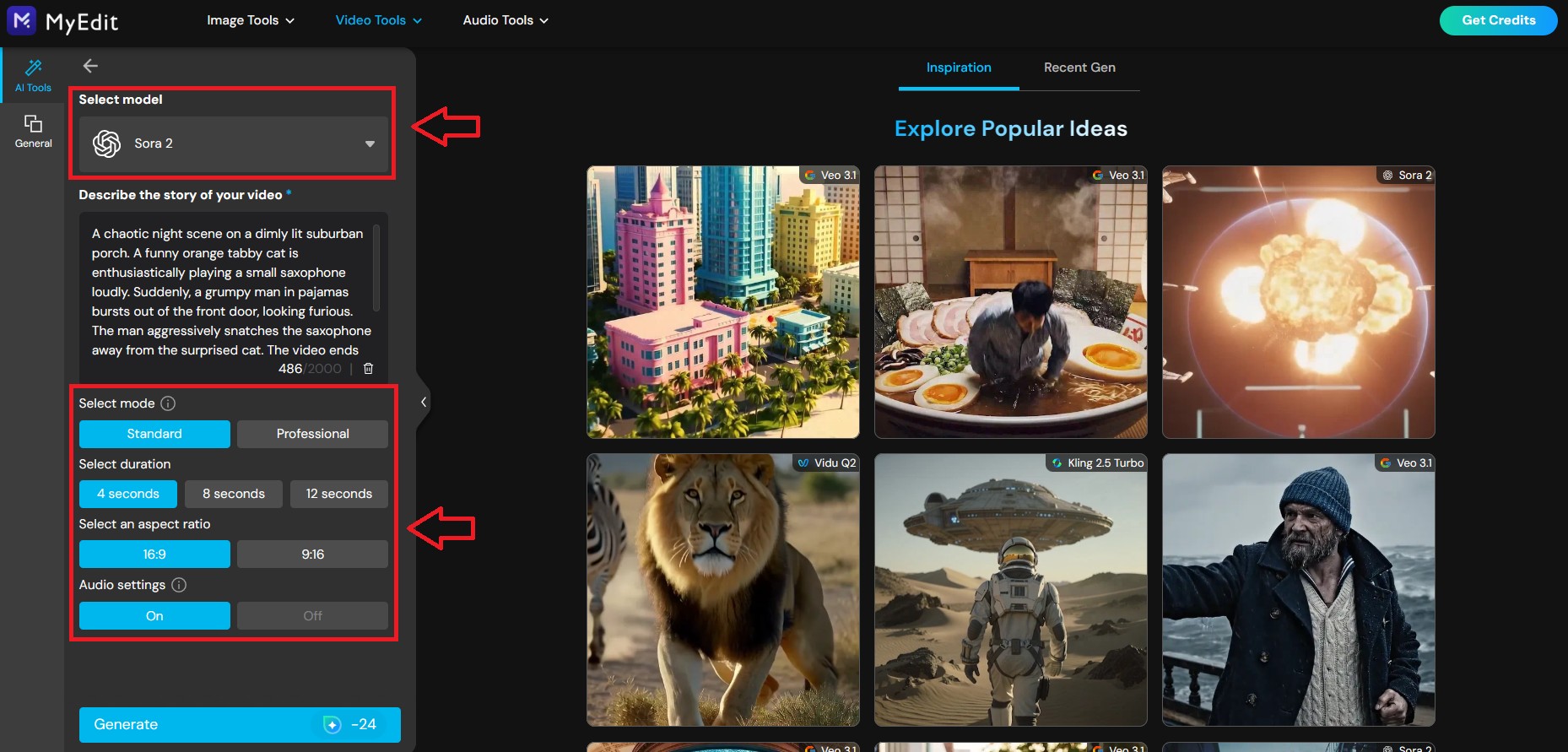
Type a funny prompt describing the specific cat scene you want.
😸 Prompt ExamplesA chaotic night scene on a dimly lit suburban porch. A funny orange tabby cat is enthusiastically playing a small saxophone loudly. Suddenly, a grumpy man in pajamas bursts out of the front door, looking furious. The man aggressively snatches the saxophone away from the surprised cat. The video ends with the man holding the instrument and yelling fiercely at the cat, while the cat stands on its hind legs hissing and meowing back at him angrily. Realistic footage, dramatic lighting.
-
Select your preferred video model, duration, and aspect ratio.
-
Click Generate. The AI will instantly turn your text into a hilarious video clip ready for download.


How to Create Cat Video Memes from Images
If you have a funny photo of your own cat and want to bring it to life, the Image to Video feature is your best friend. You can choose between using ready-made templates for quick results or custom prompts for specific actions.
- Open MyEdit and navigate to the Text to Video tool.
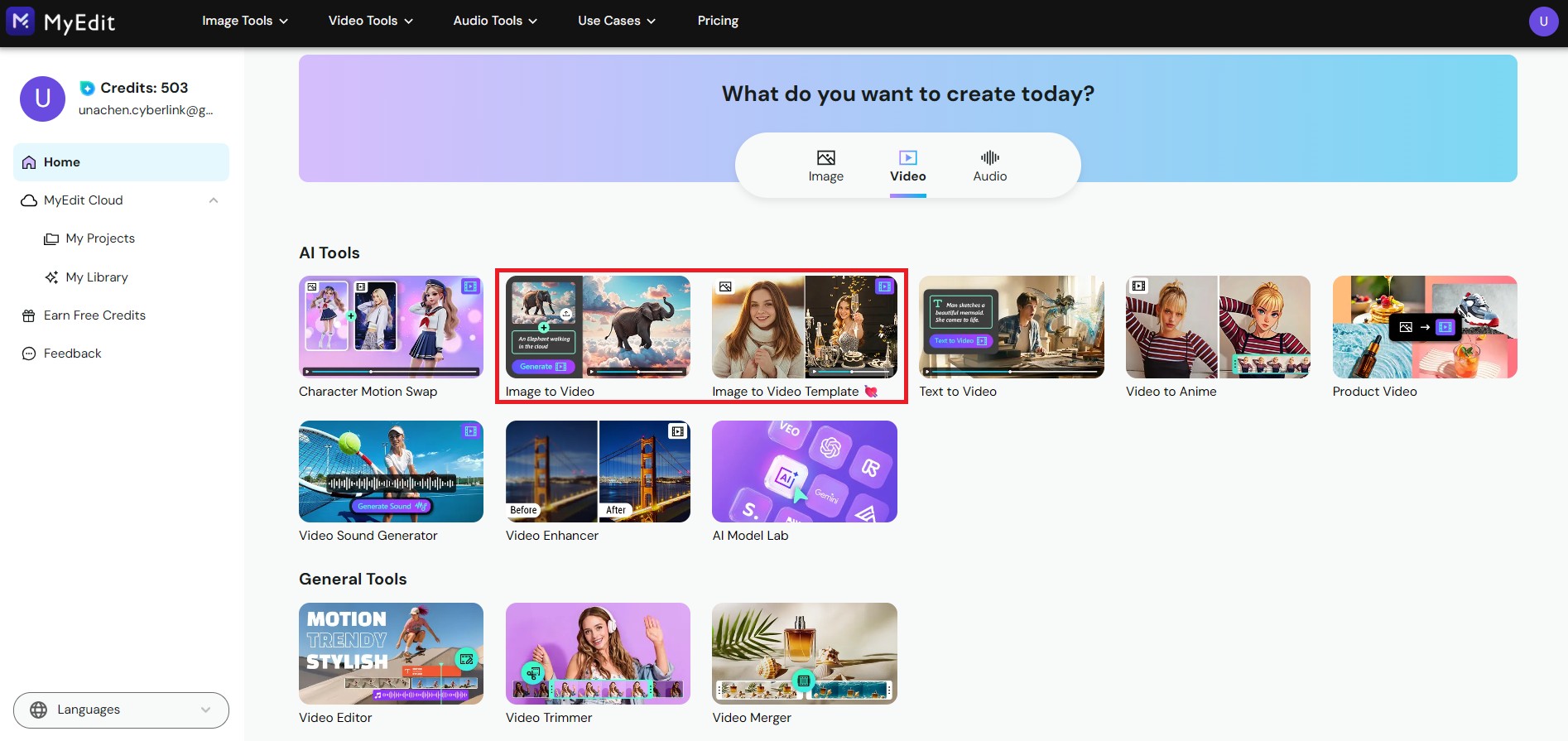
- Upload your cat photo, then select the video model, duration, and aspect ratio.
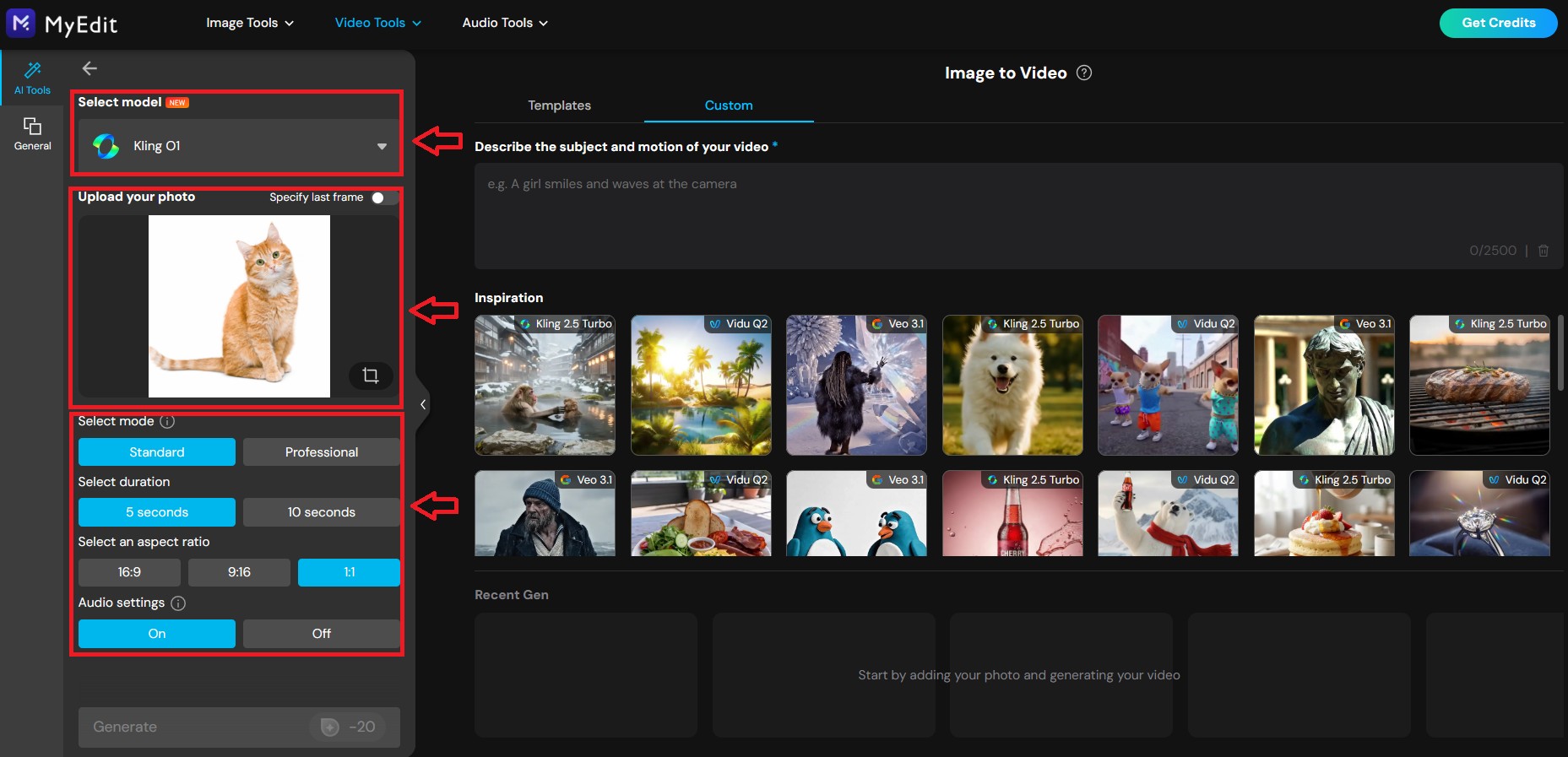
- Describe the action: Type a prompt like "Dancing grumpily" or select a template like "Thumbs Up."
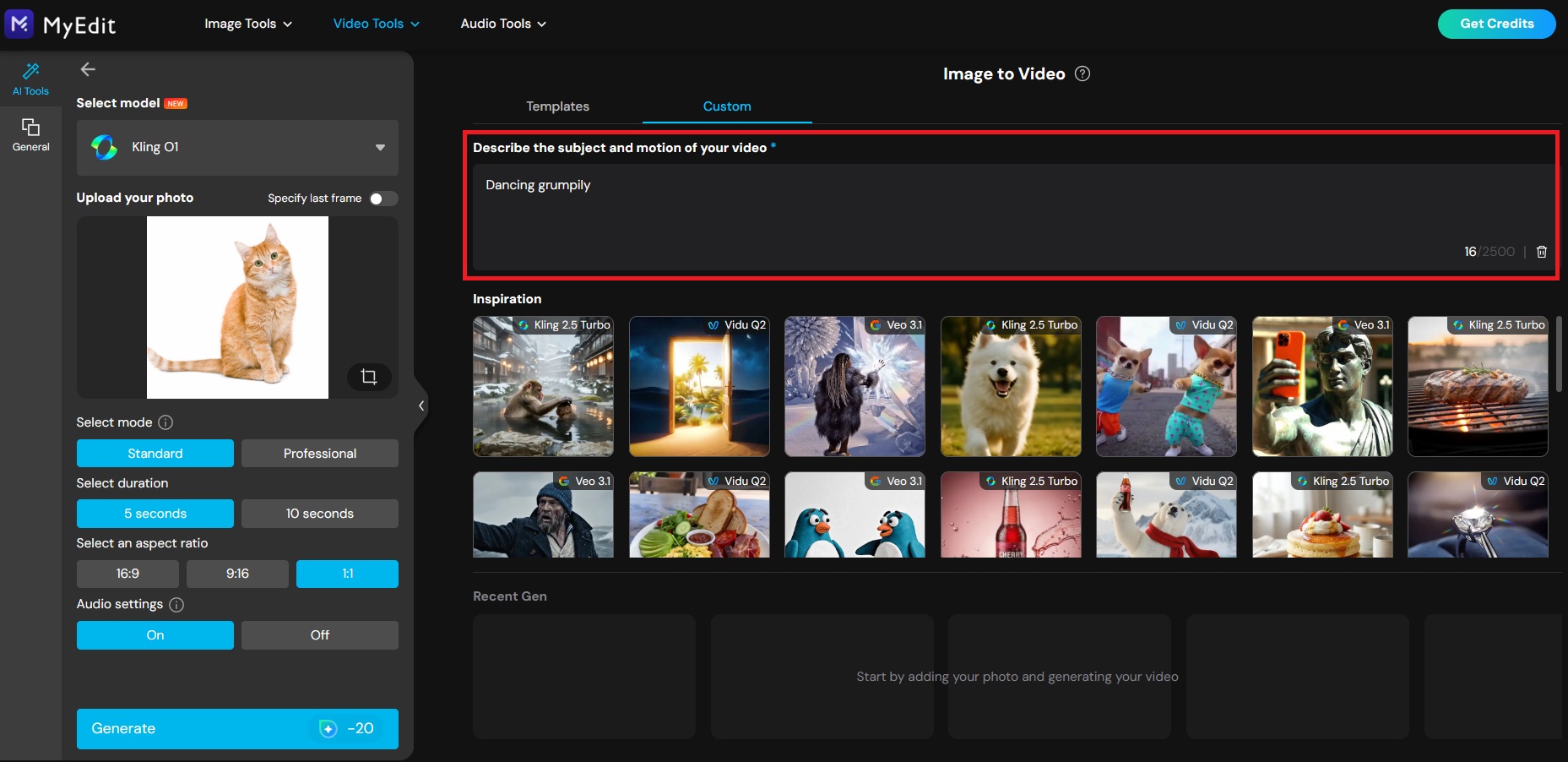
- Hit Generate, and watch your static cat photo transform into a viral video meme!


How to Create Funny Cat Pics from Text Prompts
Sometimes a classic static meme is all you need. With MyEdit, you can generate unique cat images that don't exist in real life and even restyle them instantly.
- Navigate to the AI Image Generator.
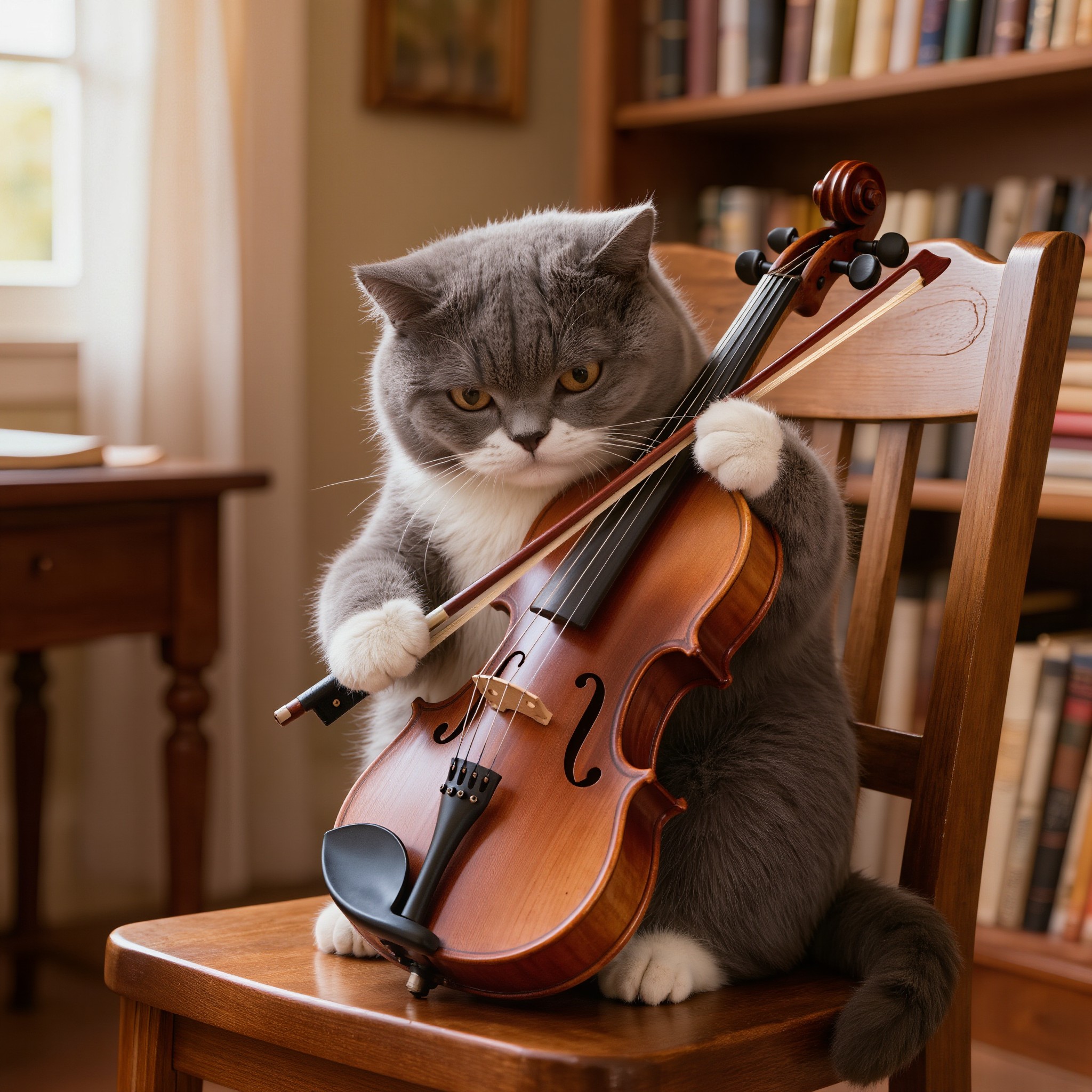
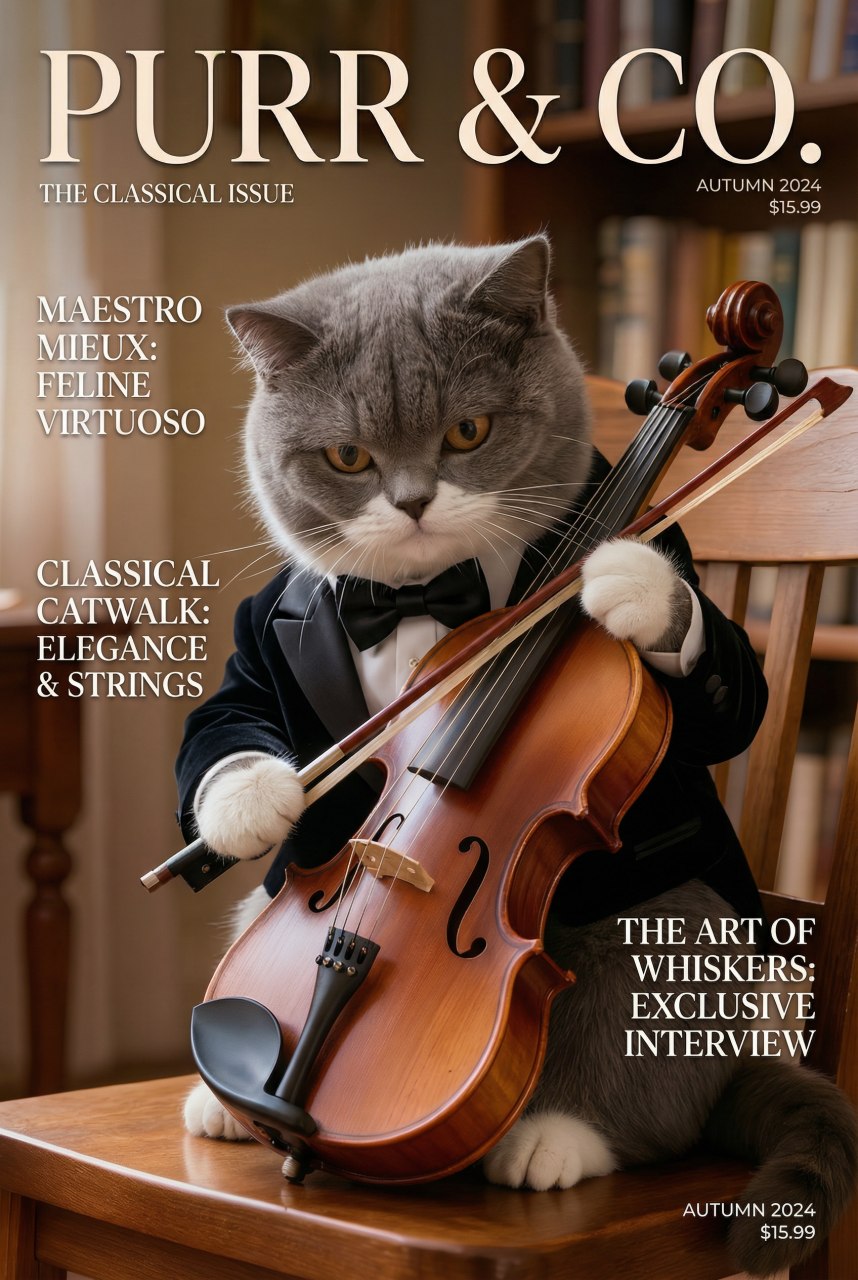
- Type a creative prompt like "a grumpy cat playing violin"
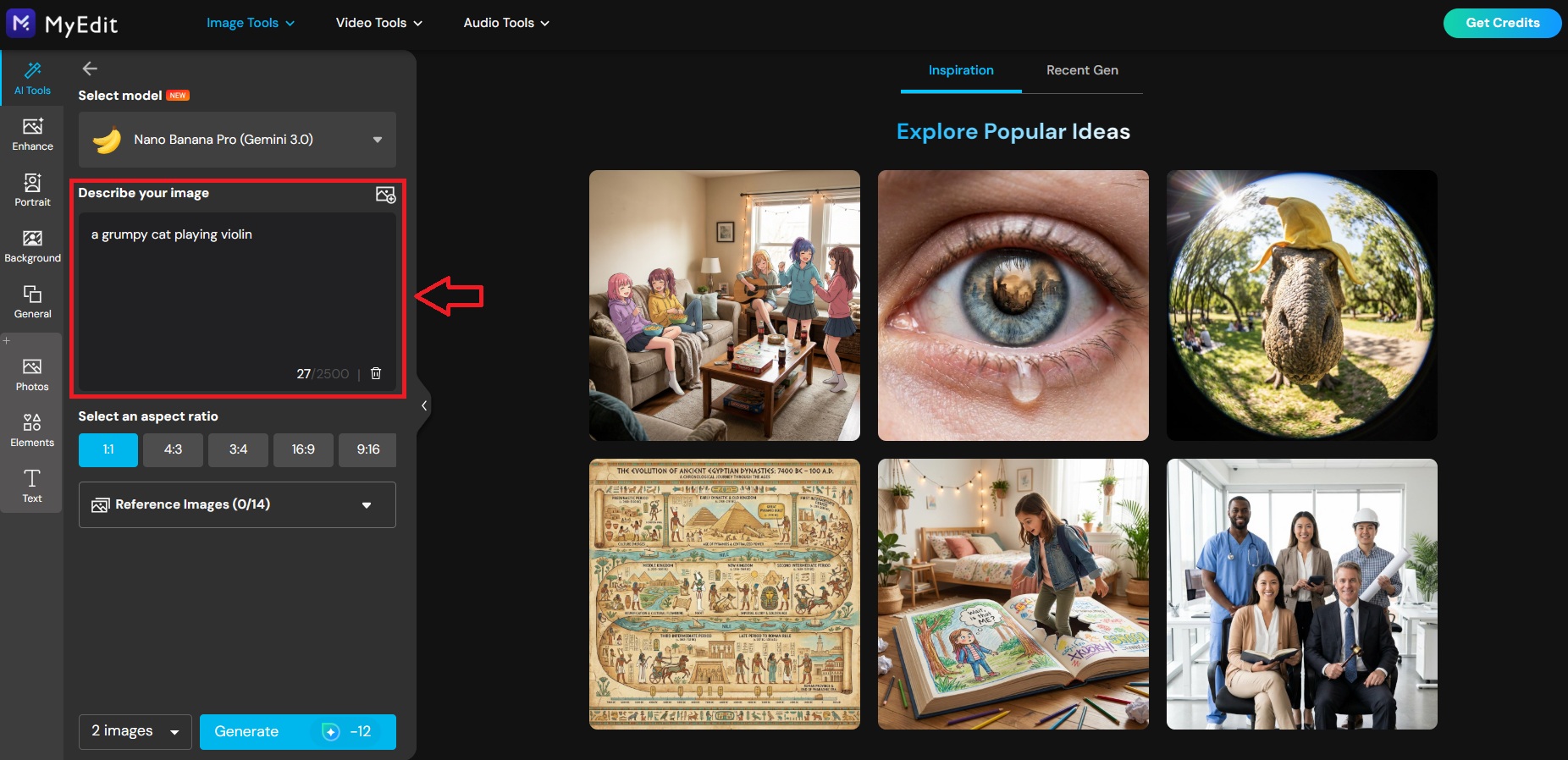
- Choose your preferred generative model and aspect ratio (e.g., Square, Portrait, or Landscape) for different social platforms.
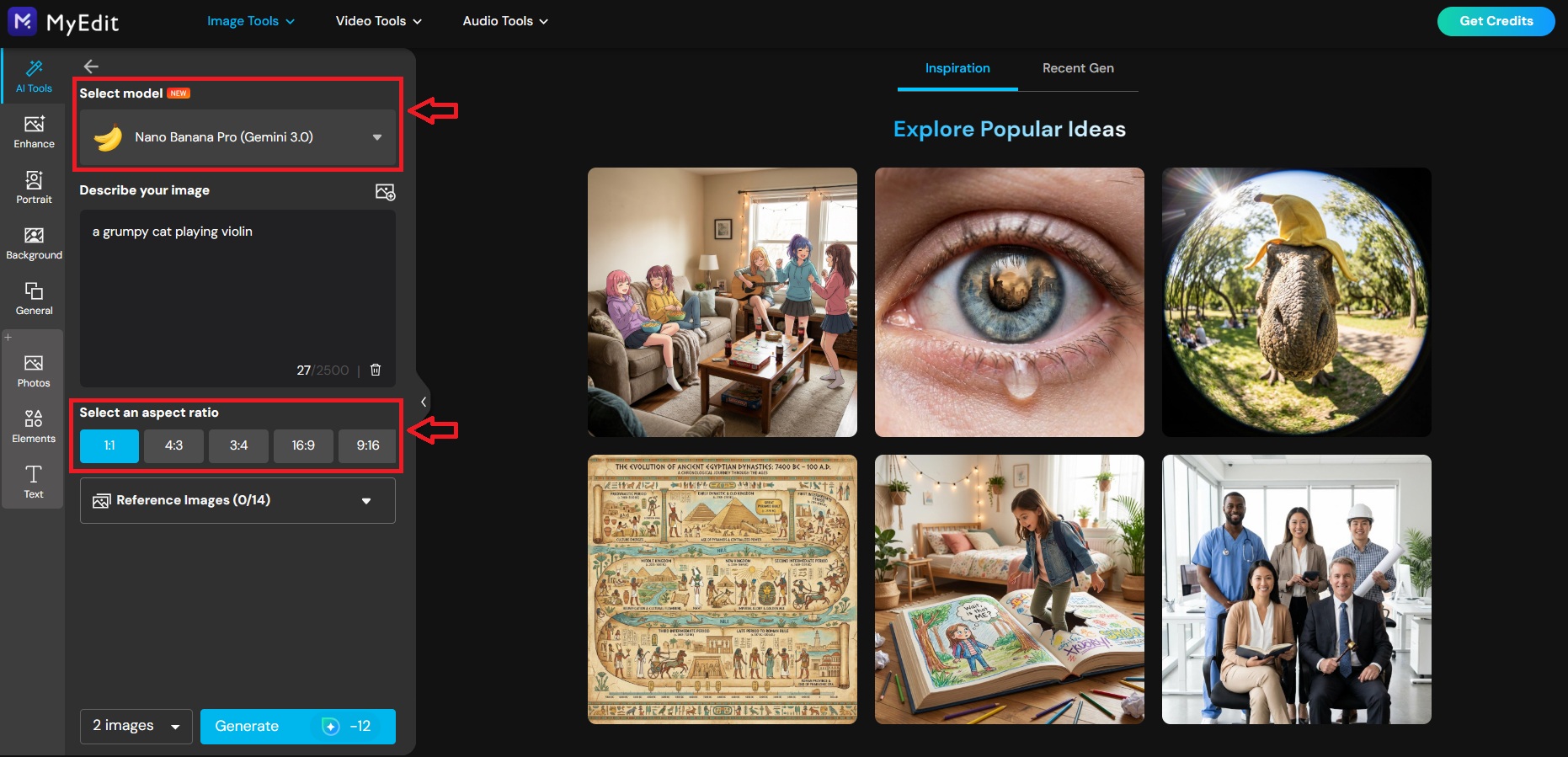
- Click Generate and download your masterpiece.


😻 Bonus: Restyle with AI Art
Want to make your meme even more artistic? Use the AI Art feature to transform your generated cat photo.
- Go to the AI Art tool.
- Upload the cat image you just created.
- Select Custom mode and enter a style prompt, such as "Transform this cat photo into a high-fashion magazine cover."
- Hit Generate to see your cat meme in a whole new artistic vibe!

The Best AI Cat Meme Generator

When it comes to creating viral-worthy feline content, MyEdit is the ultimate toolkit that leverages cutting-edge generative AI to bring your wildest ideas to life. Whether you need a dancing cat video from scratch or want to stylize a photo of your own pet, this platform offers a comprehensive suite of tools designed for creators of all skill levels.
Key Features for Cat Meme Creators:
- Text to Video: Generate hilarious cat clips from simple text prompts. You can choose from a wide variety of the latest and most advanced AI models to perfectly match your meme's vibe.
- Image to Video: Bring your static cat photos to life. Upload a picture of your pet and use custom prompts to make them wave, wink, or perform specific actions that define the "meme" moment.
- AI Image Generator: Create unique, copyright-free cat images from scratch. Perfect for visualizing absurd scenarios that you can't capture in real life.
- AI Art: Turn ordinary cat snaps into artistic masterpieces. Use style transfer filters to reimagine your feline friend as a cyberpunk character, an oil painting, or a sketch.
Cat Meme Generator FAQs
Cat memes resonate because cats are naturally expressive, unpredictable, and relatable. With the rise of AI tools, their popularity has surged even further as creators can now generate scenarios that were previously impossible to film, like a cat DJing or flying in space.
Cat memes are humorous pieces of content, ranging from static images with text overlays to animated video clips, that feature cats in funny or relatable situations. Modern cat memes often utilize Generative AI to create unique, surreal visual jokes.
MyEdit is the best all-in-one tool for creating cat memes. It offers a comprehensive suite of AI features, including Text-to-Video, Image-to-Video, and AI Image Generation, allowing you to create high-quality memes from scratch or animate existing photos easily.
You can create a dancing cat video in seconds using MyEdit's Text to Video generator. Simply select a model, and type a prompt such as "A chubby orange cat dancing disco under neon lights." The AI will generate the video for you instantly.
To create memes from text, use the AI Video Generator or the AI Image Generator. Just describe the funny scenario you have in mind (e.g., "A cat wearing a suit at a business meeting"), and the tool will visualize it for you.
If you already have a photo, use the Image to Video feature. Upload your cat's picture and use the "Custom" mode to describe an action (like "winking" or "jumping"), or apply a "Template" for instant motion effects.
As industry experts in generative AI, the CyberLink AI Research Team has spent over 5 years benchmarking and analyzing the rapidly evolving landscape of creative technology. The team conducts rigorous testing of emerging AI tools for content creation, delivering weekly insights and practical workflows that help millions of creators worldwide each year identify the most suitable AI solutions to enhance their productivity.
😜 Outside of their research, the team actively experiments with AI-driven video creation, builds content across social platforms, and explores new side projects, all with the long-term goal of achieving greater creative and financial freedom.


