


PhotoDirector: The Best Photo Retouching Beauty App


Your photos are your first impression, and you’ve taken about 50 photos of yourself trying to get the perfect shot. But when you look at them later, you find flaws in each. With digital photo retouching, you don’t need to start over again. Instead, open PhotoDirector and start editing and beautifying your photos with its retouch tools. Keep reading to discover how to use them and what photo retouching does for your pictures!
- What Is Photo Retouching?
- How to Choose the Right Tool to Retouch Pictures
- PhotoDirector—The Best App to Photo Retouch
- Examples of Photos to Retouch
- How to Retouch Pictures With PhotoDirector
- FAQs About Photo Retouching
- Download PhotoDirector — The Must-Have Free App to Photo Retouch
What Is Photo Retouching?
When you retouch pictures, you edit them digitally to make them more visually appealing. These edits can range from minor color corrections to face reshaping for a more flattering angle. They can remove background objects that clutter the frame, zap away blemishes, and brighten the photo's overall look to create a positive impression on your viewers.
How to Choose the Right Tool to Retouch Pictures
Each app functions differently, and you won’t find a one-size-fits-all photo editor. Before you download, here are a few things to consider:
Beginner-friendly
If you’ve never retouched photos before, you want something easy to use.
Basic or professional features
Sometimes, you just want to crop, adjust brightness or contrast, or add a cute filter. Other people might want a more professional tool that removes blemishes, reshapes, and enhances details.
OS and platform compatibility
Know which device you plan to use with your tool before you download.
Free or paid
If you’re just starting, it’s a good idea to stick with free options before you upgrade. And if you do plan to pay, check the cost and upgrade features to make sure it’s worth it.
Regular updates
Your photo retouch app should update to include new features and tools so you can keep up with editing trends.
PhotoDirector—The Best App to Photo Retouch
PhotoDirector helps you retouch pictures with tools you can use, even if you’ve never edited a photo before. With it, you can make minor adjustments or do more extensive retouching with professional-level tools. Its free option is available for iOS and Android, and you get frequent updates to make every feature even better.
- Slim Face
- Skin Retouching
- Put on Concealer
- Enhancing Eyes
- Whiten Teeth
- Makeup Tools
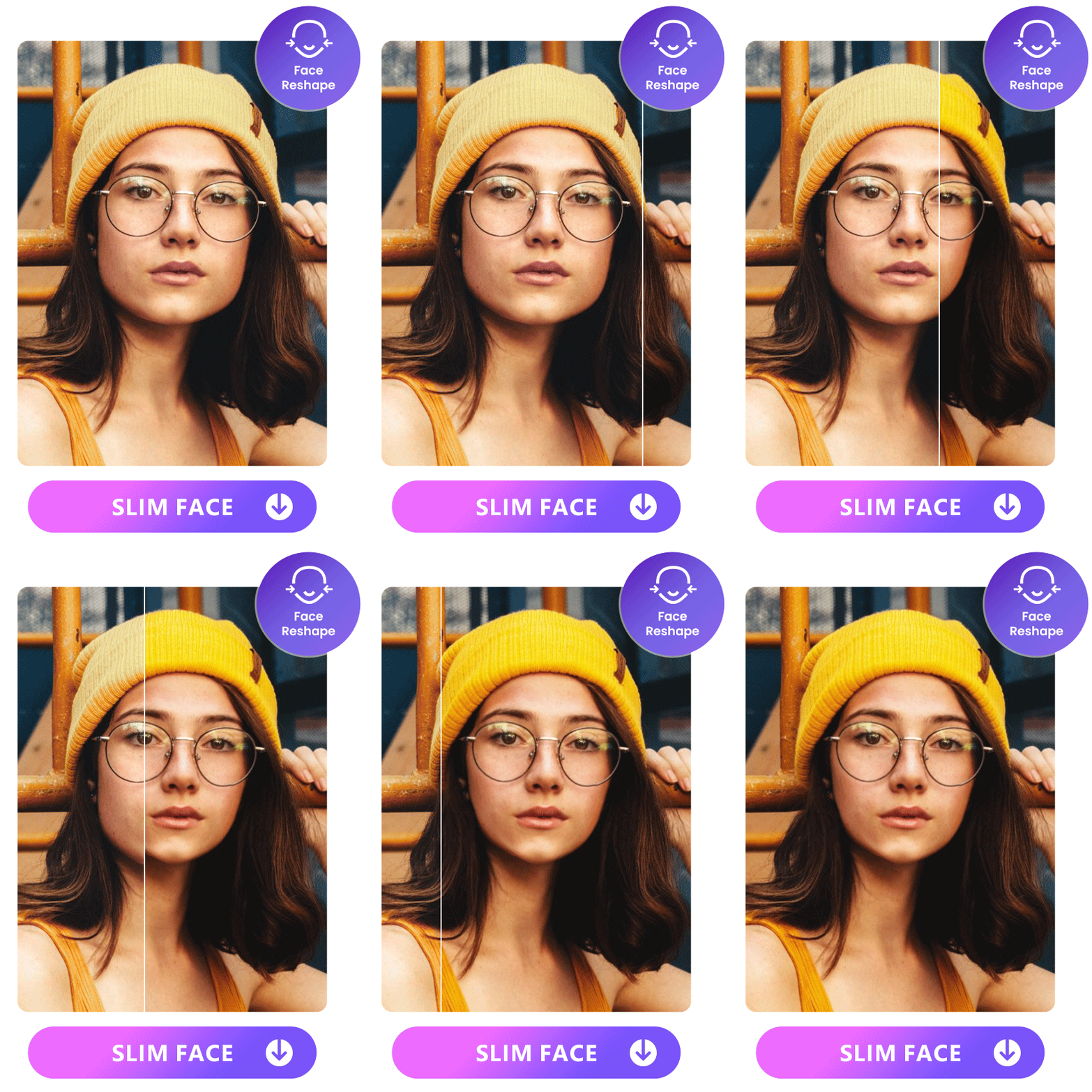
PhotoDirector has four face shapes that you can tap to automatically adjust yours, including beauty, natural, slim, and baby. And, when you want a custom look, you can manually adjust your face width, jaw, chin, and hairline.
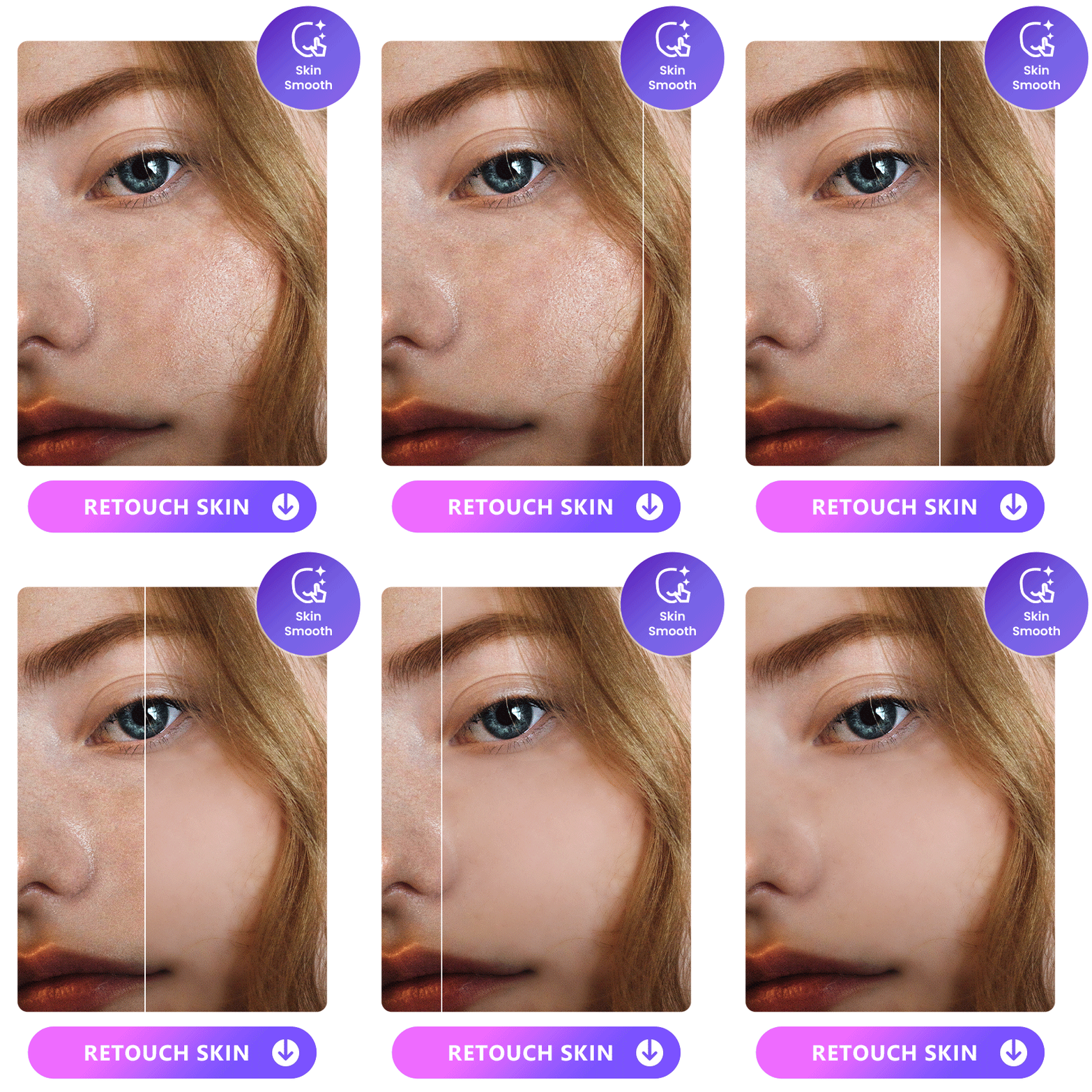
When you see blemishes in your portrait photos, PhotoDirector’s skin retouching tool will clear your skin. Its skin smoothener has a low, medium, and high setting, so you can reduce acne while still looking natural.
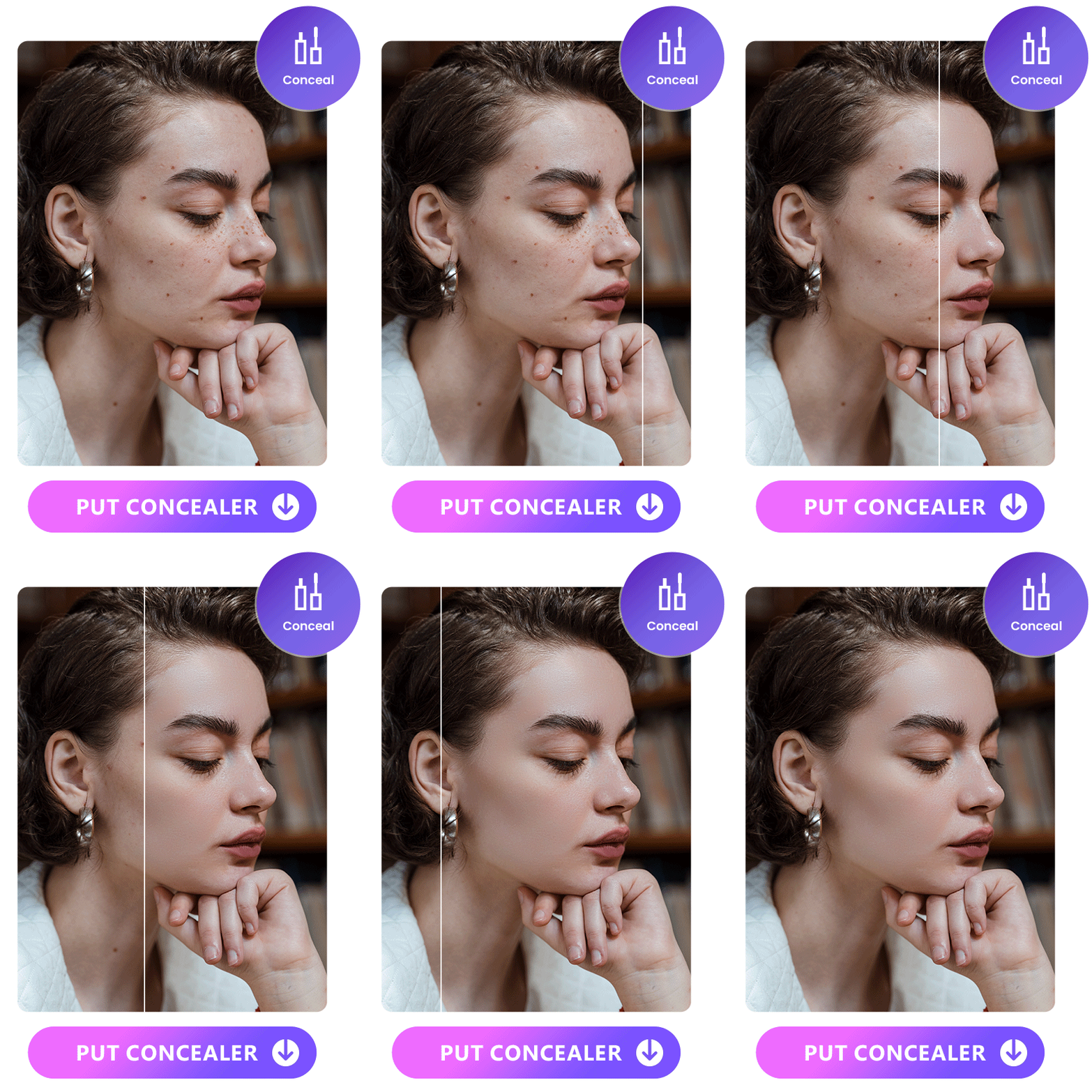
You can decide how much concealer you need with PhotoDirector's low, medium, and high settings. It covers up any issues with uneven skin tone or redness, so you feel confident in your skin.
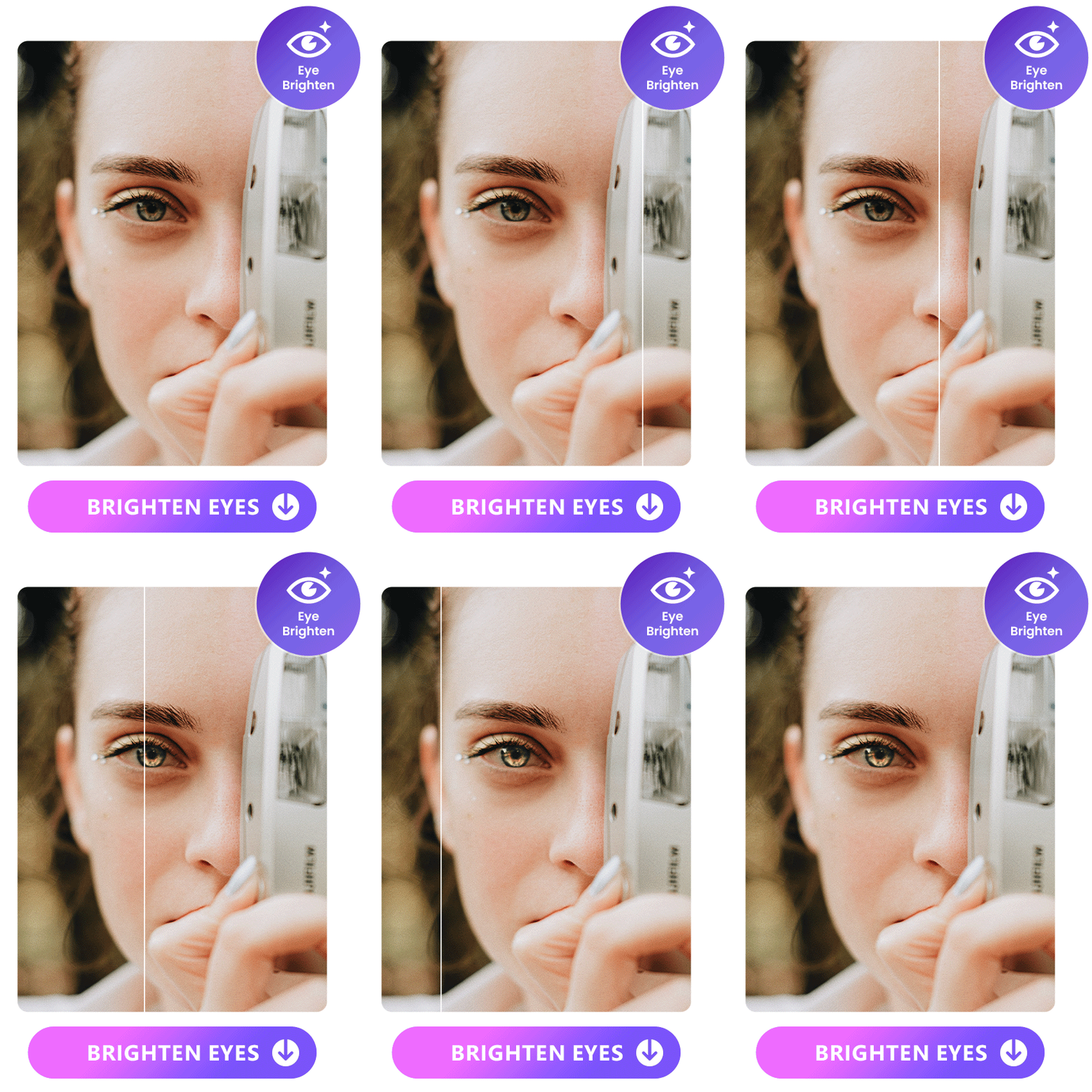
Your eyes express a lot about you, and with PhotoDirector, you can brighten them up to make them the star of your photo. The app also lets you adjust your eye size, height, and span.
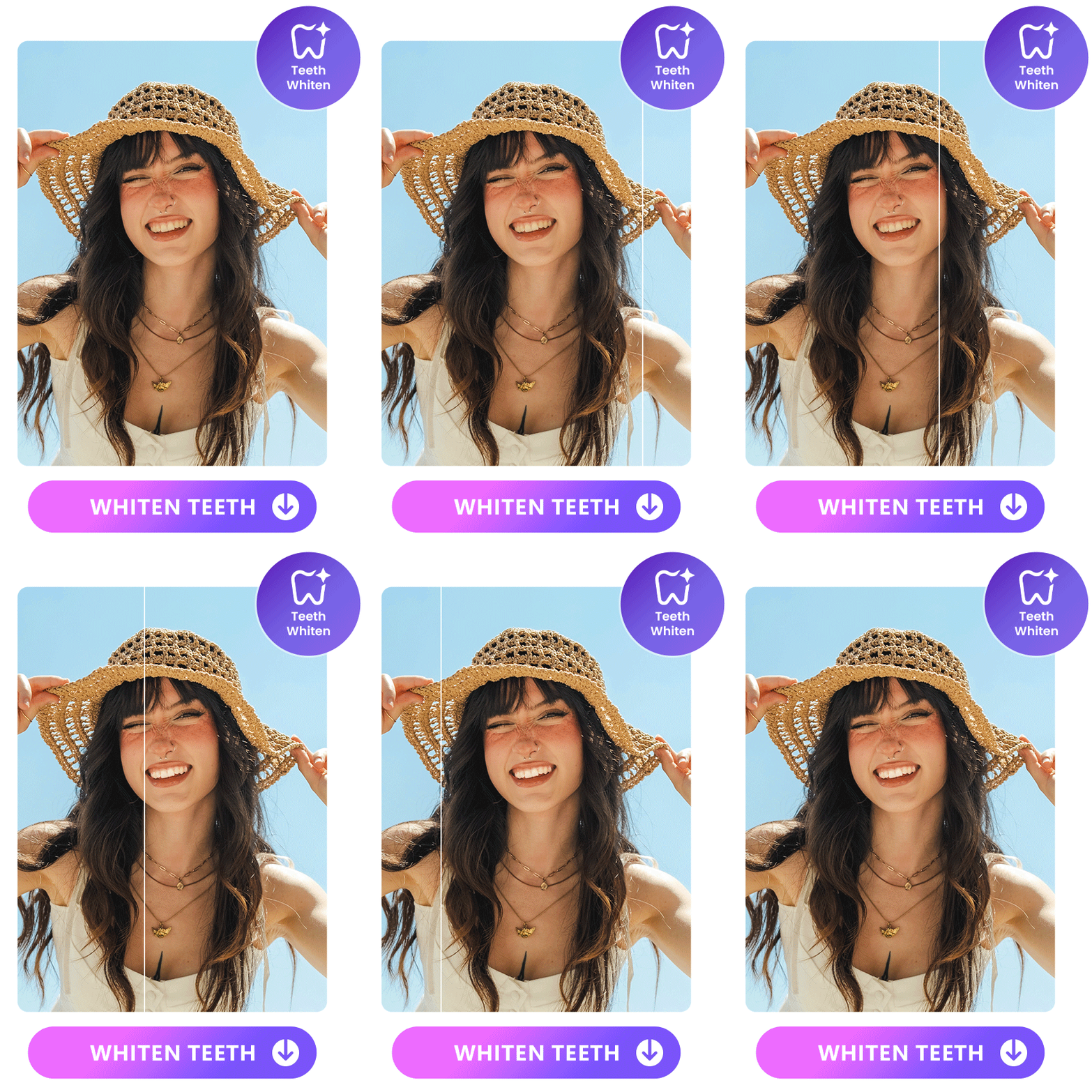
The first thing people notice about you is your smile. PhotoDirector’s teeth whitener makes your smile shine, and you can decide how dramatic a difference the tool makes.
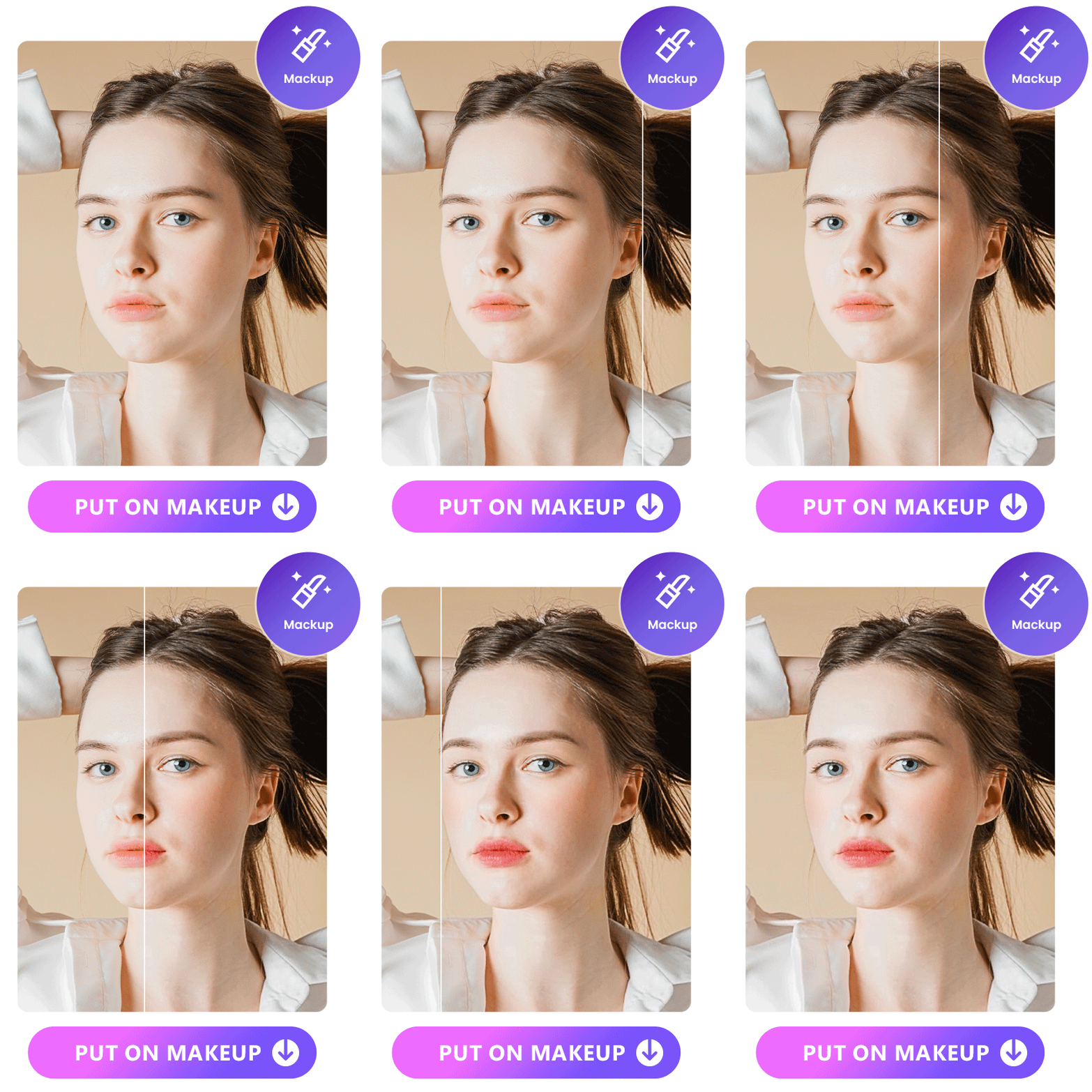
PhotoDirector’s makeup options have over 60 lipstick colors, each with six textures to make up your vibe. Apply six blush styles with 20 colors and give yourself the perfect contour with more than 15 looks. As a finishing touch, you can choose from over 10 eyebrow shapes to frame your face.
Examples of Photos to Retouch
Whether you’ve got professional portraits, a new outfit of the day, or want a website headshot that draws in visitors, PhotoDirector has the tools to help.
- Portrait Retouching
- Fashion Photography Retouching
- Headshot Photography Retouching
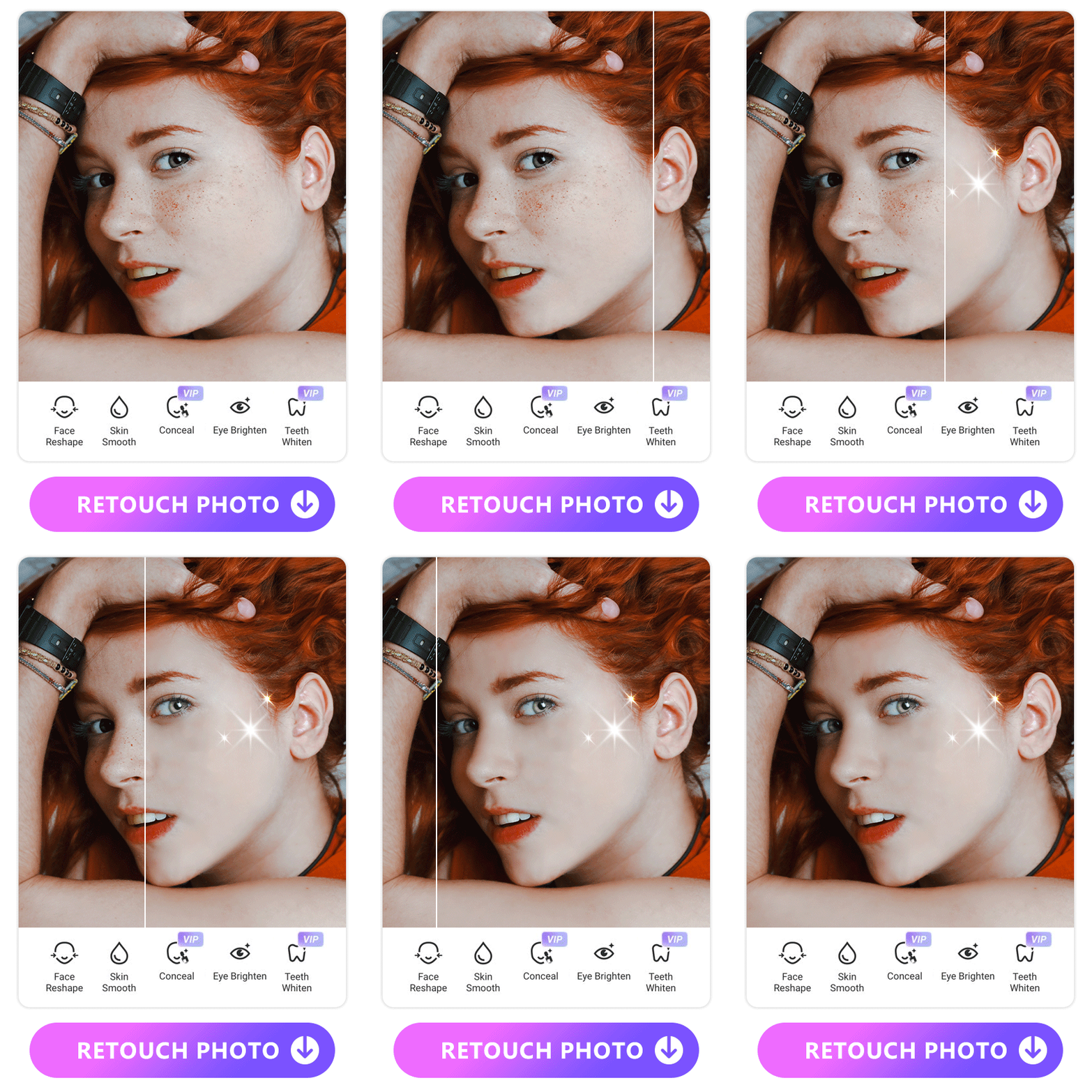
The portrait tool in PhotoDirector has a collection of features that allow you to:
It lets you retouch every part of your photo in one place with seamless edits for a clean portrait. You can choose from presets within each feature or manually edit to get the precise look you want while keeping your natural beauty.
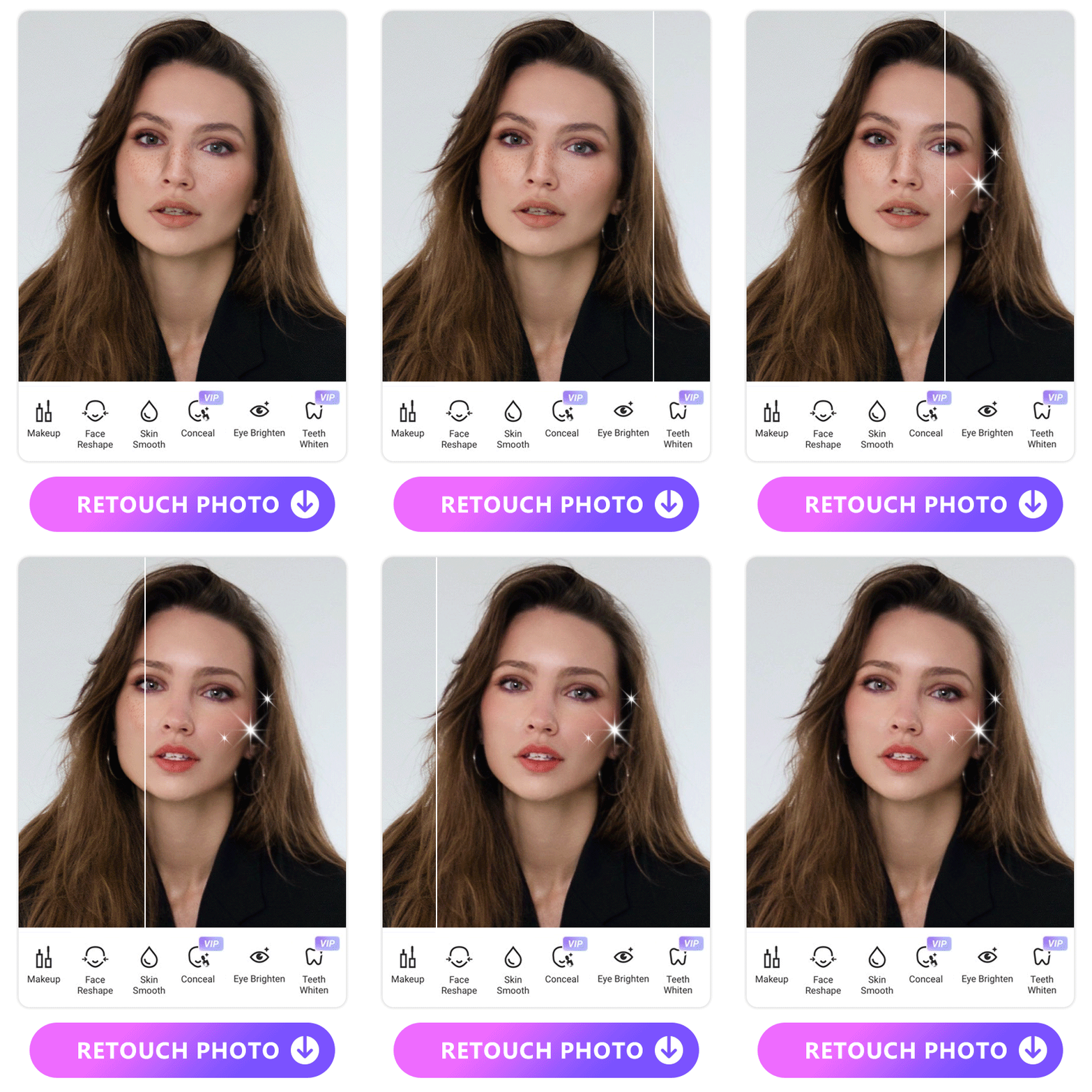
Match your makeup to your wardrobe with PhotoDirector’s makeup tools. With tons of colors and styles to try, you can customize your look to your overall style without buying another makeup product.
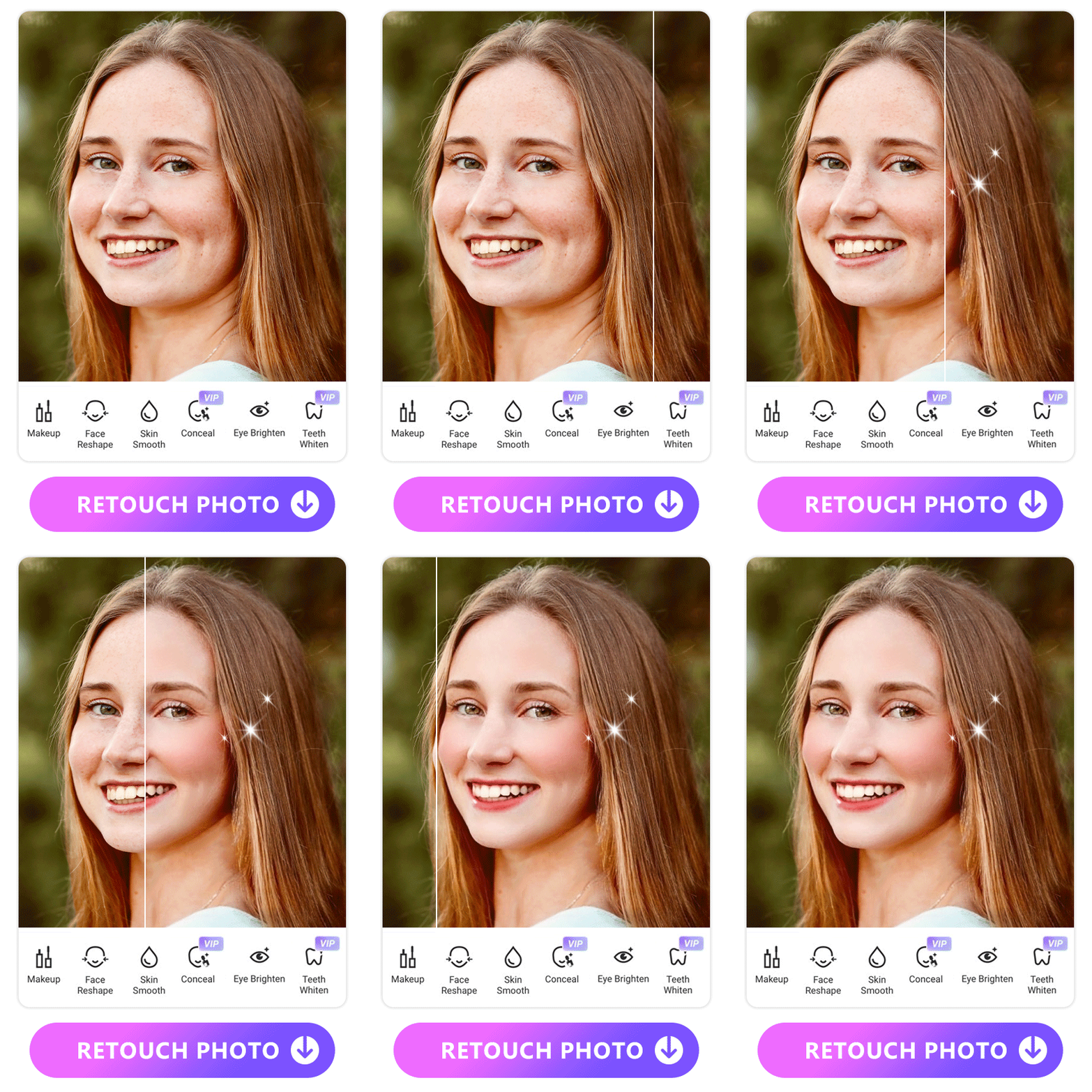
Before you put your professional headshot on your resume, PhotoDirector’s portrait and makeup tools combine to give you a beautiful close-up that you’re proud to share. With these tools, you not only elevate your headshot, but your brand too.
How to Retouch Pictures With PhotoDirector
1. Download PhotoDirector — The First Choice App to Retouch Photos
PhotoDirector is only available for iOS and Android right now, but it will be released for Android soon. You can download it from the App Store and start putting your photo retouch skills to use!
2. Choose from the Photo Retouch Features

There are two ways to start retouching with PhotoDirector. First, you can use the camera in the app to take a picture. If you already have photos to retouch, tap New Project and upload your picture.
On the main menu, choose the retouch feature you want to use from the portrait or makeup options. Make manual edits with the tools or choose one of the low, medium, and high presets for an instant change.
3. Save and Share the Retouched Photos
When you’re done with your photo retouching, tap the save button to download your edits. PhotoDirector also lets you share your photos directly from the app. Choose the platform where you want to post or choose your messaging app to text your photo to your friends!
FAQs About Film Grain
When you retouch photos, it’s easy to get carried away. Many people make mistakes like:
- Overediting to look unnatural
- Making the contrast, saturation, or brightness too high
- Smoothing skin out too much
- Adding too much makeup
PhotoDirector fixes these issues by letting you manually retouch and pause to check your edits at every stage. It helps you get a more accurate view of your photo so you end up with a result that balances your natural beauty with the improvements you make.
You can retouch your skin on your terms using PhotoDirector's smoothener and concealer tools. Adjust the degree with its presets or take control with the manual options.
When you’re choosing a photo retouching tool, pick one that matches your editing experience and goals for your images. Many people like a beginner-friendly option, but before you download, check out whether you get only basic tools or more advanced options. You should also make sure the app you choose works for your device, updates regularly, and is either affordable for you or free.
Yes, you can learn retouching either by spending time learning advanced techniques or with a user-friendly app like PhotoDirector. PhotoDirector uses AI technology and smart tools to help you make easy edits and gain confidence in your photos, even if you’re a beginner.
PhotoDirector is a free beautify app that lets photo editors at every level enjoy retouching pictures. It’s convenient, quick, and gives you natural results that work for professional and fun photo sharing.
Download PhotoDirector — The Must-Have Free App to Photo Retouch
PhotoDirector’s photo retouch features give you the ability to clear your skin, reshape your face, and add makeup to any portrait photo. You don’t need any special editing skills to enjoy retouching like a pro, and you don’t have to worry about overediting. Whether you take a new shot with the app or upload one you’ve already got, PhotoDirector gives you the freedom to discover your editing style. Download the app for iOS and Androidto explore all its photo retouch tools!

The Cyberlink Editorial Team creates in-depth articles on video editing, multimedia innovation, and AI-powered creative tools. Our mission is to provide practical, easy-to-follow tutorials across video and photo editing, while showcasing AI features, product insights, and industry trends that empower creators around the world.