




How to Combine Videos Online Without Watermark (Fast & Easy)

When you want to combine multiple video clips into one seamless file—whether for social media, a family montage, or a quick presentation—doing it online can save time and hassle.
MyEdit is a free, browser-based tool that makes it easy to merge videos quickly, without downloads or watermarks, giving you a polished result in minutes.
Best Free Online Video Merger: MyEdit
Looking for the easiest way to merge videos online — without installs or watermarks? MyEdit is a fast, browser-based solution that lets you combine video online for free.
It’s perfect for social clips, family montages, and quick edits when you need a polished result in minutes.
- No download needed: work directly in your browser without download.
- Watermark-free exports: export your merged videos without logos or quality loss.
- Drag & drop timeline: add and reorder clips easily before merging.
- Quick transitions & presets: add simple fades to make your edit smoother.
- Multiple formats supported: MP4, MOV and common formats for easy sharing.
Want to try it right away? Click below to open MyEdit’s Video Merger and start combining your clips in seconds.
How to Combine Videos Online
Combining videos has never been easier. With MyEdit, you can merge your clips in just a few clicks—completely free, directly from your browser, with no software installation required.
- Open MyEdit – Access MyEdit Video Merger directly from your browser.
- Upload your videos – Click “Select Files” to add the clips you want to combine.
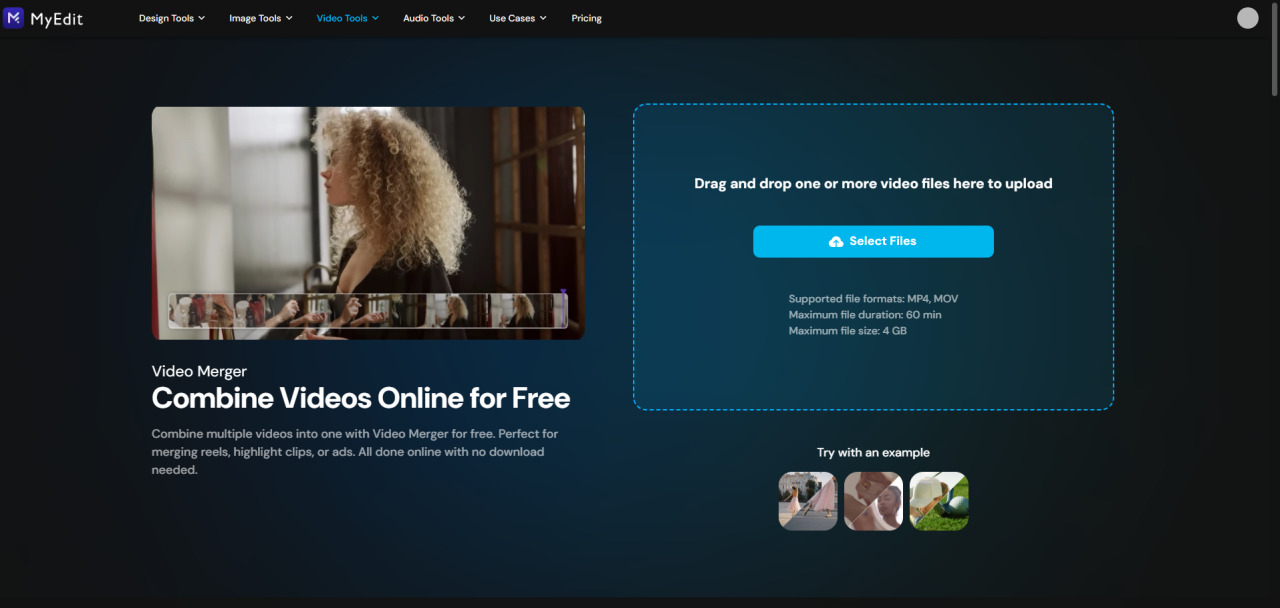
- Arrange your clips – Drag and drop your videos to set the order you want.
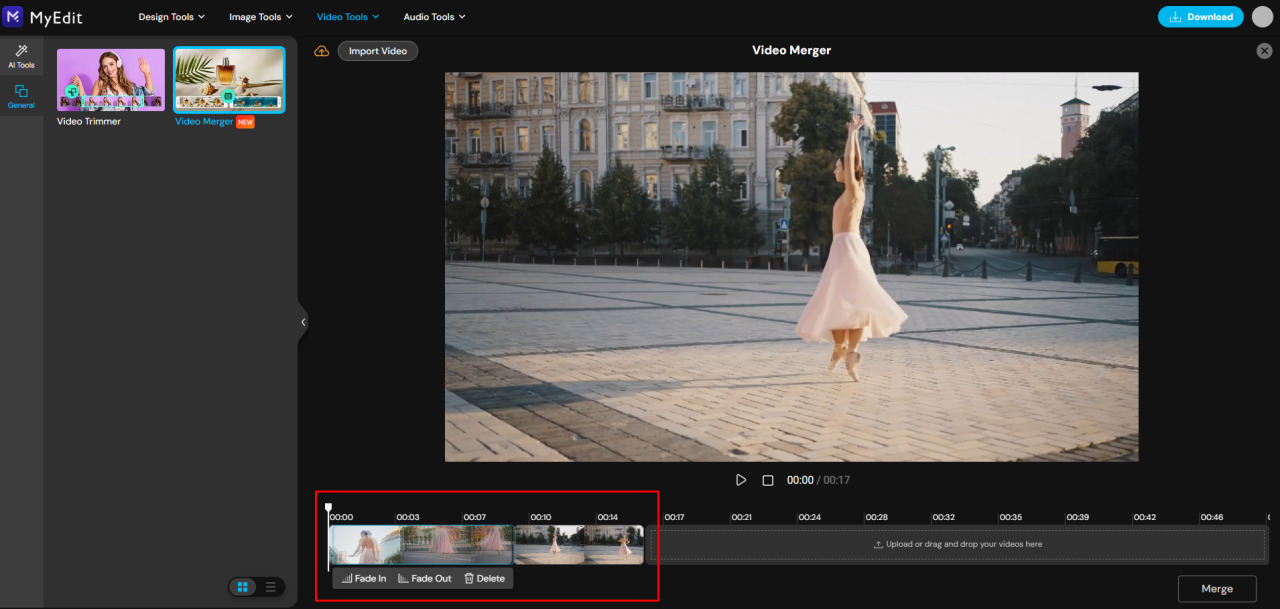
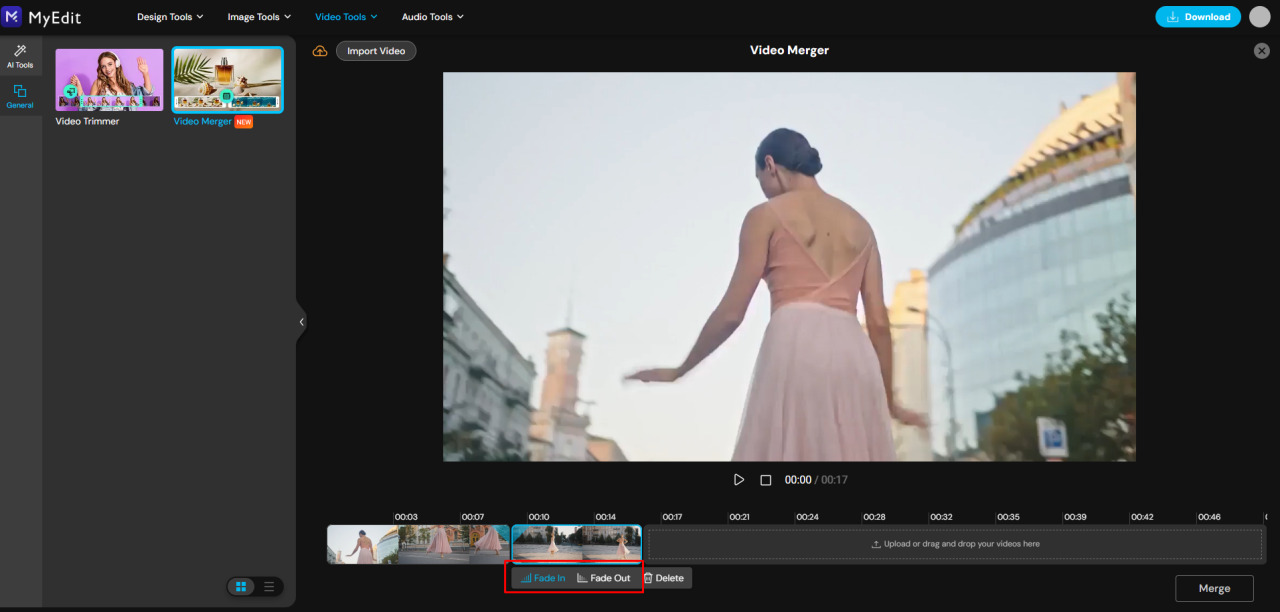
- Add transitions – Insert simple transitions (fade in, fade out) to make your video flow smoothly.
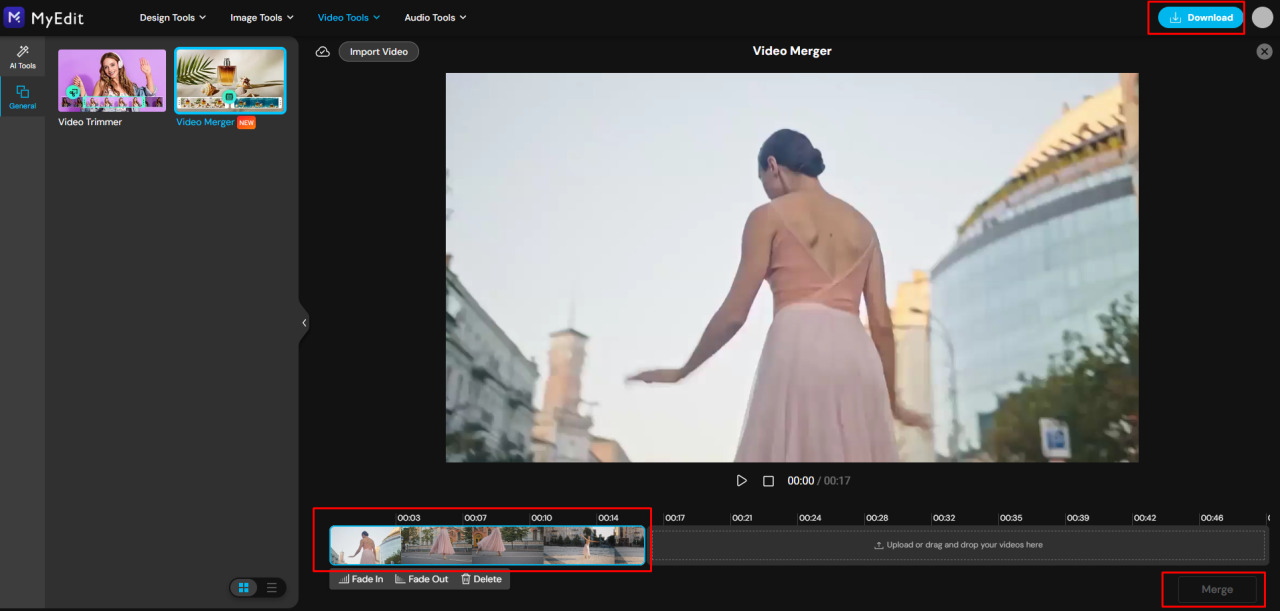
- Merge & Download – Click “Merge” to combine your clips, then “Download” to save the final video.


Note: You can also enhance your videos with other MyEdit tools, such as trimming clips or improving media quality.
Related Articles:
- How to Change Your Voice Online
- Best Video Background Removers
- How to Instantly Enhance Video Quality
Video Merging FAQs
Yes! With MyEdit Video Merger, you can combine two videos in seconds. Just upload the clips, arrange them, and click Merge to download your combined video without any watermark.
- Open MyEdit Video Merger in your iPhone browser.
- Upload your video clips from the camera roll.
- Reorder or trim the clips if needed.
- Tap Merge and download the final video.
Yes! Simply upload your videos to MyEdit, arrange them in the right order, optionally add transitions, and click Merge to create a single video.
- Upload all your video clips to MyEdit.
- Drag them to set the correct order.
- Trim or add transitions if needed.
- Click Merge to get one polished video.
Yes! MyEdit Video Merger is free to use, works on both desktop and mobile, and produces watermark-free videos directly from your browser.
- AI-powered editors like MyEdit can merge multiple clips automatically.
- They can add smooth transitions and enhance video quality.
- This creates a polished, ready-to-share video quickly.

![5 Best Free Apps to Crop Videos in 2026 [iOS & Android]](https://dl-file.cyberlink.com/web/content/b1080/l_Thumbnail.webp)
![10 Best Birthday Invitation Makers for Your Perfect Birthday Party [iOS & Android]](https://dl-file.cyberlink.com/web/content/b1982/l_Thumbnail.webp)


