


Amazon Advertising Guide: Best Practices & Tool for Amazon Ads
Amazon Ads gets more eyes on your business, but you need a good strategy to ultimately get higher returns. This guide will walk you through the basics of mastering Amazon ads to make your business flourish.
If you don't have much time to follow along, we recommend you to try Promeo to start off your journey to slay your Amazon ads. The app can save you time and money using AI to perfect your product images, the key to bring your potential customers on board. Download Promeo for free today and grow your business!

- Understanding Amazon Ads
- Tips to an Effective Amazon Advertising Campaign
- How to Edit Amazon Ads
- Optimizing Product Photo for Amazon Ads
- FAQs About Amazon Advertising
Understanding Amazon Ads
Amazon Advertising lets you buy ads and shows them to your target audience based on their online behavior. It has ads for all business types, including small businesses, helping you reach not just more customers but the ones who want to buy your products. Once you choose a plan, you can upload your product photos, add text, and share your products with the world.
Tips to an Effective Amazon Advertising Campaign
There are a lot of aspects to keep an eye on in order to succeed in Amazon Advertising. We will walk you through the essentials of successful Amazon Advertising campaign strategies to win customers over.
Product Image Editing:
Amazon Ads has a few rules for product photos and ad copy. There are tools, such as Promeo app, that can easily comply with them, making the creation and uploading process faster and easier. Besides following the suggested image size and policy, it is crucial to have an aligned brand identity of quality product images to raise brand awareness.
Keyword selection:
Keyword targetting is the foundation of an effective Amazon Advertising campaign. Consider the search volume, competition, and relevance when choosing keyowrds. It's also recommended to utilize negative keywords and phrases in order to avoid irrelevant clicks.
Bidding Strategy:
Choose a suitable bidding strategy for your business based on your goals and budget. Be it fixed bids or dynamic bidding strategies, it's suggested to adjust your bid over time to find the sweet spot between visibility and cost-effectiveness.
How to Edit Amazon Ads
Promeo is by far our favorite app when it comes to editing images for marketing purpose. Read on to learn how to edit Amazon ads and product photos easily for free!
- Download an image editor app
- Upload Product Photos
- Edit and Enhance Images with AI Tools
- Export Images for Your Amazon Ad
We recommend you to try Promeo, an easy app that helps you save time and produce high quality promotional images for your business. Promeo is available for free on both App Store and Google Play Store.
Use a product image that focuses on your subject and highlights the best parts of the item, even before you edit it. While you can edit the background, colors, and brightness, you can’t change the product angle or improve something that isn’t already there.
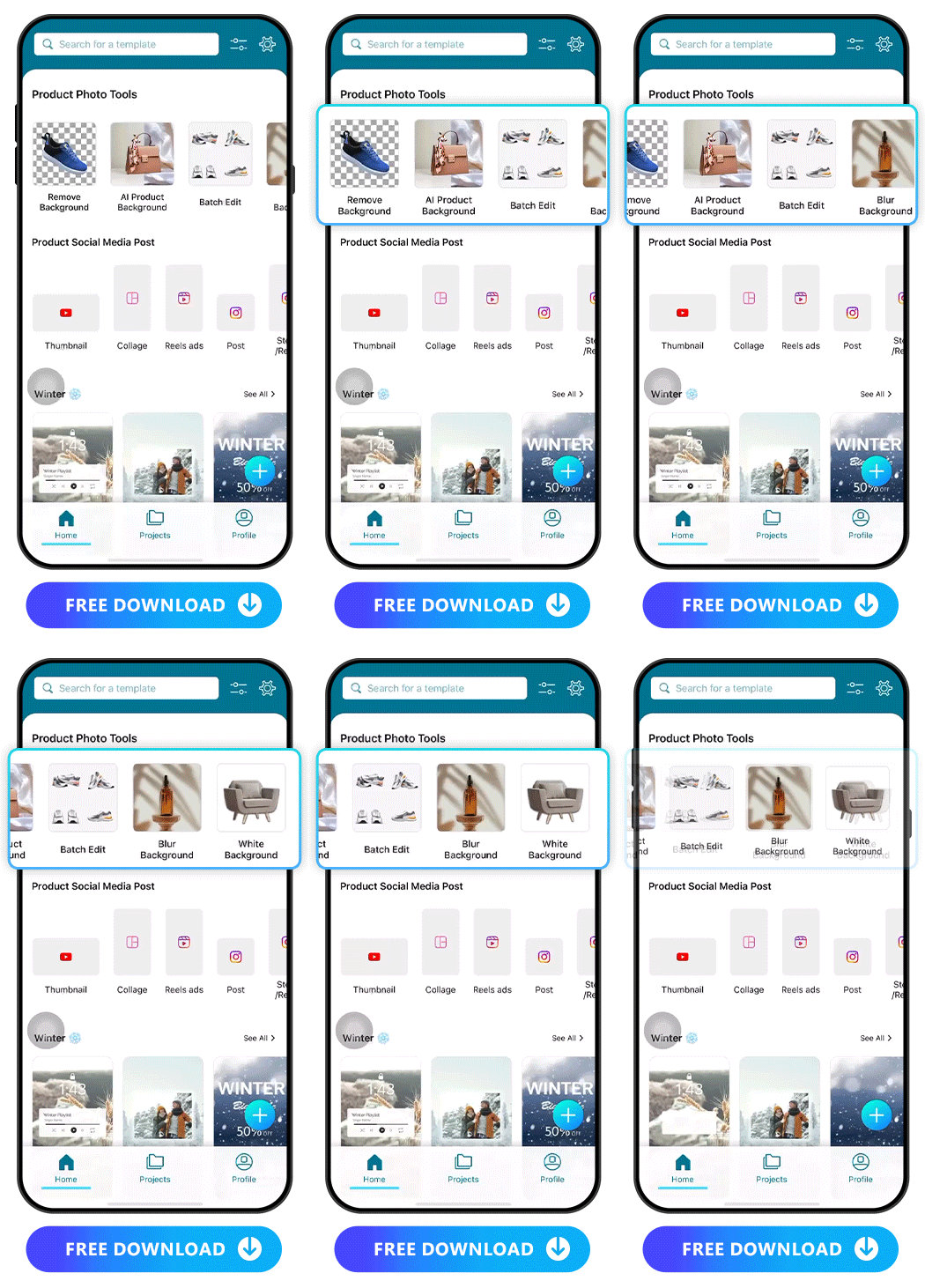
Our favorite Promeo app comes with a variety of editing tools, including a few made specifically to enhance product photos for Amazon Ads. Start with these features for a simple editing process:
★ Add an AI Product Background
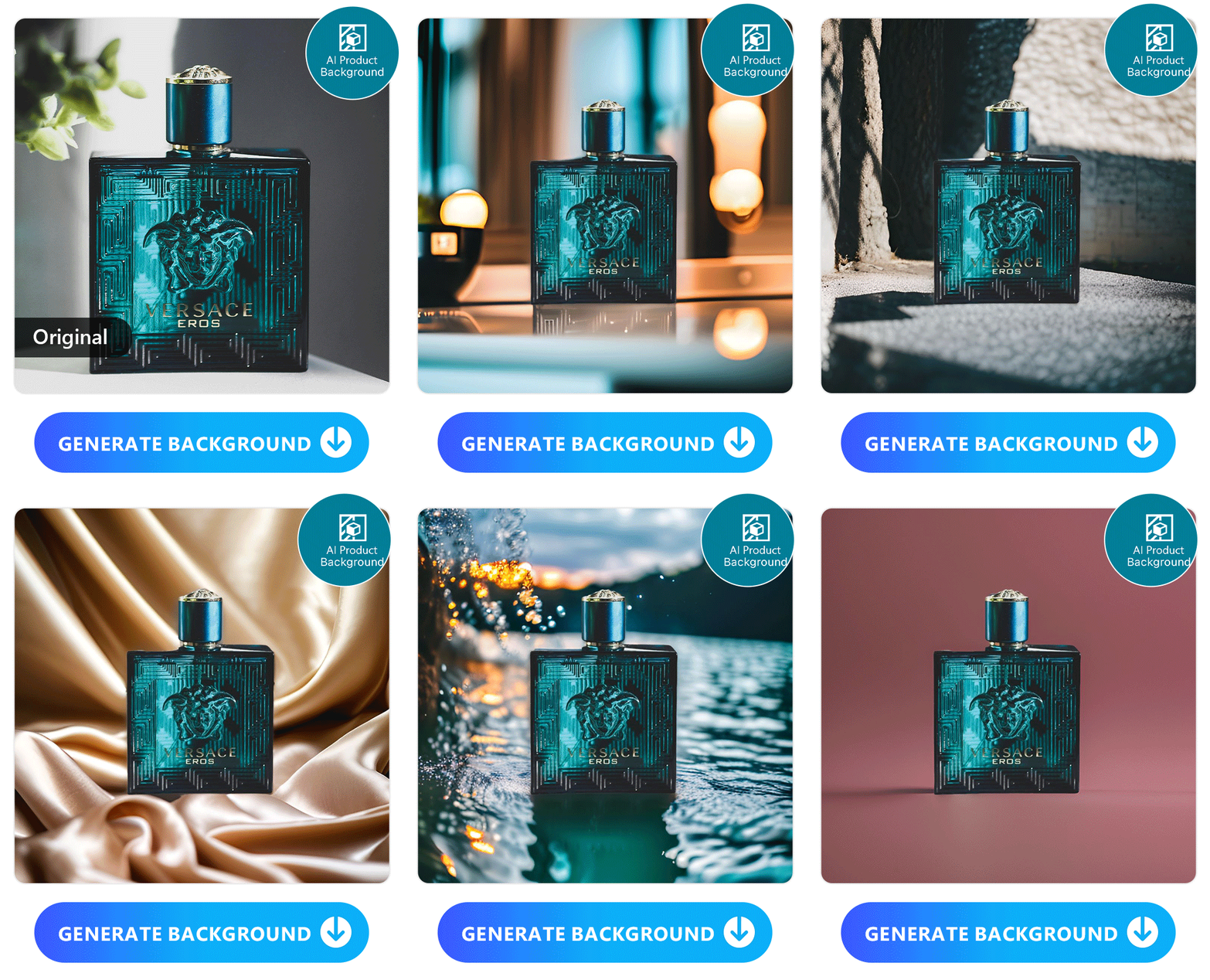
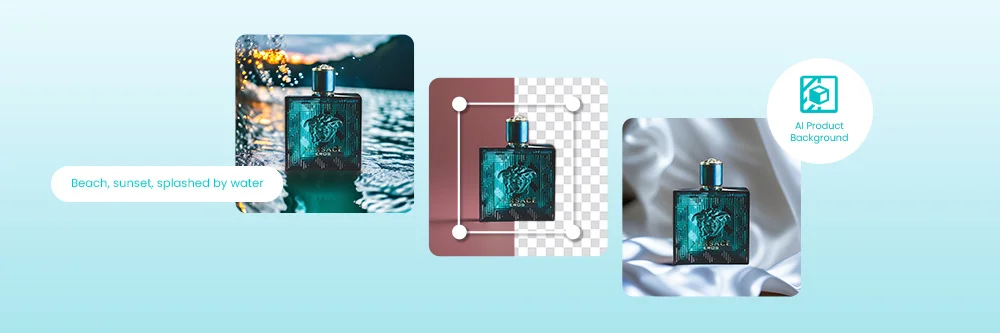
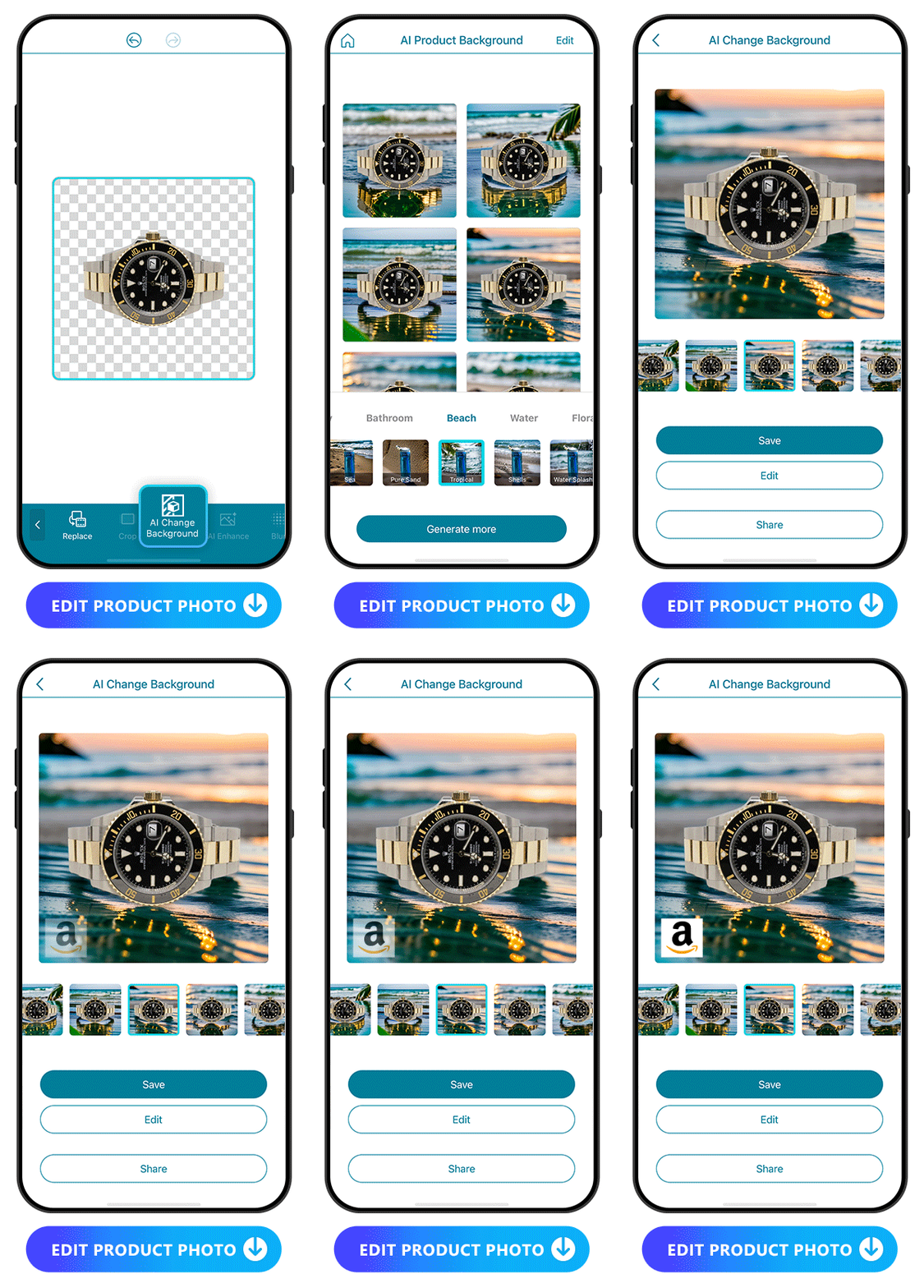
Adding an AI background gives you more options than you’d get in a studio or any indoor setting. From the main page in Promeo, go to AI Product Background and type in or select the background you want. It gives you a custom backdrop that complements your product and creates visual appeal in your ads.
★ Edit Product Background
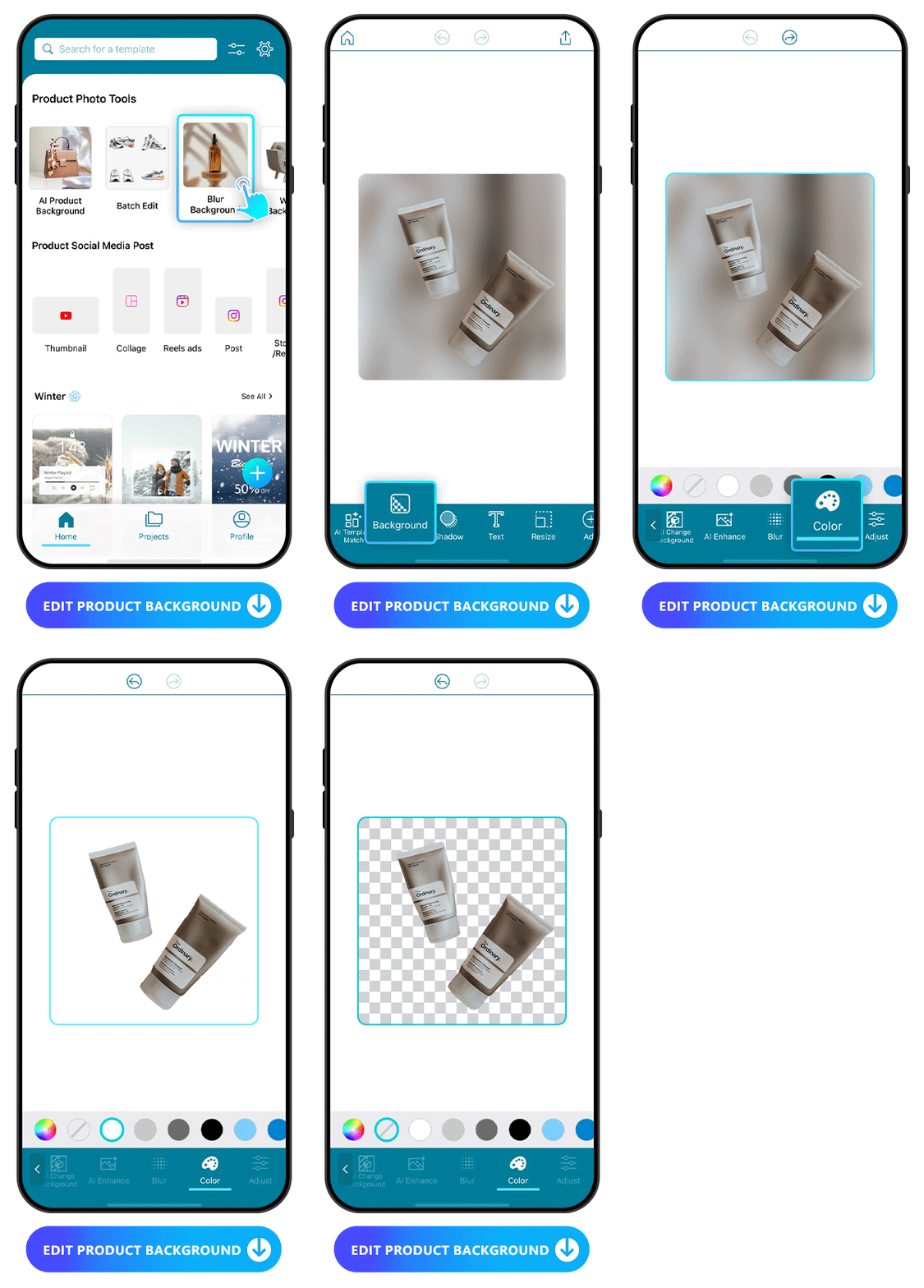
Select the Remove Background, Blur Background, or White Background features to change your product’s backdrop. Each of these options brings your product into focus, and when people are scrolling, that’s what makes them stop to look at your ad.
★ Batch Edit
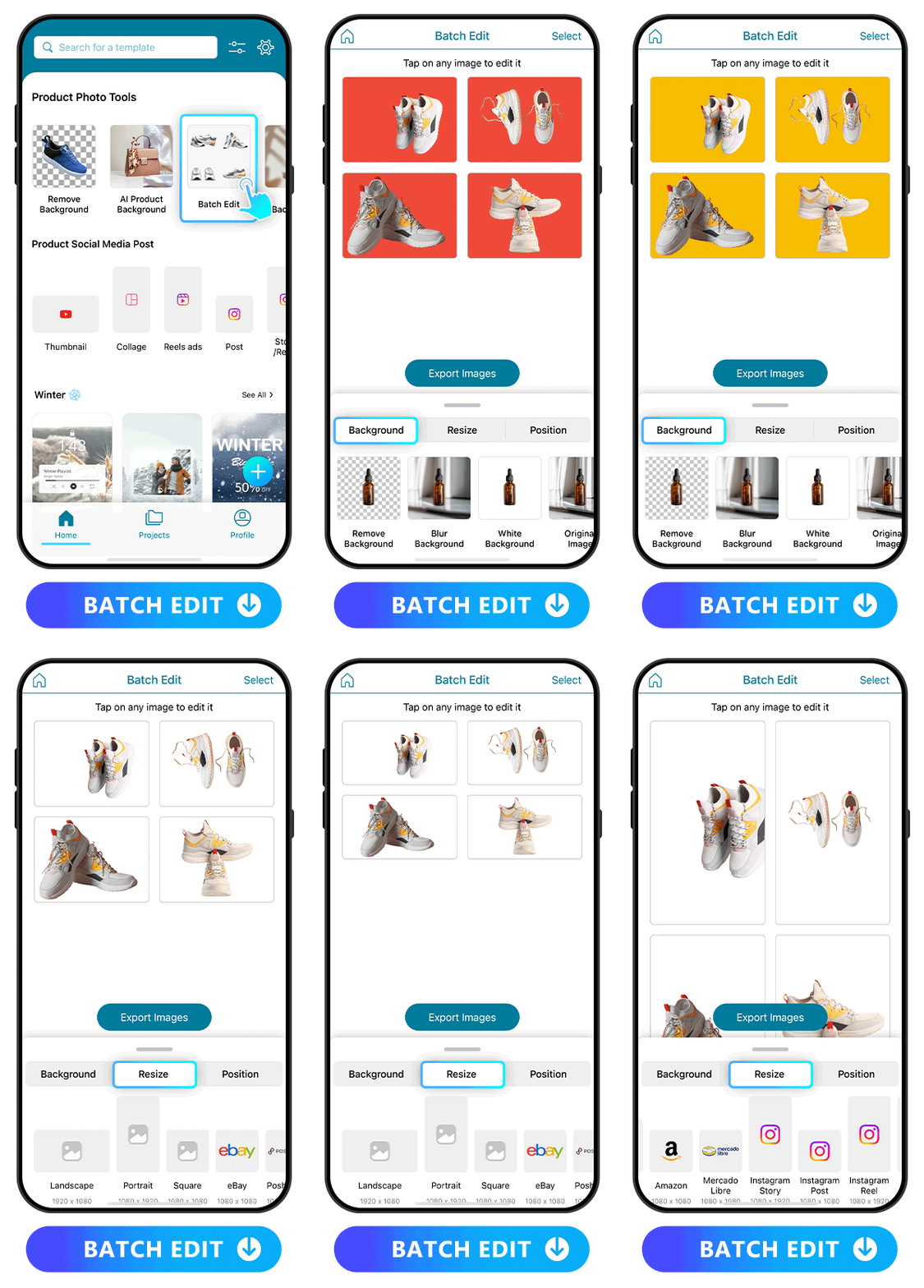
Tap the Batch Edit tool on the main page and select the number of photos you want to edit at once. This tool helps you create consistent photos across your Amazon Ads and comply with the platform’s rules without having to overthink them.
★ AI Magic Designer

With AI Magic Designer, you can create Amazon ad images and any other promotion images in no time. Simply upload your product image, provide information such as name of product/service, keywords, design style, aspect ratio, and preferred language for AI to generate suitable and eye-catching designs for your Amazon Ad. This helpful tool can help your business easily gain brand awareness and recognition. Since customers need at least seven touches to decide to buy your product, this helps them remember you from your Amazon ads.
Save your promotion images and upload them to Amazon Ads. Then you're ready to watch the sales roll in!
Optimizing Product Photo for Amazon Ads
Beautiful product photos in your Amazon ads show you run a professional business that cares about its products and customers. It’s your first impression with the audience. An appealing image makes them want to click on your ad and find out more, which is the first step in leading them down the funnel to make the purchase.
Promeo’s abundant AI features let you edit your background and refine your images before you upload them to Amazon Ads. With its AI capability, batch editing, and templates, the app makes editing efficient, so you can prepare and post your ads in no time and get back to creating.
Edit Product Background
Promeo has lots of background styling options for your product pictures. From the main page, you can choose among Background Removal, Blur Background, or White Background tools to create focus.
Batch Edit for Amazon’s Image Guidelines
With batch editing, you can edit multiple photos at once to speed up the process and comply with the rules of Amazon Ads. This creates consistency across products, which works well for businesses that create product lines or want to show the same product from different perspectives.
If you’re a shoe company, you want to show all angles so people can see the shape and style of the shoe. Or, if you’re a beauty company, you can use batch editing to tie together each product in your new skincare line.
Brand Kit
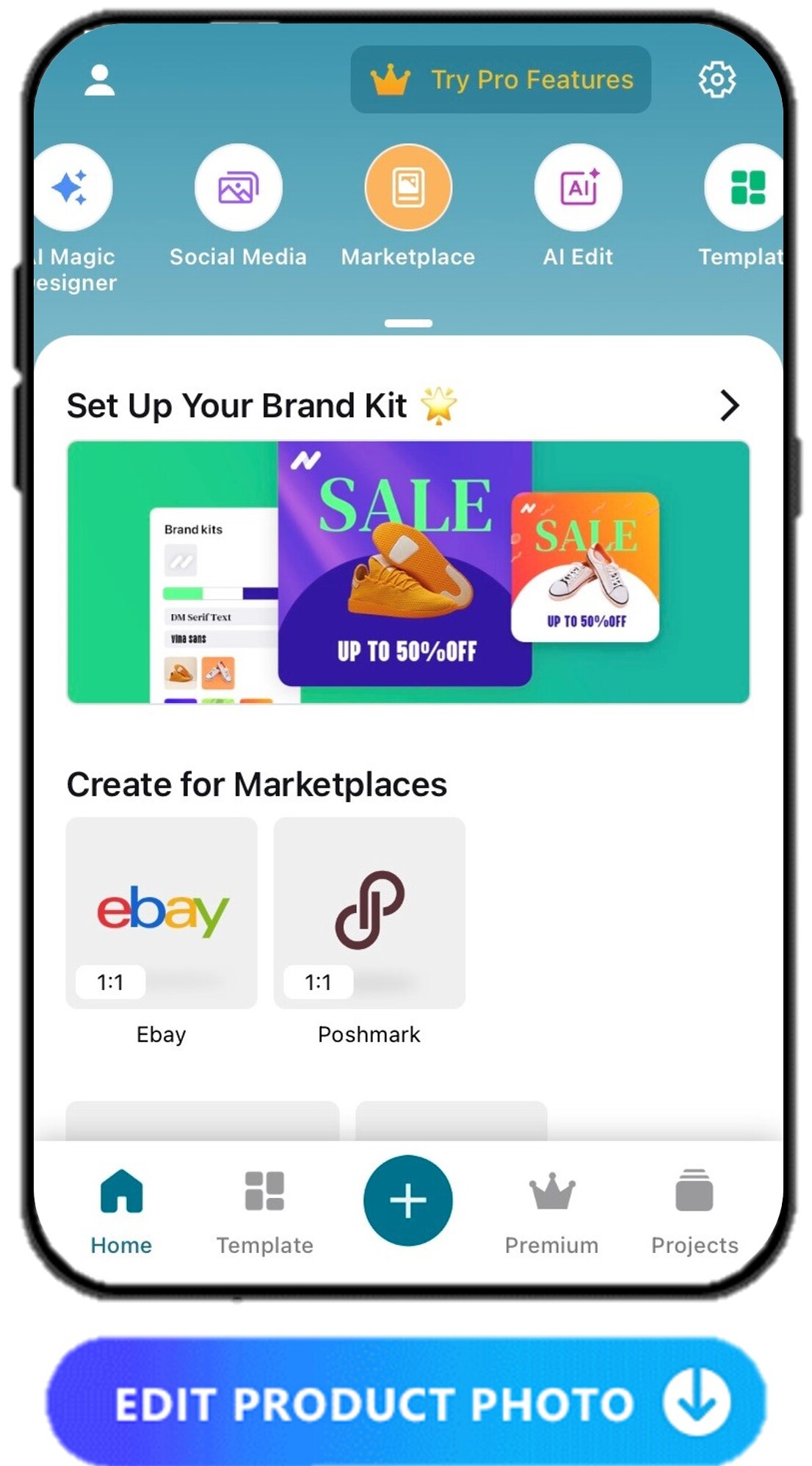
When you have the Amazon ad image ready, you may want to add text, adjust the photo settings, add in your logo and just make the image look perfect to go on your online listing. Promeo lets you do all of this effortlessly with its Brand Kit feature. You're able to save your logo, brand colors, fonts, background and more elements in one place in order to build a streamlined and consistent brand image.

Download Promeo for free today and grow your business!
FAQs About Photo Apps for Amazon Ads
Your product photo app should have these basic features and abilities:
- Comprehensive image editing tools
- Available templates to use on your product photos
- Features that comply with Amazon guidelines
- Easy navigation and beginner-friendly tools
You can use as many photo editing apps as you want, but it’s easier to use just one. Promeo has enough tools that you won’t need to jump from one app to the next just to create a beautiful product image.
Using blurry, grainy, or cluttered photos in your Amazon ads can get your photos rejected. If they do pass despite their low quality, you may end up spending money on ads that don’t help your business. These types of photos make a poor impression on customers and can harm your brand’s reputation even before people buy from you.
It’s a good idea to update your product photos every month or two. That keeps your content fresh and can even show products you’ve had for years in a new light.
Promeo has more features than any other app for retouching your Amazon product photos. It has manual editing tools as well as AI features that enhance your images. It’s also beginner-friendly and free, so you can use it even if you’re on a small business budget.


![9 Best Video Stabilizer Apps for iPhone & Android [2026]](https://dl-file.cyberlink.com/web/content/b569/l_Thumbnail.webp)


