




Enhance Your Photo with Film Grain for a Timeless Vintage Appeal!
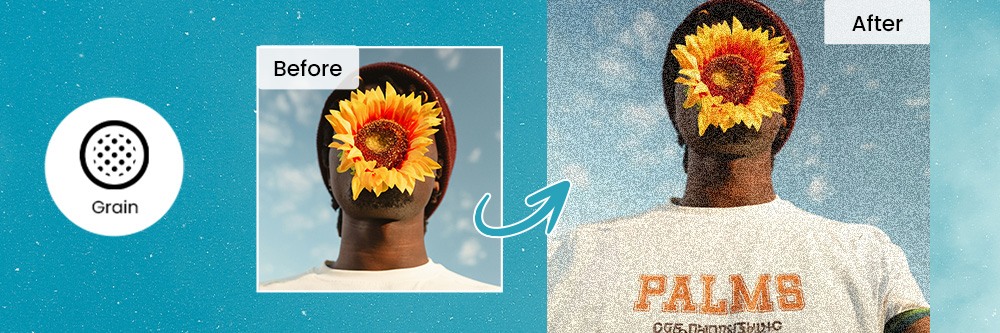

The vintage trend is currently in full swing, capturing the essence of nostalgia and timeless charm. To embrace this aesthetic, one of the simplest yet most effective methods is by incorporating film grain into your photos.
This article will introduce PhotoDirector, the ultimate app for adding film grain, ensuring your journey into vintage photography is enjoyable. Let's embark on this creative exploration to enhance your photos with a touch of timeless allure!
- PhotoDirector: Your Best App for Adding Film Grain to Photos
- What Is Film Grain?
- When to Apply Film Grain to Your Photos
- How to Add Film Grain to Your Photos
- More Tips to Create a Vintage Look in Your Photo
- FAQs About Film Grain
PhotoDirector: Your Best App for Adding Film Grain to Photos

Introducing PhotoDirector, the premier app for seamlessly adding film grain to your photos. If you're looking to elevate your images with a touch of vintage charm, PhotoDirector stands out as the go-to solution. Experience the perfect blend of user-friendly interface and powerful features, making it the best app to achieve that timeless appeal in your photographs.
What Is Film Grain?
To embark on this journey, let's first comprehend the essence of film grain. Film grain, originating from traditional film photography, is the random optical texture in photographic film caused by tiny silver halide crystals. These crystals react to light during exposure, shaping the image you see.
Even though digital cameras no longer produce this type of grain, it adds character, depth, and a nostalgic quality to photos. This unique feature has become a sought-after element in the digital age, contributing to the resurgence of vintage aesthetics.
When to Apply Film Grain to Your Photos
Applying film grain can significantly enhance your photos, creating a special and vintage atmosphere. The following scenarios are particularly suitable:
- Portrait Photography
- B&W Photography
- Scenery Photography

For portrait enthusiasts, film grain can add a soft, timeless quality to your subjects, giving them a classic charm that transcends the digital age.
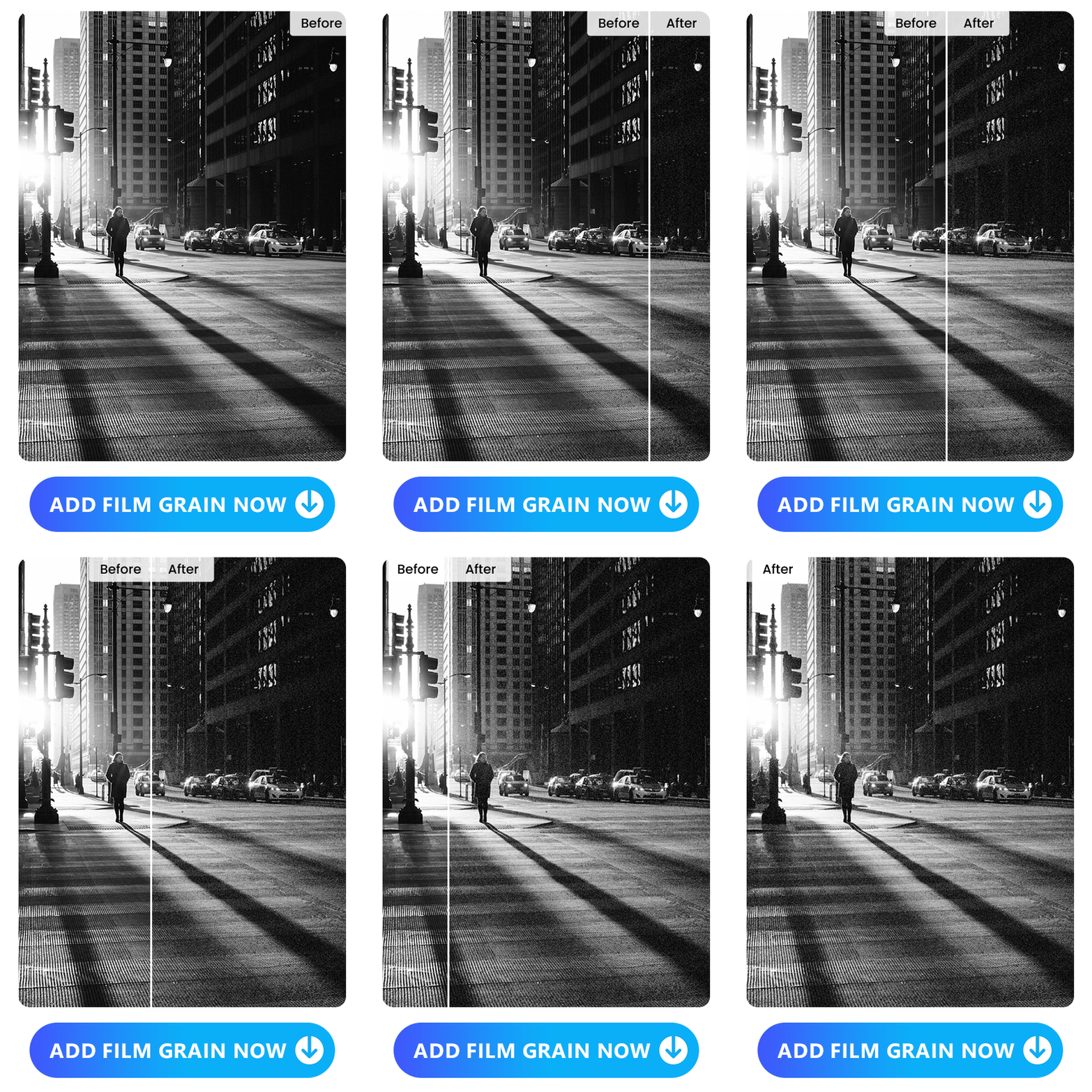
When exploring the beauty of black and white photography, film grain introduces a subtle texture that complements the monochromatic tones, creating a captivating visual experience.
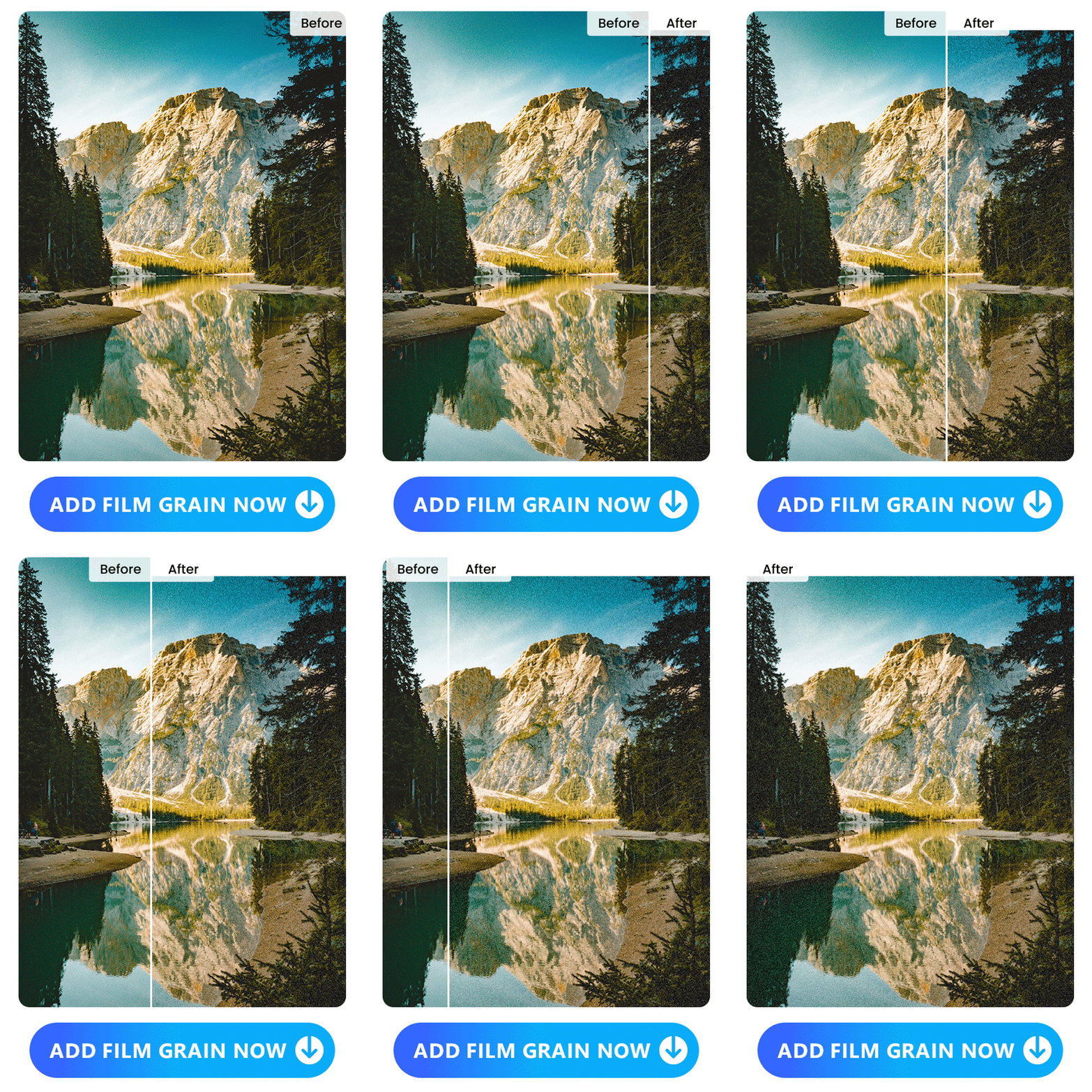
Even landscapes benefit from the allure of film grain. It can transform a modern cityscape or a natural vista, infusing it with a touch of vintage elegance.
How to Add Film Grain to Your Photos
Now, let's dive into the practical steps of adding film grain using PhotoDirector. Follow these simple steps to bring the magic of film grain to your images:
- Download PhotoDirector
- Upload a Photo or Take a Photo With PhotoDirector's Camera
- Tap "Edit" and Select "Adjustment"
- Adjust the Intensity of Film Grain
- Finish! Share Your Stunning Images Now
1. Download PhotoDirector
Embark on your quest for timeless appeal by downloading PhotoDirector, the best free film grain app for iOS and Android users. With just a tap, PhotoDirector empowers you to effortlessly infuse your photos with film grain, adding a touch of vintage charm in this digital era.
2. Upload a Photo or Take a Photo With PhotoDirector's Camera

Whether you have a pre-existing photo or want to capture a moment on the spot, PhotoDirector caters to your needs. Utilize the built-in camera for added convenience and enhance your selfie with portrait tools before adding the film grain to photos.
3. Tap "Edit" and Select "Adjustment"
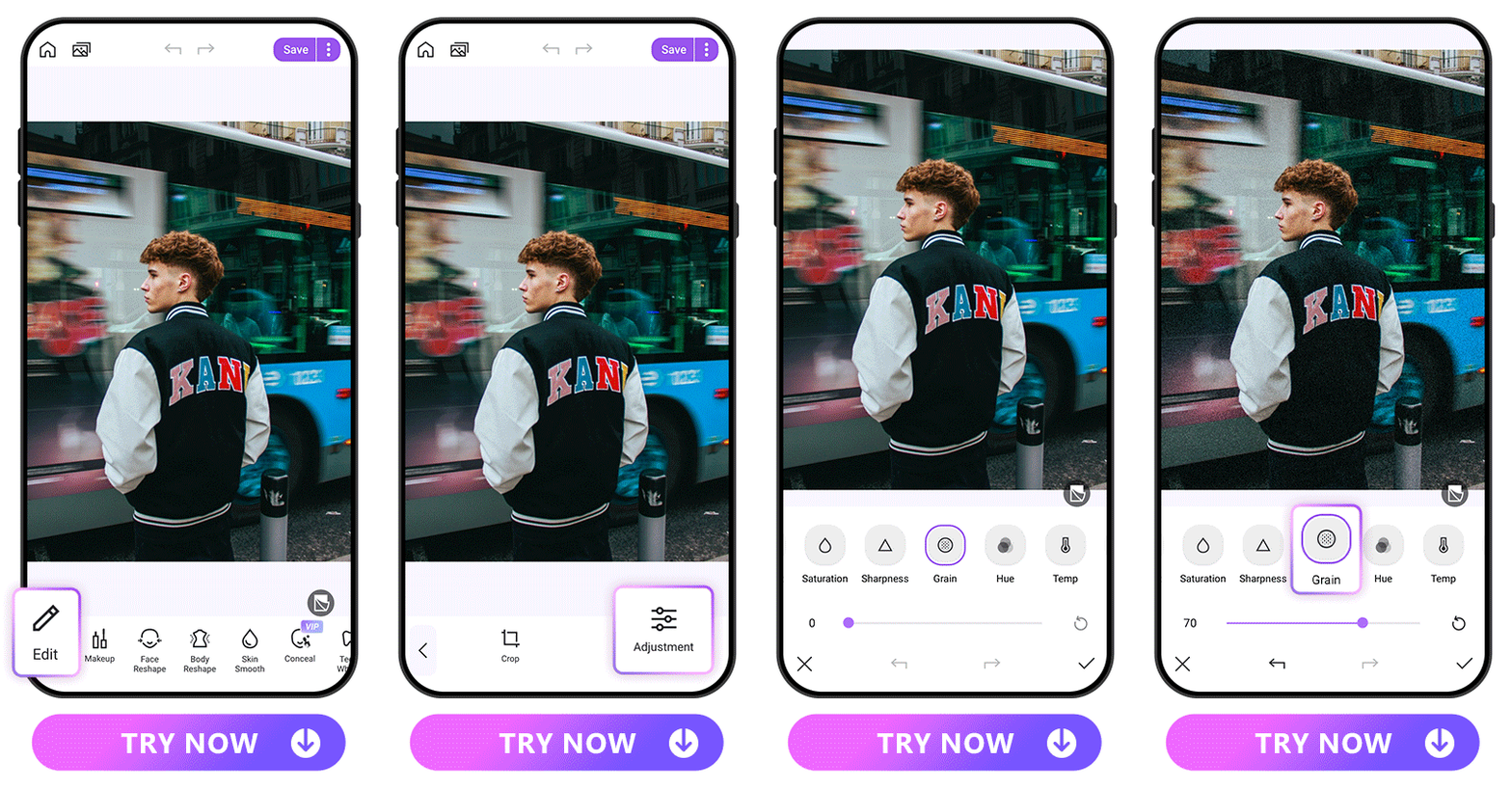
Once your photo is selected, navigate to the 'Edit' option and choose 'Adjustment.' Within the toolbox, swipe until you find the 'Grain' option, unlocking the gateway to vintage charm.
4. Adjust the Intensity of Film Grain
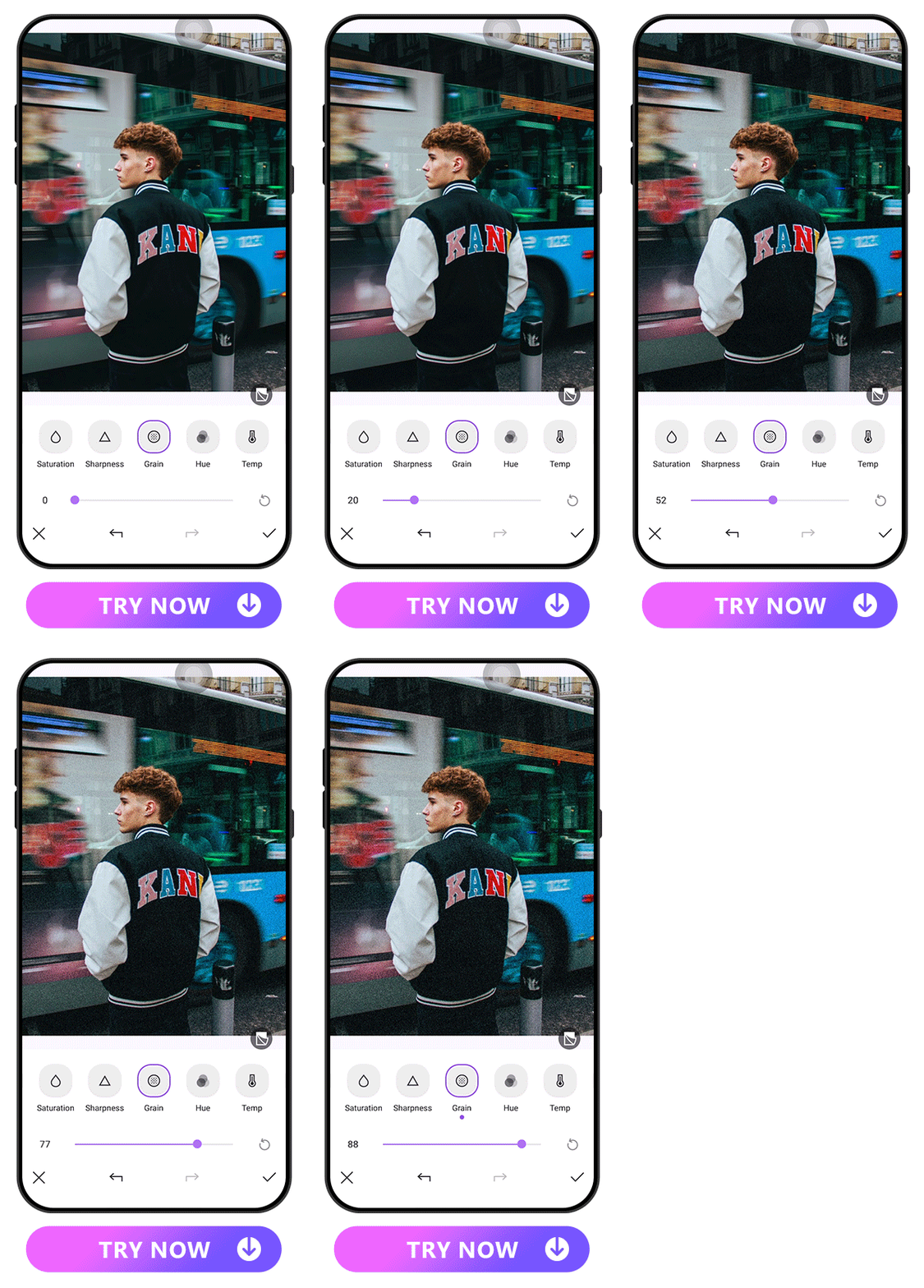
Customize the intensity of the film grain with a simple slide. PhotoDirector empowers you to find the perfect balance, ensuring your photos resonate with your desired vintage aesthetic.
5. Finish! Share Your Stunning Images Now
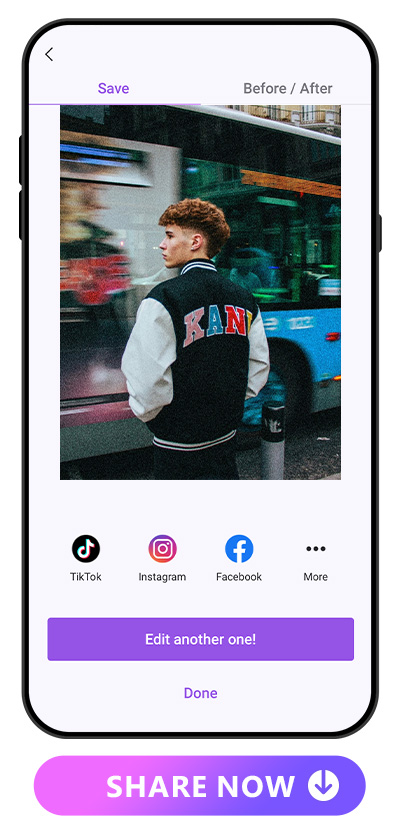
With just a few taps, your photo undergoes a stunning transformation. Share your masterpieces directly on social media, captivating your audience with the timeless allure of film grain.
More Tips to Create a Vintage Look in Your Photo
PhotoDirector goes beyond basic film grain application; it offers an array of filters to elevate your vintage photography experience. Here are some noteworthy filters:
- Vintage Filter
- Film Filter

PhotoDirector's vintage filter is capable of imparting an aged look and a nostalgic feel to images. Each vintage image filter possesses distinct characteristics and styles, such as creating a faded appearance, adding a vignette effect, or adjusting image brightness.
Whether it's a scenic landscape or a selfie, if you desire to infuse a touch of vintage charm, the vintage filter stands as your optimal choice.

PhotoDirector’s film filter mimics the effects of a film camera, offering similarities to positive film, negative film, and black and white film rolls. When you wish to add a special atmosphere to your digital images, give the film filter a try.
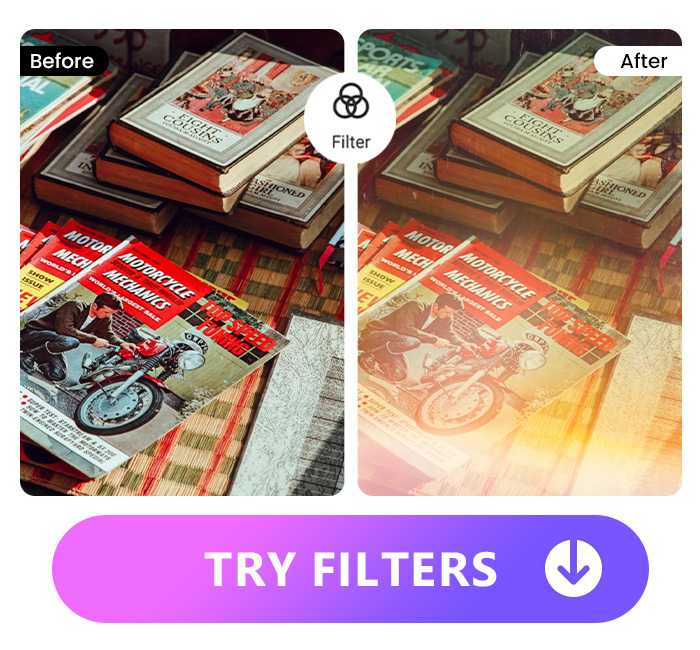
The burning-first frame effect refers to a photographic technique in which the edges of the image appear burnt or singed, creating a dramatic and unique visual impact. Many film enthusiasts are obsessed with this effect. PhotoDirector's filter, specifically the Light Style: LL05, closely replicates this effect, enabling you to effortlessly incorporate the burning-first frame aesthetic into your photos.
FAQs About Film Grain
Film grain is the textured appearance in photographs, originating from traditional film photography. It adds a unique charm and vintage feel to digital images. Therefore, even though modern digital images no longer naturally exhibit a similar grain, many enthusiasts of the vintage aesthetic still choose to add film grain to their photos.
Adding film grain to photos offers several benefits, including:
- Uniqueness: Film grain introduces a distinctive texture, making each photo stand out and ensuring a one-of-a-kind visual experience.
- Vintage Aesthetic: It imparts a vintage look, transporting images to a bygone era and adding a timeless charm.
- Enhanced Depth: Film grain contributes to the depth and character of photos, creating a more visually engaging composition.
Film grain opens the door to various creative effects, such as:
- Textured Appearance: Film grain introduces a textured quality to photos, enhancing their visual appeal.
- Nostalgic Atmosphere: It creates a nostalgic ambiance, evoking emotions associated with traditional film photography.
- Subtle Imperfections: Film grain adds subtle imperfections, giving photos a more organic and authentic feel.
PhotoDirector takes the lead as the best film grain filter app due to its:
- Natural Effect: The film grain filter provided by PhotoDirector is natural, avoiding artificial looks and seamlessly blending with your photos.
- User-Friendly Interface: PhotoDirector offers an intuitive and easy-to-use interface, ensuring a hassle-free experience for users of all skill levels.
- Versatility: It provides a versatile range of film grain options, allowing users to customize the intensity according to their preferences.
PhotoDirector offers a suite of features to enhance the vintage look of photos, including:
- Vintage Filter: PhotoDirector provides a dedicated vintage filter that imparts an aged and nostalgic ambiance to your photos, creating a classic and timeless feel.
- Film Filter The app includes a film filter that replicates the effects of a film camera, offering nuances of positive film, negative film, and black and white film rolls.
- Burning-First Frame Effect Filter: PhotoDirector introduces a filter similar to the burning-first frame effect. Specifically, the Light Style: LL05 filter allows you to recreate the unique and dramatic visual impact associated with the burning-first frame technique.

The Cyberlink Editorial Team creates in-depth articles on video editing, multimedia innovation, and AI-powered creative tools. Our mission is to provide practical, easy-to-follow tutorials across video and photo editing, while showcasing AI features, product insights, and industry trends that empower creators around the world.


